
Introduction
The FNIRSI WD-02 is an advanced wall stud detector designed for accurately locating studs, metal objects, and live AC wires hidden behind various wall surfaces. This manual provides essential information for the safe and effective operation of your device.
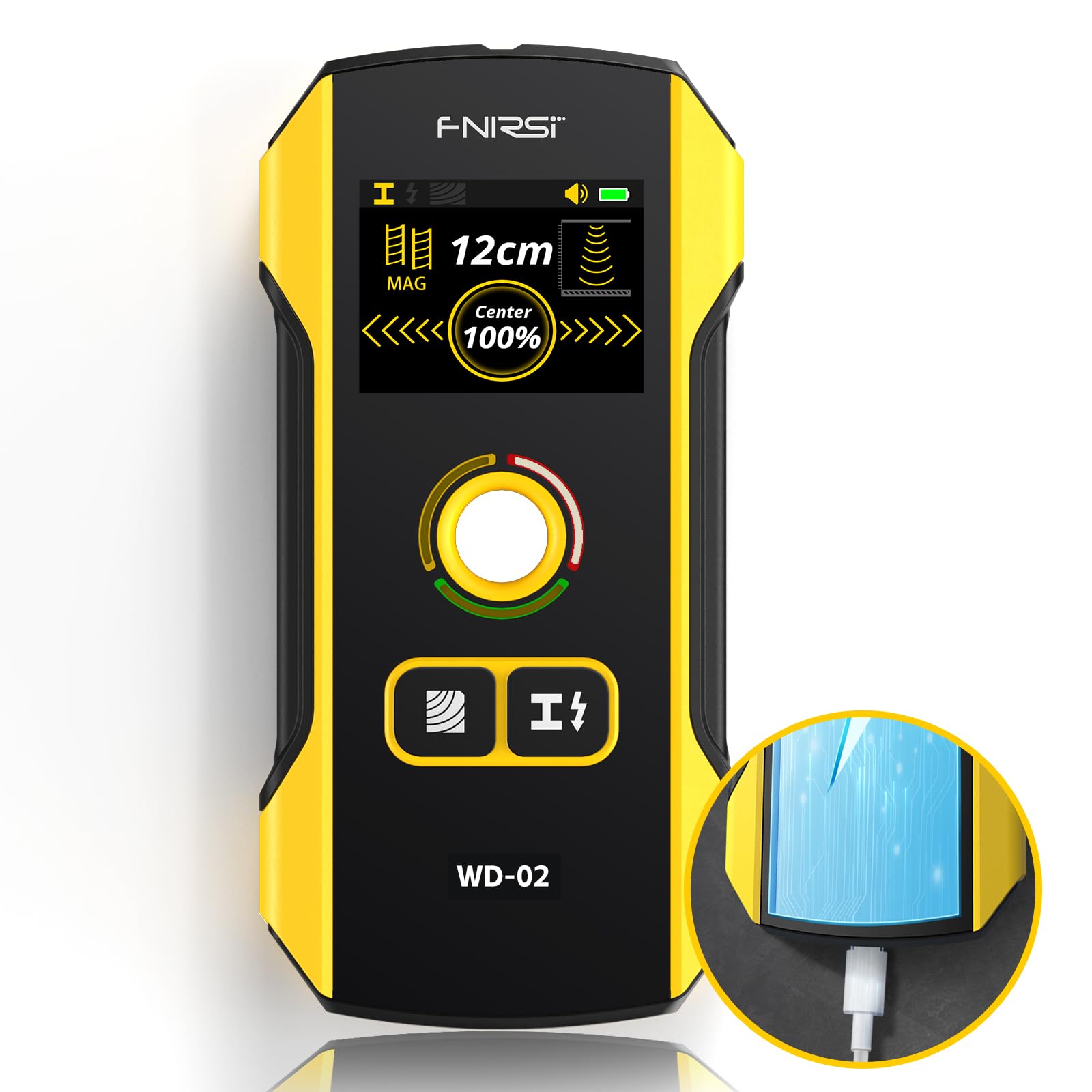
Image: Front view of the FNIRSI WD-02 Wall Stud Detector, showing its yellow and black design and digital display.
Key Features
- Updated Next-Generation Stud Detector: Features a newly designed positioning hole for accurate and rapid marking of edges and centers of metal, studs, pipes, and live AC wires.
- Multifunctional Detection: Three distinct modes for stud, metal, and AC wire detection, each with three sensitivity levels for varying detection depths.
- Digital LCD Display and Audible Alarm: Provides precise object location with a clear display and an audible alert.
- Easy to Use and Automatic Calibration: User-friendly LCD and automatic calibration for quick and accurate stud center location.
- Rechargeable Battery: Equipped with a rechargeable battery, eliminating the need for frequent battery replacement.
- Wide Application: Suitable for various wall surfaces including lath, wallpaper, wooden floors, acoustic ceilings, and painted walls.
Setup
1. Unboxing and Initial Charge
Upon receiving your FNIRSI WD-02, carefully remove it from its packaging. The device comes with a built-in rechargeable Lithium Polymer battery. Before first use, ensure the device is fully charged using the provided charging cable.
2. Powering On/Off
Press and hold the power button located on the side of the device to turn it on or off. The LCD display will illuminate upon activation.
Operating Instructions
1. Automatic Calibration
The FNIRSI WD-02 features automatic calibration. Before each scan, place the device flat against the wall surface where you intend to scan. Press the scan button (usually the main button on the front) and wait for the calibration process to complete. Do not move the device during calibration. This ensures accurate detection by adapting to the wall material.

Image: Three stages of the FNIRSI WD-02 calibration process, showing the display progressing from 0% to 100% and indicating readiness for scanning.
2. Selecting Detection Mode
The device offers three detection modes: Wood Detection, Cable Detection (AC wires), and Metal Detection. Use the mode selection button (often labeled with icons) to cycle through these options. The selected mode will be indicated on the TFT display.

Image: The FNIRSI WD-02 device highlighting its three detection modes: Wooden Detection, Cable Detection, and Metal Detection, with corresponding icons.
3. Scanning Procedure
- Placement: Place the calibrated device flat against the wall.
- Movement: Slowly slide the device horizontally across the surface. Maintain constant contact with the wall.
- Detection Indicators: The LCD display will show visual cues (e.g., signal strength, depth, center indication) and an audible alarm will sound as the device approaches and passes over a detected object.
- Marking: Use the integrated positioning hole to mark the detected edges and center of the object for precise drilling or cutting.

Image: Illustration showing the FNIRSI WD-02 detecting various objects within a wall, including wood, AC cables, metal pipes, and rebar, with their respective maximum detection depths.
4. Detection Specifics
- Wood Detection: Detects foreign objects behind plasterboard walls, bare wood floors, plywood, coated wood walls, including wood rails, light steel joists, nails, and conduits. Maximum depth: 1.5 inches (38 mm).
- Metal Detection: Detects magnetic metals (steel bars, iron) and non-magnetic metals (wires, copper pipes). Maximum depth: 4.7 inches (120 mm).
- AC Wire Detection: Detects live AC cables under walls. Non-live cables may not be detected by this mode or may be detected by metal objects. Maximum depth: 2 inches (50 mm).

Image: Detailed view of the three detection modes (Metal, Cable, Wooden) of the FNIRSI WD-02, illustrating what each mode detects and providing examples.
Maintenance
- Cleaning: Wipe the device with a soft, dry cloth. Do not use abrasive cleaners or solvents.
- Storage: Store the device in a cool, dry place, away from direct sunlight and extreme temperatures.
- Battery Care: Recharge the battery regularly, even if the device is not in frequent use, to maintain battery health. Avoid fully discharging the battery for extended periods.
Troubleshooting
| Problem | Possible Cause | Solution |
|---|---|---|
| Inaccurate readings / False positives | Improper calibration, uneven wall surface, presence of moisture. | Recalibrate the device on a clear section of the wall. Ensure the device is flat against the surface. Avoid scanning on wet or freshly painted walls. |
| Device does not turn on | Low battery. | Charge the device fully using the provided USB cable. |
| No detection in AC mode | Cables are not live, or too deep. | Ensure the circuit is active. Note that non-live cables may not be detected. Check maximum detection depth for AC wires (2 inches). |
| Difficulty locating stud center | Device moved too quickly, or not calibrated correctly. | Scan slowly and ensure proper calibration. The display will guide you to the center. |
Specifications
- Manufacturer: FNIRSI
- Model Number: WD-02
- Item Code: FNIRSI WD-02
- Detection Depth (Studs): Up to 1.5 inches (38 mm)
- Detection Depth (Metal): Up to 4.7 inches (120 mm)
- Detection Depth (AC Wires): Up to 2 inches (50 mm)
- Battery Type: Lithium Polymer (rechargeable)
- Item Weight: 250 grams
- Package Dimensions: 20.4 x 10 x 4.4 cm
- Display: TFT Digital LCD
Warranty and Support
For warranty information and technical support, please refer to the official FNIRSI website or contact your retailer. Keep your purchase receipt as proof of purchase for warranty claims.
For further assistance, you may visit the manufacturer's website: www.fnirsi.cn (Note: This is a placeholder URL as no specific support link was provided in the product data. Users should verify the correct support channel.)


