
1. Introduction
Thank you for choosing the Wigearss Coffee Scale with Timer, Model INSP0543. This digital scale is designed for precise measurements in coffee brewing, offering 0.1g accuracy and a maximum capacity of 5000g (5kg). It features a built-in timer, multiple measurement units, and various brewing modes to enhance your coffee experience.

Image 1.1: The Wigearss Coffee Scale, including its accessories.
2. Package Contents
Verify that all items are present in your package:
- 1x Wigearss Coffee Scale (Black)
- 1x User Manual
- 1x Silicone Waterproof Insulation Pad
- 1x USB-C Charging Cable
- 3x AAA Batteries

Image 2.1: Contents of the Wigearss Coffee Scale package.
3. Product Features
- High Precision: Measures from 0.5g to 5000g with 0.1g accuracy, suitable for espresso and pour-over brewing.
- Dual Power Options: Equipped with a built-in 500mAh lithium battery (rechargeable via USB-C) and includes 3 AAA batteries for backup power.
- Smart Water-to-Powder Ratio: Features an intelligent function to assist in achieving optimal coffee extraction ratios.
- Versatile Modes & Units: Offers three units (g/oz/ml) and four specialized brewing modes (PR1, PR2, E1, E2).
- Durable Design: Constructed from high-quality ABS material with a hidden touch control panel and LED display for ease of use.

Image 3.1: High-precision weighing capability of the scale.
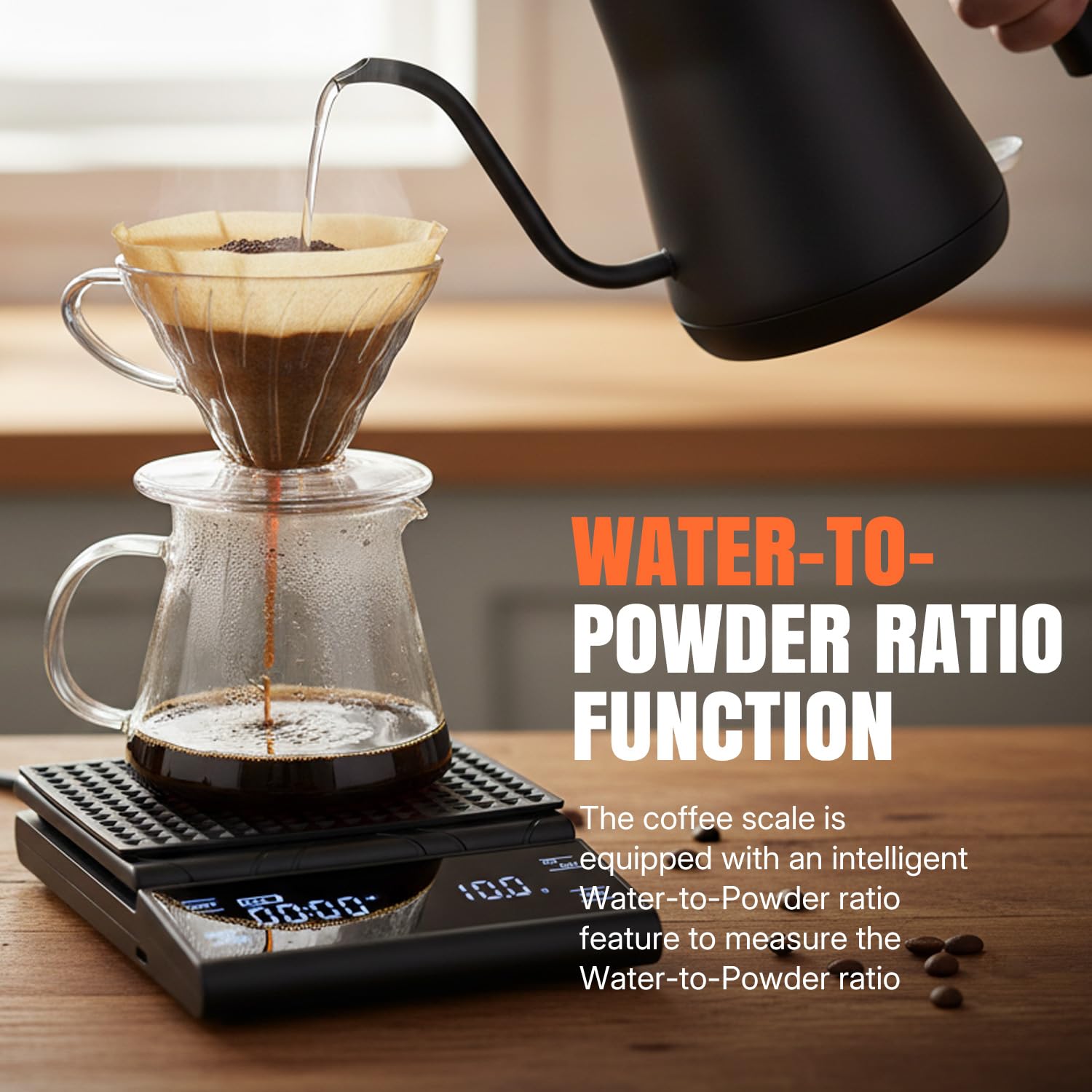
Image 3.2: The scale's water-to-powder ratio function in action.
4. Setup
4.1 Powering the Scale
The scale can be powered by its internal rechargeable lithium battery or by the included AAA batteries.
- Internal Battery: Connect the provided USB-C charging cable to the scale's charging port and a suitable USB power source. The battery indicator on the display will show charging status.
- AAA Batteries: Open the battery compartment on the underside of the scale and insert the 3 AAA batteries, ensuring correct polarity.
Important Note:
- It is not recommended to charge the device while AAA batteries are installed.
- If the scale will not be used for an extended period, remove the AAA batteries to preserve their lifespan.

Image 4.1: Dual power options for the coffee scale.
4.2 Initial Placement
Place the scale on a hard, level surface. Avoid soft pads or inclined areas, as these can cause measurement errors. Ensure nothing is placed on the scale when it is powered on.
5. Operating Instructions
5.1 Power On/Off
Press the ON/OFF button to turn the scale on or off.
5.2 Unit Switching
Press the UNIT button to cycle through the available measurement units: grams (g), ounces (oz), and milliliters (ml).
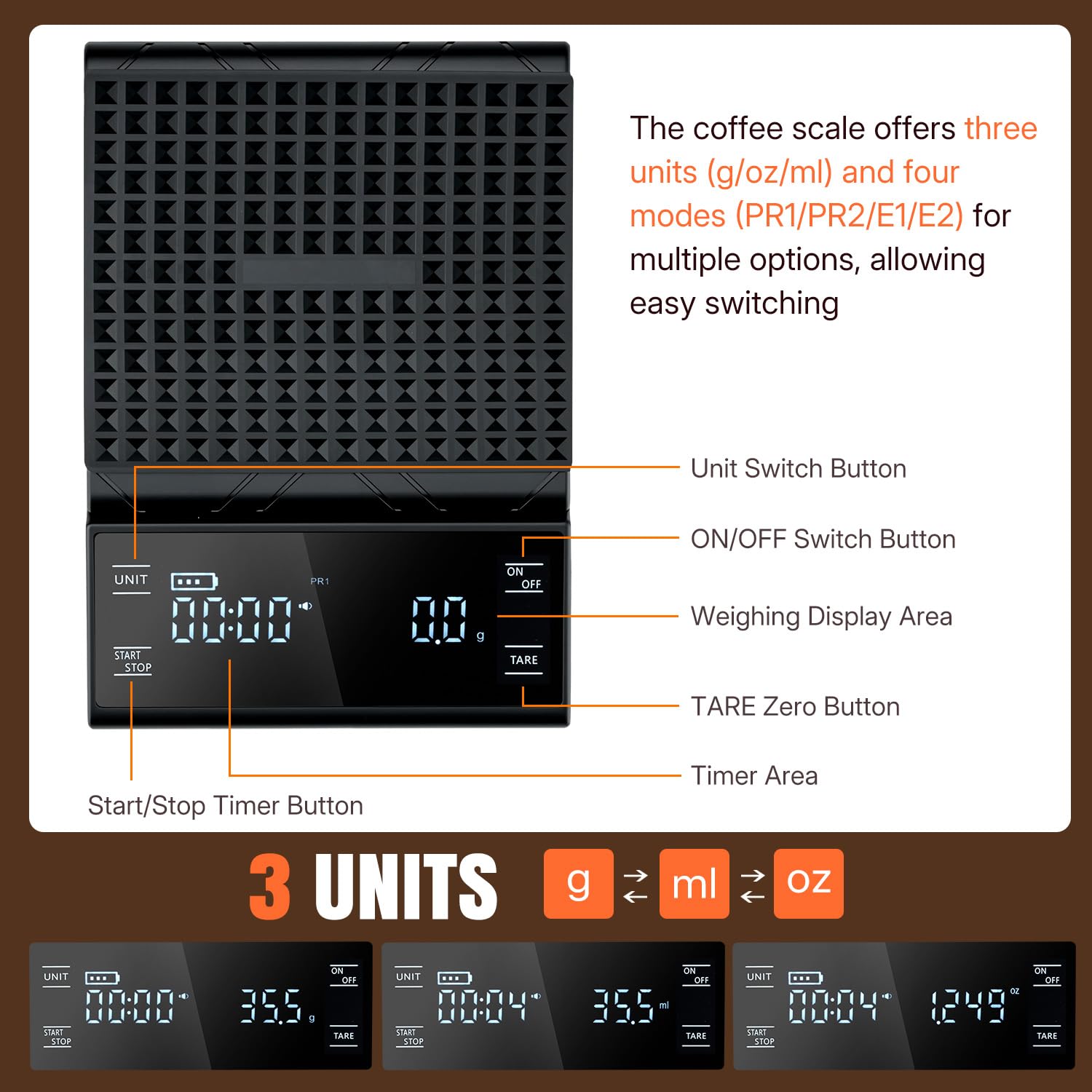
Image 5.1: Overview of scale controls and unit switching.
5.3 Mode Selection
The scale offers four specialized brewing modes:
- PR1: Pour-over Coffee Mode
- PR2: Powder-water Ratio Mode
- E1: Espresso Mode
- E2: Espresso Mode (with Smart Zero Reset)
To select a mode, press the UNIT and START/STOP buttons simultaneously. The mode indicator will flash. Press the START/STOP button to cycle through the modes, then press the TARE button to confirm your selection.
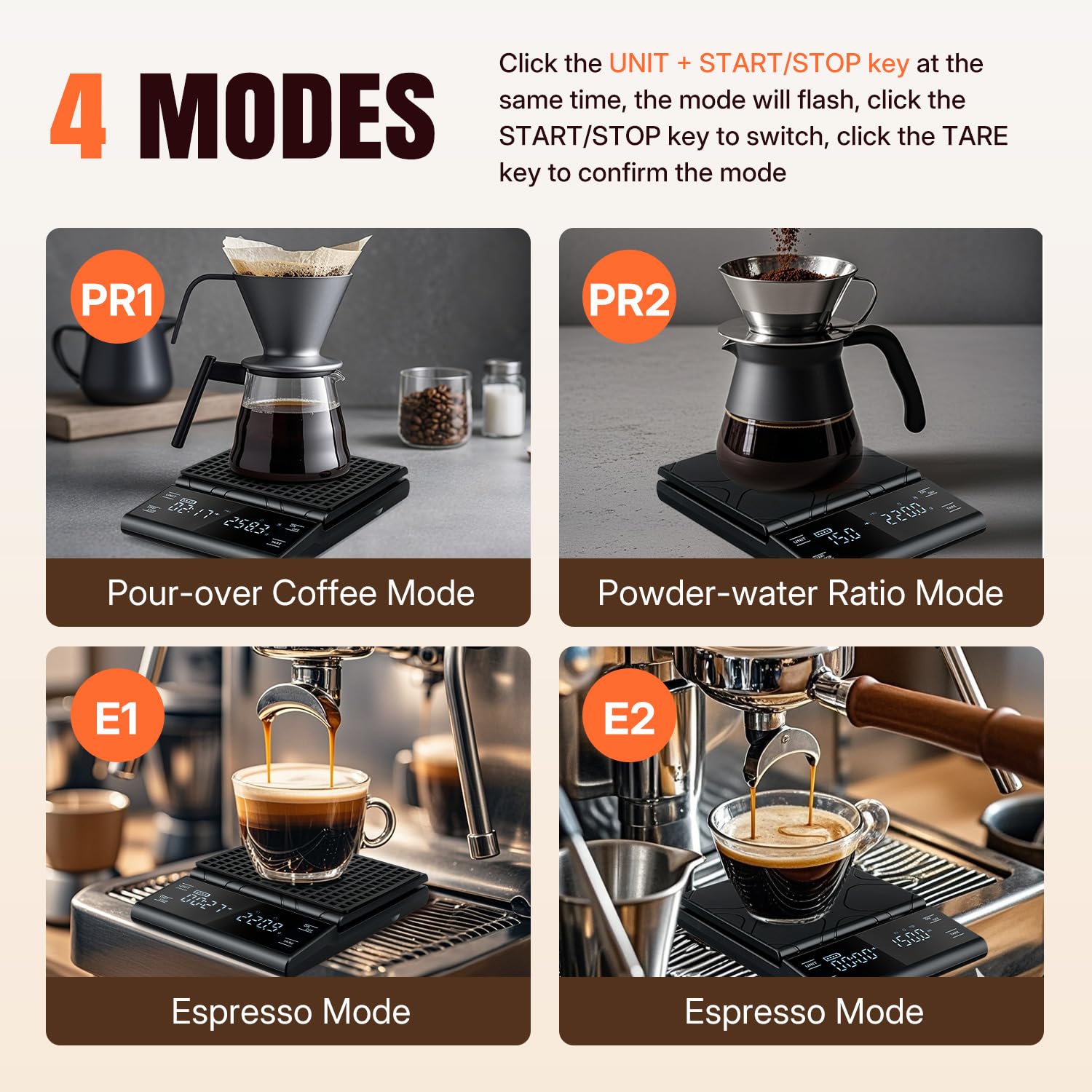
Image 5.2: Visual examples of the four brewing modes.
5.4 Tare Function
Press the TARE button to reset the scale to zero, allowing you to measure ingredients incrementally.
5.5 Timer Operation
Press the START/STOP button to begin or pause the timer. To activate countdown mode, press and hold the START/STOP button. When the countdown finishes, the device will beep. Press the TARE button to stop the beep.
5.6 Automatic Shutdown (A-ON/A-OFF)
The scale automatically enters sleep mode after 5 minutes of inactivity if the automatic shutdown system is enabled.
- To disable automatic shutdown: In the regular weighing interface, press and hold the TARE button for approximately 3 seconds. The weighing area will display 'A-OFF'.
- To enable automatic shutdown: Release the button, then press and hold the TARE button again for approximately 3 seconds. The weighing area will display 'A-ON'.
5.7 Sound On/Off
In the regular weighing interface, press the TARE button four times in quick succession to toggle the sound on or off.
Video 5.1: Demonstration of the Wigearss Coffee Scale's features and operation, including high-precision weighing, unit switching, and power options.
6. Maintenance
6.1 Cleaning
Wipe the scale with a soft, damp cloth. Do not immerse the scale in water or use abrasive cleaners. The included silicone waterproof insulation pad has a maximum tolerance temperature of 100°C.
6.2 Storage
Store the scale in a dry place at room temperature. If not used for an extended period, remove the AAA batteries to prevent leakage and preserve battery life.
7. Troubleshooting
- Inaccurate Readings: Ensure the scale is placed on a hard, level surface. Avoid soft pads or inclined areas. Recalibrate if necessary (refer to specific calibration instructions if available, or contact support).
- Scale Not Turning On: Check battery levels. If using AAA batteries, ensure they are correctly inserted. If using the internal battery, ensure it is charged.
- Timer Beeping Continuously: If in countdown mode, press the TARE button to stop the beep.
- Display Errors: Try turning the scale off and on again. If the issue persists, remove all power sources (both internal and AAA batteries) for a few minutes, then re-power.
8. Specifications
| Product Dimensions | 8.39 x 5.71 x 1.38 inches |
| Item Weight | 13.47 ounces |
| Model Number | INSP0543 |
| Power Source | Built-in 500mAh Lithium Battery (USB-C rechargeable), 3x AAA batteries (included) |
| Accuracy | 0.1g |
| Measuring Range | 0.5g to 5000g |
| Display Type | LED |
| Special Features | Auto Shut Off, Timer, Water-to-Powder Ratio Function |

Image 8.1: Physical dimensions and design features of the scale.
9. Warranty and Support
For warranty information or technical support, please refer to the contact details provided with your purchase or visit the official Wigearss website. Keep your purchase receipt for warranty claims.