
1. Introduction
This manual provides instructions for the GOUYESHO Replacement Remote Control, designed for use with various Apple TV models. This infrared remote offers a straightforward solution for controlling your Apple TV without complex setup procedures.
2. Compatibility
The GOUYESHO Replacement Remote Control is compatible with the following Apple TV models:
- Apple TV 1st, 2nd, 3rd, 4th, and 5th Generation
- Apple TV 4K
- Specific models include: MC377LL/A, MC377Z/A, MC572LL/A, MD199LL/A, MM4T2AM/A, MM4T2ZM/A, A1842, A1625, A1469, A1427, A1378, A11218, A1294, A1156, MGY52, MLNC2, MQD22, MP7P2

Figure 2.1: The remote control shown next to a television, highlighting its compatibility with Apple TV models A2540 and A2584.
3. Setup
3.1 Battery Installation
The remote control requires two (2) AAA 1.5V batteries (not included). To install the batteries:
- Locate the battery compartment on the back of the remote control.
- Slide open the battery compartment cover.
- Insert two AAA batteries, ensuring the correct polarity (+ and -) as indicated inside the compartment.
- Close the battery compartment cover securely.

Figure 3.1: The battery compartment of the remote control, illustrating where to insert two AAA batteries.
3.2 Initial Use
No programming or pairing is required for this remote control. Once the batteries are correctly installed, the remote is ready for immediate use with your compatible Apple TV device.

Figure 3.2: The remote control demonstrating its plug-and-play functionality, requiring no programming or pairing.
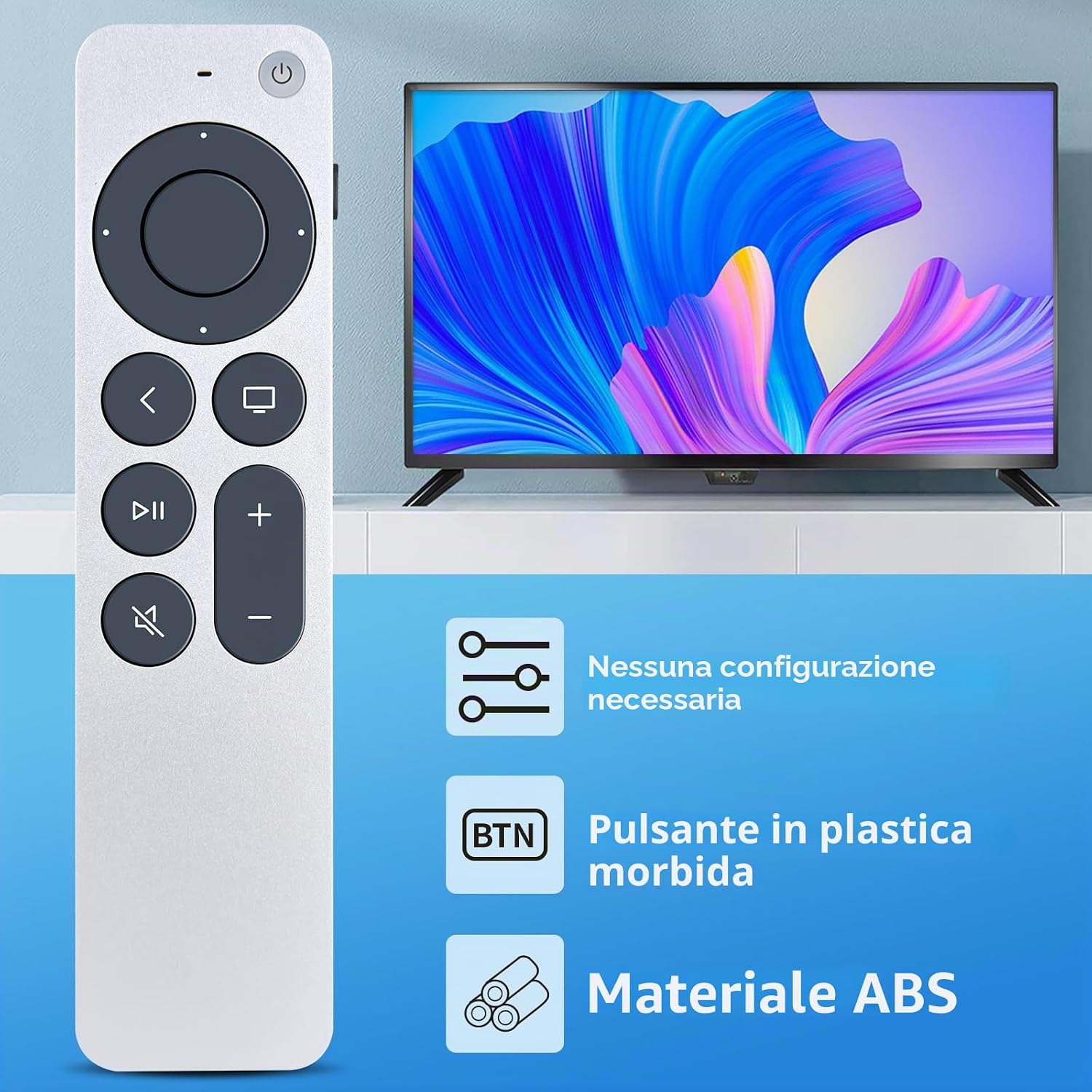
Figure 3.3: Key features of the remote control, including no configuration requirement, soft plastic buttons, and durable ABS material construction.
4. Operation
The remote control utilizes infrared (IR) technology for communication with your Apple TV. Ensure a clear line of sight between the remote and your Apple TV for optimal performance.
4.1 Basic Functions
- Power Button: Turns your Apple TV on or off.
- Directional Pad (Ring): Navigate menus and select items.
- Select Button (Center): Confirms selections.
- Menu/Back Button: Returns to the previous screen or menu.
- Home Button: Returns to the Apple TV home screen.
- Play/Pause Button: Controls media playback.
- Volume Up/Down Buttons: Adjusts the volume.
- Mute Button: Mutes or unmutes audio.
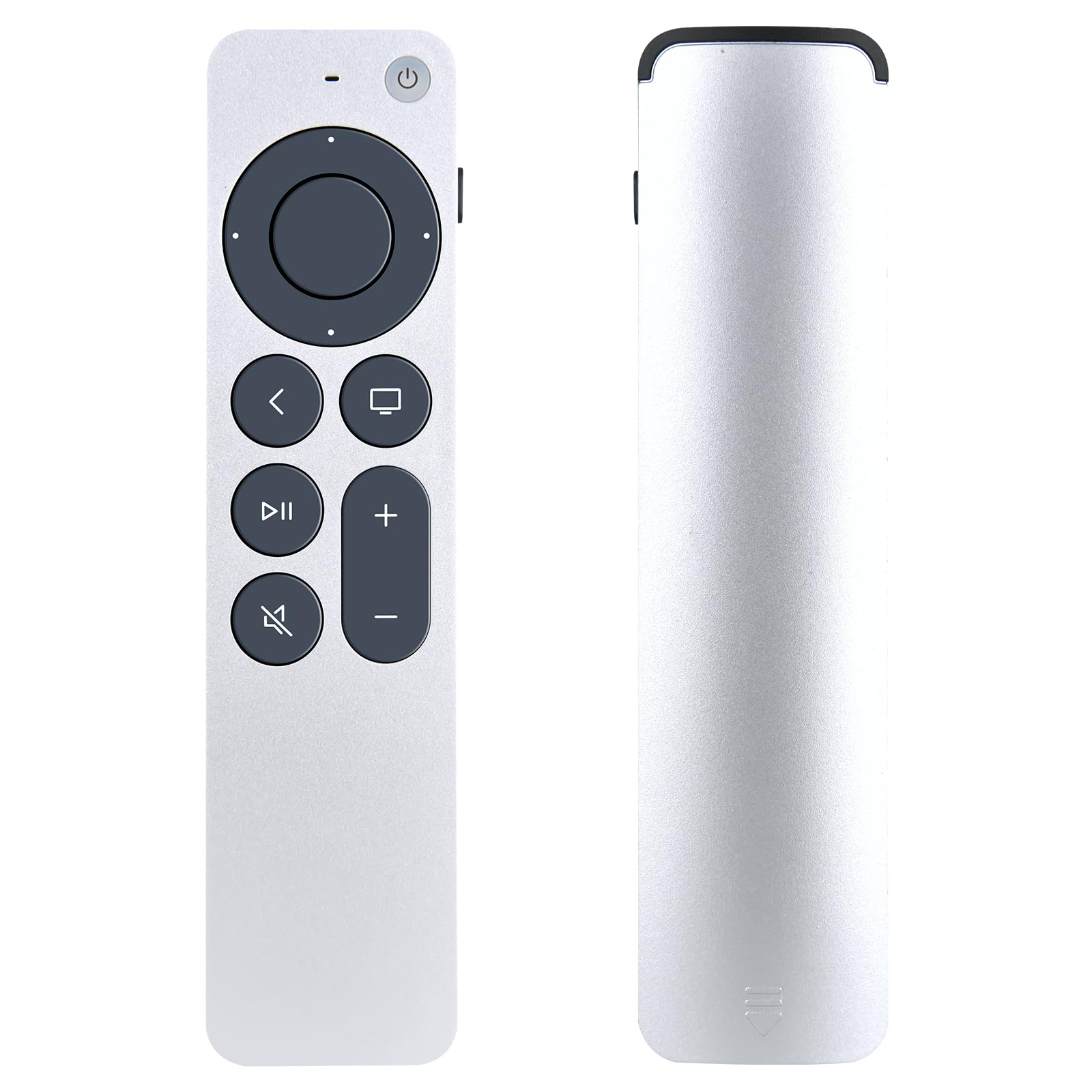
Figure 4.1: The GOUYESHO remote control displaying its layout and buttons for controlling an Apple TV.
4.2 Infrared Technology and Range
The remote utilizes advanced infrared 3.0 technology, providing a strong and responsive signal. It operates effectively at a distance of over 26 feet (approximately 8 meters) and within a 120-degree angle, allowing for flexible use.

Figure 4.2: The remote control in use, demonstrating its long-distance and precise control capabilities via infrared technology.
5. Maintenance
5.1 Cleaning
To clean the remote control, use a soft, dry cloth. Do not use liquid cleaners or abrasive materials, as these can damage the surface or internal components.
5.2 Battery Replacement
Replace the batteries when the remote's responsiveness decreases or it stops functioning. Always replace both AAA batteries at the same time with new ones. Dispose of used batteries according to local regulations.
6. Troubleshooting
- Remote not responding:
- Ensure batteries are correctly installed with the proper polarity.
- Replace old batteries with new AAA batteries.
- Check for any obstructions between the remote and your Apple TV.
- Ensure you are within the operational range (within 26 feet) and angle (120 degrees).
- Buttons feel unresponsive:
- This remote uses soft plastic buttons designed for comfortable tactile feedback. If a button feels stuck, gently press it to ensure it is not obstructed.
- Limited functionality compared to original Apple remote:
- This replacement remote is an infrared device and does not support advanced features like voice control (Siri) or touch-sensitive navigation found on some original Apple remotes. It provides essential control functions.
7. Specifications
| Brand | GOUYESHO |
| Model Name | Nuevo |
| Model Number | B0FN7Z58MY |
| Color | Black |
| Connectivity Technology | Infrared |
| Maximum Range | 26 Feet (approx. 8 meters) |
| Number of Buttons | 20 |
| Controller Type | Button Control |
| Compatible Devices | Streaming Device, Television (Apple TV 4K, Apple TV 1st-5th Gen) |
| Battery Description | AAA (2 required) |
| Special Feature | Ergonomic design |
| Material | New ABS material |

Figure 7.1: Dimensional overview of the GOUYESHO Replacement Remote Control.
8. Warranty and Support
GOUYESHO is committed to product quality and customer satisfaction. If you have any questions regarding your order, product model, or require assistance, please contact our customer service directly. We aim to respond to all inquiries within 12 hours on working days.