
1. Introduction
Thank you for choosing KSIPZE Permanent Outdoor Lights. This manual provides essential information for the safe and effective installation, operation, and maintenance of your new lighting system. These 100ft smart RGB+IC LED lights are designed for outdoor use, featuring IP67 waterproofing for the lights and IP65 for the control box, ensuring year-round durability. They offer versatile control options via a dedicated app and a physical button, along with over 200 dynamic scene modes.
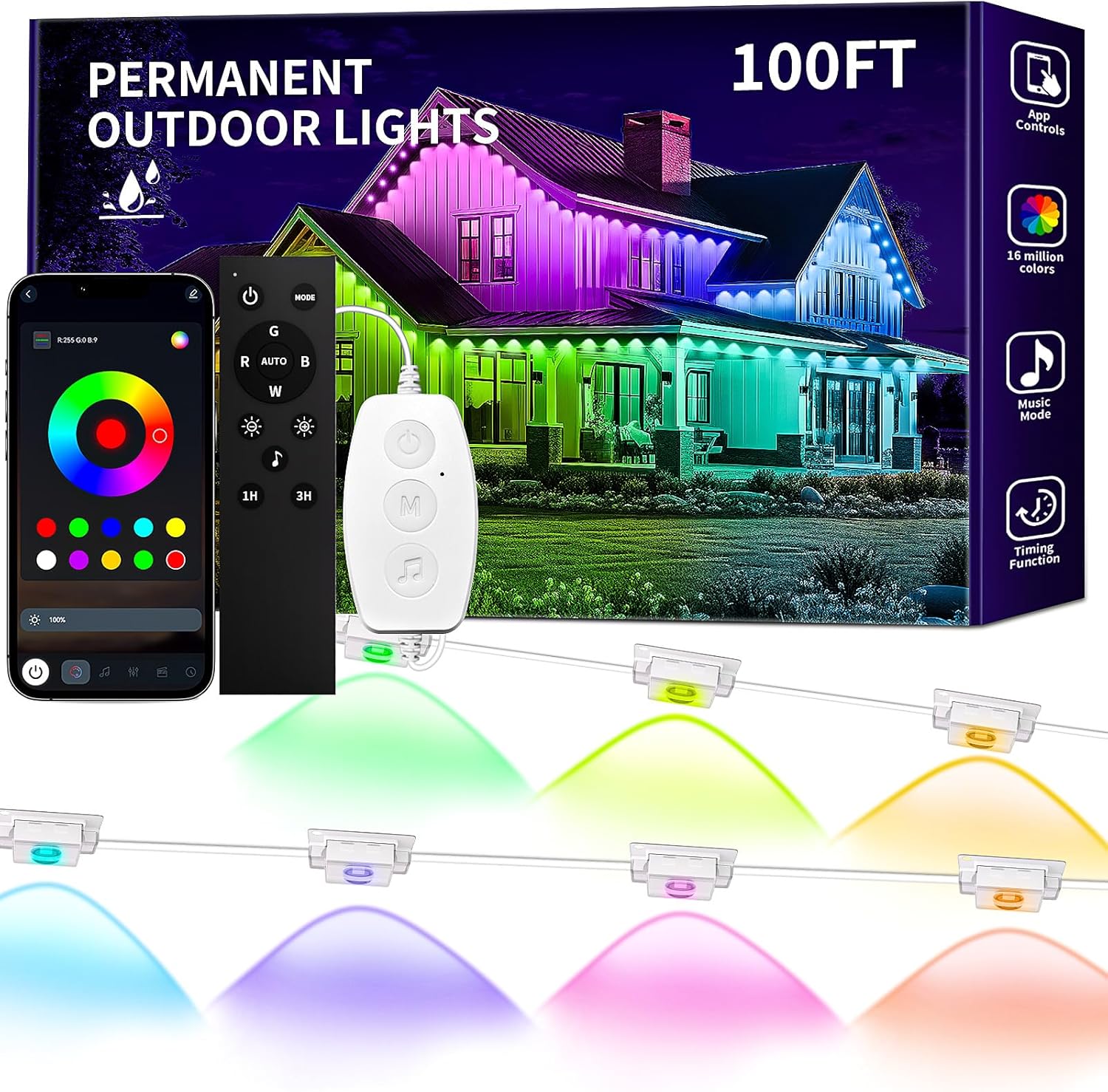
Image 1.1: KSIPZE 100ft Permanent Outdoor Lights product overview, including the light string, remote control, and smartphone app interface.
2. What's in the Box
Please check the package contents to ensure all items are present:
- Permanent Outdoor Lights (2x50ft sections)
- Button Controller
- Power Adapter
- User Manual (this document)
3. Safety Information
Read all safety instructions before installation and use. Failure to follow these instructions may result in electric shock, fire, or other hazards.
- Power Source: Only use the provided power adapter. Do not connect to a power source with a voltage higher than 24 Volts.
- Outdoor Use: While the lights are IP67 waterproof and the control box is IP65, ensure all connections are secure and protected from direct water exposure where possible.
- Installation: Do not install the lights near heat sources or in areas with flammable materials. Ensure the installation surface is clean and dry.
- Damage: Do not operate the lights if any part is damaged, including the cable, adapter, or light units. Contact customer support for assistance.
- Children: Keep the product out of reach of children.
- Disassembly: Do not attempt to disassemble or modify the product. This will void the warranty.
4. Setup and Installation
Follow these steps for proper installation of your KSIPZE Permanent Outdoor Lights.
4.1 Preparation
- Unpack all components and inspect them for any damage.
- Choose a suitable location for installation, such as eaves, rooflines, or garden areas.
- Ensure the installation surface is clean, dry, and smooth for optimal adhesive tape performance.
4.2 Installation Steps
- Attach Lights: The outdoor light strings come with pre-applied adhesive tape. Carefully peel off the backing from the adhesive tape on each light unit.
- Positioning: Press each light unit firmly onto the desired surface. For optimal performance and light projection, maintain a 2-4 inch (5-10 cm) installation gap between the lights and the wall surface.
- Secure with Screws (Optional): For extra stability, especially in windy conditions or on rough surfaces, use the provided screws to further secure each light unit.
- Connect Power: Connect the light string to the button controller, and then connect the button controller to the power adapter. Plug the power adapter into a suitable outdoor power outlet.
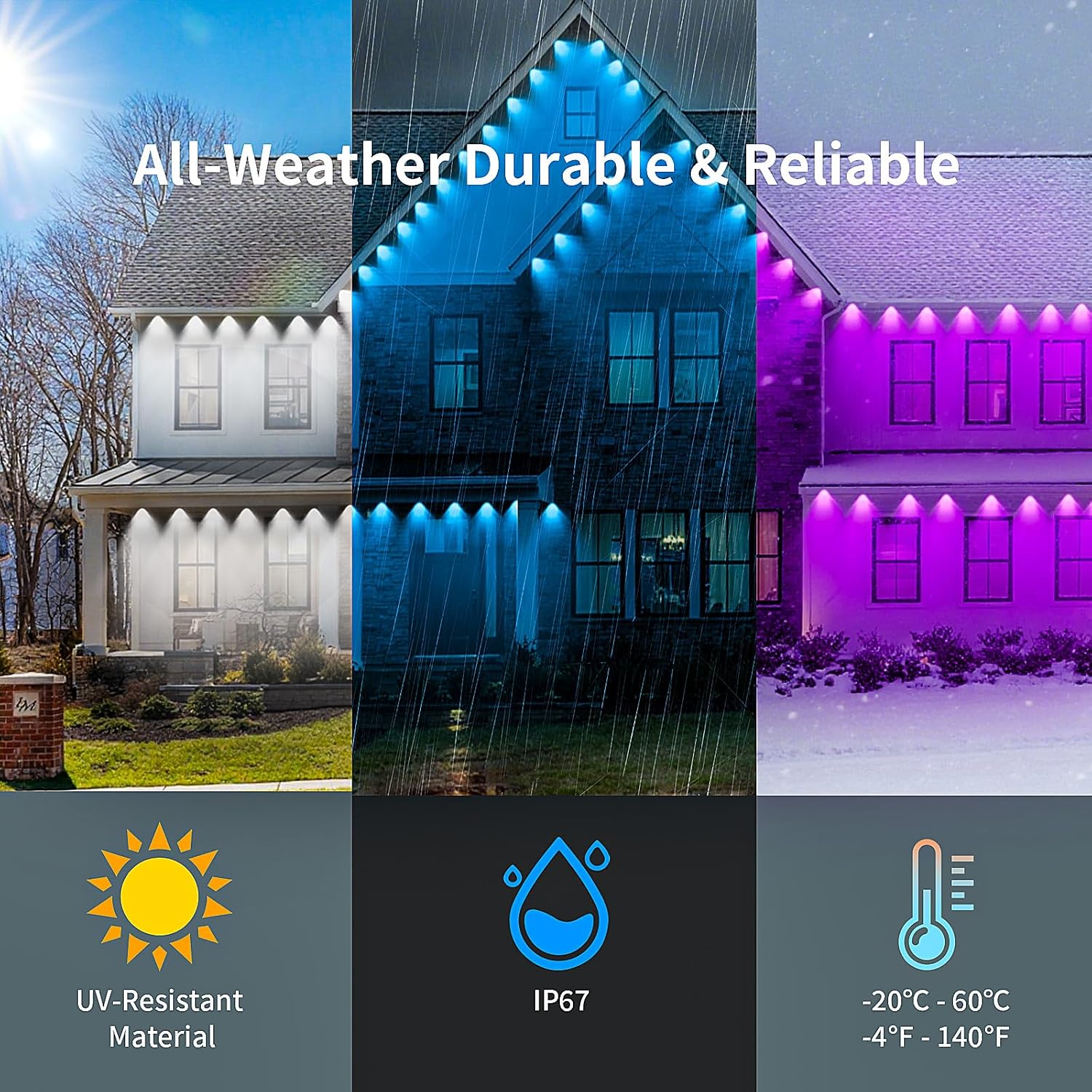
Image 4.1: The lights are designed for all-weather durability, including UV resistance, IP67 waterproofing, and operation in temperatures from -20°C to 60°C (-4°F to 140°F).
5. Operating Instructions
Your KSIPZE Permanent Outdoor Lights can be controlled via a smartphone app or the integrated button controller.
5.1 App Control
Download the companion app to unlock the full range of features.
- Download App: Scan the QR code provided in the packaging or search for the 'KSIPZE' app in your smartphone's app store.
- Connect: Ensure Bluetooth is enabled on your smartphone. Open the app and follow the on-screen instructions to connect to your lights.
- Features: The app allows for precise adjustment of 16 million colors, selection from over 200 preset dynamic scene modes, and customization of lighting options.

Image 5.1: Multiple control options are available, including a smart app and a physical button controller, for managing the outdoor lights.
5.2 Button Control
The integrated button controller provides basic functionality:
- Power On/Off: Press the power button to turn the lights on or off.
- Mode Selection: Cycle through various pre-programmed lighting modes.
- Color Change: Select static colors.
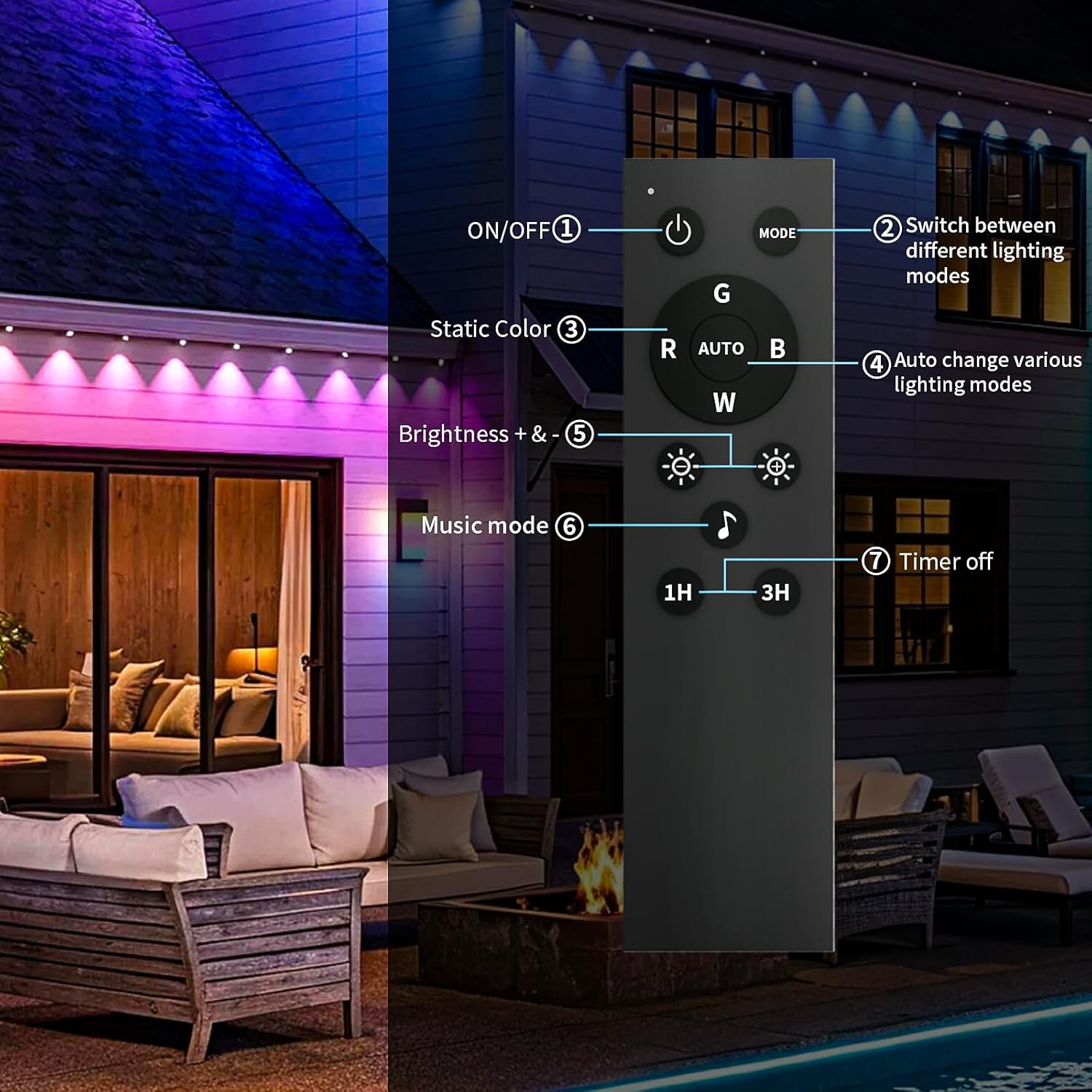
Image 5.2: The remote control offers various functions including power, mode switching, static color selection, automatic mode changes, brightness adjustment, music mode activation, and timer settings.
5.3 Special Features
- Music Mode: The built-in microphone allows the lights to pulsate and change colors in sync with music or ambient sounds.
- Timing Function: Schedule automatic on/off times for your lights via the app.
Video 5.1: This video demonstrates the various lighting effects and smart app control features of the KSIPZE Permanent Outdoor Lights, showcasing dynamic color changes and scene modes on a house exterior.
6. Maintenance
Proper maintenance ensures the longevity and optimal performance of your outdoor lights.
- Cleaning: Periodically wipe the light units with a soft, damp cloth to remove dirt and debris. Do not use harsh chemicals or abrasive cleaners.
- Inspection: Regularly inspect the cables and connections for any signs of wear, damage, or loose fittings. Ensure the power adapter is kept in a dry, protected area.
- Storage: If storing the lights for an extended period, disconnect them from power, clean them, and store them in a cool, dry place away from direct sunlight.
7. Troubleshooting
If you encounter issues with your KSIPZE Permanent Outdoor Lights, refer to the following common problems and solutions:
| Problem | Possible Cause | Solution |
|---|---|---|
| Lights do not turn on. | No power, loose connection, faulty adapter. | Check power outlet, ensure all connections are secure, try a different outlet. If issues persist, the adapter may be faulty. |
| App cannot connect to lights. | Bluetooth off, lights out of range, app glitch. | Ensure Bluetooth is on, move closer to the lights, restart the app and your phone. Re-pair the device in the app. |
| Lights display incorrect colors or sections are off. | Damaged light unit, connection issue. | Inspect the affected section for physical damage. Ensure connections are firm. If a section is permanently faulty, contact customer support. |
| Remote control not working. | Battery depleted, remote out of range, obstruction. | Replace remote battery. Ensure clear line of sight to the control box. Move closer to the lights. |
8. Specifications
| Feature | Detail |
|---|---|
| Brand | KSIPZE |
| Model Number | ST582430 |
| Light Length | 100ft (2 x 50ft sections) |
| Color | Multicolor (RGB+IC) |
| Indoor/Outdoor Usage | Outdoor |
| Light Source Type | LED |
| Power Source | Corded Electric |
| Voltage | 24 Volts |
| Material | Brass, Plastic |
| Waterproof Rating (Lights) | IP67 |
| Waterproof Rating (Control Box) | IP65 |
| Control Methods | App Control, Button Control |
| Special Features | Adjustable, 200+ Dynamic Scene Modes, Music Mode, Timing Function |
9. Warranty and Support
KSIPZE products are manufactured to high-quality standards. For warranty information, please refer to the warranty card included in your product packaging or contact our customer support.
9.1 Customer Support
If you have any questions, require technical assistance, or need to report a problem, please contact our customer support team:
- Email: support@ksipze.com (Example email, please refer to actual product for contact details)
- Website: Visit the KSIPZE Store on Amazon
Please have your model number (ST582430) and purchase date ready when contacting support.