
1. Introduction
This user manual provides essential information for the safe and efficient operation of your CHiQ L40FT 40-inch Full HD Smart TV. Please read this manual thoroughly before using the product and retain it for future reference. This television features a Full HD display, HDR10 support, Google TV operating system, Dolby Audio, a triple tuner (DVB-C/T/T2/S/S2), and integrated Chromecast, all within a sleek, frameless metal design.
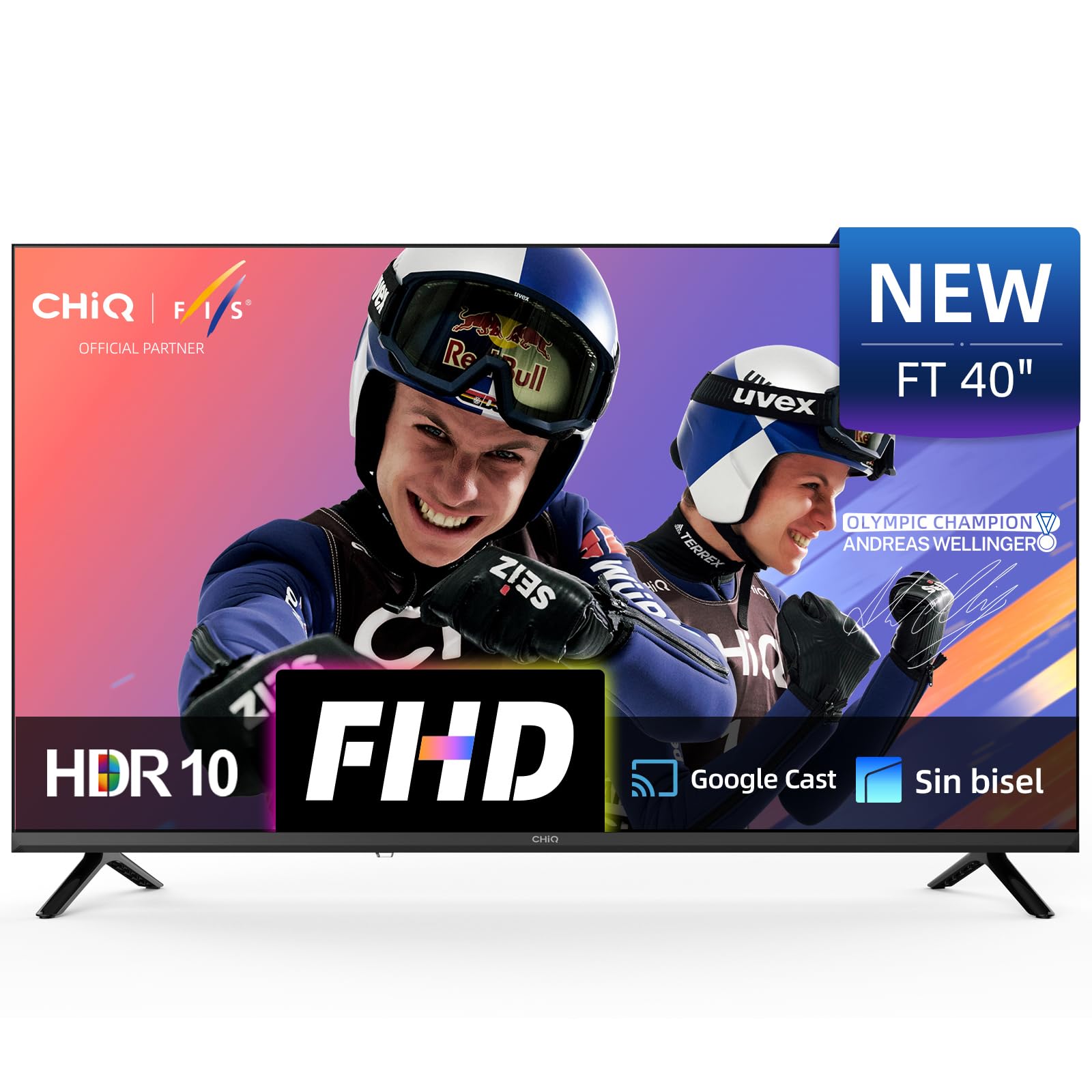
Image 1.1: Front view of the CHiQ L40FT 40-inch Full HD Smart TV with its stand.
2. Safety Information
Always follow basic safety precautions when using this television to reduce the risk of fire, electric shock, and injury. Keep the TV away from water and moisture. Do not block ventilation openings. Use only attachments/accessories specified by the manufacturer. Refer all servicing to qualified service personnel. Unplug the TV during lightning storms or when unused for long periods.
3. What's in the Box
Verify that all the following items are included in your product packaging:
- CHiQ L40FT Smart TV Unit
- Remote Control
- Power Cable
- TV Stands (2 units)
- Batteries for Remote Control
- User Manual (this document)

Image 3.1: Diagram illustrating the TV dimensions and the contents of the package.
4. Setup
4.1 Unpacking
Carefully remove the TV from its packaging. It is recommended to keep the original packaging for potential future transport or servicing.
4.2 Stand Installation
Place the TV screen-down on a soft, flat surface. Align the stands with the screw holes on the bottom of the TV. Secure the stands using the provided screws. Ensure the stands are firmly attached before placing the TV upright.
4.3 Wall Mounting
The CHiQ L40FT supports VESA wall mounts with a pattern of 200x200 mm (M6 screws). Consult a professional for wall mounting to ensure proper installation and safety. The TV's slim profile (71.8 mm depth) allows for a close fit to the wall.
4.4 Connecting Peripherals
Connect your external devices to the appropriate ports on the TV. The CHiQ L40FT offers a variety of connectivity options:
- HDMI 1.4 (x3): For connecting Blu-ray players, game consoles, and AV receivers.
- USB 2.0 (x2): For media playback from flash drives.
- LAN (Ethernet): For wired network connections.
- AV In: For older devices with composite video and stereo audio output.
- Headphone Out: For connecting headphones or external speakers.
- RF In (Antenna): For connecting terrestrial or cable TV antennas.
- Optical Audio Out: For connecting to soundbars or home theater systems.
- CI+ Slot: For Conditional Access Modules (CAM) to decrypt pay-TV channels.

Image 4.1: Overview of TV ports.

Image 4.2: Detailed view of TV port connections.
4.5 Initial Power On & First-Time Setup
After connecting all necessary cables, plug the power cable into an electrical outlet. Press the power button on the remote control or the TV. Follow the on-screen instructions to complete the initial setup, which includes connecting to Wi-Fi, logging into your Google account, and scanning for channels.
5. Operating Your TV
5.1 Remote Control
The included remote control allows you to navigate the TV's interface, adjust settings, and access various functions. Familiarize yourself with the buttons for power, volume, channel selection, input source, and dedicated app buttons.
5.2 Google TV Interface
Your CHiQ L40FT TV runs on Google TV OS, providing access to over 10,000 apps and a personalized content experience. The home screen organizes movies, shows, and live TV from all your services in one place. Use the directional pad on your remote to navigate through menus and select content.
Video 5.1: This video demonstrates the CHiQ L40FT TV's Google TV interface, including voice activation, app navigation, and screen mirroring capabilities.

Image 5.1: The Google TV home screen with various streaming application icons.
5.3 Voice Control (Google Assistant)
The integrated Google Assistant allows you to control your TV using voice commands. You can search for content, open apps, adjust volume, and more by speaking into the remote control's microphone or using the Google Assistant app on your smartphone.

Image 5.2: Controlling the TV using Google Assistant via a smartphone.
5.4 Chromecast & Screen Mirroring
With built-in Chromecast, you can easily cast content from your Android, iOS, or Mac devices directly to your TV. The TV also supports DLNA and Apple AirPlay for screen mirroring, allowing you to display your device's screen on the TV.

Image 5.3: Demonstrating screen mirroring from a mobile device to the TV.
5.5 Picture Settings (FHD, HDR10)
Your TV features a Full HD (1920x1080p) display, offering clear and detailed images. HDR10 support enhances contrast and color accuracy, providing deeper blacks and brighter highlights. You can adjust picture settings such as brightness, contrast, color, and sharpness through the TV's menu. Multiple image modes (Cinema, Sport, Game, Vivid, Energy Saving) are available to optimize the viewing experience for different content types.

Image 5.4: FHD vs. HD image quality comparison.

Image 5.5: HDR10 visual enhancement demonstration.

Image 5.6: Multiple image modes for optimized viewing.
5.6 Audio Settings (Dolby Audio, dbx-tv Pro)
The TV features Dolby Audio for clear and immersive sound, along with dbx-tv Pro sound optimization. This technology provides dynamic audio with crisp dialogue and adaptive bass. You can select from various audio presets like Cinema, News, Night, and Sport to suit your content.

Image 5.7: Dolby Audio professional tuning.

Image 5.8: dbx-tv custom audio modes.
5.7 Child Mode
Activate the Child Mode profile to access fun and age-appropriate content for children. This feature helps create a safe digital space by limiting access to potentially harmful content.
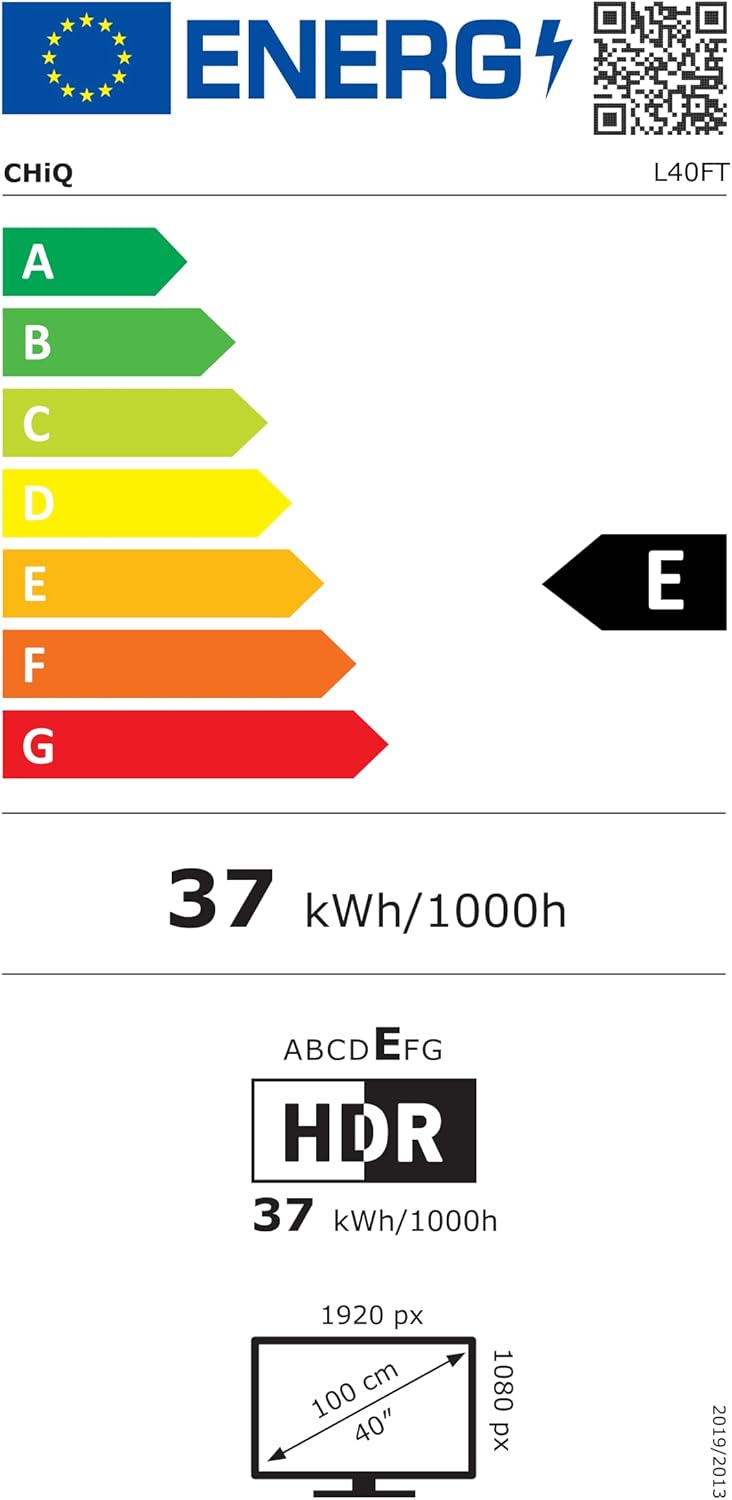
Image 5.9: Child Mode interface for kid-friendly content.
6. Maintenance
6.1 Cleaning the TV
To clean the screen, gently wipe it with a soft, lint-free cloth. For stubborn marks, slightly dampen the cloth with water or a screen cleaner designed for electronics. Avoid using harsh chemicals or abrasive materials. For the TV body, use a soft, dry cloth.
6.2 Software Updates
Your TV may receive software updates periodically to improve performance and add new features. Ensure your TV is connected to the internet to receive these updates. You can usually check for updates manually in the TV's settings menu.
7. Troubleshooting
If you encounter issues with your TV, refer to the following common problems and solutions:
- No Power: Check if the power cable is securely plugged into both the TV and the wall outlet. Ensure the outlet is functional. Try pressing the power button on the TV itself, not just the remote.
- No Picture/Sound: Verify the correct input source is selected. Check all cable connections (HDMI, AV, Antenna). If using an external device, ensure it is powered on and functioning correctly.
- Remote Control Not Working: Replace the batteries. Ensure there are no obstructions between the remote and the TV's IR sensor.
- Network Connection Issues: Check your Wi-Fi router and internet connection. Restart the TV and your router. Ensure the Wi-Fi password is entered correctly. For wired connections, check the Ethernet cable.
- Poor Picture Quality: Adjust picture settings (brightness, contrast, sharpness). Ensure the content source is high quality. For antenna reception, check antenna positioning.
- Sound Distortion: Check audio settings and try different sound modes. Ensure external audio devices (soundbar, home theater) are connected correctly and their volume is adjusted.
If the problem persists after trying these steps, please contact CHiQ customer support.
8. Specifications
Below are the key technical specifications for the CHiQ L40FT Smart TV:
| Feature | Specification |
|---|---|
| Brand | CHiQ |
| Model Number | L40FT |
| Screen Size | 40 Inches (100 cm) |
| Display Technology | LED |
| Resolution | 1080p (Full HD) |
| Refresh Rate | 120 Hz |
| Special Features | Chromecast Built-in, HDR10, Google TV OS, Dolby Audio, dbx-tv Pro, Google Assistant, Bluetooth, Wi-Fi |
| Connectivity | HDMI 1.4 (x3), USB 2.0 (x2), LAN, AV In, Headphone Out, Optical Audio Out, RF In, CI+ Slot |
| Aspect Ratio | 16:9 |
| Product Dimensions (without stand) | 89.18 x 7.14 x 50.86 cm |
| Product Dimensions (with stand) | 89.18 x 18.02 x 55.63 cm |
| Weight | 4.8 kg |
| VESA Mount Compatible | 200x200 mm (M6) |
| Energy Efficiency Class (SDR) | E (37 kWh/1000h) |

Image 8.1: EU Energy Label for the CHiQ L40FT TV.
For detailed energy information, refer to the EPREL database: https://eprel.ec.europa.eu/qr/2358800
9. Warranty and Support
Your CHiQ L40FT Smart TV comes with a standard manufacturer's warranty. Please refer to the warranty card included in your packaging for specific terms and conditions. The typical warranty duration is 2 years. For technical support, service inquiries, or to report issues, please contact CHiQ customer service.
Manufacturer: Changhong Europe Electronic s.r.o.
Address: Dělnická 213/12, 17000 Holešovice Praha 7, CZ
Website: www.chiq.com


