
1. Introduction
This manual provides detailed instructions for the installation, operation, and maintenance of your AIWIXEN 4CH 1080P Wired Security Camera System. This system is designed to provide reliable surveillance with features such as 24/7 recording, human and vehicle detection, remote access, and IP68 waterproof cameras. Please read this manual thoroughly before using the product to ensure proper setup and functionality.
2. What's in the Box
Carefully unpack the box and ensure all items listed below are present and in good condition. If any items are missing or damaged, please contact customer support.
- 1 x 4CH DVR with 512GB Hard Drive Pre-installed
- 4 x Security Cameras
- 4 x Mounting Screw Kits
- 4 x 60ft BNC Cables
- 1 x 4-to-1 Camera Power Supply
- 2 x 12V DVR Power Adapter
- 1 x USB Mouse

Image: All components included in the AIWIXEN 4CH 1080P Wired Security Camera System package.
3. Setup Guide
Follow these steps to set up your security camera system.
3.1 DVR System Power Cable Connection
Connect the provided 12V DVR power adapter to the DVR's DC 12V input port and then plug it into a power outlet.
3.2 Connect DVR to Monitor
Connect the DVR to a monitor using either a VGA or HDMI cable. Ensure the monitor is powered on and set to the correct input source.
3.3 Connect USB Mouse
Plug the USB mouse into one of the USB ports on the back of the DVR. This will allow you to navigate the DVR's interface.
3.4 Network Connection
For remote access features, connect the DVR to your router using an Ethernet cable. Plug one end into the DVR's LAN port and the other into an available Ethernet port on your router.
3.5 Camera Connection
Connect each security camera to the DVR using the provided 60ft BNC cables. One end of the BNC cable connects to the camera's video output, and the other end connects to a BNC video input port on the DVR (V1, V2, V3, V4). Use the 4-to-1 camera power supply to power the cameras.
Video: Step-by-step guide on how to assemble and connect your AIWIXEN security camera system, including DVR, monitor, mouse, network, and cameras.

Image: Visual representation of the three steps for remote connection: connecting the DVR to the internet, downloading the TSEye app, and viewing live feeds.
4. Operating Instructions
4.1 Live View
Once the system is powered on and connected, you can view live footage from your cameras on the connected monitor or via the mobile app. The DVR interface allows you to switch between single-camera view and multi-camera grid views.
Video: Demonstrates how to access and view live footage from your security camera system on a monitor, showing multi-camera views and switching between channels.
Video: Shows how to view live camera feeds remotely on a mobile device using the dedicated app, including switching between multiple cameras.

Image: Remote monitoring and playback of security camera footage compatible with multiple mobile devices.
4.2 Playback
The 512GB pre-installed hard drive allows for 24/7 continuous recording. To review recorded footage, access the playback function on the DVR or through the mobile app. You can select specific dates and times to review events.
Video: Instructions on how to review key moments from your security camera system directly on the DVR monitor, including selecting dates and channels.
Video: Guide on how to review recorded footage and key moments from your security cameras using the mobile application.

Image: Smart Playback feature allowing users to easily review and save significant moments from recorded footage.
4.3 Smart Motion Detection
The system features smart motion detection with human and vehicle detection capabilities. You can customize detection zones and sensitivity levels for each camera to reduce false alarms. Alerts can be configured to send notifications to your mobile device or email.
Image: Motion detection system sending notifications via email, push alerts, FTP, or buzzer when motion is detected.
5. Maintenance
To ensure optimal performance and longevity of your security system, regular maintenance is recommended:
- Clean Cameras: Periodically clean the camera lenses with a soft, damp cloth to remove dust and dirt that may obstruct the view.
- Check Cables: Inspect all cables for any signs of wear, damage, or loose connections. Secure or replace as necessary.
- Software Updates: Check for firmware updates for your DVR to ensure you have the latest features and security patches.
- Hard Drive Health: Monitor the health of the pre-installed 512GB HDD. While designed for 24/7 recording, regular checks can prevent data loss.
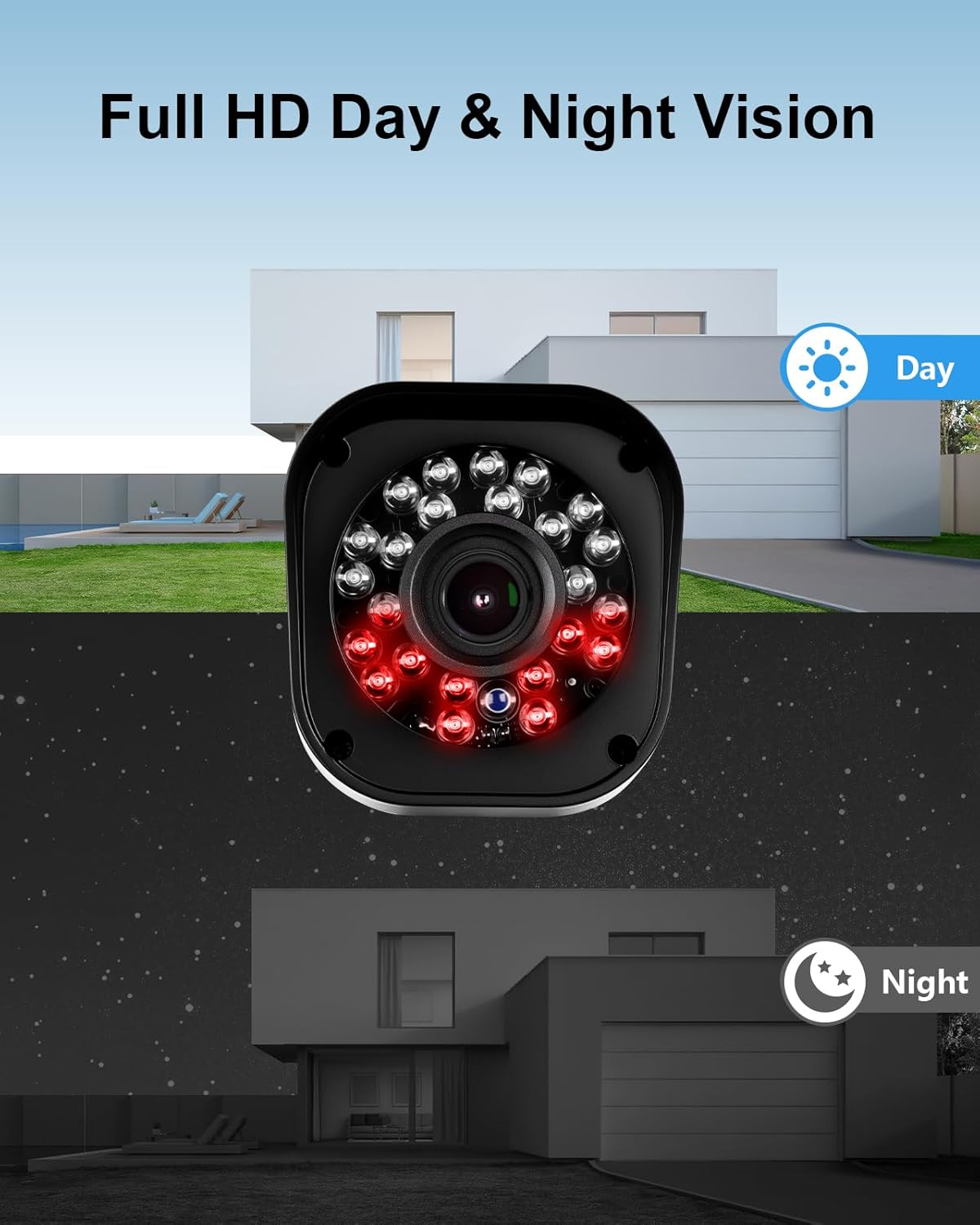
Image: The IP68 waterproof camera is suitable for all weather conditions, including rain, snow, wind, and fog, with a wide operating temperature range.
6. Troubleshooting
If you encounter any issues with your AIWIXEN security camera system, refer to the following common troubleshooting tips:
- No Video Signal: Ensure all power adapters are securely plugged in and receiving power. Check BNC cable connections at both the camera and DVR ends. Verify the monitor input source is correct.
- Poor Image Quality: Clean camera lenses. Check for obstructions in the camera's field of view. Ensure cables are not damaged or experiencing interference.
- Remote Access Issues: Verify the DVR is connected to the internet via Ethernet. Check your router's internet connection. Ensure the mobile app is updated and correctly configured with your DVR's details.
- No Recording: Check the DVR's recording schedule and settings. Ensure the 512GB hard drive is functioning correctly and has sufficient space.
For further assistance, please contact AIWIXEN customer support.
7. Specifications
| Feature | Description |
|---|---|
| Brand | Aiwixen |
| Model Number | ADVR-4CH4C01 |
| Connectivity Technology | Wired |
| Video Capture Resolution | 1080p |
| Number of Channels | 4 |
| Memory Storage Capacity | 512 GB (Pre-installed HDD) |
| Power Source | Corded Electric |
| Operating System | Linux |
| Compatible Devices | Laptops, Personal Computers, Smartphones, TV, Tablets |
| Night Vision Range | 100 Feet |
| Recording Mode | Event, Schedule |
| Hardware Interface | Ethernet, HDMI, USB, VGA |
| Video Input | BNC |
| Viewing Angle | 82 Degrees |
| Waterproof Rating | IP68 |

Image: Full HD Day & Night Vision capabilities of the security cameras.

Image: Overview of the 1080P Ultra-HD Wired Security Camera System features.

Image: United 5-in-1 4CH DVR with labeled ports for various camera types and connections.
8. Warranty & Support
AIWIXEN is committed to providing reliable service and support for your security camera system.
- Warranty: The product comes with a 12-month replacement warranty.
- Customer Support: 24-hour online customer support is available to assist you with any questions or issues.
- Technical Support: Professional technical support is provided to ensure your system operates smoothly.
If you require assistance, please contact us directly. Your satisfaction is important to us.