
Introduction
Welcome to the QONBINK Smart Watch M91 user manual. This guide provides detailed instructions to help you set up, operate, and maintain your new smart watch. Please read this manual thoroughly before using the device to ensure proper functionality and a safe experience.
What's in the Box
Upon opening your QONBINK Smart Watch M91 package, you should find the following items:
- Smart Watch (M91)
- User Manual
- Charging Cable

Image: Contents of the QONBINK M91 Smart Watch package.
Product Overview
The QONBINK Smart Watch M91 features a 1.85-inch HD display and is designed for both men and women. It offers a range of functionalities including Bluetooth calls, over 120 sport modes, 24/7 heart rate and sleep monitoring, and IP68 waterproofing. The watch is compatible with iOS 10.0+ and Android 4.4+ devices.

Image: The QONBINK M91 Smart Watch with its 1.85-inch HD display showing different watch faces.
Setup
1. App Download and Installation
To utilize all features of your QONBINK Smart Watch M91, you need to download and install the Da Fit app on your smartphone.
- Scan the QR code provided in the watch's interface or the physical manual, or visit http://plus.crrepa.com/app-download/dafit to download the Da Fit app.
- Install the app on your iOS (10.0 or higher) or Android (4.4 or higher) smartphone.
2. Pairing with Your Phone
Follow these steps to pair your smart watch with your smartphone:
- Ensure your phone's Bluetooth is turned on.
- Open the Da Fit app on your phone.
- In the app, navigate to the "Add Device" section and search for "M91".
- Select "M91" from the list of available devices.
- Confirm the Bluetooth pairing request on both your phone and the watch.
- Allow the smart watch to display notifications by granting the necessary permissions in your phone's settings.

Image: Visual guide for connecting the smart watch to a mobile phone.
Operating Instructions
Basic Navigation
The M91 Smart Watch features a full-touch screen for easy navigation.
- Swipe Up/Down: Scroll through menus and notifications.
- Swipe Left/Right: Access quick functions or different screens.
- Tap: Select an item or confirm an action.
- Side Button: Press to return to the home screen or wake the device.
Bluetooth Calling and Notifications
Once paired, the M91 Smart Watch allows you to manage calls and receive notifications directly on your wrist.
- Answering/Rejecting Calls: When a call comes in, you can answer or reject it directly from the watch using the built-in speaker and microphone.
- Viewing Messages: Receive and view SMS and social media messages (e.g., Snapchat, Instagram) on your watch. Note: Replying to messages is not supported directly from the watch.
- Call Logs/Dial Pad: Access recent call logs or use the dial pad to initiate calls from your watch.

Image: Smart watch displaying Bluetooth call and message notifications.
Intelligent Voice Assistant
The smart watch includes an intelligent voice assistant for hands-free control.
- Activate the voice assistant to perform commands such as checking the weather, making phone calls, playing music, setting alarms, or other voice commands.

Image: Smart watch with voice assistant and notification features.
Customizing Watch Faces
Personalize your watch with over 200 built-in watch face designs or upload your own images via the Da Fit app.

Image: Customizing watch faces on the M91 Smart Watch.
Sport Modes
The M91 Smart Watch offers over 120 sport modes to track your physical activities.
- Select your desired sport mode (e.g., walking, hiking, yoga, rock climbing, skateboarding, roller skating, equestrian sports, athletics, auto racing) from the watch menu.
- The watch will record real-time data such as calories burned, distance covered, and duration.
- Synchronize the data to the Da Fit app for detailed analysis and progress tracking.

Image: Smart watch showing various sport modes.

Image: Diverse range of sports modes available on the smart watch.
Health Monitoring
The M91 Smart Watch is equipped with advanced sensors for 24/7 health monitoring.
- Heart Rate Monitoring: Continuously tracks your heart rate throughout the day. Data is automatically synchronized to the Da Fit app for analysis.
- Sleep Monitoring: Monitors your sleep quality, including restful, light, and rapid eye movement (REM) sleep stages. Provides a sleep quality score and trends in the app.
- Blood Oxygen Monitoring: Provides real-time blood oxygen level measurements to help you understand your health status.
- Women's Health Tracking: Features for tracking menstrual cycles and providing reminders.
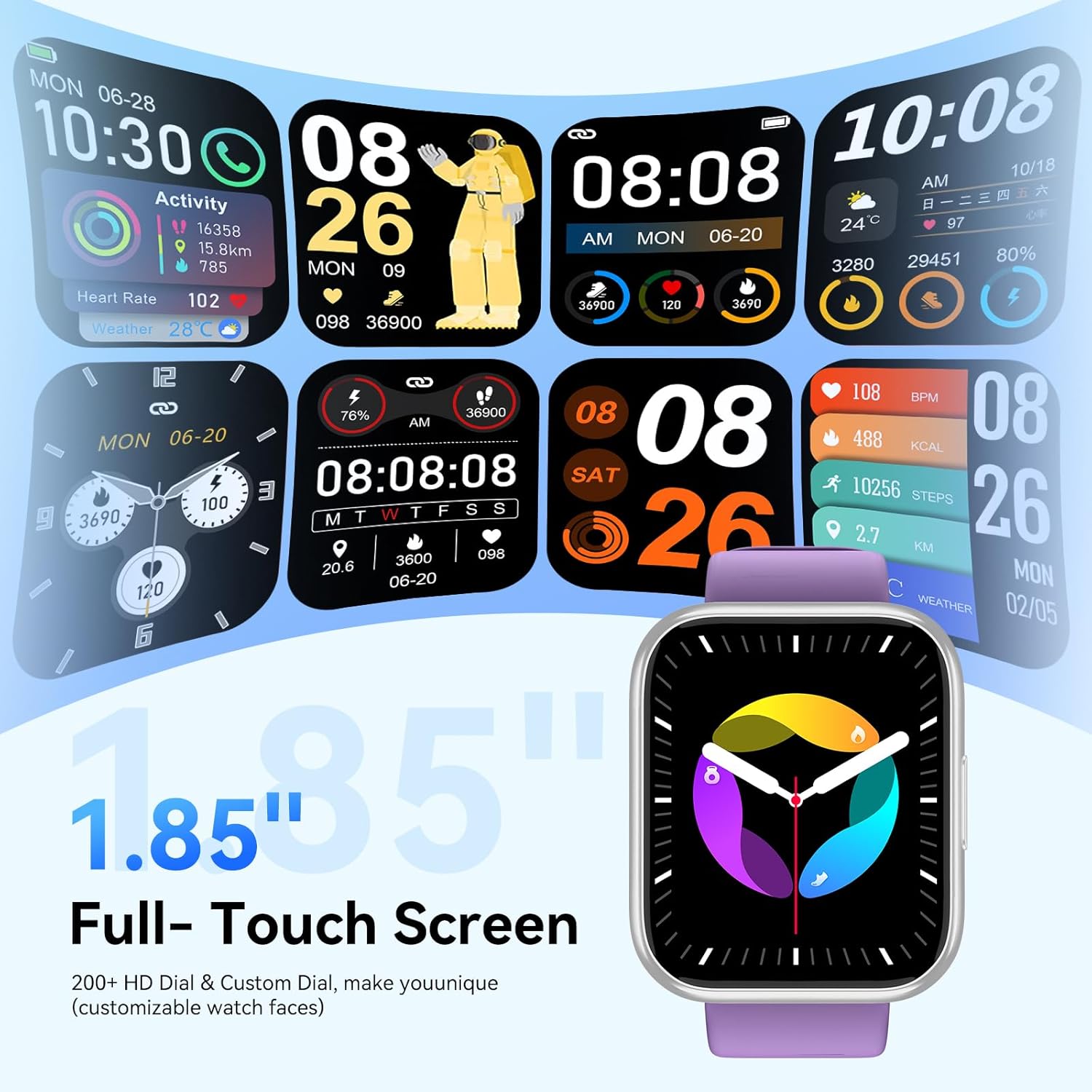
Image: Health monitoring features on the smart watch.

Image: Detailed heart rate monitoring display.

Image: Sleep monitoring interface.

Image: Blood oxygen monitoring display.

Image: Women's health tracking feature.
Other Functions
The M91 Smart Watch includes several other practical features:
- Weather Forecast: View daily weather updates.
- Camera Control: Remotely control your phone's camera.
- Music Control: Play, pause, skip tracks, and adjust volume for music playing on your phone.
- Find Phone: Locate your paired smartphone by making it ring.
- Alarm Clock: Set alarms directly from your watch.
- Stopwatch & Timer: Utilize these tools for various activities.
- Sedentary Reminder: Get alerts to move after periods of inactivity.
- Games: Access simple games on the watch.
- Calculator: A basic calculator function is available.

Image: Overview of additional smart watch functions.
Maintenance
Waterproofing (IP68)
The QONBINK M91 Smart Watch has an IP68 waterproof rating, meaning it is capable of withstanding immersion in water up to 1.5 meters for 30 minutes.
- It is rain-resistant, sweat-resistant, and oxidation-resistant.
- You can wear it during activities like swimming or surfing.
- Important: Avoid prolonged exposure to hot water, steam, or high-pressure water jets, as this may compromise the waterproof seal.

Image: Smart watch demonstrating IP68 waterproofing.
Charging
The watch is equipped with a 350 mAh battery.
- A full charge typically takes 1.5-2 hours.
- Once fully charged, the battery can last for 5-7 days with typical use, and up to 25-30 days in standby mode.
- Use the provided charging cable to connect your watch to a USB power source.
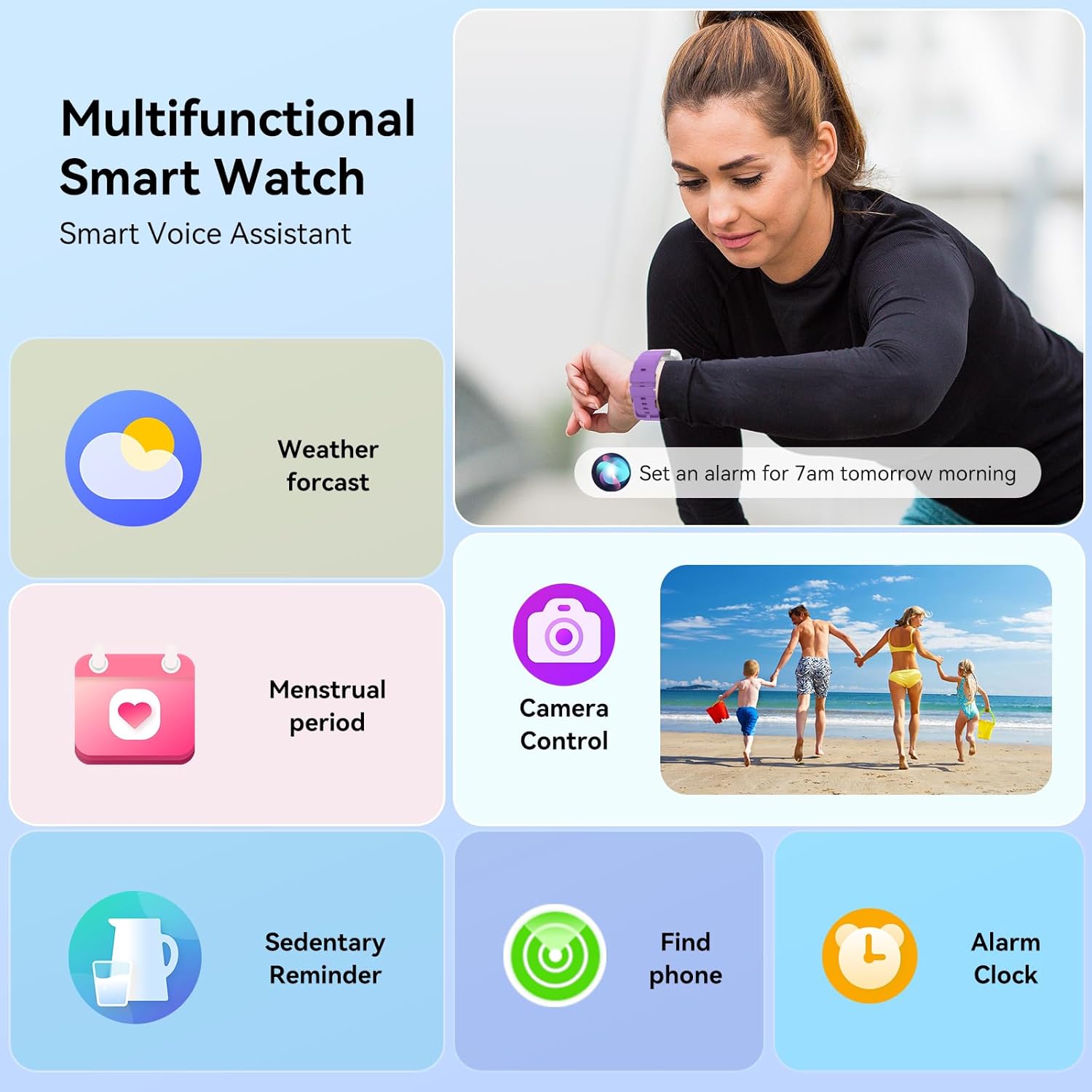
Image: Smart watch charging and battery life details.

Image: Battery life and charging information.
Troubleshooting
If you encounter issues with your QONBINK Smart Watch M91, try the following troubleshooting steps:
- Watch not turning on: Ensure the watch is fully charged. Connect it to the charging cable and a power source for at least 30 minutes.
- Cannot pair with phone:
- Ensure Bluetooth is enabled on your phone.
- Make sure the watch is within range of your phone.
- Restart both your phone and the watch.
- Check if the Da Fit app has the necessary permissions enabled on your phone.
- Forget the device in your phone's Bluetooth settings and try pairing again through the Da Fit app.
- Notifications not appearing:
- Verify that notification permissions are granted to the Da Fit app in your phone's settings.
- Ensure the watch is connected via Bluetooth.
- Check the notification settings within the Da Fit app to ensure desired apps are enabled.
- Inaccurate health data:
- Ensure the watch is worn snugly on your wrist, but not too tight.
- Clean the sensor on the back of the watch regularly.
- Avoid extreme movements during measurements.
- Short battery life:
- Reduce screen brightness.
- Limit continuous heart rate monitoring or frequent use of GPS (if applicable via phone).
- Turn off unnecessary notifications.
- Ensure the watch is fully charged each time.
If these steps do not resolve your issue, please contact QONBINK customer support for further assistance.
Specifications
| Feature | Detail |
|---|---|
| Model Number | M91 |
| Display Size | 1.85 Inches |
| Connectivity | Bluetooth 5.3 |
| Battery Capacity | 350 mAh (Lithium Polymer) |
| Battery Life (Typical Use) | 5-7 Days |
| Standby Time | 25-30 Days |
| Charging Time | 1.5-2 Hours |
| Waterproof Rating | IP68 |
| Operating System Compatibility | Android 4.4+, iOS 10.0+ |
| Health Monitoring | Heart Rate, Sleep, Blood Oxygen, Women's Health |
| Sport Modes | 120+ |
| Special Features | Bluetooth Call, Message Reminder, Voice Assistant, Custom Wallpaper, Activity Tracker, Stopwatch, Timer, Weather Display, Alarm Clock, Camera Control |
| Item Weight | 3.52 ounces |
| Package Dimensions | 7.28 x 3.35 x 0.71 inches |
Warranty and Support
For warranty information or technical support, please refer to the contact details provided with your purchase or visit the official QONBINK website. Keep your purchase receipt as proof of purchase for warranty claims.