
Introduction
Welcome to the instruction manual for your Mingtawn Military Smart Watch. This robust and feature-rich smartwatch is designed for durability and functionality, featuring a large 1.85" HD Ultra Screen, a powerful 710mAh battery, Bluetooth call capabilities, and over 100 sports modes for comprehensive fitness tracking. Its military-grade construction ensures resilience in various environments, while IP68 waterproofing provides protection against water and dust. This manual will guide you through the setup, operation, and maintenance of your new device.
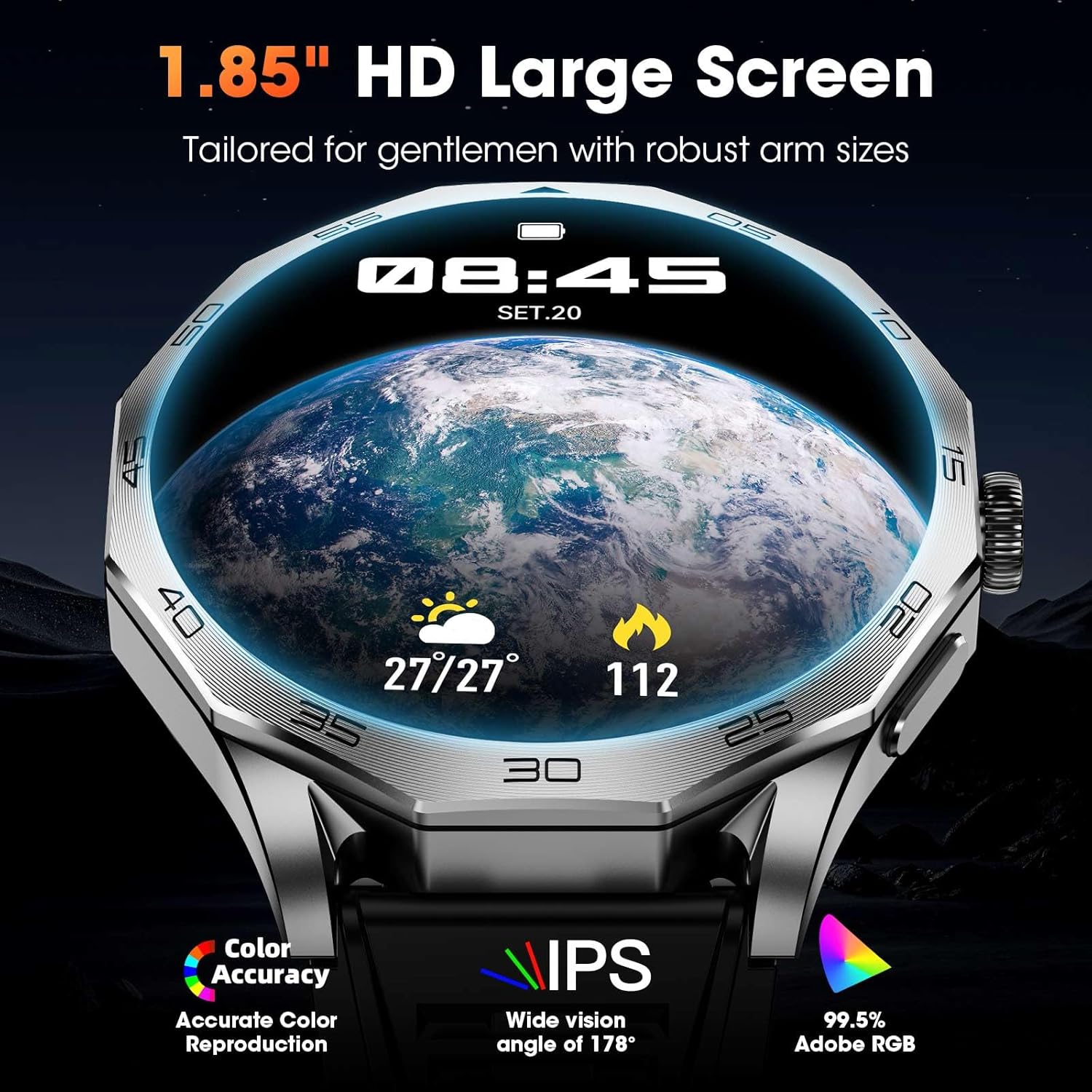
The Mingtawn Military Smart Watch features a large 1.85-inch HD Ultra Screen, designed for clear visibility and easy interaction.
What's in the Box
Upon unboxing your Mingtawn Military Smart Watch, you should find the following items:
- Smart Watch (x1)
- Silicone Watch Strap (x1)
- Magnetic Charger (x1)
- User Manual (x1)

The package includes the smartwatch, a silicone strap, a magnetic charger, and this user manual.
Setup
1. Charging the Smart Watch
Before initial use, fully charge your smartwatch. The watch features a 710mAh large-capacity battery, providing approximately 7-10 days of battery life with typical usage after a 3-hour charge. The magnetic charger easily attaches to the back of the watch.

The smartwatch charges magnetically, indicated by the charging icon on the screen. A full charge takes approximately 3 hours.
This video demonstrates the magnetic charging process for the Military Smart Watch, showing how the charger attaches to the back of the device.
2. App Installation and Pairing
To unlock the full potential of your smartwatch, download the companion app, "FitCloudPro", available on both the Google Play Store (for Android) and the Apple App Store (for iOS).
- Download the "FitCloudPro" app from your device's app store.
- Turn on Bluetooth on your smartphone.
- Open the "FitCloudPro" app, go to the "Device" section, and tap "Add Peripheral Now".
- On your smartwatch, agree to the phone binding request.
- Allow the app to receive notifications from your phone.

Follow these steps to connect your smartwatch to the FitCloudPro app on your smartphone.
This video demonstrates the binding process of the smartwatch with the companion app on a smartphone, showing successful connection.
3. Watch Face Customization
You can customize your watch face directly on the smartwatch by long-pressing the screen and swiping through available options. For a wider selection of watch faces, use the "FitCloudPro" app.

The smartwatch features a 1.85-inch HD display, offering various customizable watch faces.
Operating the Smart Watch
1. Basic Navigation
Navigate your smartwatch using the touch screen and the physical buttons on the side. The 1.85'' HD touch screen with 360*360 pixels allows for flexible swiping and tapping. The watch typically has a power button and a back button for easy navigation through menus and apps.
2. Multifunctional Interface
The smartwatch features a 2.5D multifunctional selection interface, allowing you to easily access different modes and functions. Double-clicking the orange button (if present) may also provide quick access to certain features.

The smartwatch offers a 2.5D multifunctional selection interface for easy access to various apps and features.
3. Key Features
Your smartwatch is equipped with a variety of daily functions to enhance your experience:
- Bluetooth Calling & Message Notifications: Equipped with Bluetooth 5.0, a 60-decibel speaker, and a noise-cancelling microphone. Answer, make, and end calls directly from your watch. View notifications from SMS, Facebook, WhatsApp, TikTok, and more.
- Voice Assistant: Use voice commands for various tasks.
- SOS Emergency Calling: Quick access for emergency situations.
- Alarm Clock, Stopwatch, Timer, Calculator: Essential utility tools.
- Weather Forecast: Get real-time weather updates.
- Music Playback: Control music directly from your wrist.
- Breathing Exercises: Guided exercises for relaxation.
- Activity Reminders: Stay active with reminders.
- Find My Phone: Locate your paired smartphone easily.
- Camera Shutter: Remotely control your phone's camera.

The smartwatch supports Bluetooth calling and displays message notifications from various apps.

Explore a wide range of features directly from your wrist, including utilities and smart reminders.
Health and Fitness Tracking
1. Health Monitoring
The smartwatch provides comprehensive health monitoring features:
- Heart Rate: Real-time heart rate monitoring.
- Blood Oxygen (SpO2): Monitors your blood oxygen levels.
- Sleep Monitoring: Tracks deep sleep, light sleep, and provides detailed sleep data to help improve sleep patterns.
- Stress Monitoring: Helps you keep an eye on your stress levels.
- Blood Pressure: Monitors blood pressure.

The smartwatch offers real-time sleep monitoring, tracking deep and light sleep to help you improve your sleep quality.

Monitor your heart rate, blood oxygen, sleep quality, and engage in breath training with the smartwatch's extensive health features.
2. Sports Modes
With over 110 sports modes, this military smartwatch covers nearly all daily physical activities. It records total workout time, calorie expenditure, steps, and distance, providing comprehensive insights into your exercise performance. The all-day activity tracking feature monitors your steps, distance, and calorie burn, helping you understand your progress towards fitness goals.

The smartwatch offers over 100 sports modes to track various physical activities and monitor your exercise data.
Durability and Water Resistance
1. Military Grade Standard
Constructed from special composite materials and a metal shell, this smartwatch is rugged and durable. It has passed rigorous tests including salt spray, rain, and impact, ensuring it can withstand challenging conditions and continue to function even in very low temperatures.

The smartwatch is built to military-grade standards, offering shock, heat, cold, and dust resistance.
2. IP68 Waterproof
The smartwatch is IP68 waterproof, making it suitable for daily use and resistant to splashes and brief immersion. NOTE: Bathing with the smartwatch is not recommended due to factors such as water pressure and temperature. Hot water and steam can greatly damage the waterproof performance of the product.
Specifications
| Feature | Detail |
|---|---|
| Package Dimensions | 7.87 x 3.07 x 1.42 inches |
| Item Weight | 7 ounces (0.2 Kilograms) |
| Item Model Number | 619704312656 |
| Batteries | 1 AAA batteries required (included) |
| Standing Screen Display Size | 1.85 Inches |
| Memory Storage Capacity | 128 MB |
| Operating System | Compatible for Android and iOS |
| Special Feature | Time Display, Touchscreen, Voice Control, Weather Forecast, Activity Tracker, Alarm Clock, Calendaring, Camera, Notifications, Phone Call, Sedentary Reminder, Text Messaging, Cycle Tracking, Email, Multisport Tracker, Music Player |
| Battery Capacity | 710 Milliamp Hours |
| Connectivity Technology | Bluetooth |
| Wireless Communication Standard | Bluetooth |
| Battery Cell Composition | Lithium Polymer |
| GPS | No GPS |
| Shape | Round |
| Screen Size | 1.85 Inches |
Maintenance
To ensure the longevity and optimal performance of your Mingtawn Military Smart Watch, follow these maintenance guidelines:
- Cleaning: Regularly wipe the watch screen and strap with a soft, dry, lint-free cloth. Avoid using harsh chemicals or abrasive materials.
- Charging Contacts: Keep the magnetic charging contacts on the back of the watch clean and free from debris to ensure efficient charging.
- Storage: When not in use, store the smartwatch in a cool, dry place away from direct sunlight and extreme temperatures.
- Avoid Impact: While the watch is designed to be durable, avoid unnecessary impacts or drops to prevent potential damage.
Troubleshooting
If you encounter any issues with your smartwatch, refer to the following common troubleshooting tips:
- Watch Not Turning On: Ensure the watch is fully charged using the magnetic charger.
- Pairing Issues: Make sure Bluetooth is enabled on your smartphone and the "FitCloudPro" app is running. Try restarting both your phone and the smartwatch.
- Notifications Not Working: Check the app settings to ensure notification permissions are granted. For Android devices, add the "FitCloudPro" app to the whitelist in your phone's settings. Disable "Do Not Disturb" and "Low Power Mode" on your phone, as these can interfere with notifications.
- Inaccurate Health Readings: Ensure the watch is worn snugly on your wrist, with the sensors making good contact with your skin. Clean the sensors regularly.
- Screen Unresponsive: Try restarting the watch by long-pressing the power button.
Warranty and Support
Your Mingtawn Military Smart Watch comes with dedicated customer support. If you have any questions or encounter any issues, please feel free to contact us anytime. Our professional service team will reply to you within 24 hours and provide you with the best solution.