
1. Introduction
Thank you for choosing the OPPSK LED Stage Light Bar. This product is designed to provide dynamic and versatile lighting for various applications, including stage performances, DJ setups, and event decor. This manual provides essential information for safe operation, setup, and maintenance of your device.
2. Safety Information
- Read all instructions carefully before operating the device.
- Keep this manual for future reference.
- This product is for indoor use only. Do not expose to rain or moisture.
- Ensure the power supply matches the voltage requirements specified on the device.
- Always disconnect from power before cleaning or servicing.
- Do not attempt to repair the device yourself. Refer all servicing to qualified personnel.
- Avoid direct eye exposure to the light source.
- Ensure proper ventilation around the unit to prevent overheating.
3. Package Contents
Verify that all items listed below are included in your package:
- 2 x Rechargeable Pixel Light Bar
- 2 x Remote Controls
- 2 x Brackets
- 1 x User Manual
- 2 x Power Cables

Figure 3.1: Package Contents
4. Product Overview
The OPPSK LED Stage Light Bar features 120 individually controllable RGB LEDs within a 360-degree pixel tube design, offering comprehensive illumination and dynamic effects. It is equipped with a metal base and PC tube for durability.
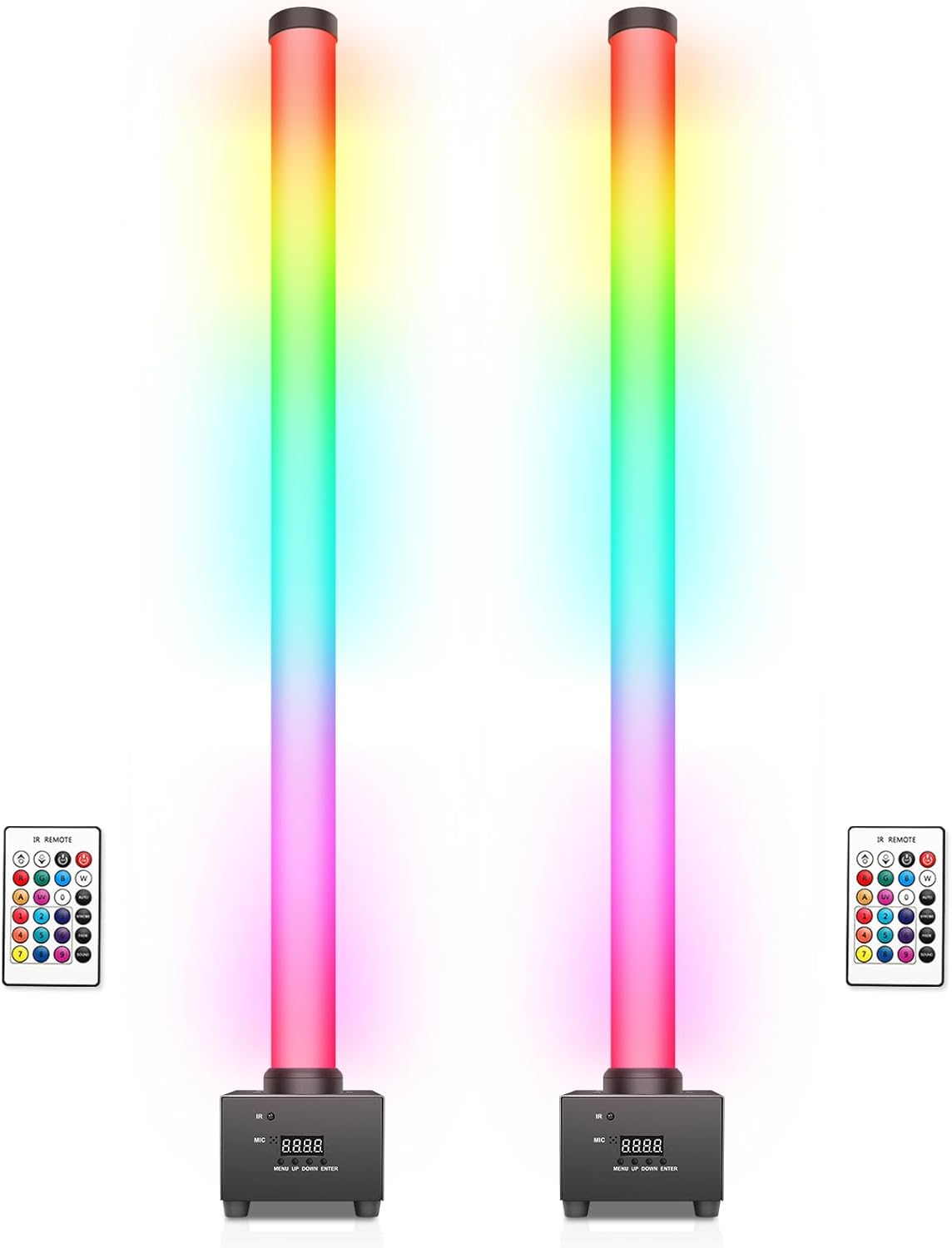
Figure 4.1: OPPSK LED Stage Light Bars in use during a band performance.
Key Features:
- Bright Stage Pixel Light Bar: Delivers vivid, color-rich lighting with individually controlled RGB pixels.
- 360° Full-Angle Illumination: The pixel tube emits light evenly in all directions for seamless glow.
- Controllable Zones: Features 20 DMX controllable segments, each with 6 LED beads, allowing individual pixel control for dynamic effects.
- RDM Compatible: Supports Remote Device Management for remote adjustments of fixture settings.
- Energy-Saving & Silent Operation: Designed with adjustable backlight timeout and a fanless cooling system.

Figure 4.2: 360-Degree Lighting Angle

Figure 4.3: 120 LED RGB Pixel Bar Light with Controllable Zones
Product Components:

Figure 4.4: Product Components and Dimensions
5. Setup
The OPPSK LED Stage Light Bar offers flexible mounting options for various environments.
Installation Steps:
- Unpack: Carefully remove all components from the packaging.
- Attach Brackets: If mounting, secure the provided brackets to the light bar using the included screw sets.
- Positioning: Place the light bar on the floor, mount it on a table, or hang it from the ceiling using the brackets. Ensure the mounting surface is stable and can support the weight of the light bar.
- Connect Power: Plug the power cable into the 'POWER IN' port on the light bar and then into a suitable electrical outlet.
- DMX Connection (Optional): For DMX control, connect DMX cables from your DMX controller to the 'DMX IN' port. Use the 'DMX OUT' port to daisy-chain multiple units.
6. Operating Modes
The light bar can be controlled via remote, DMX, or its built-in modes.
6.1 Remote Control Operation
Use the included IR remote for quick and simple adjustments. Point the remote towards the IR receiver on the light bar's base.
- Color Adjustment: Select desired colors directly from the remote.
- Speed Adjustment: Control the speed of dynamic effects.
- Brightness Adjustment: Adjust the overall light intensity.
- Mode Selection: Switch between various built-in modes (e.g., Auto Play, Sound Activated, Strobe).

Figure 6.1: Remote Control Operation
6.2 DMX Control
For professional programming and advanced effects, use DMX512 control. The light bar supports multiple DMX channel modes (e.g., 5, 8, 60, 65 channels) allowing granular control over individual pixel segments.
- DMX Address Setting: Set the DMX address using the LED display and buttons on the light bar's base. Refer to the DMX chart in the full user manual for specific channel functions.
- RDM Compatibility: Remote Device Management allows for remote configuration of DMX addresses and other settings from a compatible DMX controller.
Video 6.1: Demonstration of 120 LED Pixel Bar Lights in a 2-pack, showcasing various lighting effects and DMX control capabilities.
6.3 Built-in Modes
- Auto Play: Cycles through pre-programmed lighting sequences.
- Sound Activated: Lights react to ambient sound via the built-in microphone.
- Master-Slave: Link multiple units together for synchronized operation without a DMX controller. Connect the DMX OUT of the master unit to the DMX IN of the first slave unit, and so on.
7. Maintenance
- Cleaning: Use a soft, dry cloth to clean the exterior of the light bar. Do not use abrasive cleaners or solvents.
- Inspection: Regularly check power cables and DMX connections for any signs of damage.
- Storage: When not in use, store the light bar in a dry, dust-free environment.
8. Troubleshooting
| Problem | Possible Cause | Solution |
|---|---|---|
| Light bar does not turn on. | No power supply or faulty connection. | Check power cable connection to the unit and wall outlet. Ensure the outlet is functional. |
| Remote control not working. | Remote battery low or IR receiver blocked. | Replace remote battery. Ensure no obstructions between remote and IR receiver. |
| DMX control not responding. | Incorrect DMX address or faulty DMX cable/connection. | Verify DMX address setting. Check DMX cable connections and try a different cable. Ensure DMX controller is functioning correctly. |
| Lights are flickering or behaving erratically. | Unstable power supply or DMX signal interference. | Ensure stable power. Check DMX connections for proper termination. |
9. Specifications
| Feature | Detail |
|---|---|
| Model Number | HYT-028-120PXB |
| Brand | OPPSK |
| Color | Black Pixel Light Bar |
| Material | Metal Base + PC Tube |
| Light Source Type | LED |
| Number of Light Sources | 120 |
| Wattage | 60 watts |
| Light Output Maximum | 6000 lumens |
| Voltage | 110 volts |
| Power Source | Corded Electric |
| Beam Angle | 360 degrees |
| Item Weight | 7.5 pounds |
| Item Dimensions (L x W x H) | 46"L x 11"W x 7.4"H |
| Mounting Type | Floor Mount (with included brackets for other options) |
10. Warranty and Support
OPPSK provides a 12-month warranty for this product, covering manufacturing defects from the date of purchase. Additionally, lifetime after-sales support is offered.
For technical assistance, troubleshooting, or warranty claims, please contact OPPSK customer support through the retailer where the product was purchased or visit the official OPPSK store online.


