
1. Introduction
The GasDoc DS-100PRO is a portable 4-in-1 detector designed to monitor carbon monoxide (CO), carbon dioxide (CO2), temperature, and humidity. This device provides real-time readings and features audible and visual alarms to alert users to potentially hazardous gas levels. It is suitable for various environments including homes, offices, tents, RVs, and during travel.
2. Key Features
- Dual Gas Detection: Monitors both Carbon Dioxide (CO2) from 400-5000 ppm and Carbon Monoxide (CO) from 0-1000 ppm.
- Environmental Monitoring: Displays real-time temperature and humidity.
- Audible and Visual Alarms: Features a three-color indicator (green/yellow/red) and a loud buzzer. Alarm thresholds are customizable.
- Portable Design: Lightweight, pocket-sized, with a lanyard and built-in magnet for versatile placement.
- Long Standby Time: Up to 72 hours of continuous operation on a single charge.
- USB-C Charging: Convenient and fast charging capability.
3. Package Contents
Verify that all items are present in the package:
- 1x GasDoc DS-100PRO CO₂ + CO Detector
- 1x Type-C Charging Cable
- 1x Outdoor Special Rope Buckle (Lanyard with carabiner)
- 1x User Manual (This document)
4. Setup
4.1 Initial Charging
Before first use, fully charge the device using the provided Type-C charging cable. Connect the cable to the detector's USB-C port and a compatible USB power adapter (not included). The battery indicator on the display will show charging status.
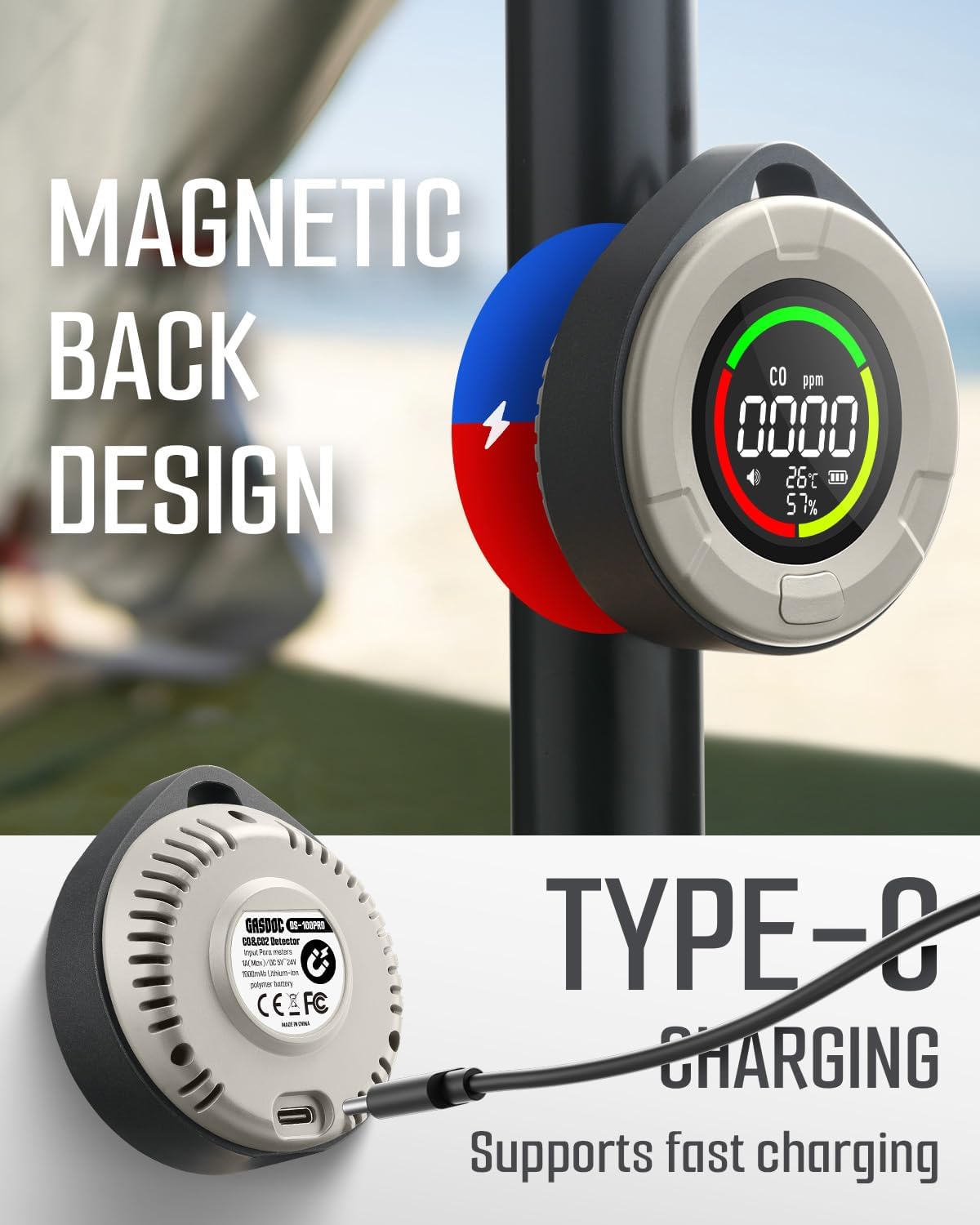
Figure 1: USB-C Charging Port
4.2 Powering On/Off
Press and hold the power button located on the front of the device to turn it on or off. The device will perform a self-test upon startup.
4.3 Placement
Place the detector in an area where gas monitoring is desired. The device can be placed on a flat surface, hung using the rope buckle, or attached to metal surfaces via its magnetic back.

Figure 2: Detector hanging in a tent
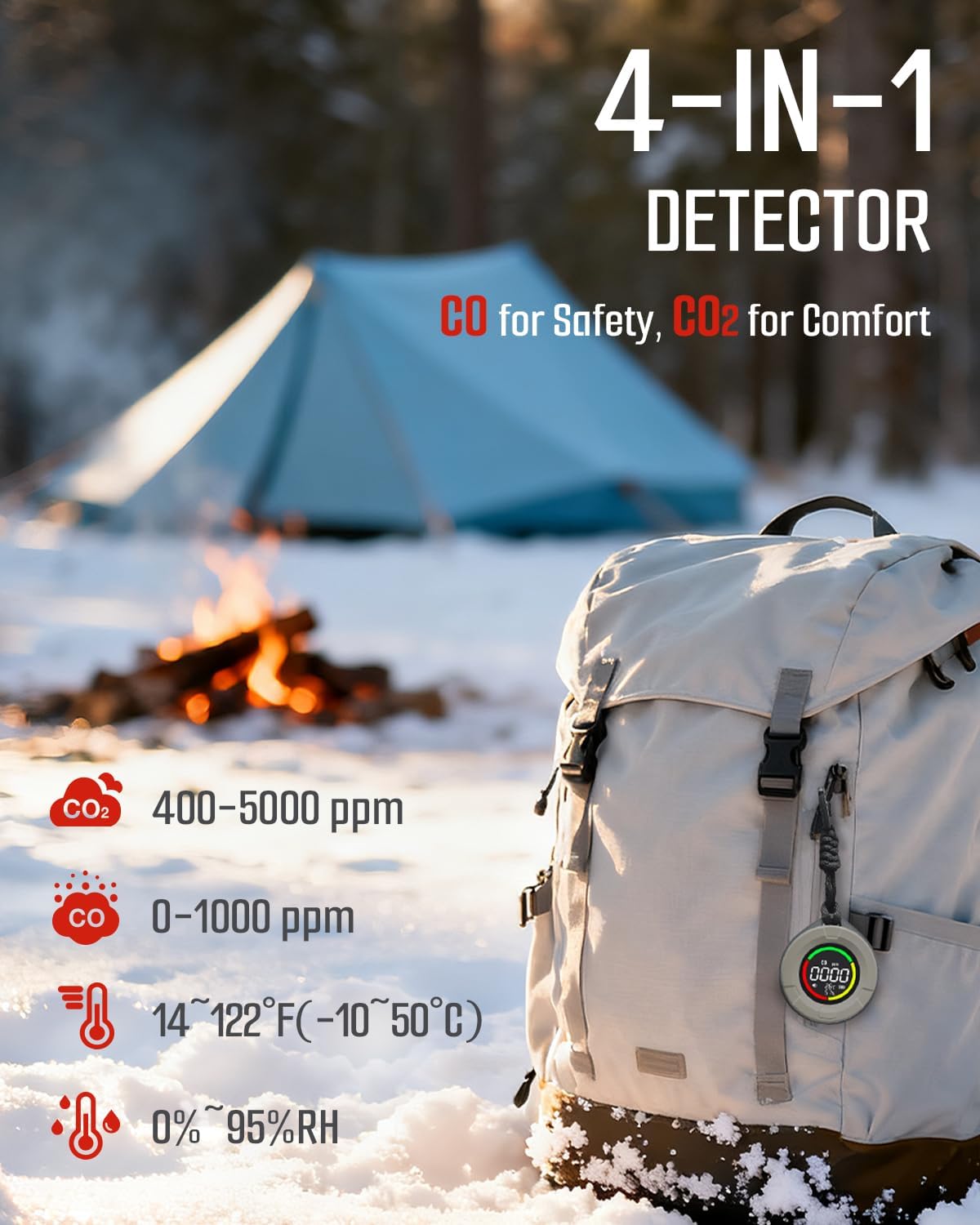
Figure 3: Magnetic Back Design
5. Operation
5.1 Real-Time Display
The DS-100PRO features an intuitive display that shows real-time readings for CO2, CO, temperature, and humidity. The display uses a color-coded system (green, yellow, red) to indicate air quality levels.

Figure 4: Real-Time Display Interface
5.2 Alarm Thresholds and Indicators
The device provides both audible and visual alarms based on preset or customized thresholds.
Carbon Dioxide (CO2) Alarm Levels:
- Green: 400–799 ppm (Safe)
- Yellow: 800–1499 ppm (Caution level)
- Red: ≥1500 ppm (Warning level)
Carbon Monoxide (CO) Alarm Levels:
- Green: 0–49 ppm (Low level)
- Yellow: 50–99 ppm (Warning level)
- Red: ≥100 ppm (Dangerous level)
The default CO alarm is set at 50 ppm. Both CO and CO2 alarm thresholds can be customized. Refer to the full user manual for instructions on customizing alarm settings.

Figure 5: Sound & Visual Alarm Indication
5.3 Testing the Detector
Regular testing ensures the detector is functioning correctly.
Testing CO Function:
To safely test the CO function, use a small smoke source, such as a lit cigarette or smoldering paper. Place the detector and the smoke source in a sealed, non-flammable container. The alarm should activate within seconds. Maintain a safe distance from smoke or ash. Do not use car exhaust or gas stoves for testing, as normal operation typically does not release detectable CO levels for this type of test.
Testing CO2 Function:
For CO2, exhaled breath can be used as a simple test. Breathe directly onto the sensor to observe an increase in CO2 readings.
6. Maintenance
6.1 Cleaning
Wipe the detector with a soft, dry cloth. Do not use abrasive cleaners, solvents, or detergents, as these can damage the device or interfere with sensor operation.
6.2 Battery Care
The device uses a rechargeable lithium polymer battery. Recharge the battery when the low battery indicator appears on the display. Avoid fully discharging the battery frequently to prolong its lifespan.
7. Troubleshooting
| Problem | Possible Cause | Solution |
|---|---|---|
| Device does not power on. | Low battery or device malfunction. | Charge the device fully. If the issue persists, contact customer support. |
| Alarm sounds frequently without apparent gas presence. | High background gas levels, sensor contamination, or false alarm. | Ventilate the area. Clean the sensor area gently. Check alarm thresholds. If alarms continue, evacuate and seek professional help. |
| Inaccurate readings (temperature/humidity). | Environmental factors or sensor calibration. | Ensure the device is not exposed to direct sunlight or extreme temperatures. Allow time for readings to stabilize. |
| Battery life is shorter than expected. | Frequent alarms, continuous high brightness, or aging battery. | Reduce alarm frequency if possible. Ensure full charges. Battery performance may degrade over time. |
8. Specifications
| Model Number | DS-100PRO |
| Gas Detection | Carbon Monoxide (CO), Carbon Dioxide (CO2) |
| Additional Sensors | Temperature, Humidity |
| CO Measurement Range | 0-1000 ppm |
| CO2 Measurement Range | 400-5000 ppm |
| Temperature Range | 14°F ~ 122°F (-10°C ~ 50°C) |
| Humidity Range | 0% ~ 95% RH |
| Battery Type | Rechargeable Lithium Polymer |
| Standby Time | Up to 72 hours |
| Charging Port | USB Type-C |
| Dimensions | 2.76 x 1.18 x 2.99 inches |
| Weight | 3.6 ounces (approx. 102 grams) |
| Manufacturer | GasDoc |
9. Important Safety Information
- This device is intended for personal monitoring and should not replace professional safety equipment or regulatory compliance.
- Do not expose the detector to extreme temperatures, humidity, or direct water.
- Do not attempt to open or repair the device. Refer all servicing to qualified personnel.
- In case of an alarm, immediately ventilate the area and investigate the source of the gas. If the alarm persists, evacuate the area and contact emergency services.
- Keep out of reach of children.
10. Warranty and Support
GasDoc products are designed for reliability and performance. For warranty information, technical support, or service inquiries, please refer to the contact details provided with your purchase documentation or visit the official GasDoc website. Please retain your proof of purchase for warranty claims.
For more information, visit the GasDoc Store on Amazon.


