
Biorunn 10.1 Inch 8-Core Car Stereo Radio User Manual
Model: 8-Core, 4GB+64GB | Compatible with GMC Yukon 2015-2020
1. Introduction
This manual provides detailed instructions for the installation, operation, and maintenance of your Biorunn 10.1 Inch 8-Core Car Stereo Radio. Please read this manual thoroughly before using the product to ensure proper function and safety. Keep this manual for future reference.
2. Safety Information
- Professional Installation Recommended: For optimal performance and to avoid damage, professional installation is highly recommended.
- Vehicle Compatibility: This unit is designed for GMC Yukon models from 2015 to 2020. Verify compatibility with your vehicle's center console before installation. If your vehicle has a factory amplifier, an additional Optical Fiber Box may be required (not included).
- Driving Safety: Do not operate the unit in a way that distracts you from driving. Always prioritize road safety.
- Power Supply: Ensure the unit is connected to a 12V DC power supply with negative grounding.
- Avoid Moisture: Do not expose the unit to water or excessive moisture.
3. What's in the Box
Carefully unpack the contents and ensure all items are present:
- 1 x Biorunn Car Stereo Unit
- 1 x Frame Kit
- 1 set Wire Harness
- 1 x Microphone
- 1 x RCA Cable
4. Setup and Installation
Before beginning installation, ensure the vehicle's battery is disconnected. Refer to your vehicle's service manual for specific dashboard removal instructions.
- Verify Compatibility: Confirm the unit fits your GMC Yukon (2015-2020) dashboard. If your car has a factory amplifier, an additional Optical Fiber Box is required.
- Remove Factory Unit: Carefully remove the existing car stereo and dashboard trim.
- Connect Wiring: Connect the provided wire harness, RCA cable, and microphone to the corresponding ports on the new stereo and your vehicle's wiring system. Ensure all connections are secure.
- Install Frame Kit: Attach the frame kit to the stereo unit, then carefully slide the unit into the dashboard opening.
- Secure Unit: Secure the stereo unit in place using the appropriate mounting hardware.
- Reconnect Battery: Reconnect the vehicle's battery and test the unit's functionality.

5. Operating Instructions
5.1 Power On/Off
Press and hold the power button (usually located on the front panel) to turn the unit on or off. A short press typically mutes or unmutes the audio.
5.2 Touch Screen Operation
The unit features a capacitive multi-touch IPS screen. Navigate through menus and applications by tapping, swiping, and pinching gestures, similar to a smartphone.
5.3 Wireless Car-play / Android Auto
This unit supports wireless Car-play (for iOS devices) and Android Auto (for Android devices), allowing seamless integration of your smartphone's features.
Connection Steps:
- Connect Bluetooth: On your smartphone, enable Bluetooth and pair with the car stereo unit.
- Launch Car-play/Android Auto: On the car stereo, select the "Car Link" or corresponding Car-play/Android Auto application icon.
- Confirm Connection: Follow any on-screen prompts on both your phone and the stereo to establish the connection.
Note: Car-play and Android Auto can also be connected via a USB cable.

5.4 Bluetooth Function (BT)
The built-in Bluetooth 5.0 module enables hands-free calling, phone book synchronization, and audio streaming.
- Hands-Free Calling: Make and receive calls directly from the stereo unit. The unit supports phone book download and caller name display.
- Bluetooth Music Streaming: Play audio from your paired smartphone through the car's speakers.
- Sync Contacts: Synchronize your phone's contact list with the stereo for easy access.

5.5 GPS Navigation
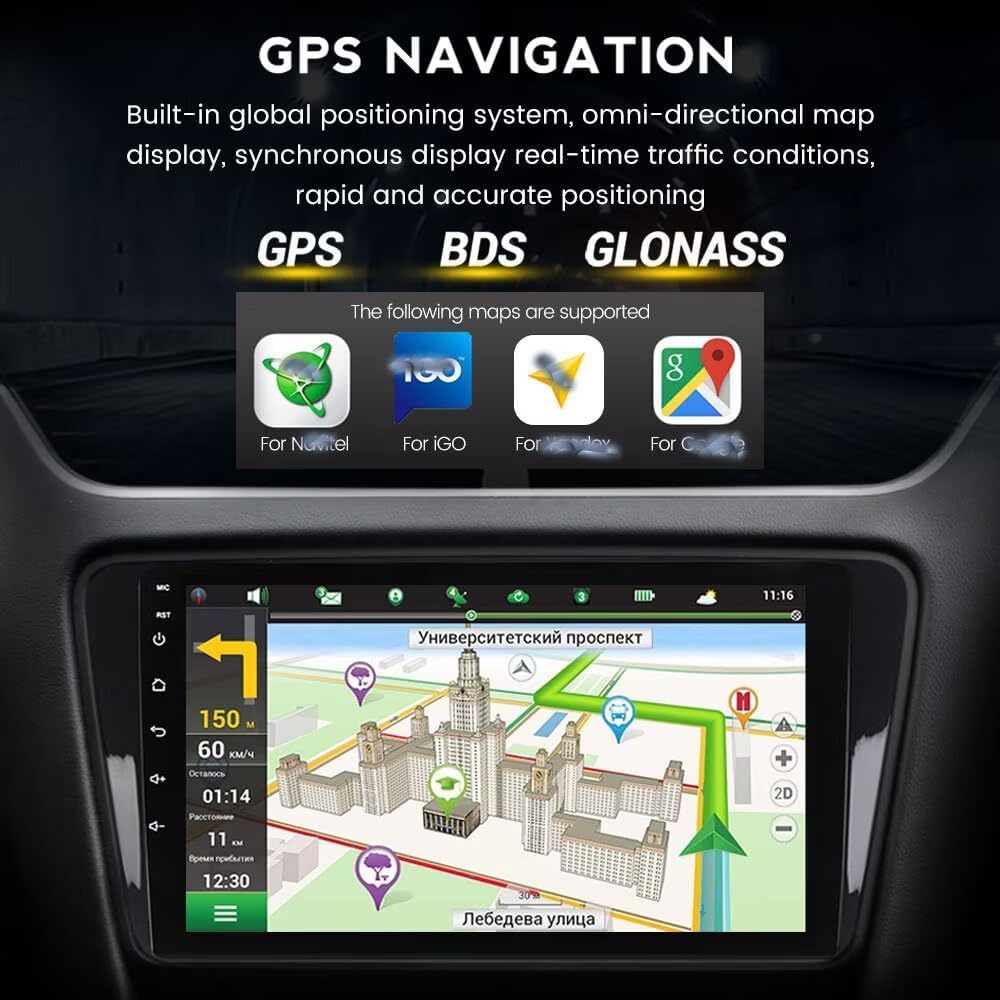
The unit features a built-in global positioning system (GPS) with support for GPS, BDS, and GLONASS. It provides omni-directional map display and real-time traffic conditions for accurate navigation.
Supported map applications include Navitel, IGO, Waze, and Google Maps.
5.6 DSP Processor
The integrated Digital Signal Processor (DSP) enhances audio quality by providing multi-dimensional surround lossless sound effects. This allows for fine-tuning of audio parameters to achieve a high-definition audio-visual experience.

5.7 Split Screen Function
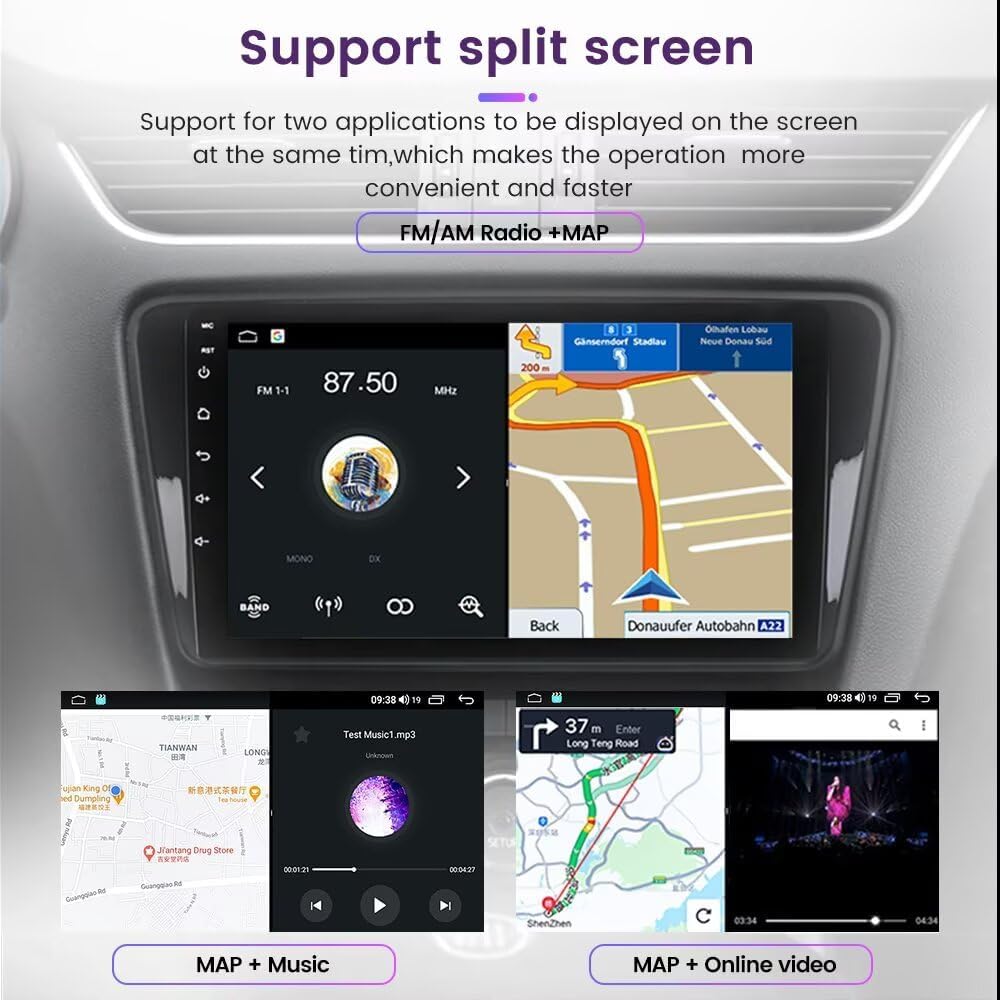
The split-screen feature allows two applications to be displayed simultaneously on the screen, improving convenience and multitasking. For example, you can view navigation maps while listening to FM radio or playing music.
5.8 Steering Wheel Control (SWC)
The unit supports original steering wheel remote control (SWC) for convenient and safe operation. This allows you to control music playback and hands-free calling functions without taking your hands off the steering wheel.

5.9 Built-in 4G LTE and WiFi
The stereo unit includes a built-in 4G module and supports 5Ghz WiFi, providing internet connectivity. This allows for online navigation, streaming, and app downloads. A 4G SIM card is required for 4G LTE connectivity (not included).

5.10 FM/AM Radio
The unit features an FM/AM radio with 18 preset stations. It supports full-automatic channel searching.
6. Maintenance
- Cleaning the Screen: Use a soft, lint-free cloth to gently wipe the screen. Avoid abrasive cleaners or solvents.
- Software Updates: Periodically check for available software updates to ensure optimal performance and access to new features. Updates can typically be found on the manufacturer's website or through the unit's settings menu.
- Avoid Extreme Temperatures: Do not expose the unit to extreme heat or cold, as this can affect its lifespan and performance.
7. Troubleshooting
| Problem | Possible Cause | Solution |
|---|---|---|
| Unit does not power on | Loose power connection, blown fuse, vehicle battery issue | Check power wiring, inspect vehicle fuses, ensure battery is charged. |
| No sound | Volume muted, speaker wires disconnected, incorrect audio settings | Check volume level, verify speaker connections, adjust audio output settings. |
| Bluetooth not connecting | Bluetooth off on phone/unit, pairing issue, interference | Ensure Bluetooth is enabled on both devices, delete previous pairings and re-pair, move closer to the unit. |
| GPS signal lost/inaccurate | Poor satellite reception, antenna issue, outdated maps | Ensure clear view of the sky, check GPS antenna connection, update map data if available. |
| Touch screen unresponsive | Software glitch, screen damage | Restart the unit. If issue persists, contact support. |
8. Specifications
- Operating System: Android
- Processor: 8-Core
- RAM: 4GB
- ROM: 64GB
- Screen Size: 10.1 inches
- Resolution: 1280 x 720, IPS Screen
- Bluetooth: Version 5.0
- Connectivity: Bluetooth, USB, Wi-Fi (5Ghz), 4G LTE (SIM card not included)
- Special Features: Built-in DSP Processor, Wireless Car-play, Android Auto, Split Screen, RDS, FM/AM Radio, Steering Wheel Control Support
- Navigation: Built-in GPS (GPS, BDS, GLONASS), Worldwide Map Type
- Supported Peripherals (Not Included): ADAS DVR, OBD II, TPMS
- Audio Format: MP3, WMA, AAC, RM, FALC, etc.
- Video Format: MPEG-1/2/4, H264, H263, VC1, RV, RMVB, DivX, Sorenson SparK, Spark, VP8, AVS Stream
- Photo Format: JPG/BMP/JEPG/GIF/PNG
- Languages: Supports multiple languages including English, German, French, Spanish, Italian, Portuguese, Russian, Dutch, Polish, Japanese, Simplified & Traditional Chinese, Arabic, etc.
9. Warranty
This Biorunn Car Stereo Radio comes with a 1-Year Warranty from the date of purchase. This warranty covers manufacturing defects and malfunctions under normal use. It does not cover damage caused by improper installation, misuse, accidents, or unauthorized modifications.
10. Support
For technical assistance, troubleshooting beyond this manual, or warranty claims, please contact Biorunn customer support through the retailer where the product was purchased or visit the official Biorunn website for contact information.