
Introduction
This manual provides comprehensive instructions for the 8Bitdo Ultimate 2 Wireless Controller (Evernight Edition). It covers setup, operation, maintenance, and troubleshooting to ensure optimal performance across compatible platforms including Windows PC, Apple, Steam, and Android devices.
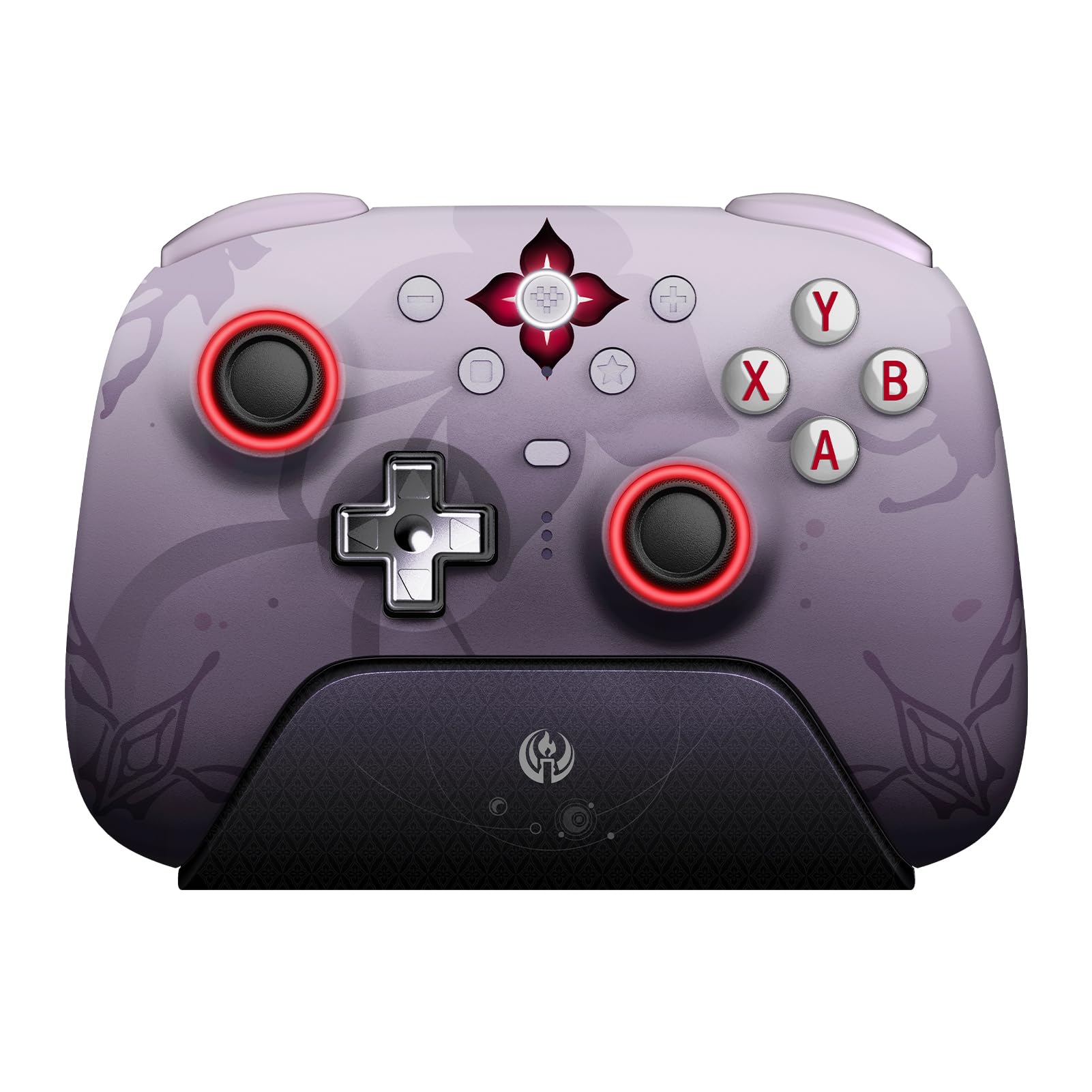
The 8Bitdo Ultimate 2 Wireless Controller in Evernight color, shown with its accompanying 2.4G USB adapter.
Package Contents
Verify that all items are present in your package:
- 8BitDo Ultimate 2 Wireless Controller x1
- Charging Dock x1
- 2.4G Adapter x1
- Travel Case x1
- USB Cable x1
- Joystick Caps x4
- Glitter Coaster x1
- Temporary Tattoo Sticker x1
All components included with the 8Bitdo Ultimate 2 Wireless Controller Evernight Edition, including the controller, charging dock, travel case, and other accessories.
Compatibility
The 8Bitdo Ultimate 2 Wireless Controller offers broad compatibility across multiple platforms:
- Windows PC: Compatible with Windows 10 (1903) or above. Connect via 2.4G wireless or wired USB.
- Apple Devices: Compatible with Apple iOS 16 or above, iPadOS 16 or above, tvOS 16 or above, macOS 13 or above, and visionOS 1.0 or above. Connect via Bluetooth.
- Steam: Compatible with SteamOS 3.0 or above. Connect via Bluetooth.
- Android Devices: Compatible with Android 9.0 or above. Connect via Bluetooth.

Visual representation of the controller's compatibility with Windows, Steam, Android, and Apple operating systems.
Setup
1. Charging the Controller
Before first use, fully charge your controller. Place the controller on the integrated charging dock. The dock also serves as a passthrough for the 2.4G dongle, requiring only one USB port on your computer for both charging and connection.

The 8Bitdo Ultimate 2 Wireless Controller resting on its integrated charging dock.
2. Connecting via 2.4G Wireless (Windows PC)
- Insert the 2.4G USB adapter into an available USB port on your Windows PC.
- Ensure the mode switch on the back of the controller is set to '2.4G'.
- Press the Home button on the controller to power it on. The controller will automatically connect to the adapter.
- The controller features a 1000Hz polling rate for low-latency 2.4G and wired connections.
3. Connecting via Bluetooth (Apple, Steam, Android)
- Ensure the mode switch on the back of the controller is set to 'Bluetooth'.
- Press the Home button on the controller to power it on.
- On your device (Apple, Steam, or Android), navigate to Bluetooth settings and select the 8Bitdo Ultimate 2 Controller to pair.

The rear view of the controller, highlighting the mode switch for 2.4G and Bluetooth connections, along with the programmable back buttons (PR and PL).
Operating Instructions
Basic Controls
The controller features standard gamepad buttons, D-pad, and analog sticks. Refer to in-game prompts for specific button functions.
Advanced Features
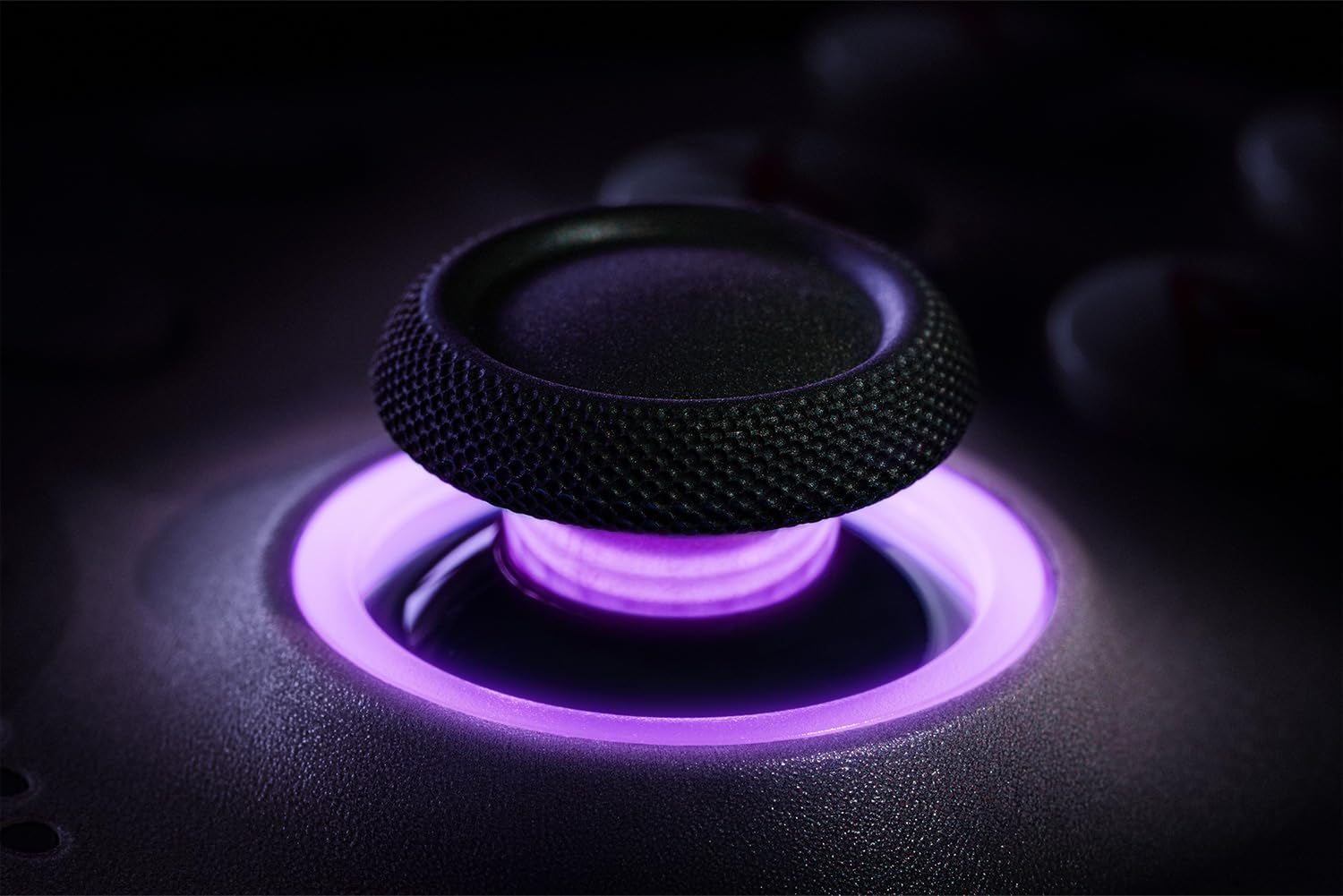
- TMR Joysticks: These joysticks provide enhanced sensitivity, precision, and durability. They are equipped with an RGB Fire Ring and wear-resistant joystick rings.
- Hall Effect Triggers & Mode Switching: Easily switch between linear Hall Effect triggers and non-linear tactile triggers for optimal control in different gaming scenarios.
- Customizable 6-Axis Motion Control, Turbo, and Rumble: The controller supports customizable 6-Axis motion control, turbo functions, and rumble feedback for an immersive gaming experience.
- Extra Fast Bumpers (R4 and L4 buttons): Remappable R4 and L4 buttons are designed for personalized configuration, allowing for quicker reactions in games without requiring additional software.
- RGB Fire Ring: The joysticks feature an RGB Fire Ring for customizable lighting effects.
- Refined Tactile D-pad: The D-pad is designed for precise and responsive input.

A detailed view of the TMR joystick, showcasing its RGB lighting and design.

Illustration of the Hall Effect triggers and the mechanism for switching between linear and tactile modes.

The controller's design featuring the additional R4 and L4 bumper buttons for enhanced customization.
A close-up view of the controller's joystick, showcasing the vibrant RGB Fire Ring illumination.

A detailed image of the controller's D-pad, emphasizing its tactile design.
8BitDo Ultimate Software V2
The controller supports 8BitDo Ultimate Software V2, allowing for advanced customization of button mapping, stick and trigger sensitivity, vibration intensity, and macro creation. Download the software from the official 8Bitdo website for full functionality.
Maintenance
- Cleaning: Use a soft, dry cloth to clean the controller. Avoid using harsh chemicals or abrasive materials.
- Storage: Store the controller in a cool, dry place away from direct sunlight and extreme temperatures. Use the provided travel case for protection during transport or storage.
- Battery Care: To prolong battery life, avoid fully discharging the controller frequently. Charge it regularly, especially if storing for extended periods.
Troubleshooting
- Controller Not Connecting:
- Ensure the mode switch on the back of the controller is set correctly for your device (2.4G for Windows, Bluetooth for Apple/Steam/Android).
- For 2.4G connection, ensure the USB adapter is securely plugged in.
- For Bluetooth, ensure Bluetooth is enabled on your device and the controller is in pairing mode.
- Try restarting both the controller and your device.
- Input Lag or Disconnections:
- Ensure the controller is fully charged.
- Reduce interference by moving closer to the 2.4G adapter or Bluetooth device.
- Update controller firmware using the 8BitDo Ultimate Software V2.
- Buttons Not Responding:
- Test button functionality using the 8BitDo Ultimate Software V2.
- Ensure no custom profiles are interfering with expected button behavior.
- Charging Issues:
- Ensure the USB cable is properly connected to both the charging dock and a power source.
- Verify the charging dock pins are clean and making proper contact with the controller.
Specifications
| Model Name | Ultimate 2 |
| Manufacturer Part Number | 81HE05 |
| Color | Evernight |
| Compatible Devices | Android, iOS, Mac, PC, Windows |
| Controller Type | Gamepad |
| Connectivity Technology | 2.4G Wireless, Bluetooth, Wired (USB) |
| Additional Features | Rumble, Wireless, TMR Joysticks, Hall Effect Triggers, Customizable 6-Axis Motion Control, Turbo, RGB Fire Ring, Remappable Back Buttons |
| Button Quantity | 16 |
| Hardware Platform | PC |
| Power Source | Wireless (Rechargeable Battery) |
| Item Weight | 240 g |
| Item Dimensions | 6.26 x 6.42 x 8.62 inches |
Warranty and Support
For warranty information and technical support, please visit the official 8Bitdo website or contact their customer service. Keep your proof of purchase for warranty claims.
Online Resources:


