
1. Introduction
Thank you for choosing the AIRPLUS Air Purifier Model KJ260. This device is designed to improve indoor air quality by effectively removing airborne particles, odors, and allergens. Please read this manual thoroughly before operating the appliance and retain it for future reference.

Image 1.1: The AIRPLUS Air Purifier Model KJ260, showcasing its compact and modern design.
2. Important Safety Instructions
To reduce the risk of fire, electric shock, or injury, please observe the following safety precautions:
- Read all instructions before using the appliance.
- Do not operate the air purifier with a damaged cord or plug.
- Do not place the appliance near heat sources such as stoves, ovens, or radiators.
- Keep the air intake and outlet clear of obstructions.
- Do not immerse the appliance in water or other liquids.
- Unplug the air purifier before cleaning or performing any maintenance.
- This appliance is not intended for use by persons (including children) with reduced physical, sensory, or mental capabilities, or lack of experience and knowledge, unless they have been given supervision or instruction concerning use of the appliance by a person responsible for their safety.
- Children should be supervised to ensure that they do not play with the appliance.
3. Package Contents
Please check the box for the following items:
- AIRPLUS Air Purifier Unit (Model KJ260)
- 3-in-1 Composite Filter (pre-installed)
- User Manual
4. Product Overview
The AIRPLUS Air Purifier Model KJ260 features a multi-stage filtration system and intuitive controls for optimal air purification.
4.1 Components

Image 4.1: Top view of the control panel, indicating various functions.
- Control Panel: Located on the top of the unit for easy access to all functions.
- Air Outlet: Top grille where purified air is released.
- Air Intake: Perforated lower section for 360-degree air intake.
- Filter Compartment: Located at the bottom, housing the 3-in-1 composite filter.
4.2 Filtration System
The AIRPLUS Air Purifier utilizes a 3-in-1 composite filter designed to capture various airborne pollutants.

Image 4.2: Illustration of the 3-in-1 filter's multi-layer design and target pollutants.
- Washable Pre-Filter: Captures large particles such as dust, lint, fibers, and pet fur. This layer is washable for extended use.
- True HEPA Filter: Traps at least 99.97% of airborne particles 0.3 microns in size, including pollen, dust mites, and pet dander.
- Activated Carbon Filter: Absorbs odors from pets, cooking, smoke, and harmful VOCs (Volatile Organic Compounds).
5. Setup
- Unpack: Carefully remove the air purifier from its packaging.
- Remove Filter Packaging: Before first use, turn the unit upside down. Twist the base counter-clockwise to unlock and remove the filter cover. Take out the 3-in-1 composite filter and remove all plastic packaging.
- Reinstall Filter: Place the unwrapped filter back into the unit. Ensure the filter is oriented correctly.
- Secure Cover: Replace the filter cover and twist clockwise to lock it securely.
- Placement: Place the air purifier on a firm, level surface. Ensure there is at least 15 inches (38 cm) of clearance on all sides for optimal air circulation.
- Power Connection: Plug the power cord into a grounded electrical outlet.
6. Operating Instructions
Familiarize yourself with the control panel buttons to operate your AIRPLUS Air Purifier.
- Power Button (⏻): Press to turn the air purifier ON or OFF.
- Fan Speed Button (☯): Press repeatedly to cycle through fan speeds: Low, Medium, High.
- Sleep Mode Button (💤): Activates Sleep Mode, reducing fan speed to the lowest setting and dimming/turning off display lights for quiet operation (approx. 24 dB). Press again to exit Sleep Mode.
- Timer Button (⏲): Press to set the operating timer for 2, 4, 8, or 12 hours. The unit will automatically turn off after the selected time.
- Child Lock Button (🔒): Press and hold for 3 seconds to activate or deactivate Child Lock. When active, all other buttons are disabled to prevent accidental changes.
- Light Switch Button (💡): Press to turn the display lights ON or OFF.
- Filter Reset Indicator (🏭): This indicator will illuminate when it's time to check or replace the filter. After replacing the filter, press and hold the Filter Reset button for 3 seconds to reset the indicator.

Image 6.1: The air purifier operating in a bedroom, demonstrating its quiet performance in Sleep Mode.
7. Maintenance
Regular maintenance ensures optimal performance and extends the lifespan of your air purifier.
7.1 Cleaning the Washable Pre-Filter
The outer mesh pre-filter is washable and should be cleaned regularly, approximately every 2-4 weeks depending on air quality and usage.
- Unplug the air purifier from the power outlet.
- Turn the unit upside down and remove the filter cover.
- Carefully remove the 3-in-1 composite filter.
- Separate the washable pre-filter mesh from the main filter body.
- Rinse the pre-filter under running water until clean.
- Allow the pre-filter to air dry completely before reassembling. Do not use a dryer or heat.
- Once dry, reattach the pre-filter to the main filter, insert the filter back into the unit, and secure the cover.
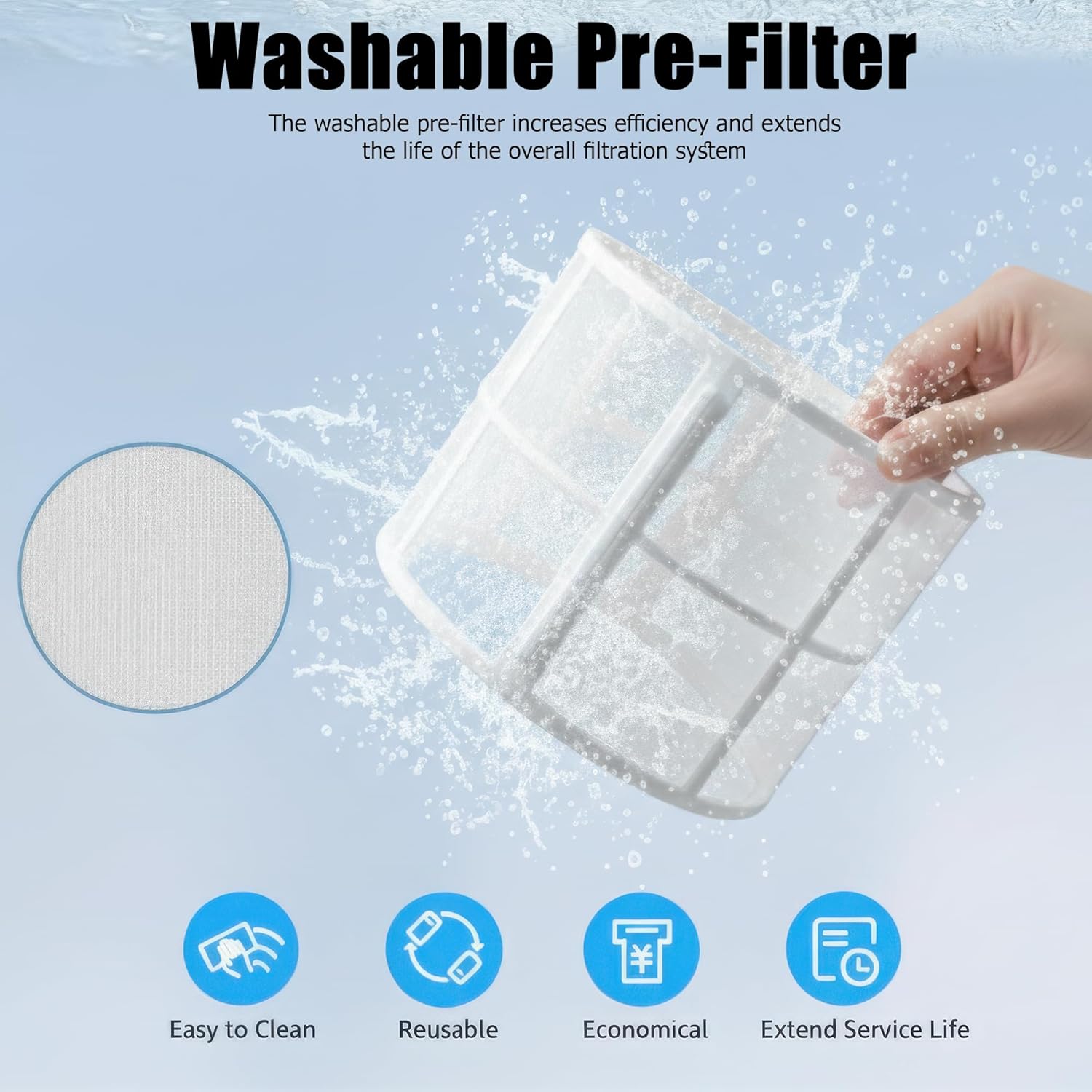
Image 7.1: Cleaning the washable pre-filter under running water.
7.2 Replacing the Composite Filter
The 3-in-1 composite filter (HEPA and Activated Carbon layers) is not washable and should be replaced every 6-8 months, or when the Filter Reset indicator illuminates, depending on usage and air quality.
- Unplug the air purifier.
- Remove the filter cover and the old composite filter.
- Dispose of the old filter responsibly.
- Unpack a new genuine AIRPLUS replacement filter (Model KJ260F, sold separately).
- Insert the new filter into the unit, ensuring correct orientation.
- Replace and lock the filter cover.
- Plug in the air purifier. Press and hold the Filter Reset button for 3 seconds until the indicator light turns off.
Note: Use only genuine AIRPLUS replacement filters to ensure optimal performance and maintain warranty validity.
7.3 Exterior Cleaning
Wipe the exterior of the air purifier with a soft, dry cloth. Do not use abrasive cleaners or solvents.
8. Troubleshooting
If you encounter issues with your air purifier, please refer to the following common problems and solutions:
| Problem | Possible Cause | Solution |
|---|---|---|
| Unit does not turn on | Not plugged in; Power outage; Child Lock active | Ensure plug is securely in outlet; Check power supply; Deactivate Child Lock by pressing and holding the Child Lock button for 3 seconds. |
| Reduced airflow or poor purification | Filter clogged; Filter packaging not removed; Air intake/outlet blocked | Clean washable pre-filter or replace composite filter; Ensure all filter packaging is removed; Clear any obstructions around the unit. |
| Unusual noise | Filter not installed correctly; Foreign object inside; Unit on uneven surface | Reinstall filter correctly; Unplug and check for foreign objects (if safe); Place unit on a stable, level surface. |
| Filter Reset indicator remains on after filter replacement | Indicator not reset | Press and hold the Filter Reset button for 3 seconds until the light turns off. |
9. Specifications
| Feature | Specification |
|---|---|
| Model Number | KJ260 |
| Brand | AIRPLUS |
| Rated Power | 25W |
| Coverage Area | Up to 1073 ft² |
| Dimensions (D x W x H) | 9" x 9" x 13.4" (22.86 cm x 22.86 cm x 34.04 cm) |
| Weight | 5.95 lbs (2.7 kg) |
| Noise Level | 24 dB (Sleep Mode) |
| Filter Type | 3-in-1 Composite (Pre-filter, HEPA, Activated Carbon) |
| Controller Type | Button Control |
10. Warranty and Support
AIRPLUS provides a limited warranty for this product. For detailed warranty information, please refer to the warranty card included with your purchase or visit the official AIRPLUS website.
For technical support, troubleshooting assistance, or to purchase genuine replacement filters, please contact AIRPLUS customer service through the contact information provided on the official website or your purchase platform.
Please have your model number (KJ260) and purchase date ready when contacting support.