
1. Introduction
Welcome to your new Baseus BC1 Open Ear Earbuds. This manual provides detailed instructions for setup, operation, and maintenance to ensure you get the best experience from your device. The Baseus BC1 earbuds feature a comfortable open-ear design, secure tri-curve clip, rich sound with powerful bass, clear calls with 4-mic AI noise reduction, IP55 water resistance, and precise button control.
2. Package Contents
Please check the package contents to ensure all items are present:
- Baseus BC1 Open Ear Earbuds (Left & Right)
- Charging Case
- User Manual
- Type-C Charging Cable

3. Product Overview
The Baseus BC1 Open Ear Earbuds are designed for comfort and high-quality audio, allowing you to stay aware of your surroundings. The compact charging case provides extended battery life and convenient storage.

4. Setup
4.1. Charging
Before first use, fully charge the earbuds and charging case.
- Connect the provided Type-C charging cable to the charging port on the case and a power source.
- A full charge for the case takes approximately 1.5 hours.
- The earbuds offer up to 7.5 hours of listening on a single charge, and up to 38 hours total with the fully charged case.

4.2. Power On/Off
- Power On: Open the charging case, and the earbuds will power on automatically.
- Power Off: Place the earbuds back into the charging case and close the lid; they will power off automatically.
4.3. Bluetooth Pairing
- Open the charging case. The earbuds will automatically enter pairing mode, indicated by a flashing LED light.
- On your device (smartphone, tablet, etc.), go to Bluetooth settings and enable Bluetooth.
- Search for "Baseus BC1" in the list of available devices and select it to connect.
- Once connected, you will hear a confirmation tone, and the LED indicator on the earbuds will turn off.
4.4. Wearing the Earbuds
For optimal comfort and sound quality, follow these steps to wear your earbuds:
- Gently clip each earbud onto your ear, ensuring the main body rests comfortably behind your earlobe.
- Adjust the earbud to find the most comfortable and secure position. The tri-curve ergonomic clip is designed to adapt to various ear shapes.
- Ensure the sound outlet is aligned with your ear canal to experience the best sound quality.


5. Operating Instructions
5.1. Button Controls
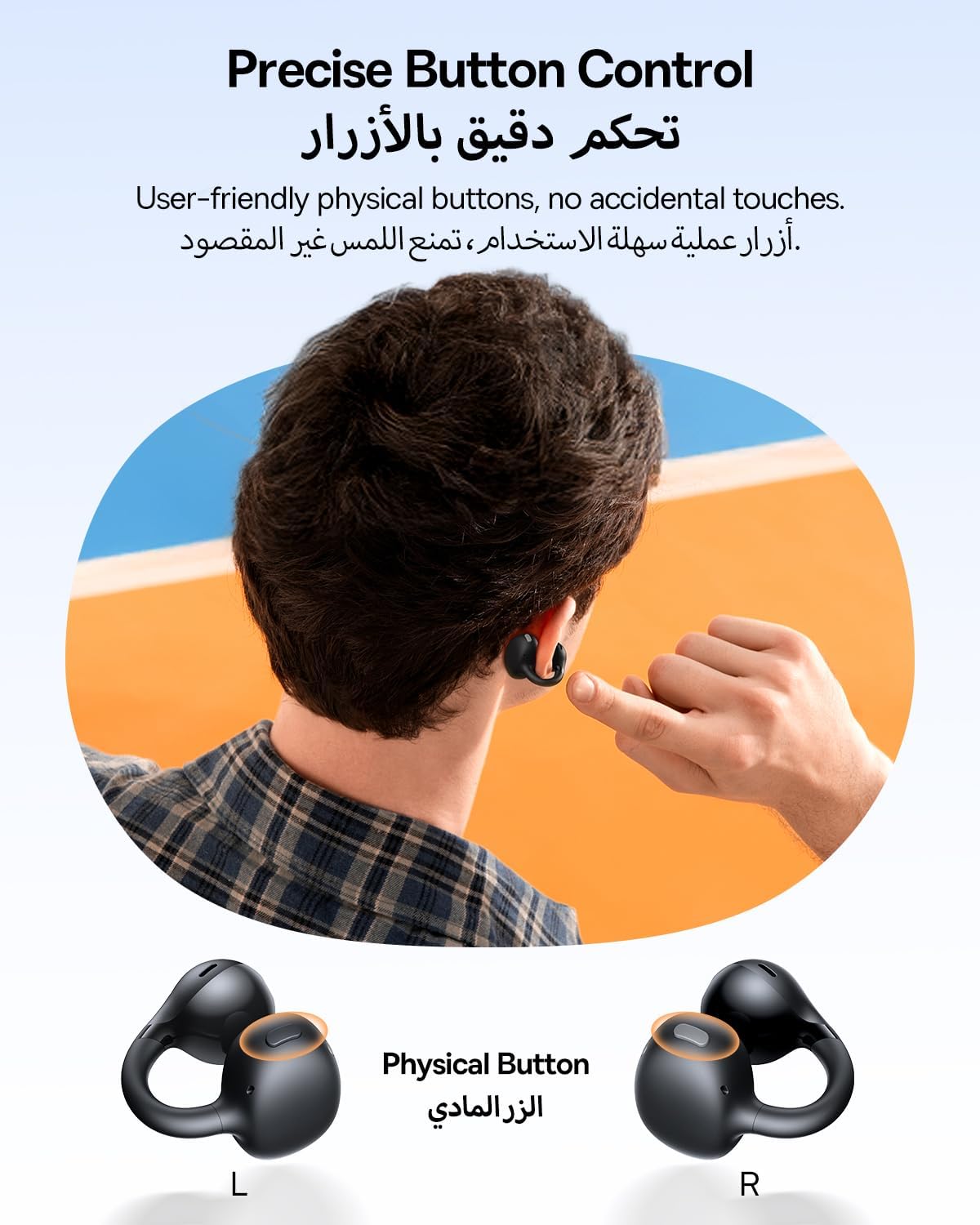
The Baseus BC1 earbuds feature physical buttons for precise control, minimizing accidental touches. The functions are as follows:
- Play/Pause: Single press the button on either earbud.
- Volume Up: Single press the button on the right earbud.
- Volume Down: Single press the button on the left earbud.
- Next Track: Long press the button on the right earbud for 1.5 seconds.
- Previous Track: Long press the button on the left earbud for 1.5 seconds.
- Answer/End Call: Double press the button on either earbud.
- Reject Call: Long press the button on either earbud for 1.5 seconds during an incoming call.
- Voice Assistant: Triple press the button on the right earbud.
- Cycle Modes (Game/Movie/Normal): Triple press the button on the left earbud.
5.2. App Customization
Download the official Baseus app from your device's app store to unlock advanced features and personalize your listening experience:
- Customizable EQ: Adjust the equalizer settings to fine-tune the audio to your preference.
- Sound Profiles: Choose from various preset sound profiles for different music genres or listening scenarios.
- Touch Control Personalization: Reassign touch control functions to suit your needs.

5.3. Multi-Point Connection
The Baseus BC1 earbuds support simultaneous connection to two devices, allowing seamless switching between them:
- Pair the earbuds with your first device (e.g., smartphone).
- Disconnect the earbuds from the first device's Bluetooth settings. The earbuds will re-enter pairing mode.
- Pair the earbuds with your second device (e.g., tablet or laptop).
- Manually reconnect the earbuds to the first device from its Bluetooth settings.
- The earbuds will now be connected to both devices simultaneously, allowing you to switch audio sources without re-pairing.

6. Maintenance
6.1. Cleaning
To ensure optimal performance and longevity of your earbuds:
- Regularly clean the earbuds and the charging contacts inside the case using a clean, dry cotton swab.
- If necessary, lightly dampen the cotton swab with alcohol for disinfection.
- Avoid issues such as the earbuds being unable to charge or power on due to prolonged lack of cleaning.
6.2. Storage
- When not in use, always store the earbuds in their charging case to protect them from dust and damage.
- If the earbuds will not be used for an extended period, charge the case at least once every three months to maintain battery health.
7. Troubleshooting
If you encounter any issues with your Baseus BC1 earbuds, please refer to the following common problems and solutions:
- Earbuds not pairing: Ensure Bluetooth is enabled on your device and the earbuds are in pairing mode. Try forgetting previous pairings on your device and re-pairing.
- Only one earbud working: Place both earbuds back in the charging case, close the lid for 10 seconds, then open it again. If the issue persists, perform a factory reset.
- Poor sound quality: Ensure the earbuds are worn correctly and the sound outlet is aligned with your ear canal. Check the EQ settings in the Baseus app.
- Earbuds not charging: Clean the charging contacts on both the earbuds and the case. Ensure the charging cable is properly connected to a working power source.
7.1. Factory Reset
If the earbuds are not functioning correctly, a factory reset may resolve the issue:
- Remove the pairing information of the earbuds from your device's Bluetooth settings (e.g., "Forget This Device").
- Place both earbuds into the charging case, ensuring they are securely in place.
- Close the charging case for 3 seconds, then reopen it.
- With the charging case open, long press the button on the charging case for 10 seconds until the indicator light flashes white twice. This indicates that the reset is complete.
- After the factory reset, use the initial Bluetooth pairing method (Section 4.3) to reconnect and resume normal use.
8. Specifications
| Feature | Detail |
|---|---|
| Model Name | BC1 |
| Item Model Number | PM153 |
| Brand | Baseus |
| Color | Black |
| Ear Placement | Open Ear |
| Headphones Form Factor | Open Ear |
| Connectivity Technology | Wireless |
| Wireless Communication Technology | Bluetooth |
| Impedance | 16 Ohm |
| Noise Control | None |
| Headphone Jack | No Jack |
| Control Method | Push Button |
| Water Resistance Level | Water Resistant (IP55) |
| Charging Time | 1.5 hours |
| Item Weight | 111 grams |
| Package Dimensions | 13.4 x 8.5 x 4.2 cm |
| Included Components | User Manual |
| Material | Plastic |
| Compatible Devices | Phones, tablets, desktop computers, laptops, mobile phones, smart speakers, TVs, digital video game players |
9. Safety Information
- Avoid prolonged listening at high volume levels to prevent potential hearing damage.
- Do not use the earbuds in situations where inability to hear ambient sounds could be dangerous (e.g., driving, cycling, walking in traffic).
- Keep the earbuds and charging case away from extreme temperatures, direct sunlight, and moisture.
- Do not attempt to disassemble, repair, or modify the product. This may void the warranty and cause damage.
- Keep out of reach of children and pets to prevent accidental ingestion or misuse.
- Dispose of the product and its battery responsibly according to local regulations.
10. Warranty & Support
For warranty information, technical support, or any product-related inquiries, please refer to the official Baseus website or contact your local distributor.
You can also visit the official Baseus Store for more information: Baseus Store


