
Introduction
The GenXenon M01-T Bluetooth Smart Glasses combine eyewear with integrated audio technology. These glasses feature blue light blocking and photochromic lenses, allowing for clear vision indoors and adaptive tinting outdoors. They support hands-free calls, music playback, and voice assistant activation via touch controls, connecting wirelessly through Bluetooth 6.0. The design prioritizes comfort and awareness of surroundings with an open-ear audio system.
What's in the Box

Image: Packaging contents for the GenXenon Smart Glasses.
Upon unboxing your GenXenon M01-T Smart Glasses, please ensure all the following items are present:
- Smart Glasses
- User Manual
- Charging Cable
- Eyeglasses Cloth
Product Overview
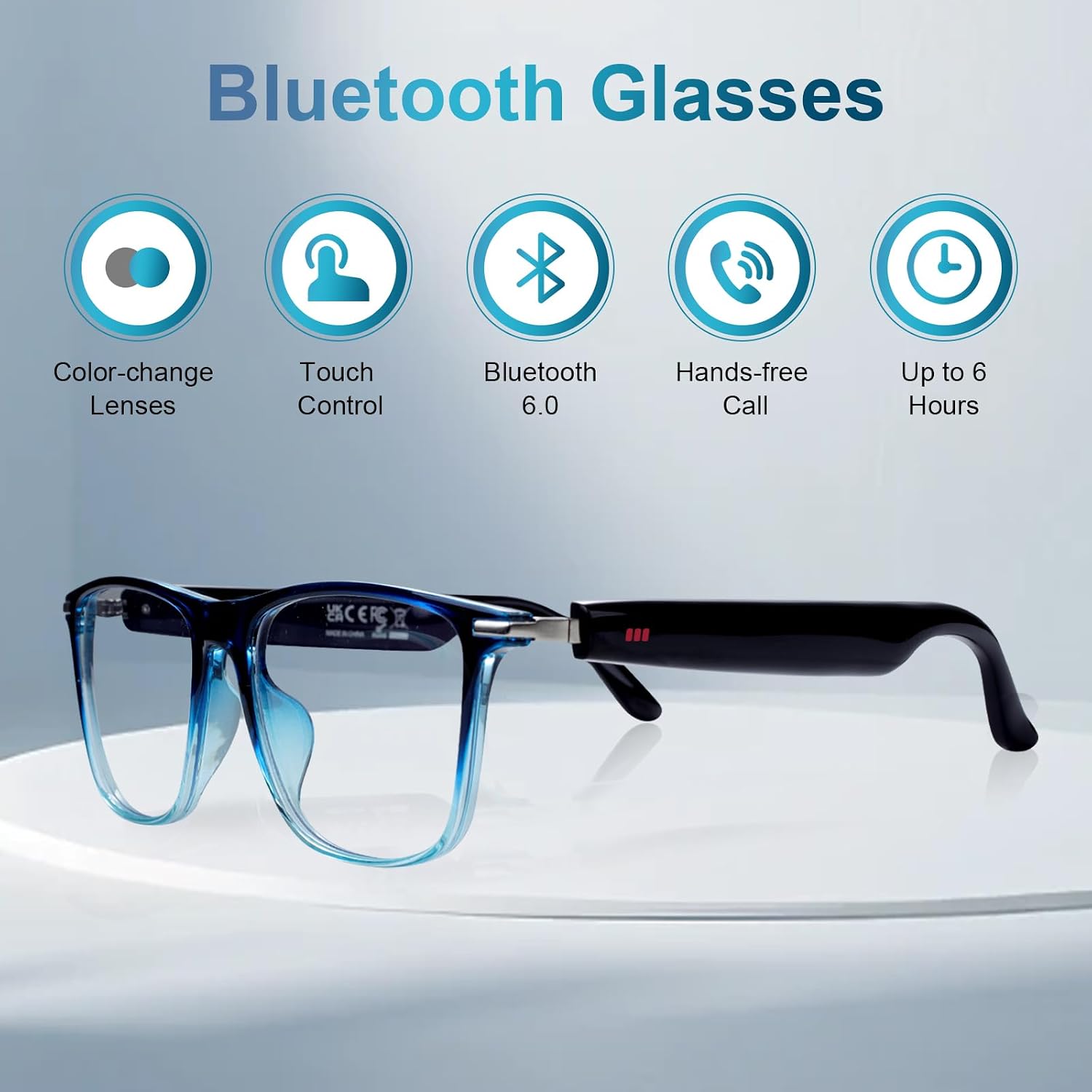
Image: Overview of GenXenon Bluetooth Smart Glasses features.
Key Components
- Lenses: Blue light blocking for indoor use and photochromic (UV400 polarized) for outdoor use.
- Frame: Lightweight and designed for comfort.
- Speakers: Integrated open-ear speakers for audio playback and calls.
- Microphone: Built-in high-sensitivity microphone with noise reduction.
- Touch Control Area: Located on the temples for gesture-based commands.
- Charging Port: Magnetic charging port.
Touch Control Functions

Image: Detailed smart touch control gestures.
- Power On/Off: Long press on both sides for 5 seconds.
- Music Play/Pause: Double click.
- Wake Voice Assistant: Three clicks.
- Reject Call: Long press for 3 seconds.
- Volume Up/Down: Long press for 1.5 seconds on the respective side.
- Answer/End Call: Two clicks.
Setup
1. Charging the Glasses
Before initial use, fully charge your GenXenon M01-T Smart Glasses. Connect the magnetic charging cable to the charging port on the glasses and a compatible USB power source. A full charge takes approximately 1.5 hours and provides 4-5 hours of playback or 7 days of standby time.
2. Bluetooth Pairing

Image: Bluetooth pairing process with a smartphone.
- Ensure the glasses are charged and powered on.
- Activate Bluetooth on your smartphone or other compatible device (iOS/Android).
- Search for available Bluetooth devices. The glasses will appear as "GenXenon" or a similar identifier.
- Select the glasses from the list to pair. A confirmation sound or indicator will signify successful pairing.
- The glasses will automatically reconnect to the last paired device when powered on and within range.
Operating Instructions
Audio Playback and Calls

Image: Open-ear design for comfort and safety.
- Music: Once paired, audio from your device will play through the open-ear speakers. Use touch controls for play/pause and volume adjustment.
- Calls: Incoming calls can be answered or rejected using the touch controls. The built-in microphone allows for hands-free communication.
- Voice Assistant: Activate your device's voice assistant (e.g., Siri, Google Assistant) with a triple click on the touch control area.
The open-ear design provides clear audio while allowing you to remain aware of your surroundings. In quiet environments, sound may be more noticeable to others; adjust volume as needed.
Lens Functionality

Image: Photochromic lens functionality.
- Blue Light Blocking: The lenses provide blue light filtering for indoor use, reducing eye strain from digital screens.
- Photochromic Lenses: These lenses automatically adjust their tint based on UV light exposure. They remain clear indoors and darken to a UV400 polarized shade outdoors, offering eye protection in varying light conditions.
Note: Photochromic lenses are not designed to achieve the same level of darkness as traditional sunglasses in intense sunlight or extreme brightness, nor are they intended to fully replace sunglasses in such conditions.
Maintenance
- Cleaning: Use the provided eyeglasses cloth to clean the lenses and frame. For stubborn smudges, use a lens cleaning spray designed for eyewear. Avoid abrasive materials or harsh chemicals.
- Water Resistance: The glasses are IPX5 waterproof, meaning they are resistant to splashes and light rain. Do not submerge the glasses in water or expose them to high-pressure water jets.
- Storage: Store the glasses in their case when not in use to protect them from scratches and damage. Avoid exposing them to extreme temperatures.
- Charging: Always use the original charging cable. Do not force the magnetic connector.
Troubleshooting
Common Issues and Solutions
- No Power: Ensure the glasses are fully charged. Connect to the charging cable and check the charging indicator.
- Cannot Pair via Bluetooth:
- Make sure Bluetooth is enabled on your device and the glasses are in pairing mode.
- Ensure the glasses are within the 33ft (10m) Bluetooth range of your device.
- Turn off and on both the glasses and your device's Bluetooth.
- Forget the device in your phone's Bluetooth settings and attempt to re-pair.
- No Sound/Poor Sound Quality:
- Check the volume level on both the glasses and your connected device.
- Ensure the glasses are properly connected via Bluetooth.
- Confirm that the audio output on your device is set to the smart glasses.
- Touch Controls Unresponsive:
- Ensure your fingers are clean and dry when using touch controls.
- Restart the glasses by powering them off and then on again.
Frequently Asked Questions (FAQs)
- What are the benefits of open-ear design? Open-ear audio design provides a similar audio experience to in-ear designs while reducing discomfort. It also allows you to perceive changes in your surrounding environment, enhancing safety.
- Do these work with my phone? Yes, the universal Bluetooth 6.0 compatibility ensures seamless pairing with both iOS and Android devices.
- Are these suitable for both women and men? Absolutely. The neutral frame design is unisex, combining style with a lightweight build suitable for all-day wear.
Specifications

Image: Product dimensions of the GenXenon Smart Glasses.
| Feature | Detail |
|---|---|
| Model Name | M01-T-Smart Glasses |
| Connectivity Technology | Bluetooth 6.0 |
| Compatible Devices | iOS and Android smartphones, Laptops |
| Battery Capacity | 110mA (100 Milliamp Hours) |
| Battery Life (Average) | 4-5 Hours (playback) |
| Standby Time | 7 Days |
| Battery Charge Time | 1.5 Hours |
| Water Resistance Level | IPX5 (Waterproof) |
| Lenses | Blue Light Blocking, Photochromic (UV400 Polarized) |
| Special Features | Lightweight, Music Player, Hands-free Call, Voice Assistant Support |
| Frame Material | Silicone |
| Target Audience | Men, Women, Unisex Adults, Unisex Youth |
Warranty and Support
Warranty Information
The GenXenon M01-T Smart Glasses come with a 1-Year Manufacturer Warranty. This warranty covers defects in materials and workmanship under normal use. Please retain your proof of purchase for warranty claims.
Customer Support
For technical assistance, troubleshooting, or warranty inquiries, please contact GenXenon customer support. Refer to the contact information provided on the GenXenon official website or within your product packaging.