
Introduction
Thank you for choosing the Ajblg S2-1 Portable Bluetooth Speaker. This manual provides essential information for setting up, operating, and maintaining your speaker. The S2-1 speaker delivers 80W of powerful audio with deep bass and 360° surround sound. It features Bluetooth 5.4 for versatile connectivity, an IPX7 waterproof rating, dynamic RGB beat lights, and a long-lasting 8000mAh battery that also functions as a power bank.
Package Contents
- Ajblg S2-1 Portable Bluetooth Speaker
- Power Cable
- Quick Start Guide
Product Overview
Familiarize yourself with the speaker's design and key components.
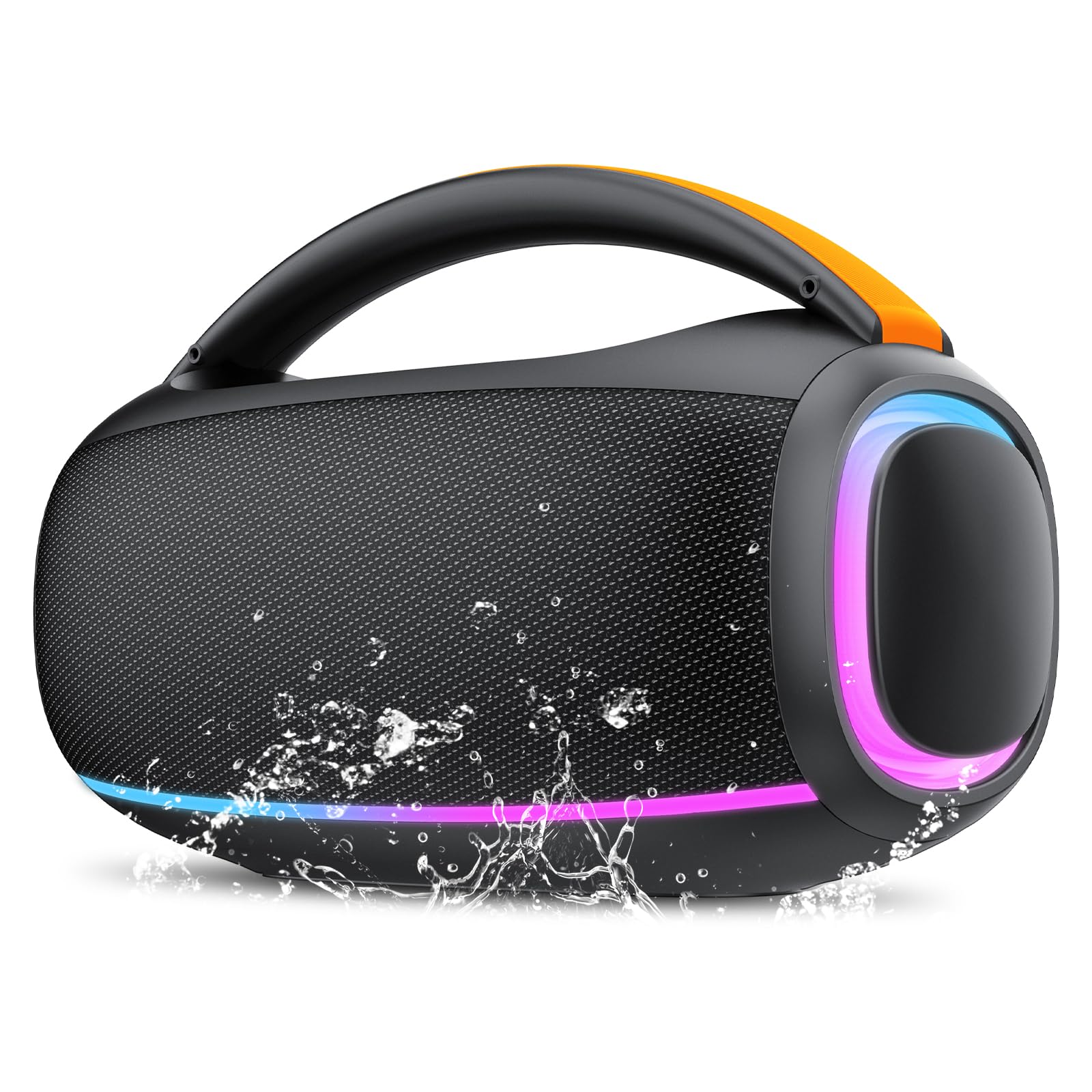
Figure 1: Front view of the Ajblg S2-1 Portable Bluetooth Speaker, showcasing its handle and illuminated side panels.

Figure 2: Top panel of the speaker with control buttons for power, volume, track control, and EQ, surrounded by dynamic LED lighting.
Setup
1. Powering On/Off
- To power on: Press and hold the Power button until the indicator lights illuminate.
- To power off: Press and hold the Power button again until the indicator lights turn off.
2. Bluetooth Pairing
- Ensure the speaker is powered on and in Bluetooth pairing mode (indicated by a flashing blue light).
- On your device (smartphone, tablet, etc.), enable Bluetooth and search for available devices.
- Select "Ajblg S2-1" from the list. Once connected, the speaker will emit an audible confirmation, and the indicator light will be solid blue.
3. True Wireless Stereo (TWS) Pairing
For an enhanced stereo experience, you can pair two Ajblg S2-1 speakers together.
- Ensure both speakers are powered on and not connected to any other Bluetooth device.
- On one speaker, press the TWS button (often indicated by two interlocking circles or a similar icon). The speaker will enter TWS pairing mode.
- The two speakers will automatically connect to each other. Once paired, one speaker will act as the master (left channel) and the other as the slave (right channel).
- Connect your device to the master speaker via Bluetooth as described in step 2.

Figure 3: Illustration of two Ajblg S2-1 speakers connected in True Wireless Stereo (TWS) mode for an immersive audio experience.
4. Versatile Connectivity Options
In addition to Bluetooth, the speaker supports other input methods:
- AUX Input: Connect an audio device using a 3.5mm AUX cable (not included) to the AUX port. The speaker will automatically switch to AUX mode.
- Micro SD Card: Insert a Micro SD card with audio files into the designated slot. The speaker will automatically play music from the card.
- USB Playback: Insert a USB flash drive with audio files into the USB port. The speaker will automatically play music from the drive.
Operating Instructions
1. Basic Controls
- Play/Pause: Press the Play/Pause button to play or pause audio.
- Volume Up/Down: Press the + or - buttons to adjust the volume.
- Next/Previous Track: Press and hold the + button for the next track, or the - button for the previous track.
2. RGB Light Effects
The speaker features 6-color dynamic RGB lights that sync with your music. You can turn the light show on or off as desired using the dedicated light button (often labeled with a lightbulb icon or integrated into another control).
3. Hands-Free Calling
When connected via Bluetooth, the built-in microphone allows for stable and clear hands-free calling.
- Answer Call: Press the Play/Pause button to answer an incoming call.
- End Call: Press the Play/Pause button again to end a call.
- Reject Call: Press and hold the Play/Pause button to reject an incoming call.
4. Power Bank Function
The speaker's 8000mAh battery can also be used to charge your mobile devices.
- Connect your device to the speaker's USB output port using a compatible charging cable.
- The speaker will begin charging your device.

Figure 4: The Ajblg S2-1 speaker acting as a power bank, charging a smartphone.
Maintenance
1. Cleaning
- Wipe the speaker with a soft, damp cloth.
- Do not use abrasive cleaners, alcohol, or chemical solvents.
2. IPX7 Waterproof Rating
The speaker is IPX7 waterproof, meaning it can be submerged in up to 1 meter of water for 30 minutes. Ensure all port covers are securely closed before exposure to water.

Figure 5: The Ajblg S2-1 speaker resisting water splashes, highlighting its IPX7 waterproof design.
3. Battery Care
- Charge the speaker fully before first use.
- To preserve battery life, recharge the speaker regularly, even if not in frequent use.
- Avoid exposing the speaker to extreme temperatures.

Figure 6: Visual representation of the speaker's 30-hour battery life, suitable for extended use.
Troubleshooting
| Problem | Possible Cause | Solution |
|---|---|---|
| Speaker does not power on | Low battery | Charge the speaker fully using the provided power cable. |
| Cannot pair via Bluetooth | Speaker not in pairing mode; Device Bluetooth off; Too far from speaker | Ensure speaker is in pairing mode. Turn on Bluetooth on your device. Move device closer to speaker (within 50 feet). |
| No sound | Volume too low; Incorrect input mode; Device not playing audio | Increase speaker and device volume. Check if the correct input mode (Bluetooth, AUX, SD, USB) is selected. Ensure audio is playing on your device. |
| TWS pairing fails | Speakers already connected to other devices; Too far apart | Disconnect both speakers from any Bluetooth devices. Ensure speakers are close to each other. Try pairing again. |
| Sound distortion | Volume too high; Low battery | Reduce volume. Charge the speaker. |
Specifications
| Feature | Detail |
|---|---|
| Model Name | S2-1 |
| Speaker Type | Portable Speaker |
| Speaker Maximum Output Power | 80 Watts |
| Connectivity Technology | Bluetooth 5.4 |
| Bluetooth Range | 50 Feet |
| Battery Capacity | 8000 Milliamp Hours |
| Playtime | Up to 30 hours |
| Waterproof Rating | IPX7 |
| Product Dimensions | 7.1"D x 11"W x 5.91"H |
| Item Weight | 4.51 pounds |
| Audio Output Mode | Stereo, Surround |
| Control Method | App, Touch |
| Compatible Devices | Desktop, Laptop, MP3 Player, Smartphone, Tablet |
Warranty and Support
1. Warranty Information
The Ajblg S2-1 Portable Bluetooth Speaker comes with a Limited Warranty. Please refer to the warranty card included in your package or contact customer support for detailed terms and conditions.
2. Customer Support
For any questions, technical assistance, or warranty claims, please contact Ajblg customer support through the retailer where you purchased the product or visit the official Ajblg website for contact information.
