
1. Product Overview
This Pinmoco L-shaped computer desk offers a robust and stable workspace, ideal for gaming, remote work, study, and various other activities. Its L-shaped design maximizes corner space, providing ample surface area for multiple monitors, peripherals, and office essentials. The integrated monitor stand helps elevate your line of sight, improving posture during extended work sessions and significantly enhancing overall work efficiency and comfort.
Key Features:
- Sturdy L-shaped architecture for stability and space efficiency.
- Integrated monitor stand to improve ergonomic posture.
- Suitable for gaming, remote work, study, and general office use.
- Includes an LED light for enhanced ambiance or task lighting.
- Ample storage space with integrated racks.
2. Setup and Assembly
Your Pinmoco L-shaped desk requires assembly. Please follow the detailed instructions provided in the included assembly manual. Ensure all components are present before beginning. Assembly tools are provided in the package.
Included Components:
- Desk x 1 unit
- LED light
- Instruction manual
- Assembly tools
Assembly Tips:
- Lay out all parts on a clean, soft surface to prevent scratches.
- Identify each part using the labels and the assembly diagram.
- Do not overtighten screws until the entire structure is loosely assembled.
- Seek assistance for lifting and positioning heavy sections.
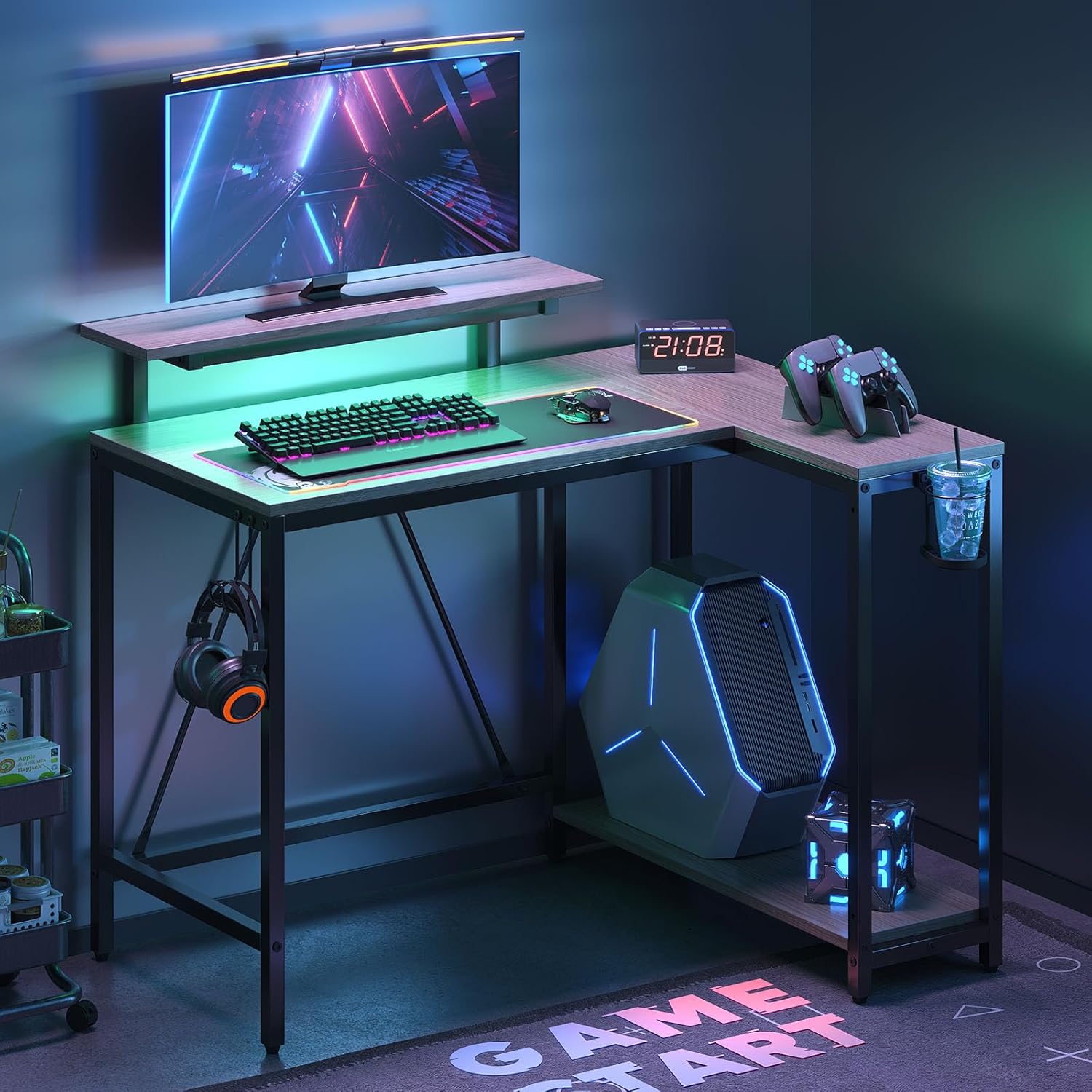
This image shows the Pinmoco L-shaped desk configured for a gaming setup, featuring a monitor, keyboard, mouse, and a gaming PC. The desk provides ample space for multiple peripherals and a dedicated area for the computer tower.

This image illustrates the Pinmoco L-shaped desk used in a bright home office environment. It highlights the desk's versatility for work, accommodating a monitor, keyboard, and other office essentials, with a clean and organized appearance.
3. Operating Instructions
Using the LED Monitor Stand:
The integrated monitor stand features an LED light system. Connect the LED light to a compatible USB power source. Use the control button or remote (if included) to cycle through 7 main colors, RGB modes, and 22 dynamic lighting effects. Adjust the lighting to suit your preference for ambiance or task illumination.

This diagram details the features of the integrated LED monitor stand. It highlights 7 main colors, RGB lighting, and 22 dynamic lighting modes. The image also visually explains how elevating the monitor with the stand can improve posture, reducing strain on the head, neck, and shoulders compared to a lower monitor position.
General Usage:
- Place your monitor(s) on the main desk surface or the elevated stand for optimal viewing.
- Utilize the L-shaped design to create distinct zones for work, gaming, or creative tasks.
- The integrated racks can be used for storing books, computer towers, or other accessories.
4. Maintenance
Cleaning:
- Wipe the desk surfaces with a soft, damp cloth.
- Avoid using harsh chemicals, abrasive cleaners, or polishes that may damage the finish.
- For spills, wipe immediately to prevent staining.
Care:
- Periodically check and tighten all screws and fasteners to ensure stability.
- Avoid placing extremely hot or cold items directly on the desk surface; use coasters or protective pads.
- Do not overload the desk or shelves beyond their weight capacity.
5. Troubleshooting
Desk Wobbles:
- Ensure all screws and bolts are securely tightened.
- Check if the desk is on an even surface. Adjust the leveling feet (if present) as needed.
- Verify that all parts are assembled correctly according to the manual.
LED Light Not Working:
- Confirm the USB cable is securely connected to both the LED strip and a working power source.
- Test the power source with another device to ensure it is functional.
- Check the control button or remote for proper operation.
6. Product Specifications
| Specification | Detail |
|---|---|
| Brand | Pinmoco |
| Model Number | H100606C-WALW |
| Product Dimensions (D x W x H) | 106.5 cm x 82.2 cm x 91.5 cm |
| Color | Gray |
| Item Weight | 16.45 kg |
| Assembly Required | Yes |
| Battery Use | No |
| Included Components | Desk x1, LED light, instruction manual, assembly tools |
7. Warranty and Support
For warranty information, product support, or to report any issues, please refer to the contact details provided in your purchase documentation or contact Pinmoco customer service directly. Please have your model number (H100606C-WALW) and purchase date ready when contacting support.