
Introduction
This manual provides comprehensive instructions for the ZWP Replacement Remote Control. It is designed to be a direct replacement for various walking pad treadmill models, offering reliable control and ease of use. Please read this manual carefully before using your new remote control.

Image: The ZWP Replacement Remote Control in use with a treadmill, illustrating its key features such as stable connectivity, quick response time, ergonomic design for easy grip, and power efficiency.
Setup
1. Battery Installation
The remote control requires one CR2032 lithium button battery (not included). Follow these steps to install the battery:
- Locate the battery compartment on the back of the remote control.
- Use a small coin or tool to twist the battery cover counter-clockwise to open it.
- Insert the CR2032 battery with the positive (+) side facing downwards (upside down) into the compartment. Ensure it is centered.
- Replace the battery cover by twisting it clockwise until secure.

Image: A detailed diagram illustrating the correct method for installing the CR2032 battery, emphasizing that the positive (+) terminal should be inserted facing downwards.
2. Initial Pairing with Treadmill
To ensure proper functionality, the remote control must be paired with your treadmill. This process must be completed within 10 seconds of the treadmill being powered on.
- Start your treadmill.
- Within 10 seconds of starting, unplug the safety lock from the treadmill.
- Point the remote control directly at the treadmill's display window.
- Press and hold the "start/stop" button on the remote control.
- You will hear a "D.D.D" sound, confirming successful pairing.
Note: Both pairing and unpairing operations must be performed within 10 seconds of the treadmill being powered on.
Operating Instructions
Once paired, the remote control allows you to manage your treadmill's basic functions.
- Start/Stop Button: Press to start or stop the treadmill.
- Speed Adjustment Buttons (+/-): Use the plus (+) button to increase speed and the minus (-) button to decrease speed.

Image: A user operating a treadmill with the ZWP remote control, demonstrating the simplicity of setup and perfect compatibility with the device.
Advanced Infrared Technology
The remote utilizes advanced infrared technology for a strong and stable signal. It offers a long transmission distance and a 0.2-second fast response time, allowing control from multiple angles without obstruction.

Image: The ZWP remote control highlighting its multi-angle induction capability and an effective transmission range of up to 33 feet.
Maintenance
Battery Replacement
When the remote control's response becomes sluggish or it stops functioning, it's likely time to replace the CR2032 battery. Follow the battery installation steps outlined in the Setup section.
General Care
- Keep the remote control dry. Avoid exposure to water or excessive humidity.
- Clean the remote with a soft, dry cloth. Do not use abrasive cleaners or solvents.
- Store the remote in a safe place to prevent physical damage.
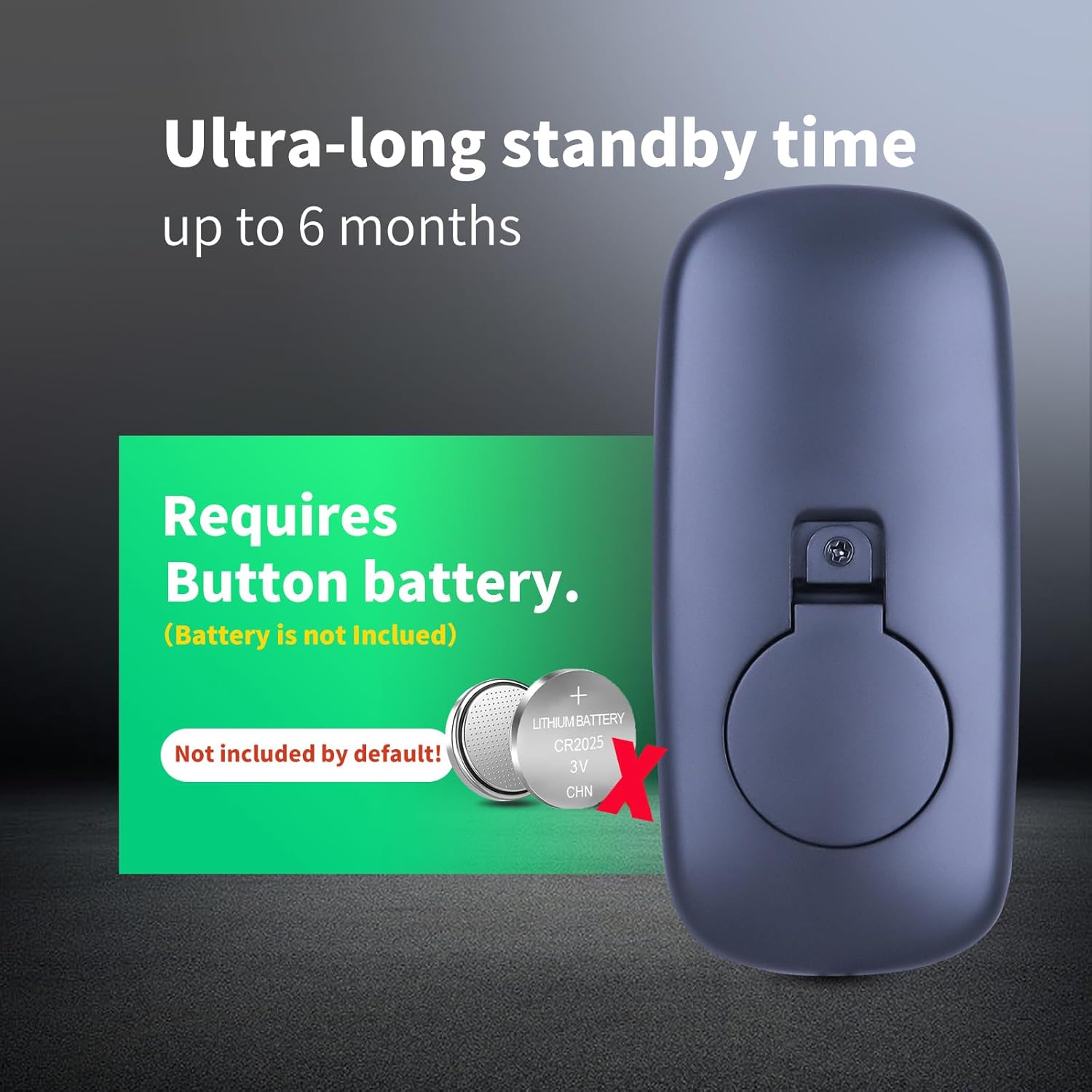
Image: The rear view of the ZWP remote control, displaying the battery compartment and a visual reminder that a CR2032 button battery is required and not included by default.
Troubleshooting
- Remote not responding:
- Check if the battery is installed correctly and has sufficient power. Replace if necessary.
- Ensure there are no obstructions between the remote control and the treadmill's display window.
- Verify that the remote is pointed directly at the treadmill's display.
- Pairing issues:
- Ensure the pairing process is initiated within 10 seconds of the treadmill being powered on.
- Repeat the pairing steps carefully, ensuring the safety lock is unplugged at the correct time and the "start/stop" button is held down.
- Confirm the remote control is compatible with your specific treadmill model.
Specifications
| Brand | ZWP |
| Compatible Models | Lacuffy BA03, BA10A, BA06Z, BA07RB, BA09A; WELLFIT T10-1, TM010; DAEYEGIM Z8B; UREVO strol U1 Walking Pad Treadmill |
| Special Feature | Ergonomic Design |
| Color | Black |
| Max Supported Devices | 1 |
| Connectivity Technology | Infrared |
| Button Quantity | 2 (Start/Stop, Speed +/-) |
| Controller Type | Button Control |
| Maximum Range | 10 Meters (approximately 33 feet) |
| Battery Type | CR2032 (not included) |
| Material | High Quality ABS |
| Dimensions | Approximately 3.54in (Length) x 1.65in (Width) x 0.39in (Thickness) |

Image: A visual representation of the ZWP remote control's dimensions, emphasizing its compact and ergonomic design for comfortable handling.
Warranty and Support
Warranty Information
ZWP provides a 1-year warranty return service for this product. This warranty covers manufacturing defects and ensures your satisfaction with the product.
Customer Support
If you have any questions about your order, product functionality, or require assistance, please do not hesitate to contact us directly. Our customer support team aims to respond to all inquiries within 12 hours.
For support, please refer to the contact information provided with your purchase or visit the ZWP store on Amazon: ZWP Store