
Introduction
Thank you for choosing the 7MAGIC Sonic Electric Toothbrush D36. This manual provides essential information for the safe and effective use of your new toothbrush. Please read it thoroughly before first use and keep it for future reference.
The 7MAGIC Sonic Electric Toothbrush is designed to provide a powerful and effective cleaning experience, promoting healthier gums and brighter teeth. It features advanced sonic technology, multiple brushing modes, and a long-lasting battery for convenience.
What's in the Box
- 7MAGIC Sonic Electric Toothbrush (Black) ×1
- Brush Heads ×8 (7 Standard Brush Heads + 1 Deep-Cleaning Brush Head)
- USB Charging Cable ×1
- User Manual ×1
- Toothbrush Hanger ×1
- Brush Head Cover ×1
Product Overview
The 7MAGIC Sonic Electric Toothbrush D36 is engineered for superior oral hygiene. Its sleek design incorporates powerful sonic vibrations and user-friendly controls.
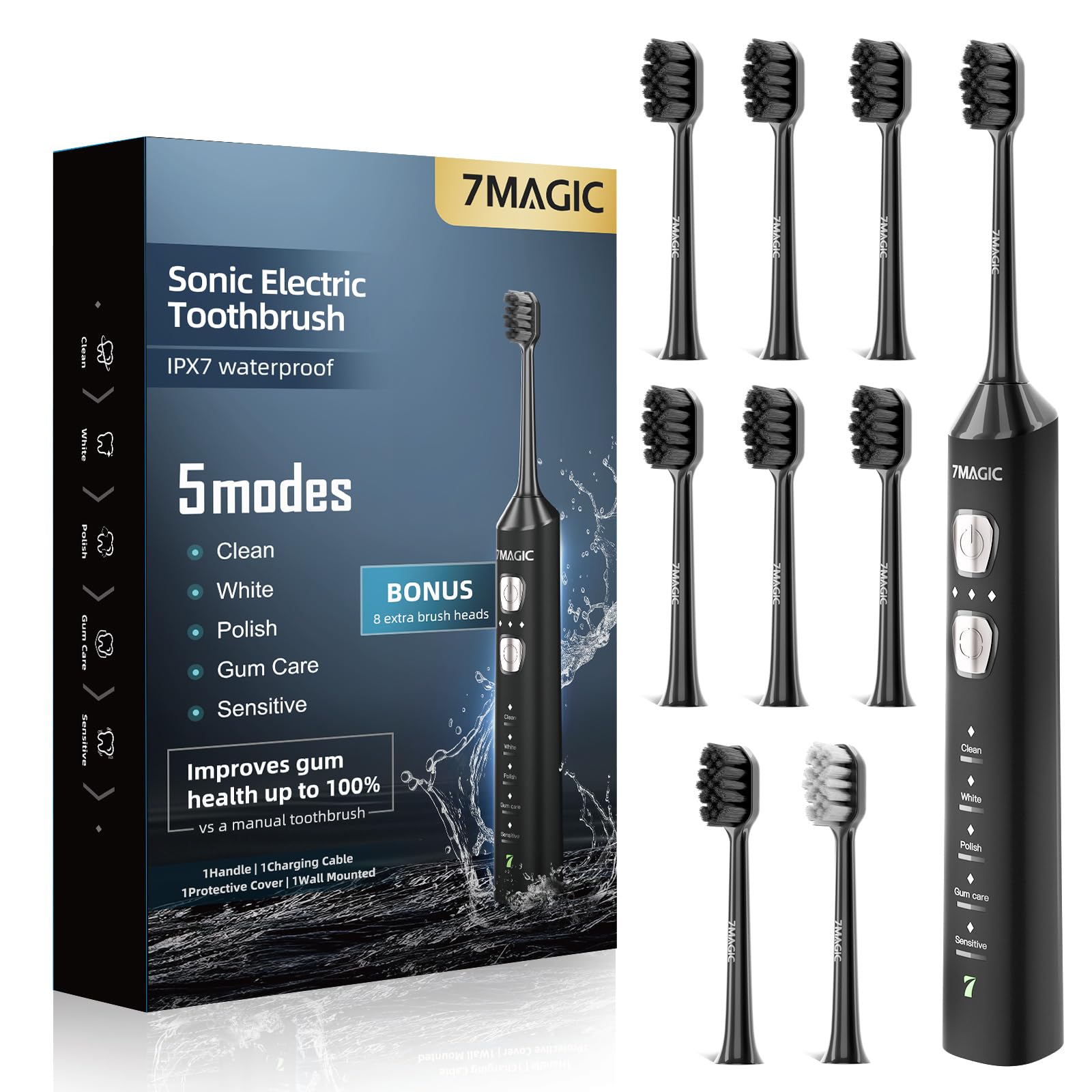
The toothbrush features a W-shaped bristle layout designed to conform to tooth contours, effectively cleaning the gumline and hard-to-reach areas. The bristles are end-rounded for safety and gentleness.

The device operates quietly, with noise levels below 55dB, ensuring a peaceful brushing experience.

Setup
1. Charging the Toothbrush
Before first use, fully charge your toothbrush. The 2000mAh battery provides up to 180 days of use on a single charge (brushing twice daily). A low-battery indicator will alert you when charging is needed. The toothbrush automatically shuts off when fully charged.
- Connect the USB charging cable to the charging port at the bottom of the toothbrush.
- Plug the other end of the USB cable into a compatible USB power adapter (not included) or a USB port.
- The LED indicator will show charging status. It will turn green when fully charged.


2. Attaching the Brush Head
- Align the brush head with the metal shaft of the toothbrush handle.
- Push the brush head down firmly until it clicks into place. Ensure it is securely attached.
Operating Instructions
1. Power On/Off
- Press the power button (top button) to turn the toothbrush on.
- Press the power button again to turn the toothbrush off.
2. Selecting Modes and Intensities
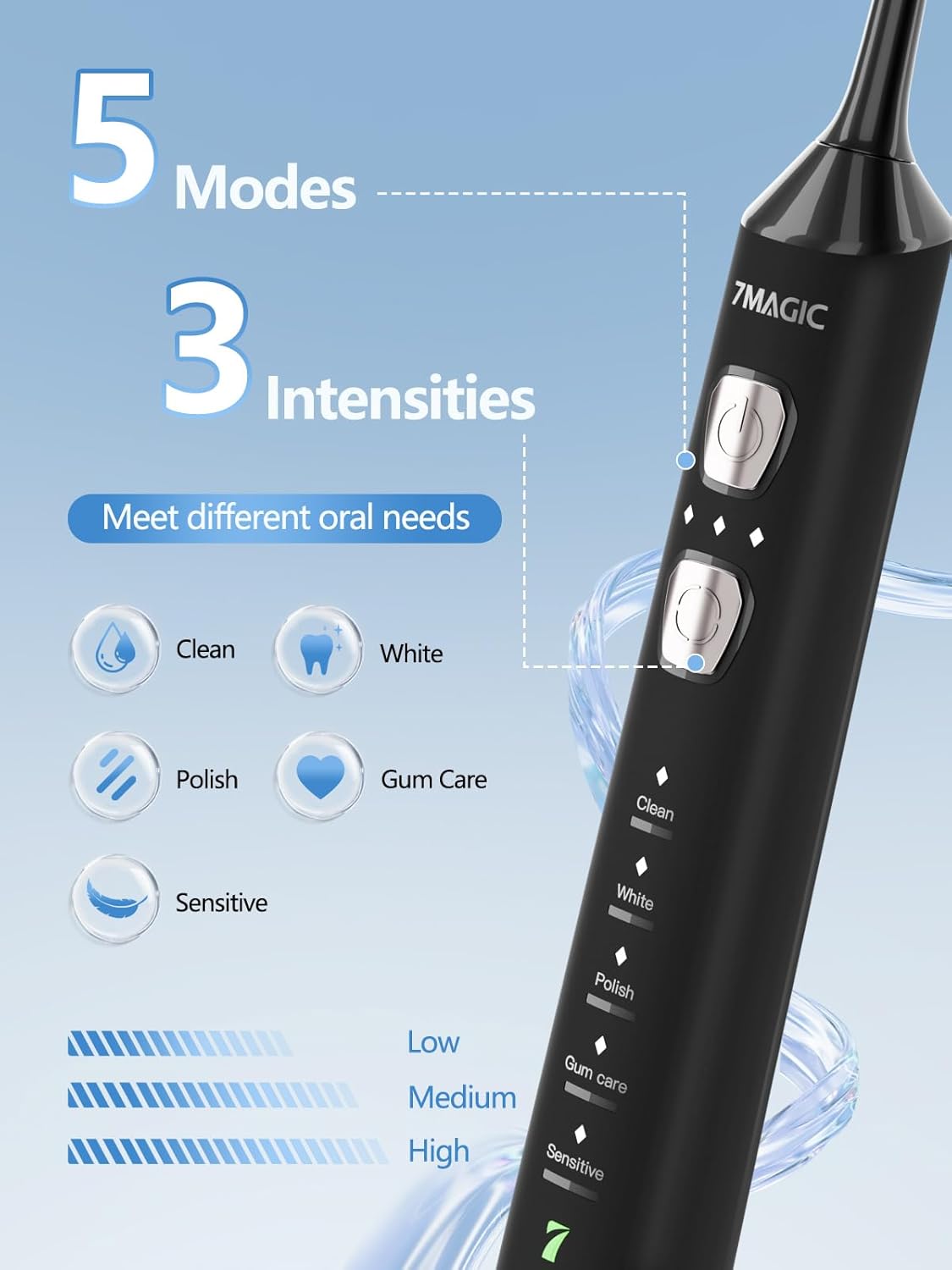
The toothbrush offers 5 specialized modes and 3 intensity settings to customize your brushing experience.
- After powering on, press the mode button (bottom button) within 5 seconds to cycle through the 5 modes: Clean, White, Polish, Gum Care, and Sensitive.
- To switch working intensity (Low, Medium, Strong), touch the intensity indicator lights above the mode button.
- You can also switch modes by pressing and holding the mode button for one second in the pre-selected mode.

The sonic motor generates 42,000 vibrations per minute for effective plaque removal.

3. Smart Timer & Quadpacer
The toothbrush features a 2-minute smart timer with 30-second quadpacer intervals. This helps ensure you brush each quadrant of your mouth thoroughly, following dentist recommendations.

The toothbrush is IPX7 waterproof, allowing for safe rinsing and use in the shower.

Maintenance
1. Cleaning the Toothbrush
- After each use, rinse the brush head thoroughly under running water.
- Wipe the handle with a damp cloth to remove any toothpaste residue.
- Do not submerge the entire toothbrush handle in water for extended periods, despite its waterproof rating.
2. Replacing Brush Heads
For optimal cleaning results and hygiene, replace the toothbrush head every 3 months. The 7MAGIC Sonic Electric Toothbrush D36 comes with 8 brush heads, providing up to 24 months of use.

Genuine 7MAGIC toothbrush heads can be purchased separately (search B0FZJYK68F on Amazon).
3. Storage
Store the toothbrush in a dry place. Use the provided toothbrush hanger and brush head cover for hygienic storage.
Troubleshooting
If you encounter any issues with your 7MAGIC Sonic Electric Toothbrush D36, please refer to the following common solutions:
- Toothbrush not turning on: Ensure the battery is charged. Connect the toothbrush to the charger and allow it to charge for several hours.
- Weak vibrations: The battery might be low. Recharge the toothbrush. Also, ensure the brush head is securely attached.
- Brush head not vibrating: Check if the brush head is correctly installed. If the issue persists, try a different brush head.
- Short battery life: Ensure the toothbrush is fully charged before use. Battery performance can decrease over time with prolonged use.
If the problem persists after trying these steps, please contact 7MAGIC customer support for assistance.
Specifications
| Feature | Detail |
|---|---|
| Brand Name | 7MAGIC |
| Model Name | D36 Black Electric Toothbrush |
| Item Model Number | D36 Black Electric Toothbrush |
| Manufacturer Part Number | BMHSI-D36-K1L1-2025 |
| ASIN | B0FN3S7LKG |
| UPC | 769016330517 |
| Package Dimensions | 8.35 x 4.84 x 1.73 inches |
| Item Weight | 9.59 ounces |
| Battery | 1 Lithium Ion battery (included) |
| Runtime per Charge | Up to 180 days |
| Vibrations Per Minute (VPM) | 42,000 |
| Brushing Modes | 5 (Clean, White, Polish, Gum Care, Sensitive) |
| Intensity Settings | 3 (Low, Medium, Strong) |
| Waterproof Rating | IPX7 |
| Smart Timer | 2-minute timer with 30-second quadpacer |
| Included Components | Toothbrush, 8 Brush Heads, USB Charging Cable, User Manual, Toothbrush Hanger, Brush Head Cover |
| Bristle Material | Nylon |
| Handle Material | Plastic |
| Color | Black |
Safety Information
- Always supervise children when using this product.
- This product contains small parts that may pose a choking hazard.
- Do not submerge the toothbrush in water for prolonged periods.
- Statements regarding dietary supplements have not been evaluated by the FDA and are not intended to diagnose, treat, cure, or prevent any disease or health condition.
Warranty and Support
For warranty information and customer support, please refer to the contact details provided on the product packaging or visit the official 7MAGIC website. Keep your purchase receipt as proof of purchase.