
1. Introduction
The Vivilumens Sunrise Alarm Clock (Model AJ330A) is designed to enhance your morning and evening routines with its gentle wake-up light, sound machine, dual alarms, RGB mood lighting, and dimmable bedside night lamp. This manual provides detailed instructions for setup, operation, and maintenance to ensure optimal performance and a peaceful experience.
2. What's in the Box
Upon unboxing your Vivilumens Sunrise Alarm Clock, please verify that all components are present:
- Vivilumens Sunrise Alarm Clock (Model AJ330A)
- USB Charging Cable
- Charging Adapter
- Product Instruction Manual
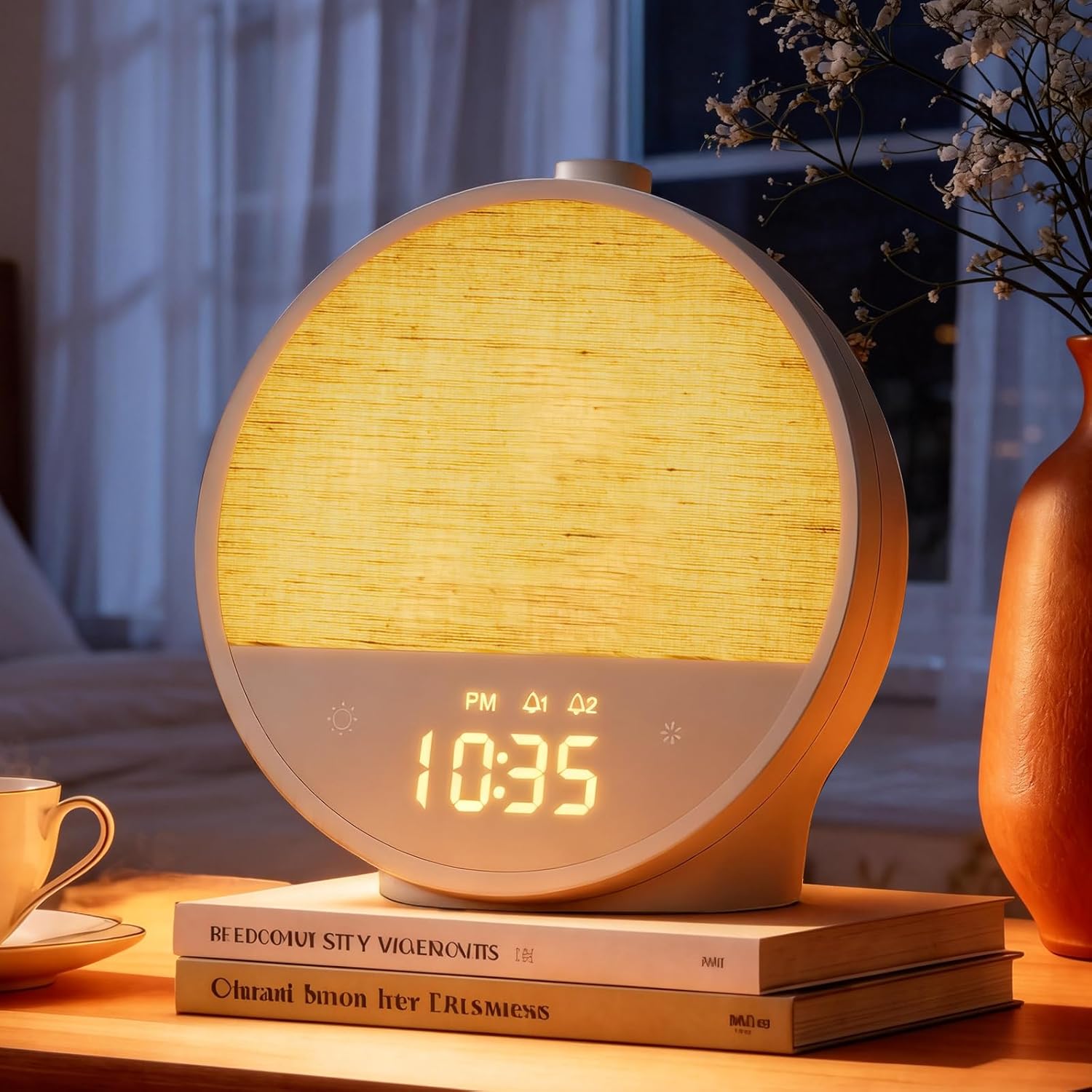
Image: The Vivilumens Sunrise Alarm Clock in Putty color, showcasing its round design and digital display.
3. Setup
For optimal performance, the Vivilumens Sunrise Alarm Clock requires a constant power connection. It does not contain an internal battery for operation, but it does retain settings during short power interruptions.
- Connect the provided USB charging cable to the USB-C port located at the back of the alarm clock.
- Plug the charging adapter into a standard wall outlet.
- The digital display will illuminate, indicating the device is powered on and ready for configuration.

Image: Rear view of the Vivilumens Sunrise Alarm Clock, highlighting the USB-C power input and the control buttons on the top surface.
4. Operating Instructions
4.1. Controls Overview
The alarm clock features intuitive controls located on the top surface and touch-sensitive buttons on the front panel below the light display.
- Top Controls: Includes buttons for Clock (12/24 Hour), Alarm 1 (Wake up light), Alarm 2, Snooze/Volume knob, Countdown, Natural Sound/White Noise, and Sound Selection.
- Front Touch Buttons: Controls for light brightness (sun icon) and color light (snowflake icon).
4.2. Time Setting
- Press and hold the 'Clock (12/24 Hour)' button on the top panel. The hour display will start flashing.
- Rotate the 'Snooze/Volume' knob to adjust the hour.
- Short press the 'Clock' button again to switch to minute adjustment. Rotate the 'Snooze/Volume' knob to set the minutes.
- Short press the 'Clock' button once more to confirm the time setting.
- To switch between 12-hour and 24-hour format, short press the 'Clock' button when not in time setting mode.
4.3. Alarm Setting (Dual Alarms & Sunrise Simulation)
The device supports two independent alarms, each configurable with unique times, sounds, and volumes. Alarm 1 includes a sunrise simulation feature.
- Setting Alarm 1 (with Sunrise Light):
- Press and hold the 'Alarm 1' button. The hour display will flash.
- Rotate the 'Snooze/Volume' knob to set the desired wake-up hour.
- Short press 'Alarm 1' to switch to minute adjustment. Rotate the knob to set minutes.
- Short press 'Alarm 1' to select the alarm volume (V00-V12). Setting to V00 enables light-only wake-up.
- Short press 'Alarm 1' to select a natural sound (01-10) or white noise (11-20).
- Short press 'Alarm 1' to confirm. The alarm icon will appear on the display.
- The sunrise simulation will begin 15 minutes before the set alarm time, gradually increasing light intensity from red to orange to white.
- Setting Alarm 2:
- Follow the same steps as Alarm 1, using the 'Alarm 2' button. Alarm 2 does not include the sunrise simulation.

Image: A visual representation of the sunrise simulation, illustrating the gradual increase in light intensity and color change over a 15-minute period leading up to the alarm time.
4.4. Light Functions
The alarm clock offers versatile lighting options for various moods and needs.
- Night Light: Short press the 'Sun' icon on the front panel to turn the night light on/off. Long press to adjust its stepless dimmable brightness.
- RGB Mood Light: Short press the 'Snowflake' icon on the front panel to cycle through 8 different RGB colors. Long press to adjust the brightness of the selected color.
- Display Brightness: The digital clock display has 3-level brightness adjustment. Short press the 'Sun' icon on the front panel when the main light is off to cycle through brightness levels or turn the display off completely.

Image: The digital clock display showing three distinct brightness levels, demonstrating its dimmable feature for comfortable viewing in any light condition.
4.5. Sound Functions
Choose from a variety of natural sounds and white noise options for relaxation or sleep.
- Natural Sounds & White Noise: Short press the 'Music Note' button on the top panel to turn on/off the sound. Use the 'Sound Selection' button (two arrows) to cycle through 10 natural sounds (01-10) and 10 white noise options (11-20).
- Volume Adjustment: Rotate the 'Snooze/Volume' knob to adjust the sound volume (V00-V12).
- Sleep Timer: Press the 'Countdown' button (hourglass icon) to set a sleep timer for 30, 60, or 90 minutes. The sound and light will automatically turn off after the set duration.
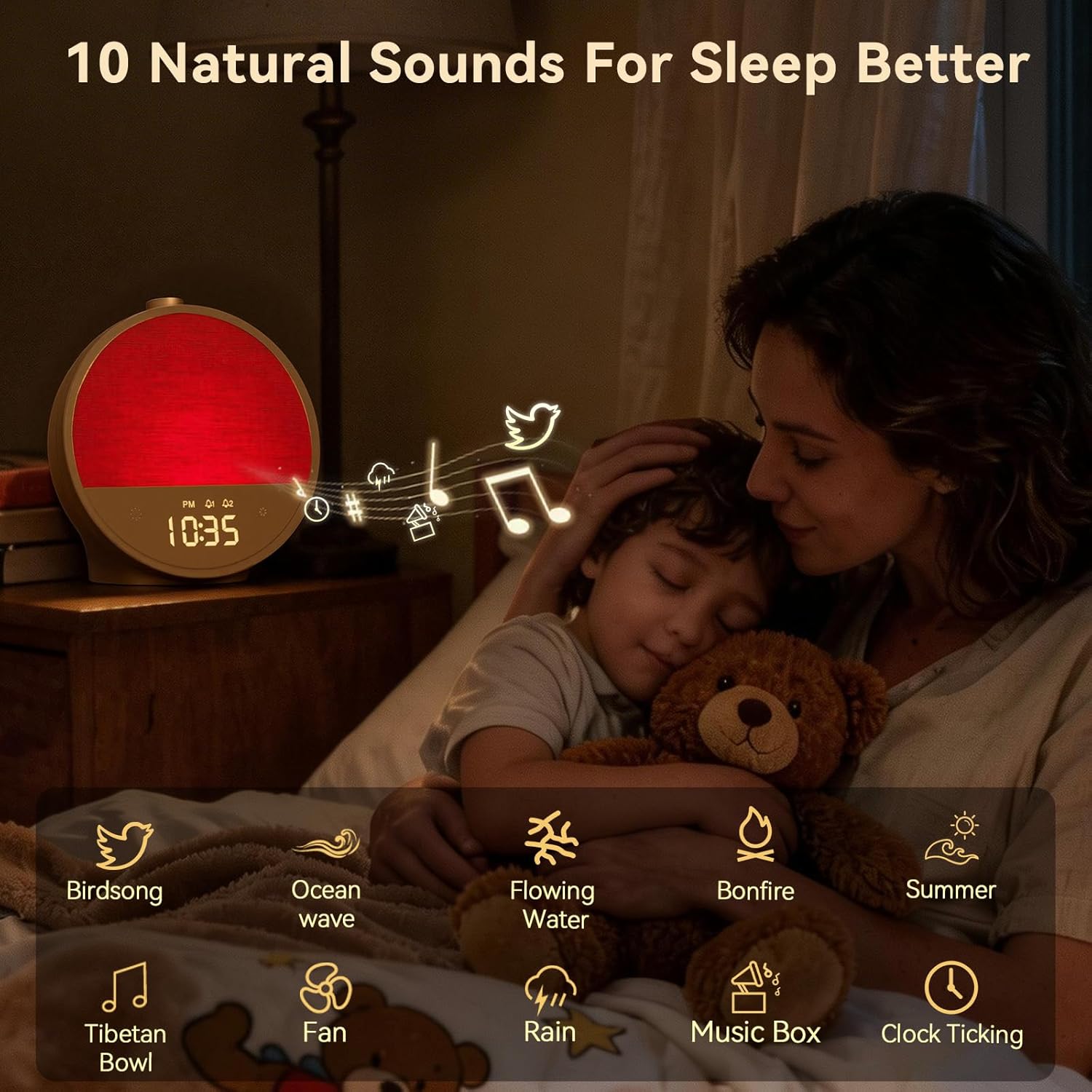
Image: An illustrative graphic depicting the 10 natural sounds available on the Vivilumens Sunrise Alarm Clock, including birdsong, ocean waves, and gentle rain.
4.6. Snooze Function
When the alarm sounds, press the 'Snooze/Volume' knob to activate the snooze function, granting an additional 10 minutes of rest. This can be used up to 3 times.
5. Maintenance
To ensure the longevity and proper functioning of your Vivilumens Sunrise Alarm Clock, follow these simple maintenance guidelines:
- Cleaning: Use a soft, dry cloth to wipe the surface of the device. Avoid using abrasive cleaners or solvents, as these may damage the finish.
- Placement: Place the alarm clock on a stable, flat surface away from direct sunlight, heat sources, and moisture.
- Handling: Handle the device with care to prevent drops or impacts, which could damage internal components.
6. Troubleshooting
Here are answers to common questions and solutions for potential issues:
- Q: Does the product have a built-in battery?
A: No, this product does not have a built-in battery and needs to be plugged into a power outlet to operate. - Q: Can I use only the light for wake-up and turn off the alarm sound completely?
A: Yes, absolutely. You can set Alarm 1 to a "Light-Only Wake-Up" mode by selecting volume level V00 during the setup process. At the alarm time, only the light will gradually brighten without any sound, which is perfect for light sleepers or if you share a room. - Q: What should I do if the device malfunctions or I have operational issues?
A: Please contact our dedicated support team for assistance.
7. Specifications
| Brand | Vivilumens |
| Model Number | AJ330A |
| Color | Putty |
| Display Type | LED |
| Power Source | Corded Electric |
| Product Dimensions | 6.69"W x 7.1"H |
| Item Weight | 1.1 Pounds |
| Material | Acrylonitrile Butadiene Styrene (ABS) |
| Special Feature | Corded |
8. Warranty & Support
The Vivilumens team is dedicated to your satisfaction. For any operational issues, product malfunctions, or support inquiries, please contact our dedicated support team at Service@vivilumens.com.
