
1. Safety Information
Before operating your GOKEEP EP26A Electric Bike, please read this manual thoroughly and retain it for future reference. Adhere to all local traffic laws and regulations. Always wear a helmet and appropriate safety gear when riding.
- Ensure all components are securely fastened before each ride.
- Regularly check tire pressure, brakes, and battery charge.
- Do not ride under the influence of alcohol or drugs.
- Be aware of your surroundings and ride defensively.
- The GOKEEP EP26A electric bicycle is UL2849 listed.
2. Product Overview
The GOKEEP EP26A Electric Bike is designed for adults, featuring a powerful motor, long-range battery, and comfortable riding experience. Key features include:
- 600W High Performance Brushless Motor: Equipped with a 600W powerful brushless motor (peak power up to 1000W) and 7-speed transmission, it handles various terrains with ease. Maximum speed up to 28MPH, maximum mileage up to 75 miles.
- Removable High-Capacity Battery: Powered by a 48V 499Wh IPX4 waterproof lithium-ion battery. Removable design for convenient charging. Fully charged in approximately 4-5 hours, offering a pure electric range of 35 to 40 miles.
- 7-Speed Gearshift and Battery Indicator: Professional 7-speed gear shifting for uphill, downhill, acceleration, and steady speed. Integrated power display shows remaining battery level.
- V-Frame Design: Unique frame design for easy mounting and dismounting, suitable for riders of various heights. Ergonomically designed wide and comfortable seat with an upright riding position reduces fatigue.
- Adjustable Stem and Front Fork Suspension: Provides a smooth ride and adapts to various terrains.

Image: The GOKEEP EP26A Electric Bike in black, showcasing its V-frame design, front suspension, and rear rack.
3. Setup and Assembly
Your GOKEEP e-bike is 85% pre-assembled. Please follow the steps below to complete the remaining assembly.
3.1 Unboxing and Initial Inspection
Carefully remove all components from the packaging. Inspect for any damage during transit. Ensure all parts listed in the manual are present.
3.2 Assembly Video Guide
For a detailed visual guide on assembly, please refer to the official GOKEEP EP26A Unboxing & Assembly video:
Video: Official GOKEEP EP26A Unboxing & Assembly guide, demonstrating step-by-step installation of components.
3.3 Handlebar and Saddle Installation
- Loosen the screw on the stem anticlockwise, adjust the angle, and install the stem. Tighten the screw.
- Loosen the two screws on the handlebar clamp, place the handlebar, and tighten the screws securely.
- Invert the saddle tube and insert it into the bike frame. Ensure the safety line is not exposed. Rotate the clamp to lock it tightly.
- Tighten the nuts on both sides of the saddle using a wrench.
3.4 Rear Rack and Rear Light Installation
- Loosen the connecting screws of the rear fender, then tighten them after positioning.
- Use the screw to connect the rack stay and secure it with a nut.
- Remove the screws and washers from the two sides of the seat stay.
- Install the rear rack, connecting it with the rack stay using the screw and nut.
- Remove spacers from the rear light, then install it onto the rear rack.
- Use cable ties to secure the rear light wiring.
3.5 Pedal Installation
- Install the "L" pedal on the left crank and tighten it.
- Install the "R" pedal on the right crank and tighten it.
3.6 Front Fender and Front Light Installation
- Remove the front fork fixing rod.
- Loosen the connecting screws of the front fender, then tighten them.
- Loosen the screw and washer of the front fender.
- Connect and secure the front fender and the headlight using the screws.
3.7 Front Wheel Installation
- Remove the spacers from the quick release skewer.
- Install the quick release skewer in order and tighten them.
- Loosen the two nuts of the front brake.
- Secure the front brake to the front fork.
- Tighten the two screws on the front brake.
- Adjust the position of the brake so that the disc brake is centered in the middle of the brake to avoid friction with the brake pads on both sides.
3.8 Tire Pressure Check & Battery Activation
- Check if the tires are fully inflated or leaking. If there's an air leak, inflate the tire using the pump.
- Turn the key to remove the battery.
- Reinsert the battery and ensure it is securely locked. Remove the key before riding.
- Long press the power button on the display to start the e-bike.
4. Operating Instructions
4.1 Riding Modes
The GOKEEP EP26A offers 4 different operating modes:
- Pure Electric Mode: Uses the throttle to increase power.
- Pedal Assist Mode: The motor provides power when you pedal. Long press the "-" button to start this mode.
- Normal Bike Mode: Ride the bike as usual, without electric assistance.
- Boost Mode: Helps push the e-bike easily when going uphill.
4.2 Throttle Operation
To activate the throttle mode, set to any gear and turn the handlebar. This engages the pure electric mode.
4.3 Brake System
The GOKEEP EP26A features dual disc brakes for effective stopping power.
- The right brake lever controls the rear wheel.
- The left brake lever controls the front wheel.
4.4 Lights and Bell
- Long-press the "+" button on the display to turn on the headlight and rear light.
- Check if the bell is ringing by pressing it.

Image: Close-up of the GOKEEP EP26A's bright headlight and sturdy rear rack with integrated tail light.
5. Maintenance
Regular maintenance ensures the longevity and safe operation of your GOKEEP EP26A Electric Bike.
- Battery Care: Charge the 48V 499Wh IPX4 waterproof lithium-ion battery fully in 4-5 hours. If not in use for a long time, charge it every 60 days to preserve battery life.
- Tire Maintenance: Regularly check tire pressure and for any leaks. Inflate as needed using a pump.
- Brake Adjustment: Ensure disc brakes are centered and not rubbing. Adjust as necessary.
- General Cleaning: Keep the bike clean and dry. Avoid direct water spray on electrical components.
5.1 Tire Replacement Procedure
For instructions on how to replace a tire, please watch the following video:
Video: Detailed guide on the tire replacement procedure for the GOKEEP EP26A Electric Bike.
6. Troubleshooting
If you encounter any issues with your GOKEEP EP26A Electric Bike, please refer to the following common troubleshooting tips:
- Bike not powering on: Ensure the battery is fully charged and securely inserted. Check that the key is removed after locking the battery.
- Motor not assisting: Verify that the pedal assist mode is activated on the display. Check for any loose connections to the motor or battery.
- Brakes squeaking or rubbing: Inspect the brake pads and rotors for debris. Adjust the brake caliper to ensure the disc is centered.
- Tire losing air: Check for punctures and inflate the tire to the recommended pressure.
For further assistance, please contact GOKEEP customer support.
7. Specifications
| Feature | Specification |
|---|---|
| Bike Type | Electric Bike |
| Brand | GOKEEP |
| Model Name | JX-EP26A-A |
| Motor Power | 600W (1000W Peak) Brushless |
| Battery | 48V 499Wh IPX4 Lithium-ion (Removable) |
| Charging Time | 4-5 hours |
| Pure Electric Range | 35-40 miles |
| Max Speed | 28 MPH |
| Number of Speeds | 7-Speed Gearshift |
| Wheel Size | 26 Inches |
| Frame Material | High Carbon Steel |
| Suspension Type | Front |
| Brake Style | Disc |
| Item Weight | 79.81 Pounds |
| UL Certification | UL2849 Listed |
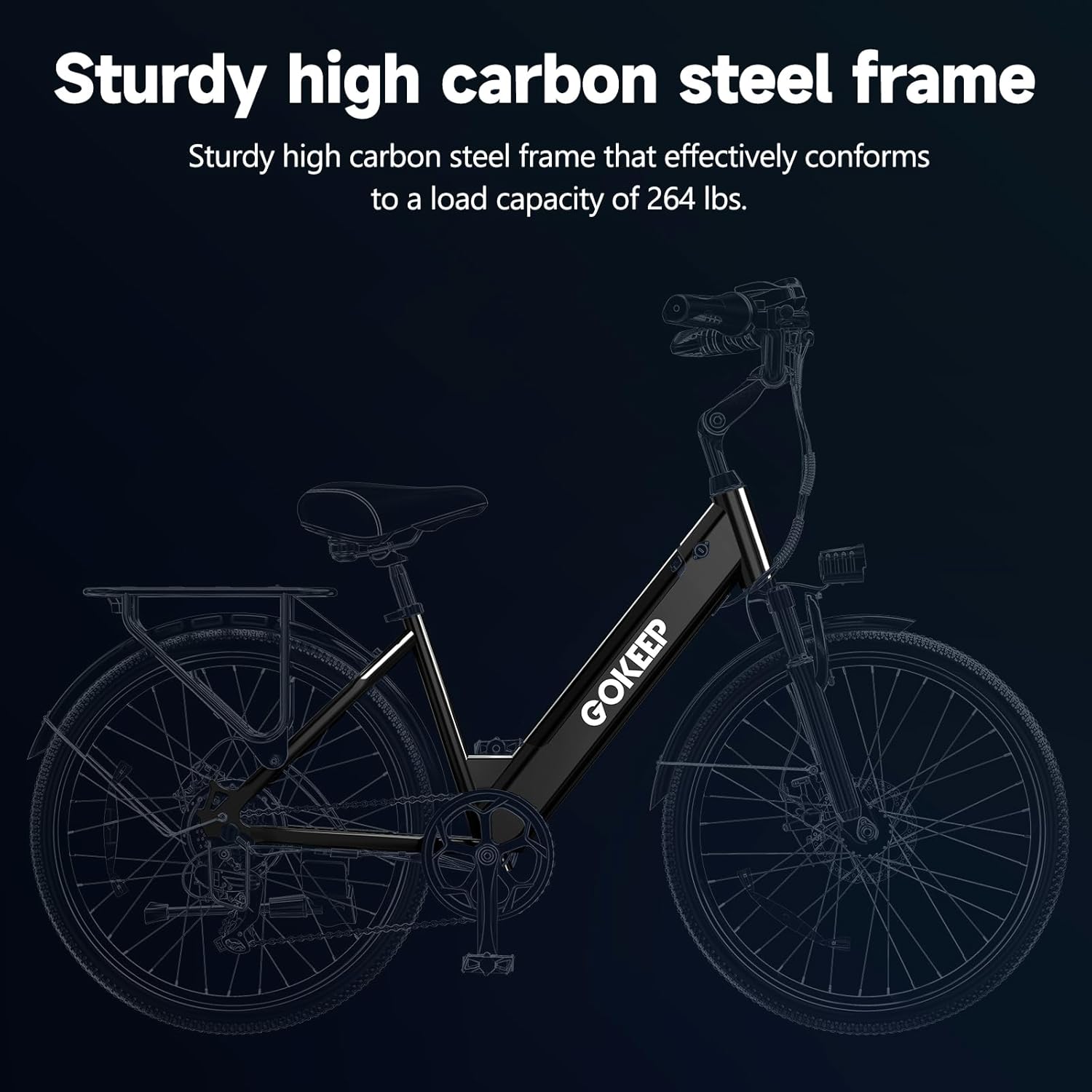
Image: Diagram showing the dimensions and weight of the GOKEEP EP26A Electric Bike, including total length, handlebar height, wheelbase, and seat height adjustment range.
8. Warranty and Support
GOKEEP provides a 12-month warranty for the EP26A Electric Bike. If you encounter any problems, please contact customer support.
- Warranty Period: 12 months from the date of purchase.
- Contact Support: For any issues or inquiries, please contact us via email. We aim to reply within 24 hours.
- Email: jingxinb@outlook.com
- Working Hours: 9:00 AM - 6:00 PM EST (Monday to Friday)

Image: GOKEEP customer support details, including email and working hours, highlighting 24-hour email reply and 12-month warranty.