
1. Introduction
The Temtop LKC-1000C is a portable device designed to monitor Carbon Monoxide (CO) levels, temperature, and humidity in various environments. It features a TFT color display, custom alarm settings, and data logging capabilities, making it suitable for home, travel, RV, and camping use. This manual provides essential information for safe and effective operation.

Figure 1: The Temtop LKC-1000C Portable Carbon Monoxide Detector, showing its compact design and color display.
2. Safety Information
Read all safety warnings and instructions before using this product. Failure to follow these instructions may result in electric shock, fire, or serious injury.
- This device is intended for personal monitoring and should not replace professional CO detection systems.
- Carbon Monoxide is an odorless, colorless gas. Symptoms of CO poisoning can include headaches, dizziness, nausea, and fatigue.
- Do not expose the device to extreme temperatures, humidity, or direct sunlight.
- Keep the device away from strong electromagnetic fields.
- Never run a vehicle in an enclosed space without proper ventilation, as this can lead to dangerous CO levels.
- Ensure proper ventilation when using fuel-burning appliances like fireplaces or charcoal grills.
- Do not attempt to open or repair the device yourself. Contact customer support for assistance.
Video 1: Demonstrates the Temtop CO Detector in action, highlighting its use in detecting CO leaks from a water heater and emphasizing the importance of ventilation. This video is provided by the seller, Elitech Technology Inc.
Video 2: Shows the Temtop Carbon Monoxide Detector detecting CO from various sources like car exhaust, cigarette smoke, and charcoal grills, emphasizing its role in identifying hidden dangers. This video is provided by the seller, Elitech Technology Inc.
3. Product Overview
The LKC-1000C is equipped with advanced features for comprehensive environmental monitoring:
- Professional-Grade CO Accuracy: Measures CO from 0-1000 PPM with 1 PPM resolution.
- All-in-One Clear Color Display: Simultaneously displays CO level, temperature, and humidity.
- Custom Alerts: User-definable alarm thresholds for CO levels.
- Easy Data Logging & Export: Records air quality data, exportable via USB to a computer.
- Rechargeable Battery: Provides up to 40-50 hours of operation (with backlight level 2).
- Audible and Visual Alarms: Built-in buzzer and visual flash alerts for critical warnings.
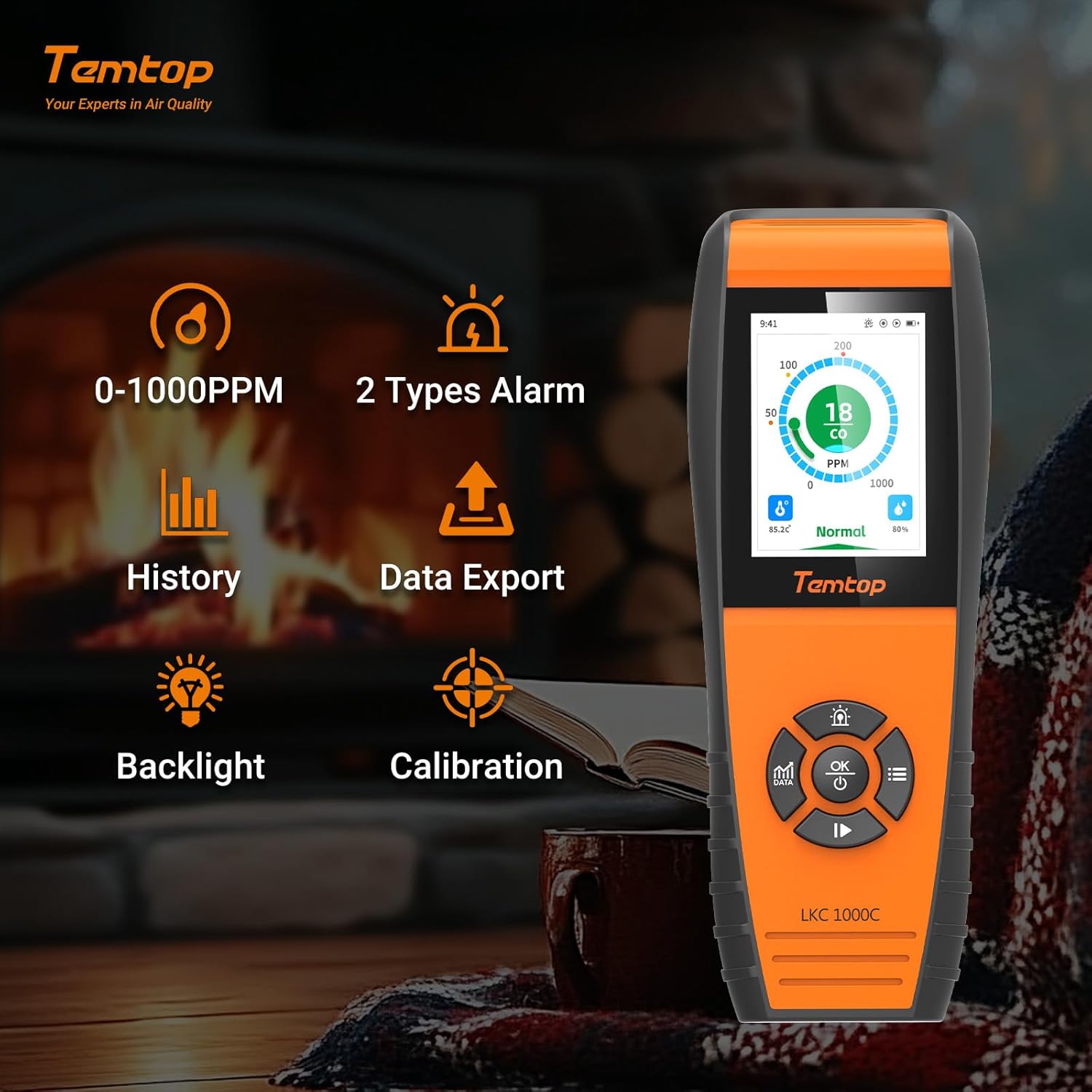
Figure 2: Key features of the Temtop LKC-1000C, illustrating its capabilities such as CO monitoring, data history, export, backlight, and calibration.
4. Setup
4.1 Charging the Device
Before first use, fully charge the device using the provided USB-C cable. Connect the USB-C end to the device and the other end to a compatible USB power adapter (not included) or computer USB port.

Figure 3: The Temtop LKC-1000C being charged via its USB-C port, highlighting its long battery life.
4.2 Power On/Off
To power on or off the detector, press and hold the OK/Power button for 2 seconds. The device will perform an initialization sequence before entering the default monitoring interface.
Video 3: A detailed instructional video demonstrating how to use the Temtop CO Monitor LKC1000C, including power on/off and navigation. This video is provided by the seller, Elitech Technology Inc.
5. Operating Instructions
5.1 Navigating the Interface
The device features a directional pad with Up/Increase, Down/Decrease, Left, Right, and OK buttons for navigation and selection.
5.2 Data Button (DATA)
Press the DATA button to view different data interfaces, including real-time graphs of CO levels. Data updates every 3 seconds for short periods and at longer intervals for extended monitoring.
5.3 Alarm Settings
Access the Alarm Settings menu to customize CO alarm thresholds. The system default thresholds are:
- Lower Alarm Threshold: 50 PPM
- Over-limit Alert: 100 PPM
- Severely Over-limit Alert: 200 PPM
Use the navigation buttons to adjust these values and the OK button to save.

Figure 4: The device display showing different CO alarm levels: Normal (green), Hazardous (orange), and Perilous (red), with corresponding PPM values.
5.4 System Settings (Time, Date, Units, Brightness, Language, Reset)
Navigate to the System Settings menu to configure various device parameters:
- Time and Date: Adjust the current time and date.
- Units: Switch between Celsius and Fahrenheit for temperature display.
- Brightness: Adjust screen brightness (Levels 1-5, default 2).
- Language: Select your preferred language (English, German, Spanish, French).
- Reset: Reset the device to factory settings.
5.5 Calibration
The device supports calibration for CO, temperature, and humidity. Access the Calibration menu to perform these adjustments. For temperature and humidity, you can modify the "OFFSET" value to fine-tune accuracy.

Figure 5: The device displaying real-time temperature and humidity, alongside the manual calibration settings interface.
5.6 Data Export
Connect the device to a computer via the USB-C cable to export historical data. The device will pop up a "USB connection successful" message. You can set the storage interval for data logging (default is 1 minute) and export data in CSV format.

Figure 6: The device interface for data export via USB and language selection options.
6. Maintenance
- Keep the device clean and free from dust and debris. Use a soft, dry cloth for cleaning.
- Avoid exposing the device to water or other liquids.
- Store the device in a cool, dry place when not in use.
- Regularly check the battery level and recharge as needed to ensure continuous operation.
- The device is engineered for long-term accuracy with minimal maintenance, but periodic professional calibration may be recommended for critical applications.
7. Troubleshooting
| Problem | Possible Cause | Solution |
|---|---|---|
| Device does not power on. | Low battery or device malfunction. | Charge the device fully. If the issue persists, contact customer support. |
| Inaccurate readings. | Sensor interference, need for calibration, or environmental factors. | Ensure the device is in a stable environment. Perform CO, temperature, and humidity calibration as described in Section 5.5. |
| Alarm sounds frequently. | High CO levels detected or alarm thresholds set too low. | Investigate potential CO sources immediately. Ensure proper ventilation. Review and adjust alarm settings in Section 5.3 if necessary. |
| Cannot export data. | Improper USB connection or software issue. | Ensure the USB cable is securely connected to both the device and the computer. Try a different USB port or cable. Refer to Section 5.6. |
8. Specifications
- Brand: Temtop
- Model: LKC-1000C
- CO Range: 0-1000 PPM
- Power Source: Battery Powered (1 Lithium Ion battery included)
- Product Dimensions: 2.58"D x 1.2"W x 6.97"H
- Item Weight: 14.4 ounces
- Alarm Type: Audible
- Operating Humidity: 0%-90% RH
- Upper Temperature Rating: 122 Degrees Fahrenheit
- Included Components: LKC1000C monitor, user manual, USB cable, calibration certificate
9. Warranty and Support
For warranty information, technical support, or service inquiries, please refer to the official Temtop website or contact their customer service department. Keep your purchase receipt for warranty claims.
