
Introduction
Thank you for choosing the Voyager Bluey 2 3-Wheel Kick Scooter. This manual provides essential information for the safe assembly, operation, and maintenance of your scooter. Please read it thoroughly before use and retain it for future reference.
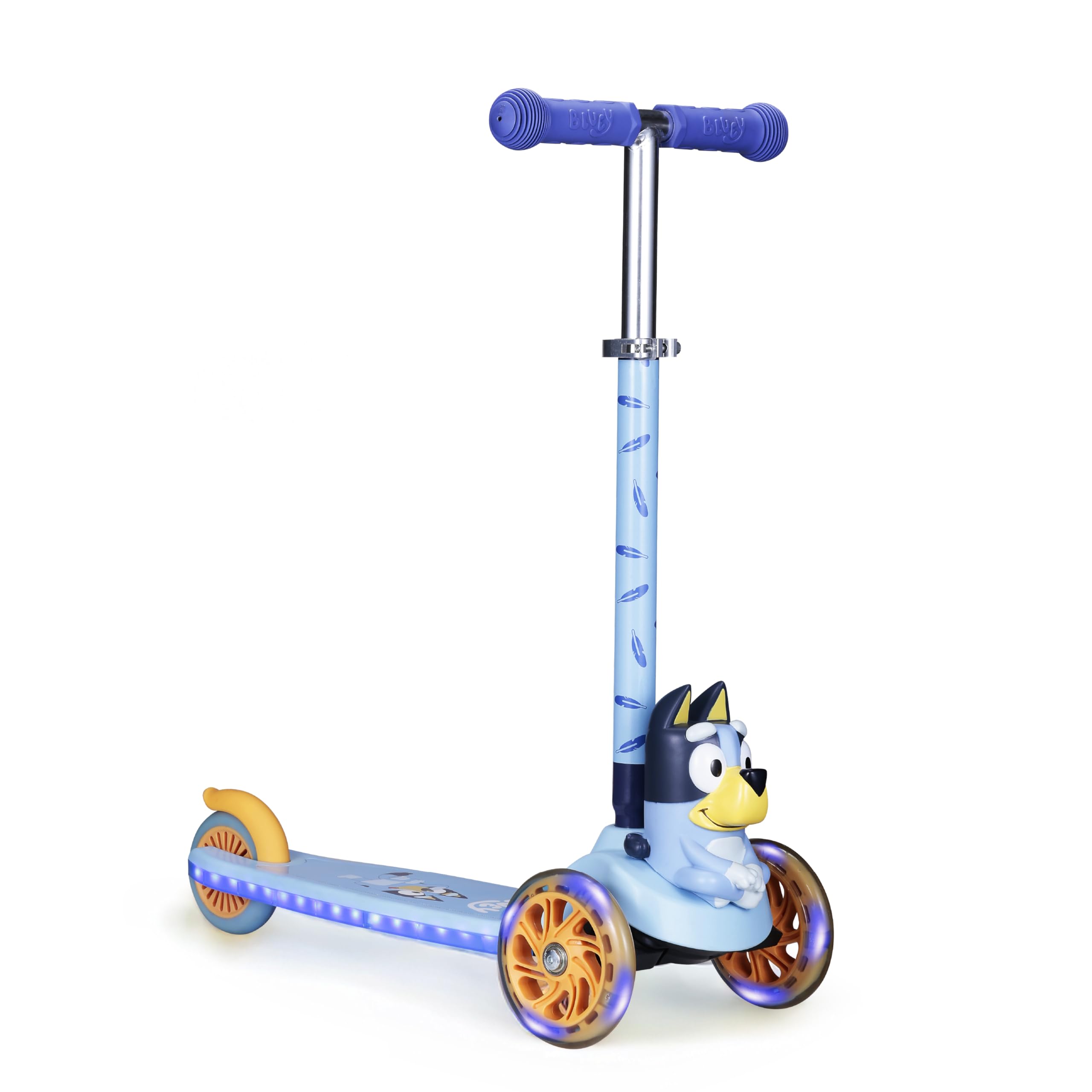
Image: The Voyager Bluey 2 3-Wheel Kick Scooter, showcasing its overall design.
Safety Information
WARNING: Always wear a helmet and protective gear (knee and elbow pads) when riding this scooter. Adult supervision is required at all times. This scooter is designed for children aged 3 to 7 years and supports a maximum weight of 75 pounds (34 kg).
- Do not ride on uneven surfaces, near traffic, or in wet conditions.
- Ensure all clamps and fasteners are securely tightened before each use.
- Check the brake for proper function before riding.
- Keep fingers and clothing away from moving parts.
What's in the Box
Your package should contain the following components:
- Scooter (main deck with wheels)
- Handlebar T-bar
Setup and Assembly
Assembly is quick and straightforward. Follow these steps:
- Unpack Components: Carefully remove all parts from the packaging.
- Insert Handlebar: Locate the handlebar T-bar. Firmly insert the T-bar into the opening on the front of the scooter deck until it clicks into place. Ensure it is fully seated and secure.
- Adjust Handlebar Height: The handlebar height is adjustable to accommodate growing children. Loosen the quick-release clamp on the stem, adjust the handlebar to the desired height, and then securely tighten the clamp. Ensure the handlebar is at a comfortable height for the rider, typically between the waist and chest.
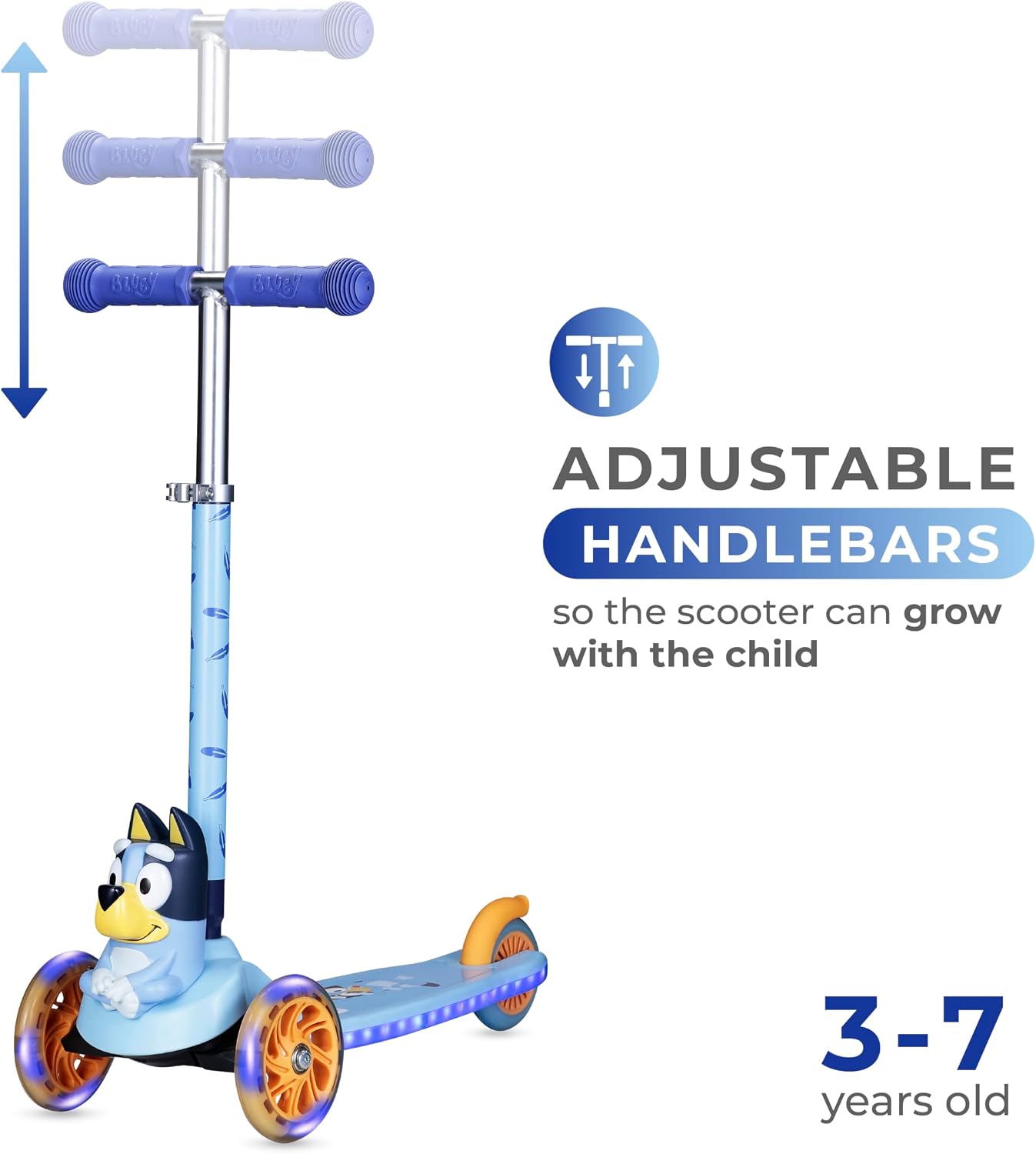
Image: Illustration showing the adjustable handlebars of the scooter.

Image: Diagram highlighting key features including soft rubber handlebars, 3-wheeled design, foot-activated brake, and light-up wheels.
Operating Instructions
This scooter features a self-balancing 3-wheel design and lean-to-steer technology for intuitive control.
- Starting: Place one foot on the extra-wide non-slip deck. Use the other foot to push off the ground to gain momentum.
- Steering (Lean-to-Steer): To turn, lean your body in the desired direction. The scooter will respond by turning the front wheels. This method helps develop balance and coordination.
- Braking: To slow down or stop, gently press your foot down on the rear foot brake located above the back wheel. Apply pressure gradually for a smooth stop.
- Light-Up LED Wheels and Deck: The multicolor RGB LED lights in the wheels and deck activate automatically with movement. No batteries are required for this feature.

Image: Illustration demonstrating the tilt-to-turn steering mechanism.
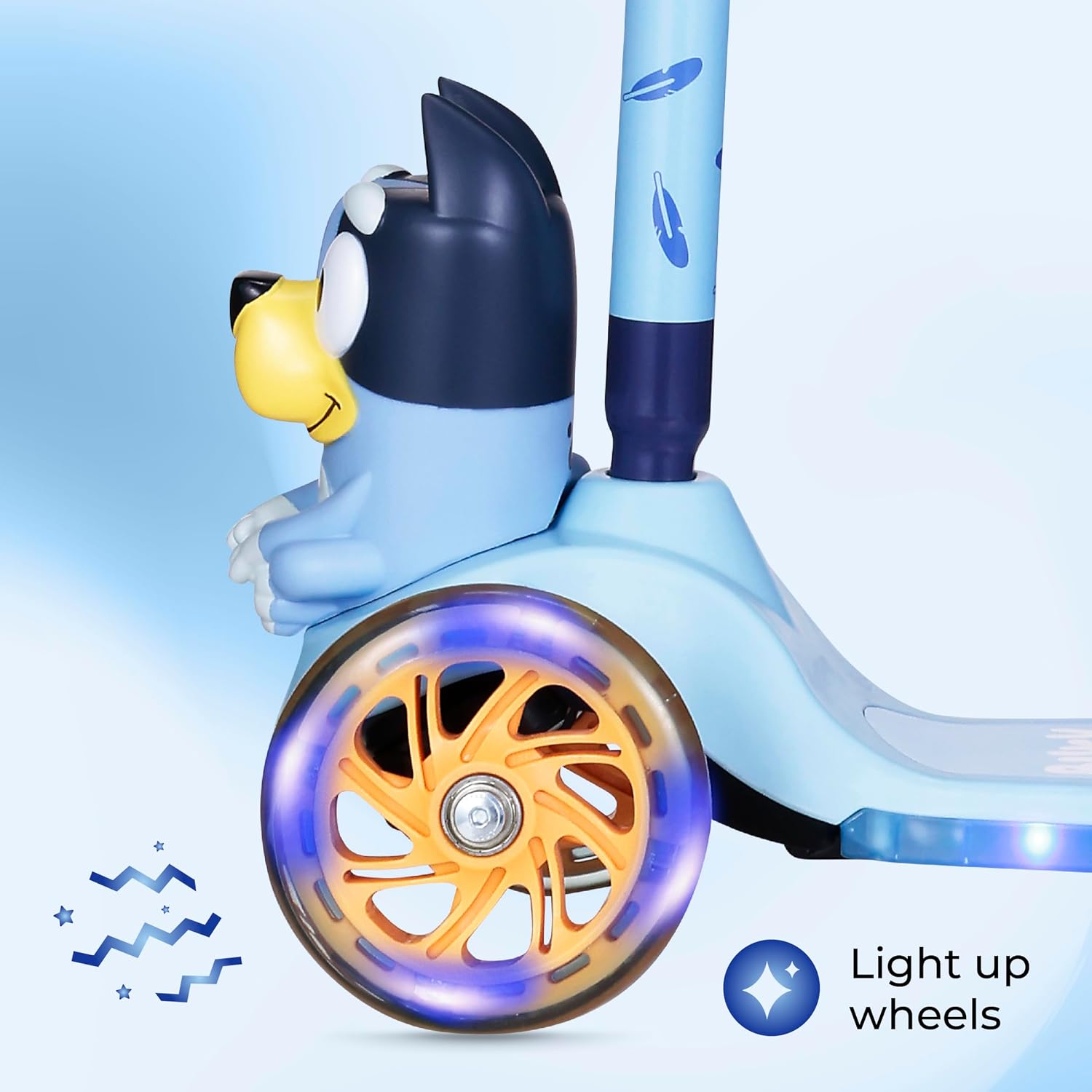
Image: Close-up view of the light-up LED wheels in action.

Image: A child riding the Bluey 2 scooter on a paved surface.
Maintenance
- Cleaning: Wipe the scooter clean with a damp cloth. Avoid using harsh chemicals or abrasive cleaners.
- Regular Checks: Periodically inspect all screws, bolts, and clamps to ensure they are tight. Check the wheels for wear and tear, and ensure they spin freely. Verify the brake is functioning correctly.
- Storage: Store the scooter in a dry place away from direct sunlight and extreme temperatures to prolong its lifespan.
Troubleshooting
| Problem | Possible Cause | Solution |
|---|---|---|
| Handlebar is loose | Quick-release clamp not tightened. | Ensure the handlebar is fully inserted and the quick-release clamp is securely tightened. |
| Wheels not lighting up | Insufficient movement or worn-out internal generator. | The lights activate with movement; ensure the scooter is in motion. If still not working, contact customer support. |
| Brake not effective | Debris under the brake or worn brake pad. | Clear any debris from the brake area. If the issue persists, contact customer support. |
Specifications
| Feature | Detail |
|---|---|
| Brand | Voyager |
| Model Name | Scooter for Kids (Bluey 2) |
| Model Number | AST01241LU-BLU-STK-1 |
| Age Range | Kid (3-7 years recommended) |
| Weight Limit | 75 pounds (34 kg) |
| Number of Wheels | 3 |
| Wheel Material | Polyurethane |
| Frame Material | Aluminum |
| Handlebar Type | Adjustable |
| Brake Style | Rear Braking |
| Special Features | Self-Balancing, Light-Up LED Wheels, Lean-to-Steer Control, Wide Anti-Slip Deck |
| UPC | 021331052452 |
Warranty and Support
This Voyager scooter comes with a Limited Manufacturer's Warranty. For details regarding warranty coverage, please refer to the documentation included with your purchase or contact Voyager customer support.
Returns: Products purchased from Amazon are eligible for return within 30 days of receipt, subject to Amazon's return policy.
For technical assistance, parts, or warranty claims, please contact Voyager Customer Support:
- Website: Visit the Voyager Store on Amazon
- Email: [Insert Manufacturer Email Here]
- Phone: [Insert Manufacturer Phone Number Here]