
acer N60-640-UR22
Acer Nitro 60 N60-640-UR22 Gaming Desktop User Manual
Model: N60-640-UR22
Introduction
This manual provides essential information for setting up, operating, maintaining, and troubleshooting your Acer Nitro 60 N60-640-UR22 Gaming Desktop. Designed for high-performance gaming and demanding tasks, this desktop features an Intel Core i7-14700F 20-Core Processor, NVIDIA GeForce RTX 5060 Graphics, 16GB DDR5 RAM, and a 1TB PCIe Gen 4 SSD. Please read this manual thoroughly to ensure optimal performance and longevity of your device.
Package Contents
Before you begin, please verify that all items are present in the box:
- Acer Nitro 60 N60-640-UR22 Gaming Desktop
- External Wi-Fi Antenna
- Power Cord
- (Note: Keyboard and Mouse are not included and must be purchased separately.)
Setup Guide
- Unpacking: Carefully remove the desktop and all accessories from the packaging.
- Placement: Place the desktop on a stable, flat surface with adequate ventilation. Ensure there is enough space around the chassis for proper airflow.
- Connect Peripherals:
- Connect your monitor(s) to the NVIDIA GeForce RTX 5060 Graphics card using DisplayPort 2.1b or HDMI 2.1b cables.
- Connect your keyboard and mouse to the available USB ports (USB 3.2 Gen1 Type A on top, USB 3.2 Gen2 Type A or USB 2.0 on the rear).
- Connect speakers or headphones to the audio jacks (top or rear).
- Network Connection:
- For wired connection, connect an Ethernet cable to the RJ-45 Ethernet Port.
- For wireless connection, attach the External Wi-Fi Antenna to the designated ports on the rear of the desktop.
- Power Connection: Connect the power cord to the desktop's power input and then to a grounded electrical outlet.
- First Boot: Press the power button on the desktop. Follow the on-screen instructions to complete the Windows 11 Home setup.


Operating Instructions
Your Acer Nitro 60 desktop is pre-installed with Windows 11 Home, providing a user-friendly interface for all your computing needs.
- Power On/Off: Press the power button located on the top panel to turn the desktop on or off. For a complete shutdown, use the Windows shutdown option.
- Gaming: Utilize the powerful Intel Core i7-14700F processor and NVIDIA GeForce RTX 5060 graphics for an immersive gaming experience. Adjust in-game settings for optimal performance.
- Multitasking: The 16GB DDR5 RAM allows for smooth multitasking, enabling you to run multiple applications simultaneously without performance degradation.
- Connectivity: Leverage Wi-Fi 6 and Gigabit Ethernet for high-speed internet access. Use the various USB ports for connecting external devices and fast data transfers.

Key Features
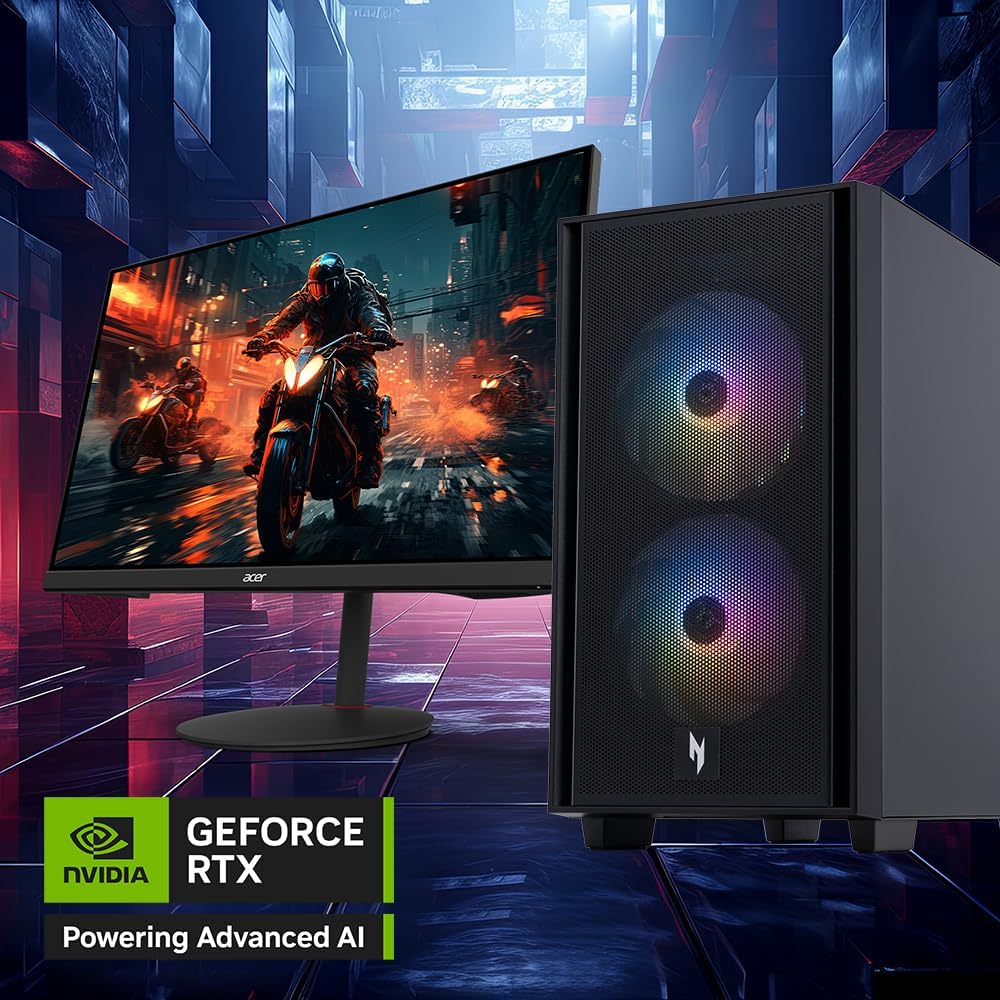
- Advanced Aesthetics: The Nitro 60 features a striking design with vibrant aRGB LEDs, aerodynamic contours, and cooling air-venting bezels within its 30-liter chassis.
- Optimized Performance: Equipped with an Intel Core i7-14700F 20-Core Processor (up to 5.4GHz) and 16GB DDR5 RAM (expandable to 192GB), ensuring smooth operation for gaming and demanding applications.
- Next-Gen Graphics: Powered by NVIDIA Blackwell, the GeForce RTX 5060 GPU with 614 AI TOPS and 8 GB GDDR7 Video Memory delivers high-fidelity graphics and supports NVIDIA DLSS 4 for enhanced performance.
- High-Speed Storage: Includes a 1TB PCIe 4.0 NVMe SSD for rapid boot times and quick loading of applications and games.
- Comprehensive Connectivity: Features Realtek Wi-Fi 6 (802.11ax), Realtek Gigabit Ethernet, and Bluetooth 5.3. Multiple USB ports are available: 1x USB 3.2 Gen2x2 20 Gbps Type-C (Rear), 1x USB 3.2 Gen2 10 Gbps Type A (Rear), 2x USB 3.2 Gen1 5 Gbps Type A (Top), and 4x USB 2.0 480 Mbps (Rear).
- Efficient Cooling: The ARGB Lighting CPU Cooler with high airflow blades and U-shape copper heat pipes maintains optimal temperatures during intense usage, complemented by customizable 16.8 million color aRGB LEDs.
- Power Supply: A 650W 80 Plus Gold certified power supply ensures stable and efficient power delivery.


Maintenance
- Dust Cleaning: Regularly clean dust from the chassis, fans, and vents using compressed air to prevent overheating and maintain performance.
- Software Updates: Keep your operating system, drivers (especially graphics drivers), and applications updated to ensure stability and optimal performance.
- Cable Management: Ensure internal and external cables are neatly organized to improve airflow and prevent accidental disconnections.
- System Scans: Periodically run antivirus and anti-malware scans to protect your system from threats.
Troubleshooting
| Problem | Possible Solution |
|---|---|
| Desktop does not power on. | Check if the power cord is securely connected to both the desktop and the electrical outlet. Ensure the outlet is functional. |
| No display on monitor. | Verify that the monitor is powered on and connected correctly to the graphics card. Try a different port or cable if available. Ensure the monitor input source is set correctly. |
| Slow performance or lagging. | Close unnecessary background applications. Check for system updates and driver updates. Ensure adequate ventilation to prevent thermal throttling. |
| Wi-Fi connection issues. | Ensure the external Wi-Fi antenna is securely attached. Restart your router and modem. Check Wi-Fi settings in Windows. |
Specifications
| Component | Detail |
|---|---|
| Model | Acer Nitro 60 N60-640-UR22 |
| Processor | Intel Core i7-14700F 20-Core (Up to 5.4GHz) |
| RAM | 16GB DDR5 (expandable to 192GB) |
| Storage | 1TB PCIe Gen 4 NVMe SSD |
| Graphics Card | NVIDIA GeForce RTX 5060 with 8 GB GDDR7 Video Memory (614 AI TOPS) |
| Operating System | Windows 11 Home |
| Wireless Connectivity | Realtek Wi-Fi 6 802.11ax, Bluetooth 5.3 |
| Wired Connectivity | Realtek Gigabit Ethernet |
| Ports (Rear) | 1x USB 3.2 Gen2x2 20 Gbps Type-C, 1x USB 3.2 Gen2 10 Gbps Type A, 4x USB 2.0 480 Mbps, 3x Audio Jacks, 1x RJ-45 Ethernet Port, 3x Display Ports 2.1b, 1x HDMI 2.1b Port |
| Ports (Top) | 2x USB 3.2 Gen1 5 Gbps Type A, 2x Audio Jacks |
| Power Supply | 650W - 80 Plus Gold |
| Dimensions (LxWxH) | 14.9 x 8.5 x 15.9 inches |
| Item Weight | 13.62 pounds |
Warranty and Support
For warranty information and technical support, please refer to the documentation included with your product or visit the official Acer support website. Protection plans are available for purchase separately to extend coverage.
- Protection Plans: Optional 3-Year Protection Plan and Complete Protect monthly plans are available.
- Online Resources: Visit the Acer Store on Amazon for additional product information and accessories.
Related documentsN60-640-UR22


Ask a question about this manual
Ask about setup, troubleshooting, compatibility, parts, safety, or missing instructions. Manuals+ will review the question and use this page’s manual context to help answer it.