
Introduction
The Typhur Sync Oven CV03 is a versatile 12-in-1 countertop appliance designed to simplify your cooking experience. It combines the functions of an air fryer, toaster oven, and dehydrator, featuring a smart wireless meat thermometer probe for precise temperature control. This manual provides essential information for safe and efficient operation, maintenance, and troubleshooting.

Image: The Typhur Sync Oven, showcasing its sleek design and a roasted chicken being cooked inside. The control panel displays temperature and time settings, and various accessories are visible around the oven.
Safety Information
Please read all instructions carefully before using the Typhur Sync Oven. Failure to follow these instructions may result in electric shock, fire, or serious injury. Keep this manual for future reference.
- Electrical Safety: Ensure the oven is plugged into a grounded outlet. Do not immerse the cord, plug, or housing in water or other liquids.
- Hot Surfaces: The oven surfaces become hot during and after operation. Always use oven mitts when handling hot materials.
- Ventilation: Allow at least 4 inches (10cm) of clearance around the oven for proper ventilation. A countertop depth of at least 16.4 inches is recommended.
- Children: Close supervision is necessary when any appliance is used by or near children.
- Probe Handling: The wireless probe is designed for internal food temperature measurement. Do not use it for other purposes.
What's in the Box (Unboxing)
Upon unboxing your Typhur Sync Oven, verify that all components are present. If any items are missing or damaged, please contact customer support.

Image: A visual representation of all items included in the Typhur Sync Oven packaging, neatly laid out. These include the main oven unit, an air fry basket, a wire rack, a roasting pan, a crumb tray, the wireless probe with its charging case, an oven mitt, a recipe book, and a quick start guide.
Included Accessories:
- Air Fry Basket
- Wire Rack
- Roasting Pan
- Crumb Tray
- Wireless Probe
- Oven Mitt
- Recipe Book
- Quick Start Guide
Unboxing and Initial Setup Video:
Video: This video demonstrates the unboxing process of the Typhur Sync Oven, showing all included accessories and initial setup steps.
Product Overview & Key Features
The Typhur Sync Oven is engineered for precision and versatility, offering multiple cooking functions and smart features to enhance your culinary results.
Smart Wireless Meat Thermometer Probe
The oven features a built-in wireless probe with five sensors, providing ±0.5°F accuracy. It tracks core temperature in real-time and automatically stops cooking when your desired doneness is reached. The probe is ready to use without pairing and includes a signal booster for stable readings.
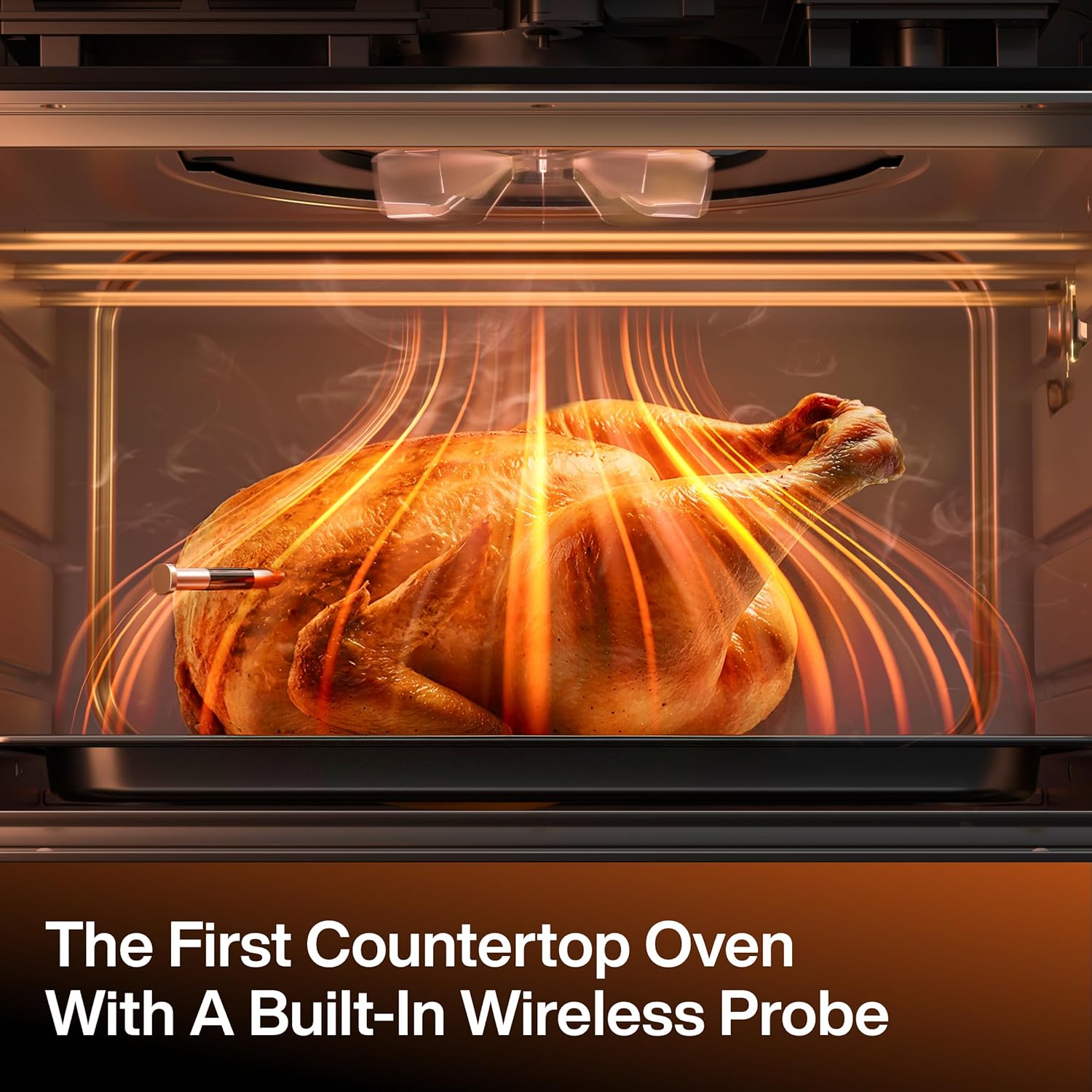
Image: The interior of the Typhur Sync Oven, showing a whole roasted chicken with the wireless meat thermometer probe inserted, emphasizing the oven's unique built-in probe feature.
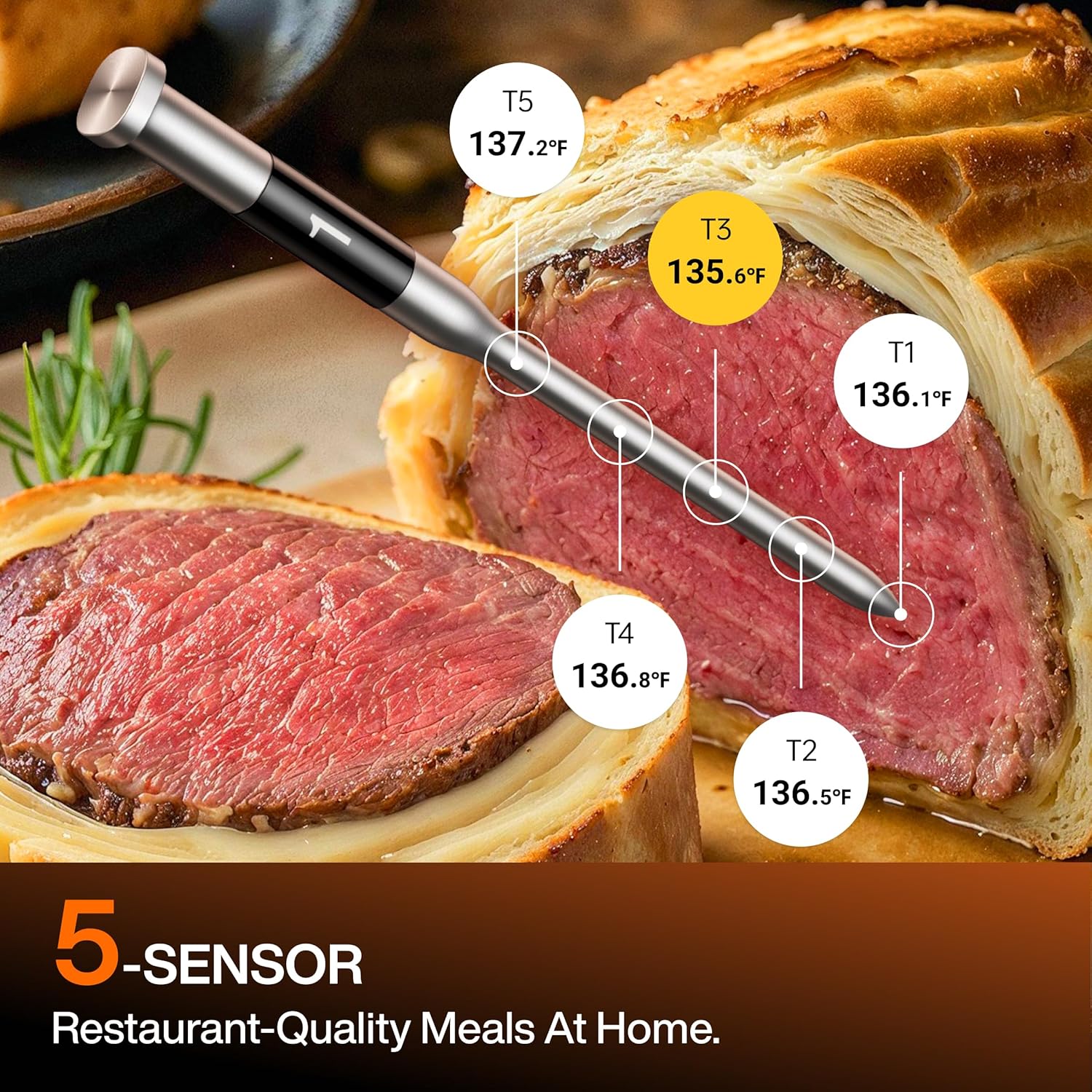
Image: A detailed view of the wireless meat thermometer probe, highlighting its five internal sensors for precise temperature measurement within food, demonstrated with a beef Wellington.
12-in-1 Cooking Versatility
With a temperature range of 85–450℉ and 3 fan speeds, the oven offers 12 cooking modes and 5 probe presets for various meats.
- Cooking Modes: Roast, Bake, Air Fry, Broil, Pizza, Cookies, Toast, Bagel, Proof, Reheat, Dehydrate, Keep Warm.
- Probe Presets: Beef, Fish, Pork, Lamb, Poultry.
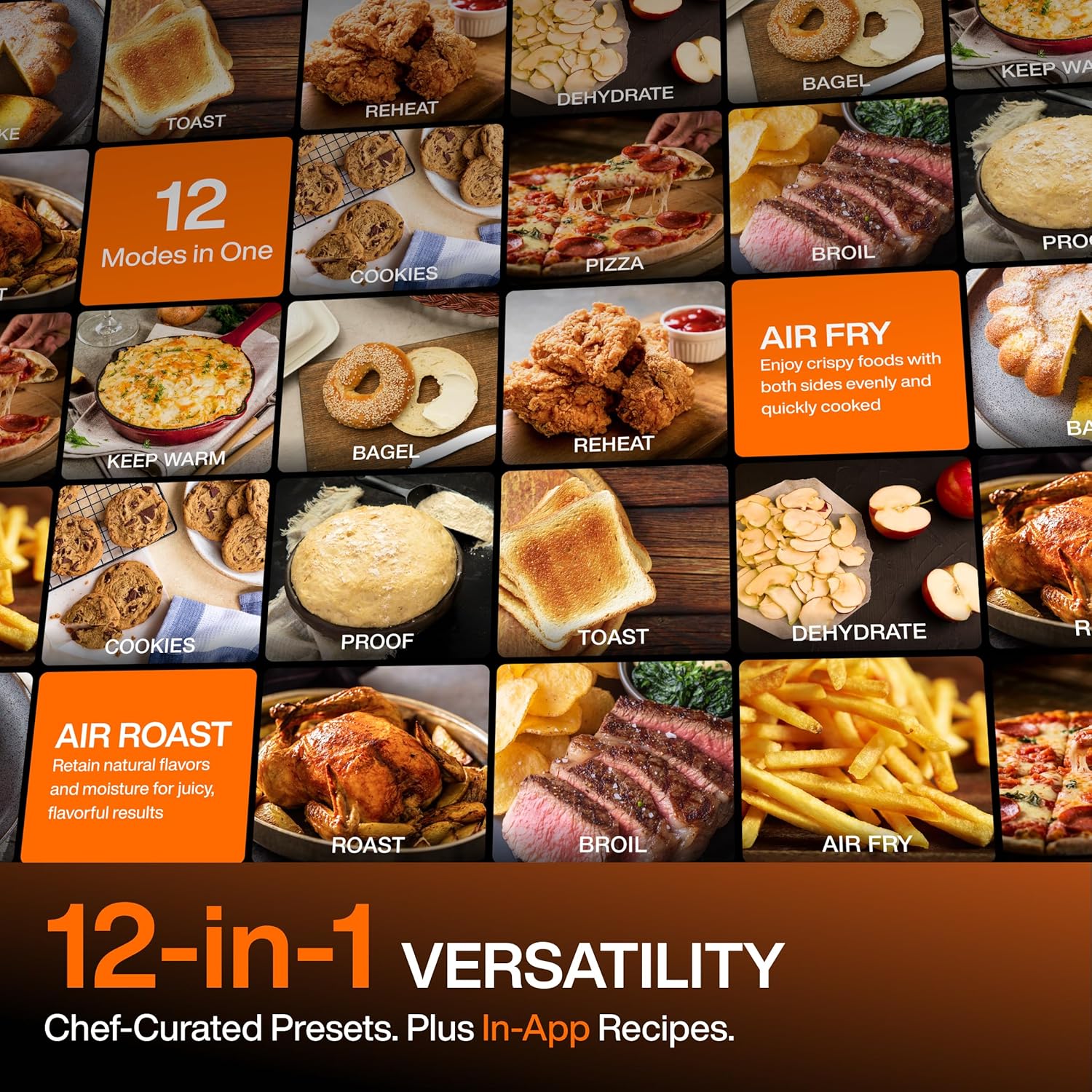
Image: A collage illustrating the 12 versatile cooking modes of the Typhur Sync Oven, such as Air Fry, Roast, Bake, and Dehydrate, each with an example food item.
360° Turbo Convection System
Dual heating elements and a 2400 RPM fan circulate heat in a full 360° for faster, more even cooking, reducing cooking times by up to 30% compared to traditional ovens.

Image: A visual emphasizing the speed of the oven, showing a 30-minute timer and a roasted chicken, illustrating that air fryer convection can significantly reduce cooking time.
Large 27QT Capacity
The spacious interior accommodates a 12-inch pizza, a 6lb whole chicken, 6 slices of toast, or 2lb of fries, suitable for family-sized meals.
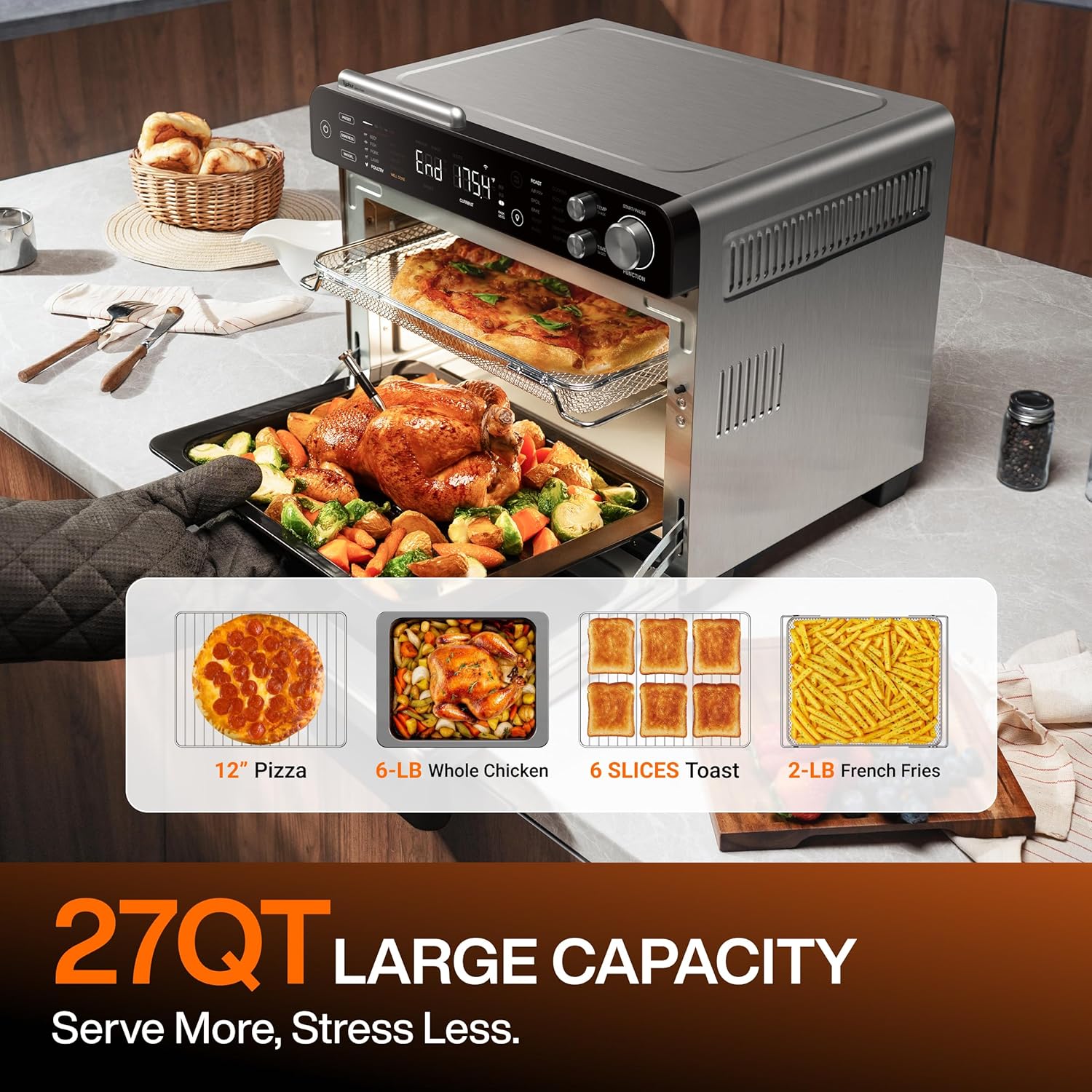
Image: The Typhur Sync Oven showcasing its large 27-quart capacity, capable of holding a 12-inch pizza, a 6-pound whole chicken, 6 slices of toast, or 2 pounds of french fries.
Official Product Overview Video:
Video: This video provides an overview of the Typhur Sync Oven's features, including its automatic precision cooking capabilities and smart design.
Setup
Proper placement and initial preparation are crucial for optimal performance and safety.
Placement
- Place the oven on a stable, heat-resistant countertop.
- Ensure at least 4 inches (10 cm) of clearance around all sides of the oven for adequate ventilation.
- A countertop depth of at least 16.4 inches is recommended to accommodate the oven and required clearance.

Image: A diagram illustrating the physical dimensions of the Typhur Sync Oven and the critical 4-inch clearance required behind the unit for proper airflow and ventilation.
Initial Probe Charging
Before first use, charge the wireless probe for at least 30 minutes by placing it in its magnetic storage dock on top of the oven. The probe's super-fast charging allows for a full cook in approximately 3 minutes, with a full charge supporting multiple cooking sessions.
Operation
The Typhur Sync Oven offers various modes for different cooking needs. Refer to the comprehensive video below for a visual guide to all operational modes.
How to Use Typhur Sync Oven - Full Guide:
Video: A detailed user guide demonstrating the various operational modes of the Typhur Sync Oven, including unboxing, oven mode, probe mode, manual mode, app control, and cleaning instructions.
Oven Mode (e.g., Air Fry)
- Turn the FUNCTION knob to select your desired oven mode (e.g., Air Fry).
- Adjust the temperature and time using the dedicated knobs, or use the default settings.
- Press the FUNCTION knob to start preheating. To skip preheating, press PREHEAT once.
- Once preheated (or skipped), place your food inside the oven and press START/PAUSE to begin cooking.
- The oven will beep and display "End" when cooking is complete.
Probe Mode (e.g., Cooking Steak)
This mode utilizes the wireless probe for precise temperature-controlled cooking.
- Ensure the probe is charged. Remove it from its storage case.
- Press PRESET to select the type of meat (e.g., Beef).
- Press DONENESS to choose your preferred doneness level (e.g., Medium Rare).
- Press the FUNCTION knob to start preheating the oven.
- Insert the probe into the thickest part of the meat, ensuring it passes the safety line.
- Once preheating is done, place the meat in the oven. The oven will automatically begin cooking and stop when the target temperature is reached.
- The oven will beep and display "End" when cooking is complete. Remove the meat and let it rest for 5 minutes before serving.
Manual Mode
For full control over probe and oven temperatures:
- Remove the probe from its storage case.
- Select MANUAL mode on the probe menu.
- Turn the TEMP knob to set your target probe temperature.
- Turn the FUNCTION knob to Oven Mode.
- Turn the TEMP knob to adjust the oven temperature.
- Press the FUNCTION knob to start preheating.
App Control & Pairing
The Typhur app allows for remote monitoring and control of your oven.
- Download the Typhur App from the App Store or Google Play, or scan the QR code in your Quick Start Guide.
- Open the app and tap "Add Device." Select "Typhur Sync Oven."
- On the oven, when it is not operating, press and hold the power button for 3 seconds until the Wi-Fi indicator starts blinking to enter pairing mode.
- In the app, select "Typhur Sync Oven" from the list of nearby devices and tap "Pair."
- Follow the on-screen prompts to connect to your Wi-Fi network.
- Once successfully paired, you can select Probe Mode or other presets within the app, adjust settings, and tap "Start."
- The app provides real-time monitoring of temperatures and cooking progress, sending notifications when cooking is complete.
Maintenance & Cleaning
Regular cleaning ensures the longevity and optimal performance of your Typhur Sync Oven.
General Cleaning
- After each use, turn off and unplug the oven. Allow it to cool completely before cleaning.
- Wipe the exterior with a damp cloth. Do not use abrasive cleaners or scouring pads.
- The interior can be wiped with a damp cloth and mild detergent. For stubborn stains, a non-abrasive oven cleaner can be used, following the product instructions.
Dishwasher Safe Components
Most accessories are dishwasher safe for convenience.
- Air Fry Basket
- Wire Rack
- Roasting Pan
- Crumb Tray
- Wireless Probe (Note: The probe case is NOT dishwasher safe.)

Image: A composite image showing the Typhur Sync Oven's smart app control interface, the magnetic storage and charging of the wireless probe, and various accessories being cleaned in a dishwasher, highlighting their dishwasher-safe nature.
Probe Storage
Store the wireless probe back in its magnetic case on top of the oven when not in use. This ensures it remains charged and readily available.
Troubleshooting
If you encounter issues with your Typhur Sync Oven, refer to the following common troubleshooting tips:
- Oven Not Turning On: Ensure the power cord is securely plugged into a working electrical outlet. Check your home's circuit breaker.
- Probe Not Connecting/Reading: Ensure the probe is fully charged. If pairing a new probe, follow the replacement probe pairing instructions. Make sure the probe is inserted correctly into the food, past the safety line.
- Uneven Cooking: Ensure proper ventilation around the oven. Avoid overcrowding the oven with food. Use the recommended rack levels for specific cooking modes.
- App Connectivity Issues: Ensure your oven is paired correctly with the app and connected to a 2.4GHz Wi-Fi network. Check your Wi-Fi signal strength.
Replacement Probe Pairing Instructions Video:
Video: This video provides step-by-step instructions on how to pair a replacement wireless probe with your Typhur Sync Oven.
Specifications
| Brand | Typhur |
| Model Name | CV03 Sync Oven |
| Color | Stainless Steel |
| Product Dimensions | 16.7"D x 17"W x 14.5"H |
| Capacity | 27QT |
| Special Features | Adjustable Thermostat, Automatic Shut-Off, Built-in Wireless Thermometer, Large Capacity, Programmable |
| Control Type | App Control |
| Temperature Range | 85-450℉ Degrees Fahrenheit |
| Item Weight | 26 pounds |
| UPC | 850074930372 |
Warranty & Support
For warranty information, please refer to the documentation included with your product or visit the official Typhur website. If you require further assistance, have questions, or need to report a missing accessory, please contact Typhur customer service.
Customer Service Contact: Refer to your product packaging or the Typhur website for the most up-to-date contact information.

