
Introduction
Thank you for choosing the PAXA Mini Electric Shaver. This compact and powerful device is designed to provide a smooth and comfortable shaving experience, whether at home or on the go. Please read this manual carefully before use to ensure optimal performance and safety.

Image: The PAXA Mini Electric Shaver, showcasing its compact design.
Important Safety Information
- Do not use the shaver while it is charging.
- Keep the shaver away from water while charging to prevent electrical hazards.
- Always hold the shaver away from your face when turning it on or off to avoid accidental injury.
- Clean and dry the shaver thoroughly after each use to prevent bacterial growth and maintain hygiene.
Package Contents
The PAXA Mini Electric Shaver package includes the following items:
- 1 x PAXA Mini Electric Shaver
- 1 x Cleaning Brush
- 1 x USB-C Charging Cable
- 1 x User Manual

Image: All items included in the PAXA Mini Electric Shaver package.
Product Overview
The PAXA Mini Electric Shaver combines advanced technology with a user-friendly design:
- Dual-Ring Magnetic Blade Head: Features a 9,000 RPM high-speed motor and precision stainless steel blades with a dual-ring arc design for a close, smooth shave. The magnetic attachment allows for easy removal and cleaning.
- Sleek & Ergonomic Design: Crafted from durable aluminum alloy and ABS, with a matte finish and anti-slip texture for a secure grip. Its palm-sized design is ideal for travel.
- Wet & Dry Shaving: IPX7 waterproof rating allows for use in the shower or on dry skin.
- Battery Indicator & Fast Charging: A smart 'breathing' LED display shows battery levels. USB-C fast charging provides 60 minutes of continuous use from a full charge.

Image: Detailed view of the shaver's internal components, highlighting the dual-ring floating blade mesh, 10,800 cuts per minute, and 9,000 RPM motor speed.

Image: The smart LED battery indicator displaying working, low battery, and fully charged states.
Setup
Charging the Shaver
- Connect the provided USB-C charging cable to the shaver's charging port.
- Plug the other end of the USB-C cable into a compatible USB power source (e.g., laptop, car charger, power bank, or wall adapter).
- The LED battery indicator will show the charging status. A full charge provides up to 60 minutes of continuous use.
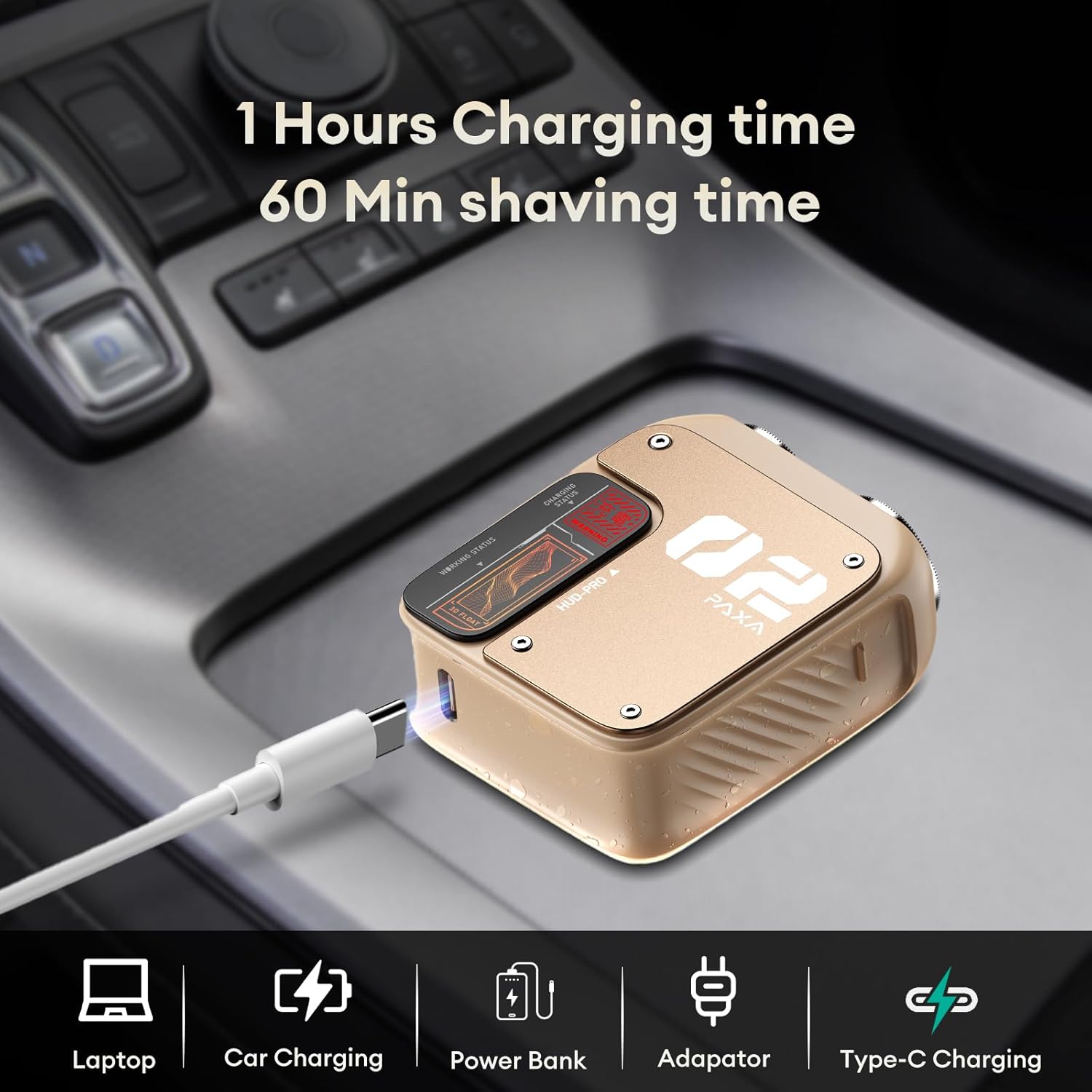
Image: The shaver connected to a USB-C cable for charging, illustrating various compatible power sources.
First Use Recommendation
New shaver blades may initially feel sharper. For the first few uses, shave gently without applying excessive pressure to allow your skin time to adjust to the new blades.
Operating Instructions
Power On/Off
To turn the shaver on or off, locate the power button on the side of the device and press it firmly.
Shaving Techniques
- Dry Shaving: For a quick shave, ensure your skin is clean and dry. Move the shaver in small, circular motions against the direction of hair growth.
- Wet Shaving: The shaver is IPX7 waterproof, allowing for use with shaving foam or gel in the shower. Apply your preferred shaving product and then shave as usual. Rinse the shaver head under running water during and after use.

Image: A man demonstrating both wet shaving with foam and dry shaving with the PAXA Mini Electric Shaver.

Image: A man using the PAXA Mini Electric Shaver to shave his face, highlighting its ergonomic design for a comfortable hold.
Maintenance
Cleaning the Shaver Head
- Ensure the shaver is turned off before cleaning.
- Gently detach the magnetic blade head from the shaver body.
- Rinse the detached blade head and the shaver body (where the blades connect) under running water. The IPX7 waterproof design allows for thorough rinsing.
- Use the provided cleaning brush to remove any stubborn hair clippings from the blades and internal components.
- Allow all parts to air dry completely before reattaching the blade head and storing the shaver.

Image: The PAXA Mini Electric Shaver submerged in water, illustrating its IPX7 full-body wash capability for easy cleaning.
Video: A short demonstration of the PAXA Mini Electric Shaver's IPX7 waterproof feature, showing it being rinsed under water and its magnetic head being detached for cleaning.
Troubleshooting
- Shaver not turning on: Ensure the shaver is fully charged. Connect it to a power source using the USB-C cable and check the battery indicator.
- Reduced shaving performance: Clean the blade head thoroughly to remove any accumulated hair or debris. Ensure the blades are properly seated.
- Irritation during shaving: Ensure your skin is clean. If dry shaving, make sure your skin is completely dry. If wet shaving, use sufficient shaving cream or gel. For new blades, shave gently without excessive pressure.
- For any persistent issues not covered here, please refer to the warranty and support section.
Specifications
| Feature | Detail |
|---|---|
| Model Number | PAT0103 |
| Package Dimensions | 4.8 x 4.5 x 1.5 inches |
| Item Weight | 2.4 ounces |
| Power Source | Battery Powered |
| Battery Type | Integrated Rechargeable Lithium-Ion, 350 mAh |
| Battery Average Life | 60 days (standby) |
| Shaving Time | Up to 60 minutes continuous use |
| Charging Interface | USB-C |
| Waterproof Rating | IPX7 (Full-body washable) |
| Motor Speed | 9000 RPM |
| Blade Material | Alloy Steel |
| Head Type | Rotary, Dual-Ring Magnetic |
| Recommended Uses | Beard |
| Color | Yellow |
Warranty and Support
For detailed warranty information, product registration, or customer support, please refer to the documentation included in your product packaging or visit the official PAXA website. Our customer service team is available to assist you with any questions or concerns.