
1. Product Overview
The SGMSIGMA M83 is a portable smart window cleaning robot designed for efficient and safe cleaning of various smooth surfaces, including glass windows, mirrors, and tiles. It features strong suction, multiple cleaning modes, and intelligent navigation to ensure thorough cleaning.
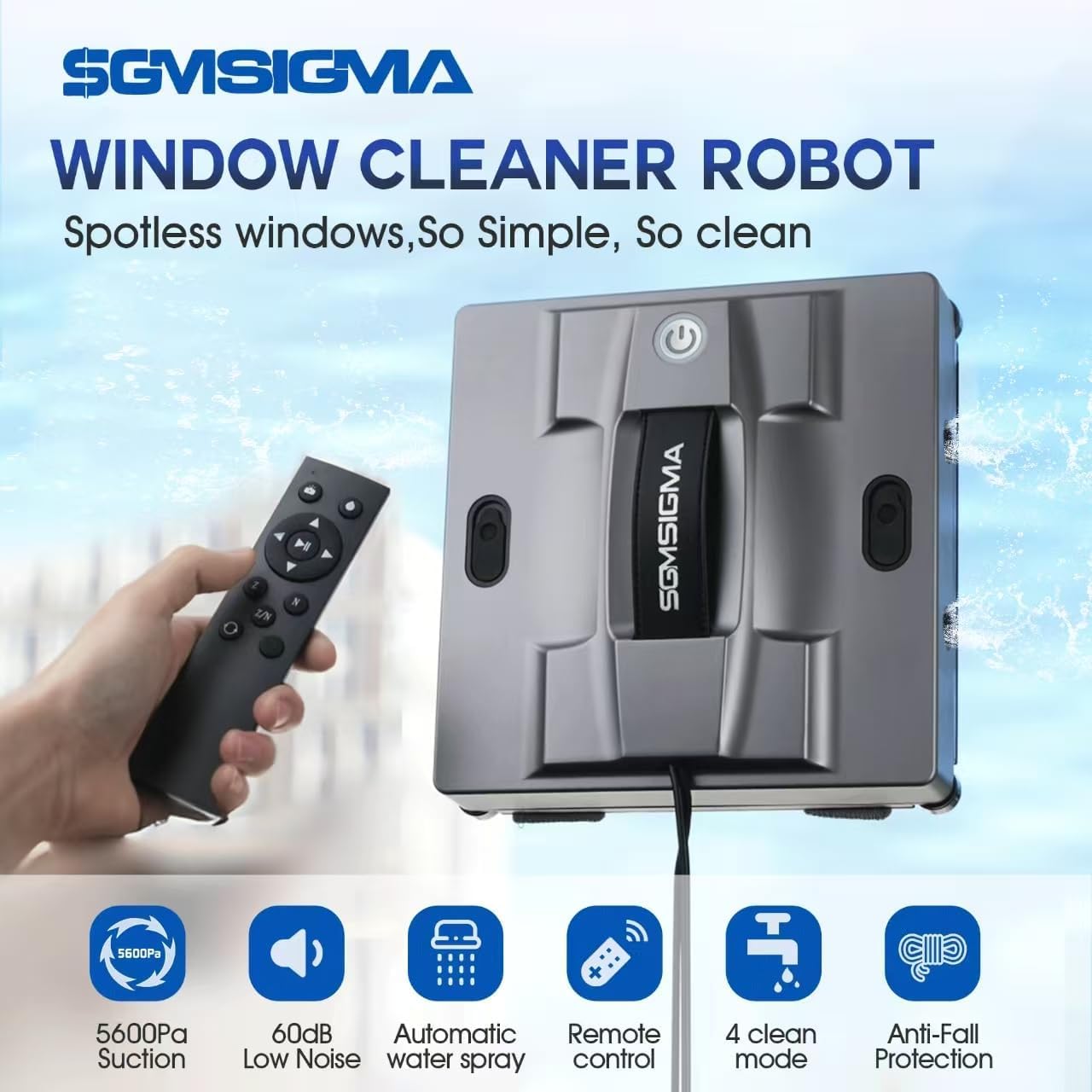
Image: The SGMSIGMA M83 window cleaning robot shown with its remote control, highlighting its compact design and key features like 5600Pa suction, low noise, automatic water spray, remote control, 4 cleaning modes, and anti-fall protection.
2. Package Contents
Before starting, please verify that all items are present in the package:
- M83 Window Cleaning Robot
- Remote Control
- Charging Adapter
- AC Power Line
- Cleaning Pads (multiple)
- Safety Rope
- Water Bottle (for filling tank)

Image: All components included in the product packaging, laid out on a white surface. This includes the window cleaning robot, remote control, power adapter, AC line, several cleaning rags, and a small water bottle.
3. Setup Guide
Follow these steps to prepare your M83 robot for cleaning:
- Attach Cleaning Pads: Securely attach the provided cleaning pads to the bottom of the robot. Ensure they are properly aligned and cover the cleaning surfaces.
- Connect Power Adapter: Connect the power adapter to the robot and then plug it into a power outlet. The robot requires continuous power during operation.
- Fill Water Tank: Open the water tank cap and fill it with clean water using the provided water bottle. The 100ml tank capacity allows for cleaning up to 75 square meters on a single refill.
- Attach Safety Rope: For safety, always attach the safety rope to a secure anchor point indoors before placing the robot on a window. The rope can bear up to 135kg.
- Placement: Place the robot on the desired cleaning surface. Ensure the surface is relatively smooth and free from large debris.
Video: This video demonstrates the installation of cleaning rags onto the SGMSIGMA M83 window cleaning robot, showing how to properly secure them to the device's base.

Image: The SGMSIGMA M83 robot cleaning a large window on a modern building, illustrating the dual safety function with a visible safety rope attached to an anchor point and an icon representing the 600mAh backup battery.
4. Operating Instructions
The M83 robot offers various cleaning modes and simple controls:
- Power On: Press the power button on the robot or the remote control to turn it on. Voice prompts will guide you.
- Select Cleaning Mode: Use the remote control or the companion app to select one of the four cleaning modes:
- Z-path: For vertical cleaning paths.
- N-path: For horizontal cleaning paths.
- Z&N-path: Combines both Z and N paths for comprehensive coverage.
- Spot Mode: Focuses on a specific area to remove stubborn stains.
- Start Cleaning: Once a mode is selected, the robot will begin cleaning. It is recommended to perform a dry wipe first to remove loose dirt, followed by a wet wipe for deep cleaning.
- Automatic Water Spray: The robot features a 4-nozzle design for even water spray, ensuring effective wet cleaning.
- Edge Detection: Advanced intelligent edge sensors allow the robot to detect obstacles and avoid edges and barriers, ensuring safe operation.
- Finish Cleaning: The robot will return to its starting position after completing its cleaning cycle. Power off the robot and carefully remove it from the surface.

Image: A close-up view of the SGMSIGMA M83 robot's power button, illuminated with a blue light, indicating its 'One-Key Start' functionality.

Image: The SGMSIGMA M83 robot on a window, with illustrations of its four intelligent cleaning modes: Z/N Mode, Z Mode, N Mode, and Fixed Mode, showing how it plans its cleaning path.
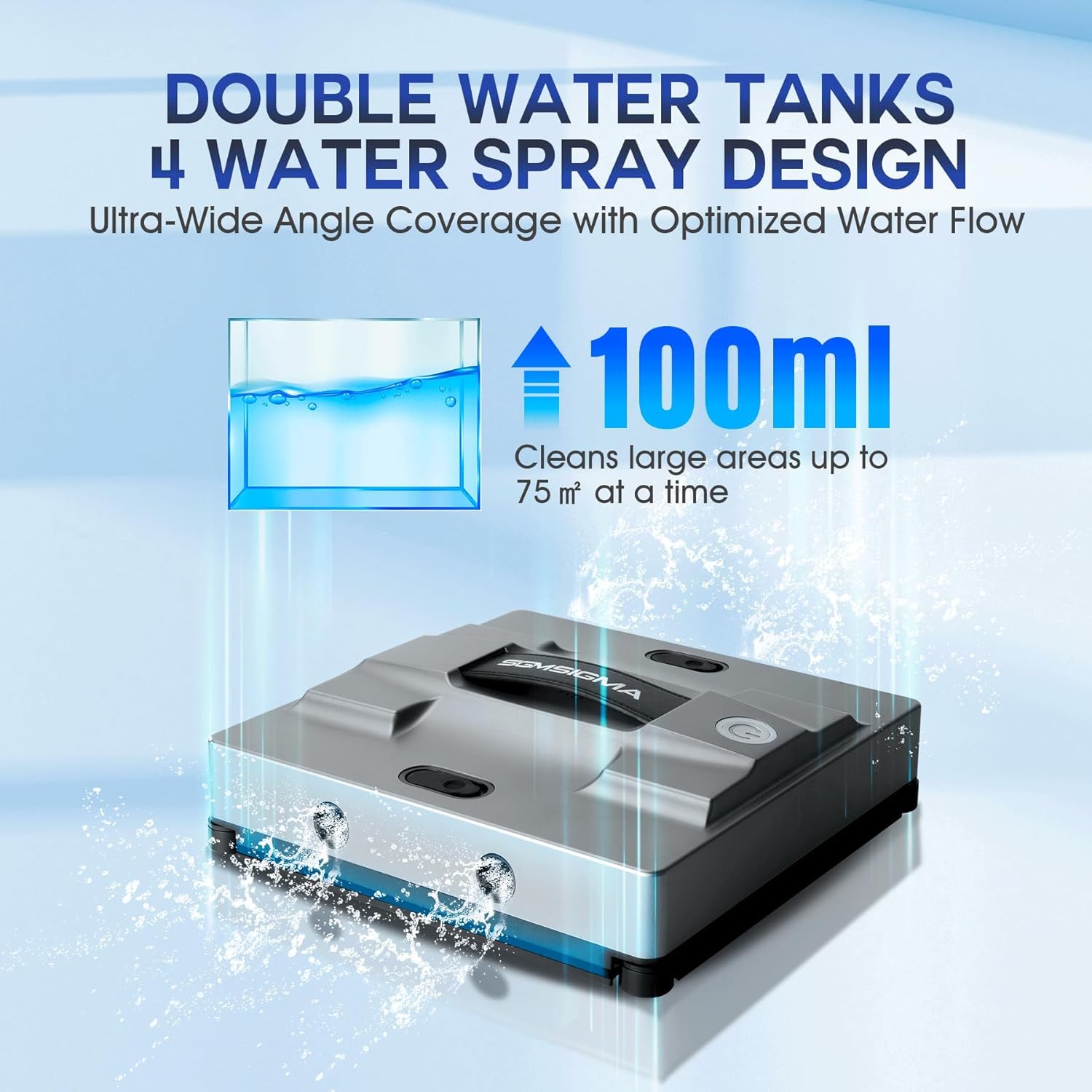
Image: The SGMSIGMA M83 robot on a window, illustrating its double water tanks and 4-water spray design, with an icon showing a 100ml capacity and coverage up to 75 square meters.

Image: The SGMSIGMA M83 robot cleaning a window, with an overlay illustrating its smart cleaning capabilities for corners and edges, highlighting the advanced sensors and algorithms for efficient edge detection.
5. Maintenance
Regular maintenance ensures optimal performance and longevity of your M83 robot:
- Clean Cleaning Pads: After each use, remove and wash the cleaning pads. Replace them when they show signs of wear or reduced effectiveness.
- Clean Sensors: Periodically wipe the edge detection sensors with a soft, dry cloth to ensure they function correctly.
- Empty/Clean Water Tank: Empty any remaining water from the tank after use. Clean the tank if necessary to prevent residue buildup.
- Check Filter: The robot uses a sponge filter. Inspect it regularly and clean or replace as needed to maintain suction efficiency.
6. Troubleshooting
If you encounter issues with your M83 robot, refer to the following common problems and solutions:
| Problem | Possible Cause | Solution |
|---|---|---|
| Robot not adhering to surface | Insufficient suction power; dirty surface; power issue. | Ensure power adapter is securely connected. Clean the surface. Check for blockages in suction vents. |
| Robot not moving or erratic movement | Dirty drive wheels; obstacle detection; low battery (backup). | Clean drive wheels. Remove any obstacles. Ensure continuous power supply. |
| Water spray not working | Empty water tank; clogged nozzles. | Refill water tank. Clean spray nozzles. |
| Robot falls off surface | Safety rope not attached; power failure; extreme surface conditions. | Always attach the safety rope. Ensure stable power. The 600mAh backup battery provides 30 minutes of operation during power failure. |
If the problem persists, please contact SGMSIGMA customer support.
7. Specifications
| Feature | Detail |
|---|---|
| Brand | SGMSIGMA |
| Model Name | M83 |
| Suction Power | 5600 PA |
| Water Tank Capacity | 100 ml |
| Battery Life (Backup) | 30 minutes (600 mAh) |
| Control Method | App, Remote Control |
| Product Dimensions | 8.66"L x 8.66"W x 2.59"H |
| Item Weight | 4.31 pounds |
| Included Components | Charging Adapter, Cleaning Pad, Safety rope |
| Filter Type | Sponge |
| Surface Recommendation | Glass, Mirrors, Tiles |
8. Warranty and Support
For warranty information or technical support, please contact SGMSIGMA directly. Refer to the product packaging or the official SGMSIGMA website for contact details and specific warranty terms applicable to your region.