
Introduction
Thank you for choosing the sprtoybat Q38 Wireless Earbuds. This manual provides detailed instructions on how to set up, operate, and maintain your earbuds to ensure optimal performance and longevity. Please read this manual carefully before using the product and retain it for future reference.
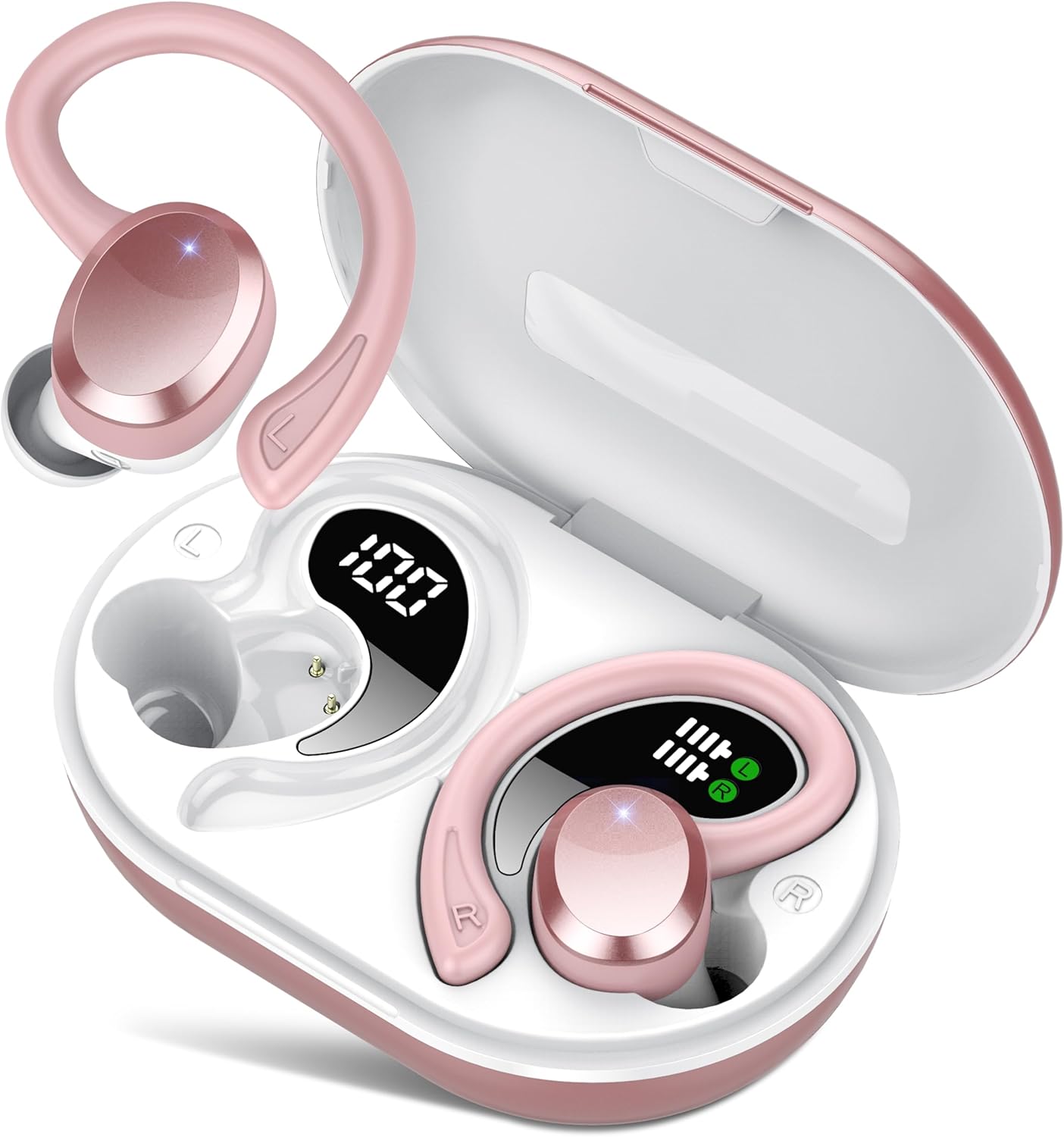
Image: The sprtoybat Q38 Wireless Earbuds in their open charging case, showcasing the earbuds with ear hooks and the digital LED display on the case.
Package Contents
Please verify that all items listed below are included in your package:
- Earbuds (2)
- 800mAh Charging Case (1)
- Type-C Charging Cable (1)
- Silicone Ear Tips (S/M/L x2 each)
- User Manual (1)

Image: The front of the sprtoybat Q38 True Wireless Earbuds product packaging.
Product Overview
The sprtoybat Q38 Wireless Earbuds are designed for active lifestyles, featuring a secure over-ear hook design and advanced audio technology. The charging case includes an LED display to show battery levels.
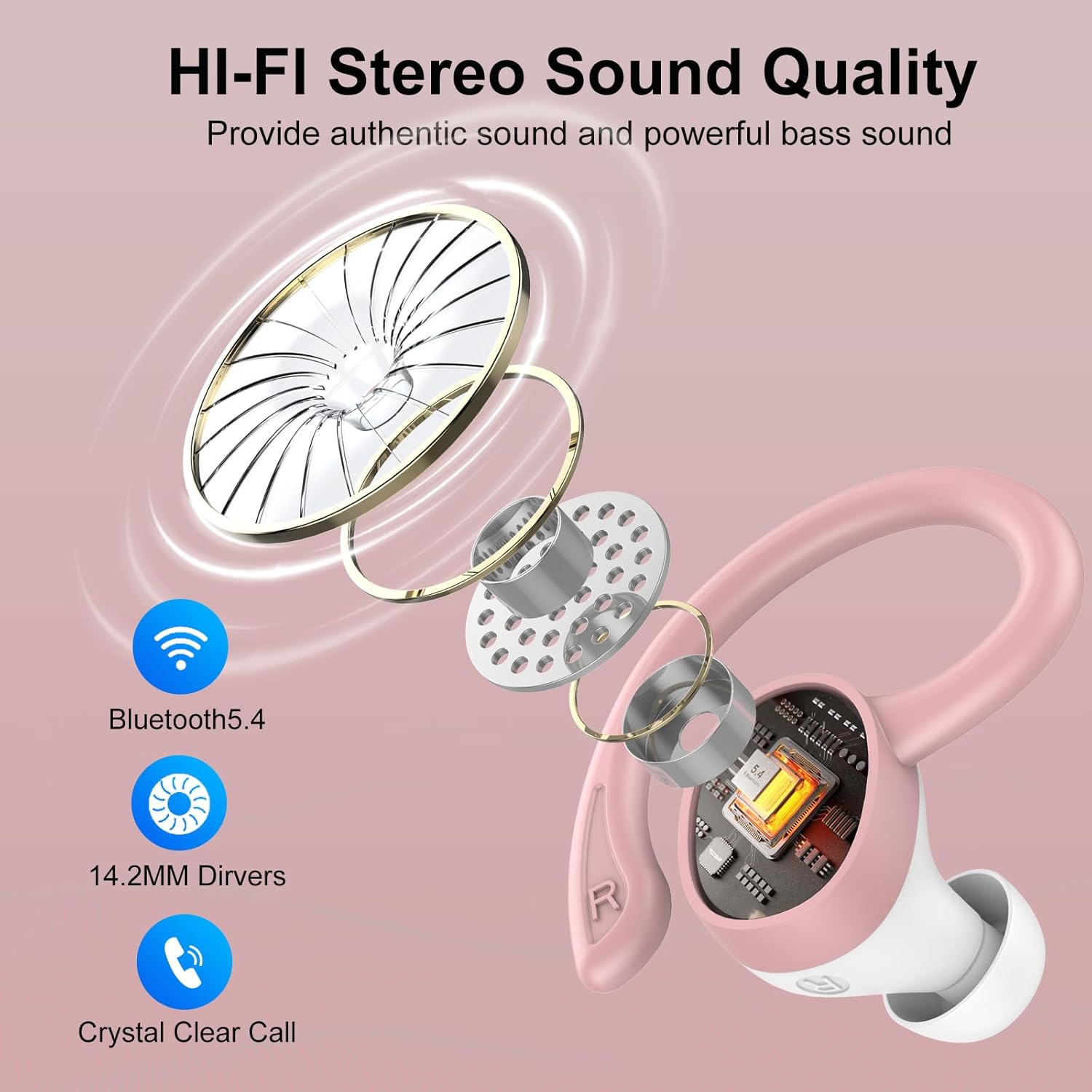
Image: An exploded diagram illustrating the internal components of a sprtoybat Q38 earbud, highlighting the 14.2mm driver and Bluetooth 5.4 technology.
Setup
1. Charging the Earbuds and Case
Before first use, fully charge the earbuds and charging case. Place the earbuds into the charging case. Connect the Type-C charging cable to the charging port on the case and a USB power source. The LED display on the case will show the charging status. A full charge takes approximately 2 hours.

Image: The sprtoybat Q38 Wireless Earbuds inside their charging case, with the LED display indicating battery levels for both the case and individual earbuds, alongside playtime statistics.
2. Bluetooth Pairing
- Ensure the earbuds are charged and placed inside the charging case.
- Open the charging case. The earbuds will automatically enter pairing mode.
- On your device (smartphone, tablet, etc.), enable Bluetooth and search for available devices.
- Select "Q38" from the list of found devices to connect.
- Once paired, the earbuds will automatically connect to your device when removed from the case in the future.

Image: The sprtoybat Q38 Wireless Earbuds in their charging case, positioned next to a smartphone screen showing the Bluetooth settings with "Q38" listed as a paired device.
3. Wearing the Earbuds
Choose the correct size silicone ear tips (S/M/L) for a comfortable and secure fit. Place the earbud into your ear canal and gently rotate the over-ear hook around your ear until it sits snugly. Adjust for optimal sound and comfort.

Image: A woman wearing the sprtoybat Q38 earbuds with ear hooks during a workout, illustrating the secure and comfortable fit for sports activities.
Operating Instructions
Smart Touch Controls
The sprtoybat Q38 earbuds feature intuitive touch controls on the surface of each earbud. Refer to the diagram and instructions below for various functions:

Image: A visual guide to the touch control functions on the sprtoybat Q38 earbuds, detailing actions for music playback, call management, volume adjustment, and voice assistant activation.
- Play/Pause Music: Single tap on either earbud.
- Answer/End Call: Single tap on either earbud.
- Reject Call: Press and hold either earbud for 2 seconds.
- Volume Up: Double tap the right earbud.
- Volume Down: Double tap the left earbud.
- Next Track: Triple tap the right earbud.
- Previous Track: Triple tap the left earbud.
- Activate Voice Assistant: Press and hold either earbud for 2 seconds (when not on a call).
Maintenance
Cleaning
Regular cleaning helps maintain sound quality and hygiene. Use a soft, dry, lint-free cloth to wipe the earbuds and charging case. For ear tips, remove them and clean with a mild soap solution, then rinse thoroughly and dry completely before reattaching. Do not use harsh chemicals or abrasive materials.
Storage
When not in use, store the earbuds in their charging case to protect them from dust and damage. Store the case in a cool, dry place away from extreme temperatures and direct sunlight.
Water Resistance (IPX7)
The earbuds are IPX7 waterproof, meaning they can withstand immersion in water up to 1 meter for 30 minutes. They are sweatproof and rainproof, making them suitable for workouts and outdoor activities. However, the charging case is not waterproof. Ensure earbuds are dry before placing them back into the charging case to prevent damage.

Image: The sprtoybat Q38 Wireless Earbuds shown with water droplets, emphasizing their IPX7 waterproof, sweatproof, and rainproof capabilities.
Troubleshooting
| Problem | Possible Solution |
|---|---|
| Earbuds not pairing | Ensure earbuds are charged. Turn off and on Bluetooth on your device. Forget "Q38" from your device's Bluetooth list and re-pair. |
| No sound from one earbud | Place both earbuds back into the charging case, close the lid, then open it again. Check device's audio balance settings. |
| Charging case not charging | Ensure the Type-C cable is securely connected to both the case and power source. Try a different cable or power adapter. |
| Earbuds fall out easily | Try different sizes of silicone ear tips (S/M/L) to find the best fit. Adjust the ear hooks for a more secure placement. |
| Touch controls unresponsive | Ensure your fingers are clean and dry. Restart the earbuds by placing them in the case and taking them out. |
Specifications
| Feature | Detail |
|---|---|
| Model Name | Q38 |
| Brand | sprtoybat |
| Connectivity Technology | Wireless (Bluetooth 5.4) |
| Bluetooth Version | 5.4 |
| Bluetooth Range | 15 Meters |
| Noise Control | Passive Noise Cancellation, ENC Noise Cancelling Mic |
| Audio Driver Type | Dynamic Driver (14.2mm) |
| Battery Life (Earbuds) | Up to 8 hours per charge |
| Total Playtime (with Case) | Up to 68 hours |
| Charging Case Battery Capacity | 800 Milliamp Hours |
| Charging Time | Approx. 2 hours (earbuds & case) |
| Fast Charging | 10 minutes charge for 2 hours music |
| Water Resistance Level | IPX7 (Earbuds only) |
| Control Type | Touch Control |
| Ear Placement | Over Ear (with hooks) |
| Material | Plastic |
| Item Weight | 50 Milligrams (earbuds) |
| Product Dimensions | 0.79 x 0.39 x 0.39 inches |
Warranty and Support
sprtoybat products are backed by a manufacturer's warranty. For specific warranty details, please refer to the documentation included with your purchase or contact sprtoybat customer support. If you encounter any issues or have questions regarding your Q38 Wireless Earbuds, please reach out to our customer service team for assistance.
Contact information for support can typically be found on the product packaging, the official sprtoybat website, or through your retailer.