
Lefant M350
Lefant M350 Robot Vacuum and Mop Combo User Manual
Model: M350
Introduction
Thank you for choosing the Lefant M350 Robot Vacuum and Mop Combo. This device is designed to provide efficient and hands-free cleaning for your home, combining powerful vacuuming with effective mopping. It features advanced navigation, obstacle avoidance, and a self-emptying station for convenience. This manual provides essential information for the safe operation, maintenance, and troubleshooting of your robot vacuum.
Important Safety Information
Please read all safety instructions carefully before using this appliance and retain them for future reference. Failure to follow these instructions may result in electric shock, fire, or serious injury.
- This appliance is for indoor use only. Do not use it outdoors or on commercial or industrial surfaces.
- Do not allow children to operate the robot vacuum. Supervise children and pets when the robot is operating.
- Ensure the power voltage matches the voltage indicated on the charging station.
- Do not handle the charging station or robot with wet hands.
- Keep hair, loose clothing, fingers, and all parts of the body away from openings and moving parts.
- Do not use the robot to pick up large objects, sharp objects, or burning/smoking materials.
- Do not use the robot on wet surfaces or in areas with standing water.
- Always remove the water tank before charging the robot.
- Only use the original charging station and power adapter provided by Lefant.
- Before cleaning, remove any loose cables, small objects, or fragile items from the floor to prevent entanglement or damage.
What's in the Box
Verify that all components are present and in good condition upon unpacking.
- Lefant M350 Robot Vacuum (x1)
- Self-Emptying Station (x1)
- Mop Holder (x1)
- Power Cord (x1)
- User Manual (x1)
- Dust Bag (x2)
- Washable Mop Cloth (x1)
- HEPA Filter (x2)
- Disposable Dry Mop (x1)
- Cleaning Tool (x1)
- Side Brush (x2)
- Filter Sponge (x2)

Image: All components included in the Lefant M350 package, including the robot, self-emptying station, mop holder, power cord, and various accessories.
Product Overview
Robot Vacuum
The Lefant M350 robot features a compact design with advanced sensors for navigation and obstacle avoidance. It includes a main brush, side brushes, and a dustbin for vacuuming, along with a detachable mop holder and water tank for mopping.
Self-Emptying Station
The self-emptying station automatically transfers collected dust and debris from the robot's dustbin into a large-capacity dust bag, providing up to 40 days of hands-free maintenance.
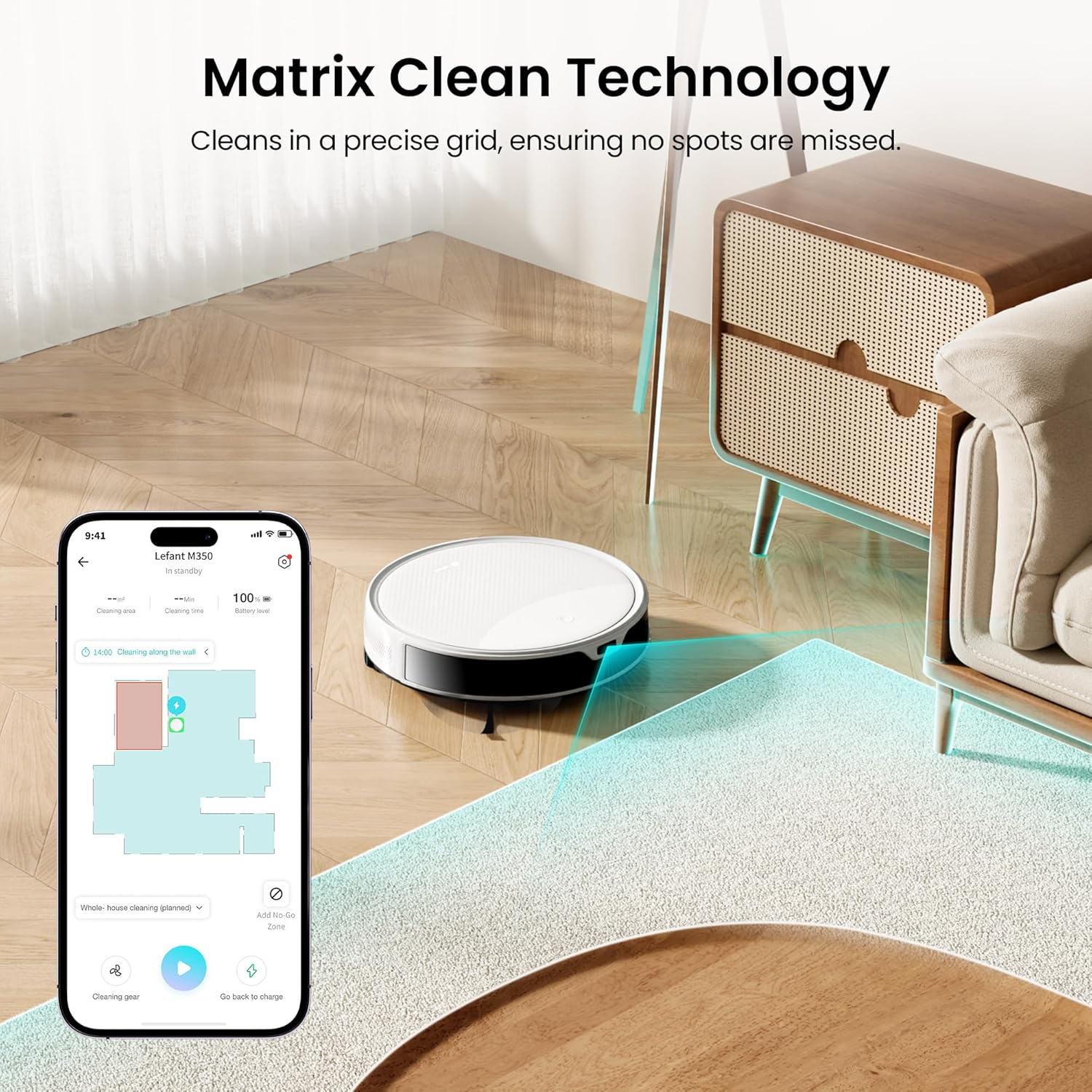
Image: The Lefant M350 robot vacuum positioned next to its self-emptying station.
Setup
1. Unpacking and Preparation
- Remove all packaging materials and protective films from the robot and charging station.
- Install the side brushes by pressing them onto the posts until they click into place.
- Ensure the dustbin and filters are correctly installed in the robot.
2. Charging Station Placement
- Place the self-emptying station against a wall on a hard, level surface.
- Ensure there is at least 0.5 meters (1.6 feet) of clear space on both sides of the station and 1.5 meters (4.9 feet) in front.
- Plug the power cord into the station and then into a wall outlet.
3. Initial Charging
- Manually place the robot onto the charging station, ensuring the charging contacts align.
- Allow the robot to fully charge before its first use. The indicator light on the robot will change when fully charged.
4. App Download and Connection
- Download the 'Lefant' app from your mobile app store.
- Follow the in-app instructions to connect your robot vacuum to your home Wi-Fi network. Note: Only 2.4G WiFi is supported.

Image: A smartphone displaying the Lefant app interface, showing cleaning maps and control options for the robot vacuum.
Operating Your Robot Vacuum
1. Starting and Stopping Cleaning
- Start: Press the power button on the robot or use the 'Start' command in the Lefant app.
- Stop/Pause: Press the power button again or use the 'Pause' command in the app.
2. Cleaning Modes
The M350 offers 3-in-1 cleaning: sweeping, vacuuming, and mopping.
- Vacuuming: The robot will sweep and vacuum. Adjust suction levels (Low, Middle, High) via the app.
- Mopping: Attach the mop holder with a wet mop pad and fill the water tank. The robot will automatically mop.
- Combined: The robot can sweep, vacuum, and mop simultaneously.

Image: The Lefant M350 robot vacuum demonstrating its 3-in-1 cleaning capabilities, showing it cleaning hair, food crumbs, and stains.
3. Carpet Detection & Auto Boost
The robot automatically detects carpets and boosts suction to maximum (6000Pa) for deeper cleaning when the mop holder is removed. When the mop holder is attached, it maintains standard suction (3000Pa) and avoids carpets to prevent wetting them.

Image: The Lefant M350 robot vacuum transitioning from a hard floor to a carpet, illustrating its automatic suction boost feature.
4. Obstacle Avoidance (190° PSD)
Equipped with 190° PSD obstacle avoidance technology, the M350 accurately detects and navigates around furniture, cords, and other objects, preventing collisions and ensuring uninterrupted cleaning.

Image: The Lefant M350 robot vacuum detecting and avoiding various obstacles like toys and slippers on a wooden floor.
5. Smart Navigation (ToF LiDAR)
The ToF LiDAR navigation system scans 360° to create detailed maps of your home, allowing for efficient route planning and comprehensive coverage.
6. Scheduling and No-Go Zones
Use the Lefant app to set cleaning schedules, define specific areas for cleaning, or establish 'no-go zones' to restrict the robot from certain areas like pet bowls or stairs.

Image: A smartphone showing the Lefant app with options for suction adjustment and setting no-go zones on a floor plan.
7. Voice Control
The M350 supports voice control via Amazon Alexa and Google Assistant. Connect your robot to your smart home system to issue commands like 'Alexa, ask robot to clean' or 'Hey Google, tell robot to recharge'.
8. Self-Emptying Function
After each cleaning cycle, the robot automatically returns to the self-emptying station to transfer collected debris into the 2.2L dust bag. This provides up to 40 days of hands-free dust disposal.

Image: The Lefant M350 robot vacuum docked at its self-emptying station, with an illustration showing dust being transferred into the 2.2L dust bag.
Maintenance
Regular maintenance ensures optimal performance and extends the lifespan of your robot vacuum.
1. Emptying Dustbin and Replacing Dust Bag
- The self-emptying station's dust bag should be replaced approximately every 40 days, or when full.
- To replace, open the lid of the self-emptying station, remove the full dust bag, and insert a new one.
- The robot's internal dustbin (150ml) should be emptied manually if not using the self-empty station, or if it becomes full during a cleaning cycle.
2. Cleaning Brushes
- Main Brush: Remove the main brush cover and lift out the brush. Use the provided cleaning tool to remove hair and debris. Clean weekly.
- Side Brushes: Pull the side brushes off. Remove any tangled hair or debris. Replace if worn or damaged. Clean monthly.
3. Cleaning Filters
- Remove the dustbin from the robot and take out the HEPA filter and filter sponge.
- Tap the filters to remove dust. Do not wash HEPA filters with water. The filter sponge can be rinsed and air-dried.
- Replace filters every 3-6 months depending on usage.
4. Cleaning Sensors
- Wipe the cliff sensors, wall sensors, and charging contacts on the robot and charging station with a clean, dry cloth. Clean monthly.
5. Cleaning Mop Pad and Water Tank
- Remove the mop pad from the mop holder after each use and wash it. Air dry completely before reattaching.
- Empty any remaining water from the water tank after each use and allow it to air dry.
Troubleshooting
If your robot vacuum encounters an issue, refer to the following common problems and solutions.
| Problem | Possible Cause | Solution |
|---|---|---|
| Robot does not turn on | Low battery; Power button not pressed | Place robot on charging station; Press and hold power button for 3 seconds. |
| Robot cannot charge | Charging contacts dirty; Charging station not powered | Clean charging contacts; Ensure charging station is plugged in. |
| Robot gets stuck frequently | Too many obstacles; Cliff sensors dirty | Clear floor of clutter; Clean cliff sensors. |
| Poor cleaning performance | Dustbin full; Brushes tangled; Filters clogged | Empty dustbin; Clean brushes; Clean/replace filters. |
| Self-empty station not working | Dust bag full/not installed; Suction port blocked | Replace/install dust bag; Clear any blockages in the suction port. |
| App connection issues | Incorrect Wi-Fi (not 2.4G); Router too far | Ensure 2.4G Wi-Fi; Move robot closer to router; Re-pair device. |
Specifications
- Model Name: M350
- Brand: Lefant
- Suction Power: 6000Pa (Max)
- Battery Life: 140 minutes
- Dustbin Capacity (Robot): 150ml
- Water Tank Capacity: 300ml
- Self-Empty Station Dust Bag Capacity: 2.2L (up to 40 days)
- Navigation: ToF LiDAR
- Obstacle Avoidance: 190° PSD
- Control Method: App, Voice (Amazon Echo)
- Wi-Fi Support: 2.4G WiFi only
- Product Dimensions: 13.98"L x 10.24"W x 14.09"H
- Item Weight: 3.99 pounds
- Voltage: 14.4 Volts (DC)
Video Guide
Watch this official video for a visual overview of the Lefant M350 Robot Vacuum and Mop Combo's features and operation.
Video: An official product video showcasing the Lefant M350 Robot Vacuum and Mop Combo, highlighting its features like ToF Laser Mapping, 190° PSD Obstacle Avoidance, Carpet Detection, 3-in-1 cleaning, and the Self-Empty Station.
Warranty and Support
Lefant provides a standard warranty for its products. For detailed warranty information, please refer to the warranty card included in your product packaging or visit the official Lefant website.
If you encounter any issues or have questions regarding your Lefant M350, please contact Lefant Customer Support:
- Website: www.lefant.com (for FAQs, support resources, and contact information)
- Email: Refer to your warranty card or product packaging for specific email addresses.
Please have your model number (M350) and purchase information ready when contacting support.
Ask a question about this manual
Ask about setup, troubleshooting, compatibility, parts, safety, or missing instructions. Manuals+ will review the question and use this page’s manual context to help answer it.