
1. Product Overview
The MELOGAGA A2 RGB Computer Speakers are designed to provide clear audio for your desktop, laptop, or tablet. These speakers feature a compact design, USB power, 3.5mm auxiliary audio input, and dynamic 7-color LED backlighting.
Key Features:
- Immersive Audio Performance: Equipped with dual 3W high-fidelity drivers for balanced sound and deep bass.
- Vibrant 7-Color LED Lighting: Dynamic RGB backlighting enhances your setup.
- Ultra-Compact & Clutter-Free: Space-saving design suitable for any desk.
- Universal Plug & Play: Simple connection via USB for power and 3.5mm aux for audio.
- Convenient Inline Volume Control: Easy adjustment of sound levels with a built-in rotary knob.

Image 1.1: MELOGAGA A2 RGB Computer Speakers, showcasing their compact design and RGB lighting.
2. Package Contents
Please check the package for the following items:
- MELOGAGA A2 RGB Computer Speakers (2 units)
- Quick Start Guide
3. Setup Instructions
Follow these steps to set up your MELOGAGA A2 RGB Computer Speakers:
- Connect Power: Insert the USB-A connector into an available USB port on your computer, laptop, or a 5V/1A USB power adapter. The speakers will power on and the RGB lights will activate.
- Connect Audio: Plug the 3.5mm audio jack into the audio output port (headphone jack) of your computer, laptop, tablet, or other audio source.
- Position Speakers: Place the speakers on either side of your monitor or device for optimal stereo sound.
- Adjust Volume: Use the inline rotary volume control to set the desired audio level.
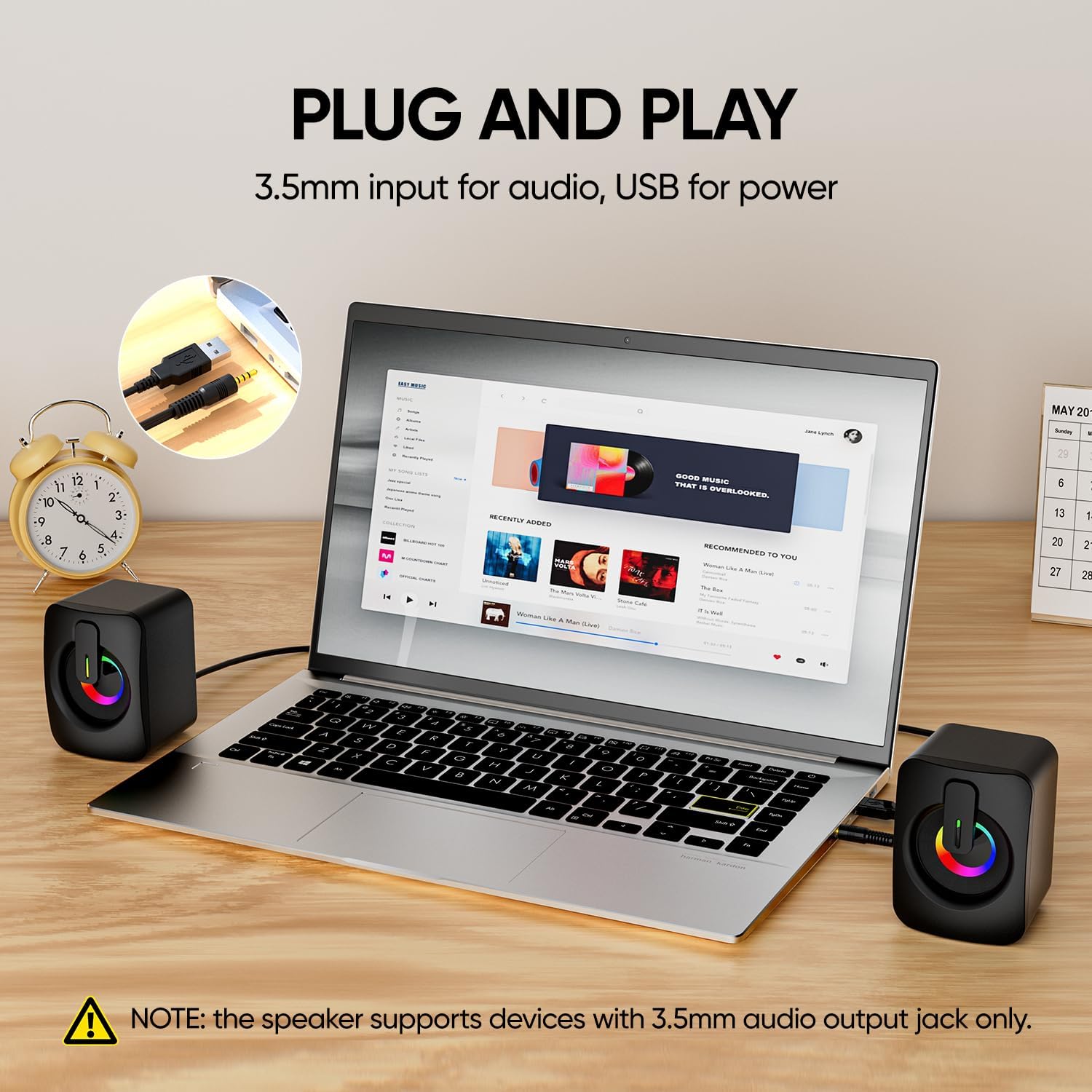
Image 3.1: Illustration of connecting the USB cable for power and the 3.5mm audio jack for sound.
Note: The speakers support devices with a 3.5mm audio output jack only.
4. Operating Instructions
4.1 Power On/Off
The speakers power on automatically when the USB cable is connected to a power source. Disconnect the USB cable to power off the speakers.
4.2 Volume Control
Adjust the volume using the rotary knob located on the inline control unit. Rotate clockwise to increase volume and counter-clockwise to decrease volume.

Image 4.1: Close-up of the inline volume control for easy audio adjustment.
4.3 RGB LED Lighting Effect
The speakers feature dynamic 7-color RGB LED backlighting that cycles automatically. There is no manual control for changing or turning off the lighting effect; it activates automatically when the speakers are powered on.

Image 4.2: The speakers displaying their vibrant 7-color RGB LED lighting effect.
5. Maintenance
To ensure the longevity and optimal performance of your speakers, follow these maintenance guidelines:
- Cleaning: Use a soft, dry cloth to wipe the speaker surfaces. Do not use liquid cleaners, aerosols, or solvents.
- Storage: Store the speakers in a cool, dry place away from direct sunlight and extreme temperatures when not in use for extended periods.
- Avoid Moisture: Keep the speakers away from water and high humidity to prevent damage to internal components.
- Handle with Care: Avoid dropping or subjecting the speakers to strong impacts.
6. Troubleshooting
If you encounter issues with your speakers, refer to the following common solutions:
| Problem | Possible Cause | Solution |
|---|---|---|
| No sound |
|
|
| Distorted sound |
|
|
| RGB lights not working | USB power not connected. | Ensure the USB cable is connected to a working power source. |
7. Specifications
Detailed technical specifications for the MELOGAGA A2 RGB Computer Speakers:
| Feature | Specification |
|---|---|
| Brand | MELOGAGA |
| Model Number | A2 |
| Speaker Maximum Output Power | 6 Watts (2 x 3W) |
| Frequency Response | 20 KHz |
| Connectivity Technology | Auxiliary (3.5mm audio jack), USB (for power) |
| Audio Output Mode | Stereo (2.0 channels) |
| Mounting Type | Tabletop Mount |
| Enclosure Material | Plastic |
| Color | Black |
| Speaker Size | 2.8 Inches |
| Item Dimensions (D x W x H) | 2.4"D x 3.9"W x 2.8"H (6.6cm x 10cm x 9cm) |
| Item Weight | 0.28 Kilograms |
| Power Input | 5V/1A |
| Cable Length | 110cm / 43in |
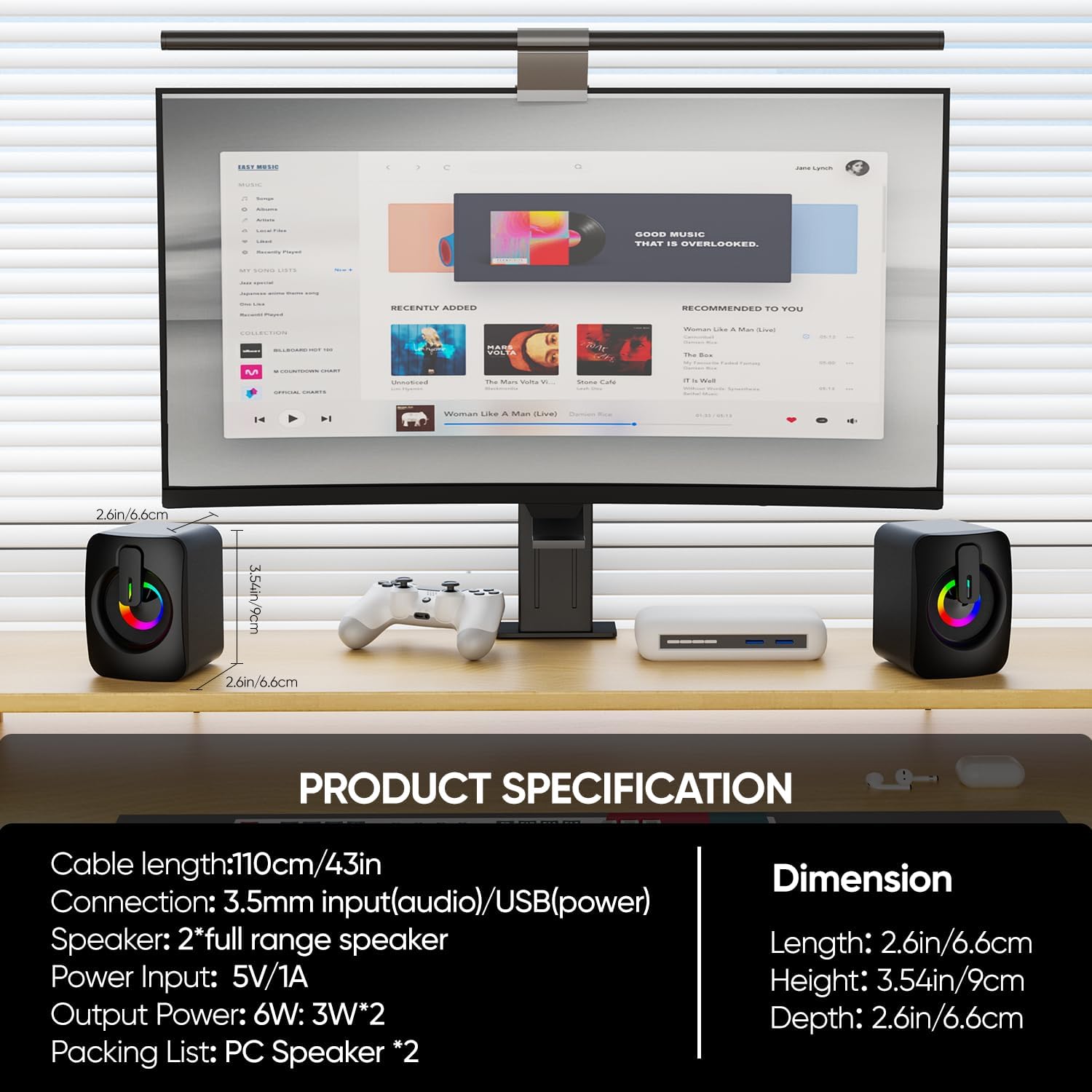
Image 7.1: Visual representation of product specifications and dimensions.
8. Warranty Information
The MELOGAGA A2 RGB Computer Speakers come with a 1-year limited warranty from the date of purchase. This warranty covers manufacturing defects and workmanship under normal use. It does not cover damage caused by misuse, accidents, unauthorized modifications, or external causes.
Please retain your proof of purchase for warranty claims.
9. Support
For further assistance, technical support, or warranty inquiries, please contact MELOGAGA customer service through the retailer's platform where you purchased the product or visit the official MELOGAGA website for contact details.
Please have your product model (A2) and proof of purchase ready when contacting support.