
1. Introduction
This manual provides essential information for the safe and efficient operation of your Jackery HomePower 3600 Plus Portable Power Station. Please read this manual thoroughly before using the product and retain it for future reference. The Jackery HomePower 3600 Plus is a high-capacity portable power station designed to provide reliable power for home backup, emergencies, RV use, and various outdoor activities. It features a robust LFP battery and multiple charging options.
2. Safety Instructions
Always follow basic safety precautions when using this product to reduce the risk of fire, electric shock, or injury. Failure to follow these instructions may result in serious injury or property damage.
- Do not disassemble, repair, or modify the unit.
- Do not place the unit near fire or expose it to heat.
- Do not use or store the unit in a bathroom or in an area exposed to water.
- Keep the unit away from children and pets.
- Do not use the unit if it is damaged or has been modified.
- Ensure proper ventilation during use and charging.
- Use only recommended accessories and charging cables.
- Avoid dropping, hitting, or subjecting the unit to strong impacts.
- Store the unit in a cool, dry place away from direct sunlight.
3. Package Contents
- Jackery HomePower 3600 Plus Portable Power Station
- 2x 200W Solar Panels
- AC Charging Cable
- User Manual
Note: The HomePower 3600 Plus and solar panels are shipped separately and may arrive in separate packages.

4. Product Overview
The Jackery HomePower 3600 Plus is designed for versatility and durability, offering substantial power output and capacity for various applications.
- Essential Home Backup: Delivers 3600W AC output (7200W in parallel with another unit) with 3584Wh capacity, expandable up to 21kWh per unit or 43kWh with multiple units. Supports dual voltage (120V & 240V in parallel).
- Safe and Durable: Features high-temperature resistant ceramic membrane LFP battery cells, offering 6,000 cycles for a 10-year lifespan. Reliable operation from -4 °F to 113 °F (-20 °C to 45 °C).
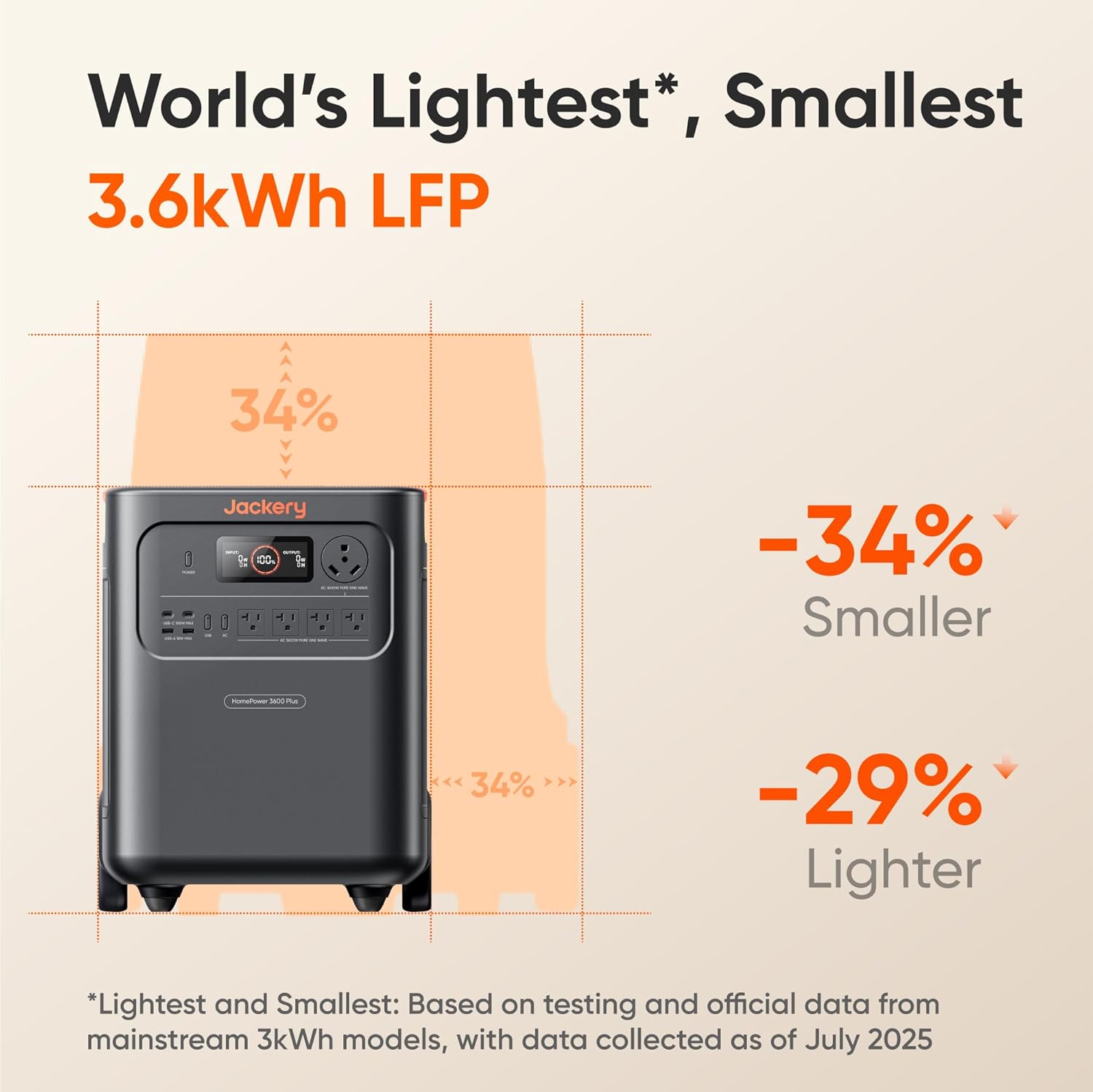
- Ultra-Portable Design: Weighs 77.16 lbs (35 kg) and is 34% smaller and 29.3% lighter than comparable models. Includes wheels and a telescopic handle for easy transport.
- Multiple Output Ports: Equipped with 4 AC outputs (120V, 20A), 1 TT-30 RV Port (120V, 30A), 2 USB-C Ports (100W Max), and 2 USB-A Ports (18W Max).


5. Setup
The Jackery HomePower 3600 Plus is designed for plug-and-play operation, requiring minimal setup.
- Unpacking: Carefully remove the power station and solar panels from their packaging.
- Initial Charge: It is recommended to fully charge the power station before first use. Connect the AC Charging Cable to a wall outlet.
- Solar Panel Connection: For solar charging, unfold the 200W solar panels and connect them to the DC input ports on the power station. Ensure panels are positioned to receive maximum sunlight.
- Expansion Battery (Optional): If using expansion batteries, connect them to the DC Expansion Port on the power station.
6. Operating Instructions
Using your Jackery HomePower 3600 Plus is straightforward.
6.1 Powering On/Off
- Press the 'Power' button to turn the unit on. The digital display will illuminate.
- To turn off, press and hold the 'Power' button until the display turns off.
6.2 Charging Options
The HomePower 3600 Plus offers four charging methods:
- Hybrid AC+DC: Recharges from 0-100% in approximately 2 hours.
- AC Charging: Recharges from 0-100% in approximately 2.5 hours via a standard wall outlet.
- Solar Charging: Recharges from 0-100% in approximately 4 hours using solar panels.
- Gas Generator: Recharges from 0-100% in approximately 2.5 hours.

6.3 Connecting Devices
Simply plug your devices into the appropriate output ports (AC, USB-C, USB-A, RV) on the front panel. Ensure the power station is turned on and the specific output port is activated if it has a dedicated switch.
6.4 Uninterruptible Power Supply (UPS) Function
The HomePower 3600 Plus features a UPS function with a switching time of less than 10ms. This provides instant backup power for sensitive electronics like computers or medical equipment during power outages.
7. Maintenance
Proper maintenance ensures the longevity and optimal performance of your power station.
- Cleaning: Use a dry, soft cloth to wipe the unit. Avoid using abrasive cleaners or solvents.
- Storage: Store the unit in a cool, dry, and well-ventilated area. For long-term storage, ensure the unit is turned off to preserve charge. Recharge every 3-6 months to maintain battery health.
- Battery Health: The LFP battery is designed for 6,000 cycles, retaining 70% capacity after this period, ensuring a 10+ year lifespan.

8. Troubleshooting
If you encounter issues, refer to the following common troubleshooting steps:
- Unit Not Turning On: Ensure the battery is charged. If completely depleted, connect to AC power for a few minutes before attempting to power on.
- No Output from Ports: Check if the specific output port (AC, USB) is activated. Verify the device connected is functioning correctly and its power requirements do not exceed the port's limit.
- Slow Charging: Ensure all charging cables are securely connected. For solar charging, verify panels are clean and positioned for optimal sunlight exposure. Check for any error messages on the display.
- Overload Protection: If the unit shuts down due to overload, disconnect some devices and restart the unit.
9. Specifications
| Brand | Jackery |
| Model Name | JHP-3600A |
| Wattage | 3600 watts |
| Output Wattage | 3600 Watts |
| Starting Wattage | 3600 Watts |
| Running Wattage | 3600 Watts |
| Fuel Type | Electric |
| Power Source | Battery Powered |
| Item Weight | 77.16 Pounds (35 kg) |
| Voltage | 120 Volts (AC) |
| Product Dimensions | 15.2"L x 12.2"W x 19.3"H |
| Total Power Outlets | 4 AC outlets + 1 RV port + 4 USB ports |
| Special Feature | Easy to Install, Portable with wheels and handle |
10. Warranty and Support
The Jackery HomePower 3600 Plus comes with a 5-year coverage period. Additionally, 4-Year Protection Plans are available for purchase to extend coverage.
For technical support, troubleshooting assistance, or warranty claims, please contact Jackery customer service. Refer to the official Jackery website or the included user manual for contact details.
11. Product Videos
Jackery HomePower 3600 Plus Overview
This video provides a detailed overview of the Jackery HomePower 3600 Plus, highlighting its features and design. It also includes a comparison with the HomePower 3000 model.
Jackery HomePower 3600 Plus Features
A comprehensive look at the key features and functionalities of the Jackery HomePower 3600 Plus Portable Power Station.
Jackery HomePower 3600 Plus Problem Resolution
This video addresses a common issue with the HP3600 Plus, demonstrating how Jackery has resolved it to improve user experience.


