
Introduction
Thank you for choosing the Casaottima 71 Inch Reversible Electric L Shaped Standing Desk. This manual provides essential information for the safe and efficient assembly, operation, and maintenance of your new desk. Please read these instructions carefully before use and retain them for future reference.
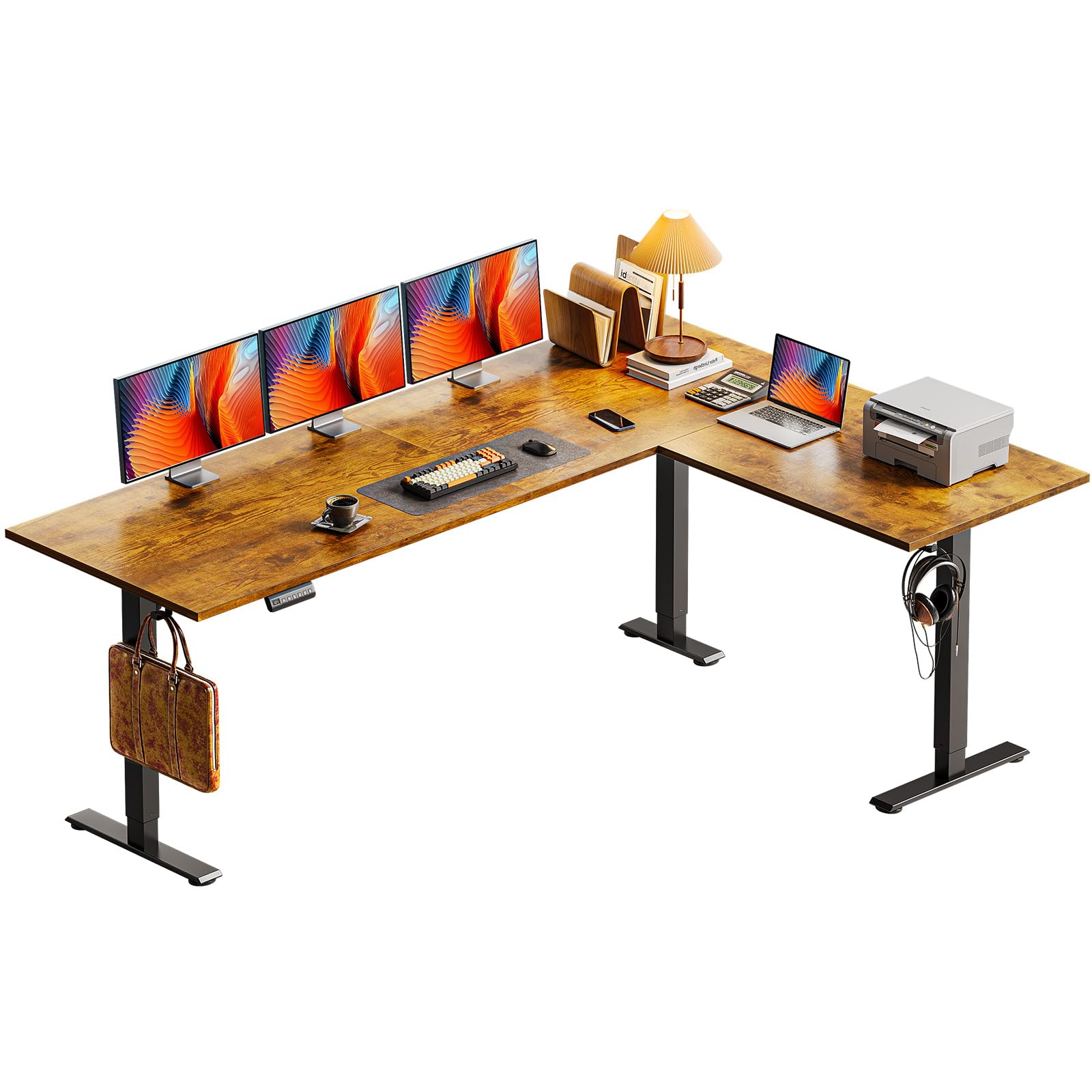
Figure 1: Casaottima 71 Inch Reversible Electric L Shaped Standing Desk in use.
Setup and Assembly
The Casaottima L-shaped standing desk is designed for straightforward assembly. All necessary parts are clearly labeled, and detailed instructions are provided to guide you through each step. It is recommended to have two people for certain assembly steps, particularly when flipping the desk over, to ensure safety and prevent damage.
Reversible Design
A key feature of this desk is its reversible design. You can customize the L-shaped configuration by installing the longer sub-table plate on either the left or right side to best suit your room layout and usage preferences. This flexibility allows for optimal placement in various office or home environments.

Figure 2: Two assembly options for the L-shaped desk, allowing for left or right long side configuration.
Operating Instructions
Your electric standing desk offers convenient height adjustment and memory functions for personalized comfort.
Height Adjustment
The desk's height can be adjusted electrically, ranging from 27.9 inches to 46.1 inches. Use the up and down arrow buttons on the digital controller panel to smoothly raise or lower the desk to your desired position. The quiet operation ensures minimal disruption.

Figure 3: Desk height adjustment range from 27.9" to 46.1".
Digital Controller Panel and Memory Presets
The desk features a digital controller panel with an LED screen, up/down arrows, and three height-memory buttons (1, 2, 3). You can save your preferred sitting and standing heights for quick and easy transitions.
- To Adjust Height: Press the Up or Down arrow buttons.
- To Save a Height Preset: Adjust the desk to your desired height. Press the S (Setting) key, then press one of the memory buttons (1, 2, or 3) within 3 seconds. The height is now saved to that button.
- To Use a Saved Preset: Simply press the corresponding memory button (1, 2, or 3). The desk will automatically move to the saved height.

Figure 4: Digital Controller Panel with memory presets.
Features
The Casaottima L-shaped standing desk is designed with several features to enhance your workspace.
Spacious Workspace
With its generous 71-inch long side and 55-inch short side, the desk provides ample desktop space. This large surface area can comfortably accommodate multiple monitors, laptops, and other office essentials, making it ideal for home offices, gaming setups, or workstations.
Sturdy and Stable Construction
Constructed with a 3-piece board design and reinforced alloy steel table legs, the desk offers excellent stability. Four support gaskets further enhance its sturdiness, ensuring smooth and reliable lifting without wobbling. The maximum load capacity is 154 lbs.

Figure 5: Solid and stable construction with four support gaskets.
Integrated Hooks
The desk includes two convenient hooks, providing additional storage options for items such as headphones, backpacks, or other accessories, helping to keep your workspace tidy.

Figure 6: Integrated desk hooks for convenient storage.
Specifications
| Feature | Detail |
|---|---|
| Brand | Casaottima |
| Shape | L-Shape |
| Product Dimensions (D x W x H) | 55"D x 71"W x 28.4"H |
| Color | Rustic Brown |
| Style | Modern |
| Base Material | Alloy Steel |
| Top Material Type | Engineered Wood |
| Finish Type | Polished |
| Special Feature | Electric Height Adjustment |
| Size | 71 Inch |
| Required Assembly | Yes |

Figure 7: Desk Dimensions.
Maintenance
To ensure the longevity and optimal performance of your Casaottima standing desk, follow these maintenance guidelines:
- Cleaning: Wipe the desk surface with a soft, damp cloth. Avoid harsh chemicals or abrasive cleaners that may damage the finish.
- Cable Management: Regularly check and organize cables to prevent tangles and strain on connections.
- Motor Care: Avoid overloading the desk beyond its maximum weight capacity (154 lbs) to prevent strain on the electric motor.
- Inspection: Periodically inspect all screws and connections to ensure they are tight. Tighten if necessary.
Troubleshooting
If you encounter any issues with your desk, refer to the following common troubleshooting tips:
- Desk Not Moving: Check if the power cord is securely plugged into both the desk and the wall outlet. Ensure no cables are obstructing the lifting mechanism.
- Uneven Movement: If the desk moves unevenly, check for any obstructions under the legs. Perform a reset by unplugging the desk for 30 seconds and then plugging it back in.
- Error Codes: If the digital display shows an error code, consult the full product manual (if provided separately) or contact customer support for specific instructions related to the code.
- Noise: A slight humming sound during adjustment is normal. Excessive or unusual noise may indicate an issue; ensure all components are securely fastened.
If these steps do not resolve the issue, please contact Casaottima customer support for further assistance.
Warranty and Support
Casaottima is committed to providing quality products. Your purchase may include various protection plans and customer support options.
- Protection Plans: Optional 2-Year and 3-Year Protection Plans are available for purchase, offering extended coverage.
- Returns: The product typically comes with a 30-day easy return policy.
- Customer Support: For any questions, concerns, or assistance with your product, please contact Casaottima Store customer support.