
1. Introduction
Thank you for purchasing the LENRUE MF01 Computer Speaker Soundbar. This device is designed to enhance your audio experience for gaming, movies, and music across various platforms. It features dual drivers with dual diaphragms for clear sound, dynamic colorful lighting, and versatile connectivity options including USB and Bluetooth 5.0. This manual provides detailed instructions for setup, operation, and maintenance to ensure optimal performance and longevity of your speaker.
2. Safety Information
- Do not expose the speaker to water or excessive moisture.
- Avoid placing the speaker near heat sources or in direct sunlight.
- Do not attempt to disassemble or repair the device yourself. Refer to qualified service personnel.
- Keep the speaker away from strong magnetic fields.
- Use only the provided cables and adapters.
- Ensure proper ventilation around the speaker during use.
3. Package Contents
Please check the box for the following items:
- MF01 Computer Speaker
- USB-A to USB-C Adapter
- Instruction Manual
4. Product Overview
The LENRUE MF01 speaker features a sleek, fabric-covered design with integrated controls and ports for easy access.

Figure 1: LENRUE MF01 Computer Speaker with included USB-A to USB-C adapter.
Controls and Ports:
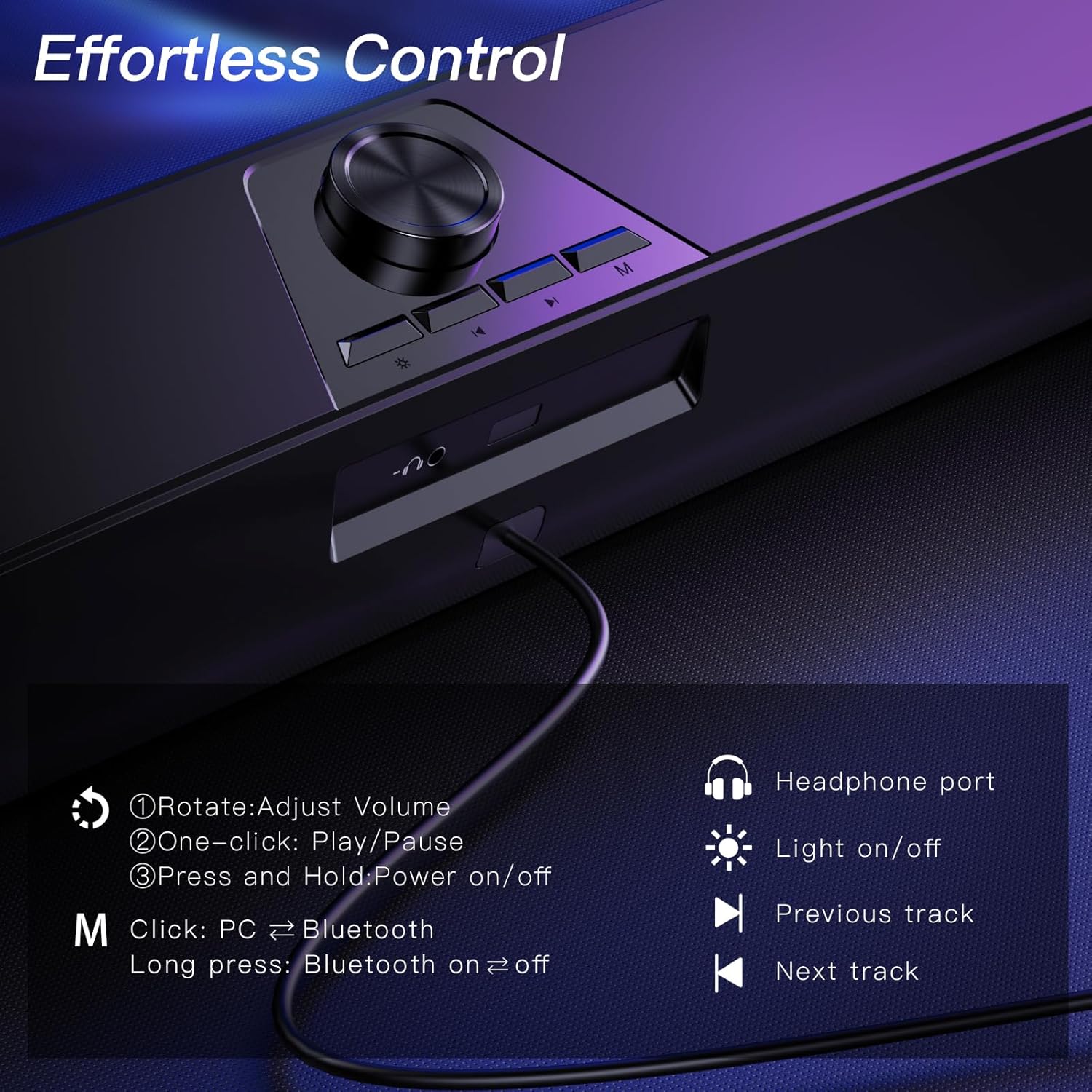
Figure 2: Top-mounted controls for volume, track navigation, light, and mode selection.
- Volume Knob: Rotate to adjust volume. Press and hold to power on/off. One-click to play/pause.
- Light Button: Click to turn colorful lighting on/off.
- Previous Track Button: Navigate to the previous audio track.
- Next Track Button: Navigate to the next audio track.
- Mode Button (M): Click to switch between PC and Bluetooth modes. Long press to turn Bluetooth on/off.
- Headphone Port: 3.5mm jack for connecting headphones.
- Microphone Jack: 3.5mm jack for connecting an external wired microphone (speaker does not have a built-in microphone).
5. Setup
The LENRUE MF01 offers two primary connection methods: USB for both power and audio, or Bluetooth for audio with USB for power.
5.1 USB Connection (Plug-and-Play)
This mode provides both power and audio through a single USB cable, ideal for desktop PCs, laptops, and monitors.
- Connect the USB cable from the speaker directly to an available USB-A port on your computer or device.
- If your device only has USB-C ports, use the provided USB-A to USB-C adapter.
- The speaker will automatically power on and enter PC mode.
- Select "MF01" as the audio output device in your computer's sound settings.
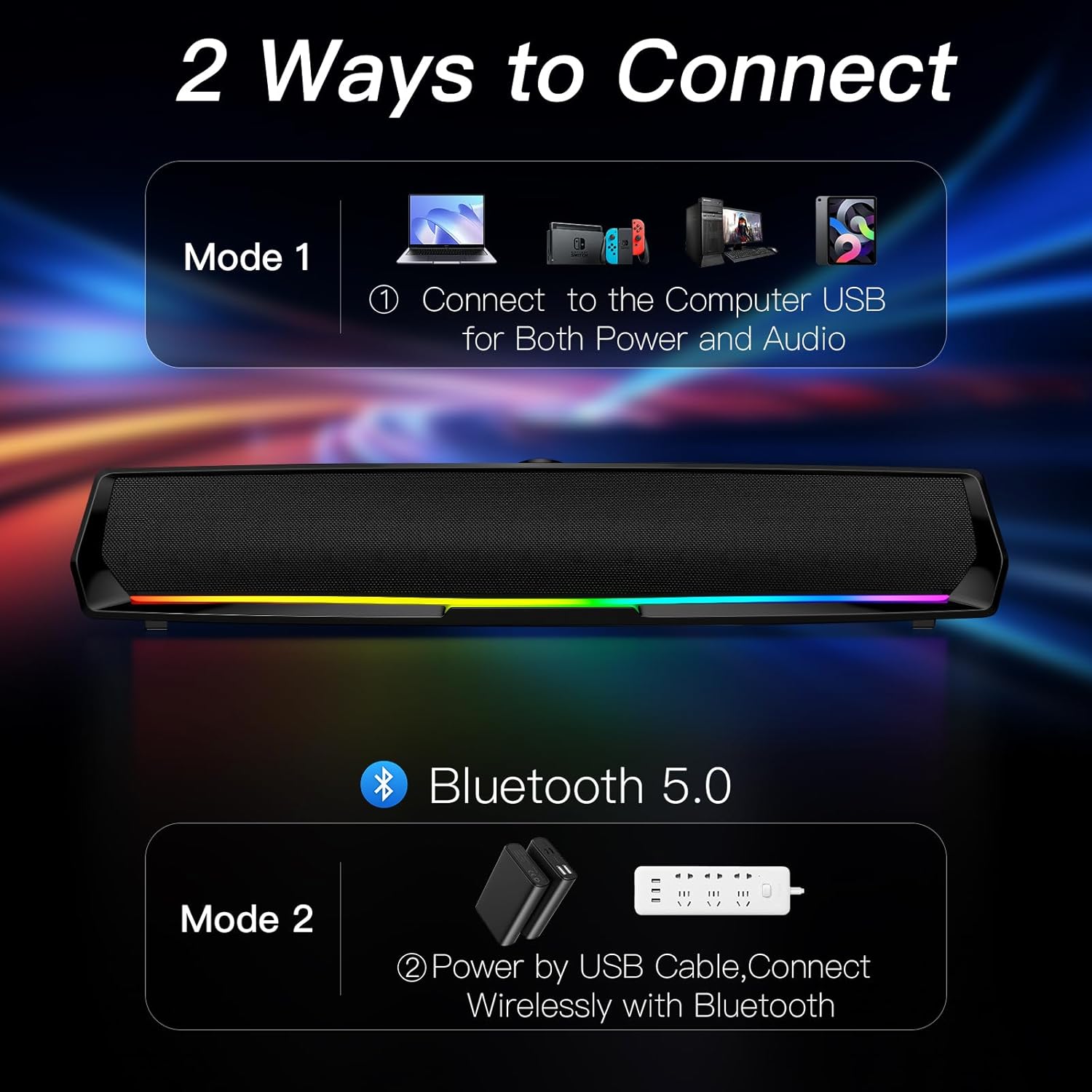
Figure 3: Connect the speaker to your computer's USB port for both power and audio.
5.2 Bluetooth Connection
This mode allows wireless audio streaming from Bluetooth-enabled devices while drawing power from a USB source.
- Connect the USB cable from the speaker to a power source (e.g., a USB adapter, power bank, or a computer's USB port for power only).
- Press the 'M' (Mode) button on the speaker to switch to Bluetooth mode. The speaker will indicate "Bluetooth Mode" verbally.
- On your smartphone, tablet, or other Bluetooth device, enable Bluetooth and search for available devices.
- Select "MF01" from the list of devices to pair. The speaker will indicate successful pairing.
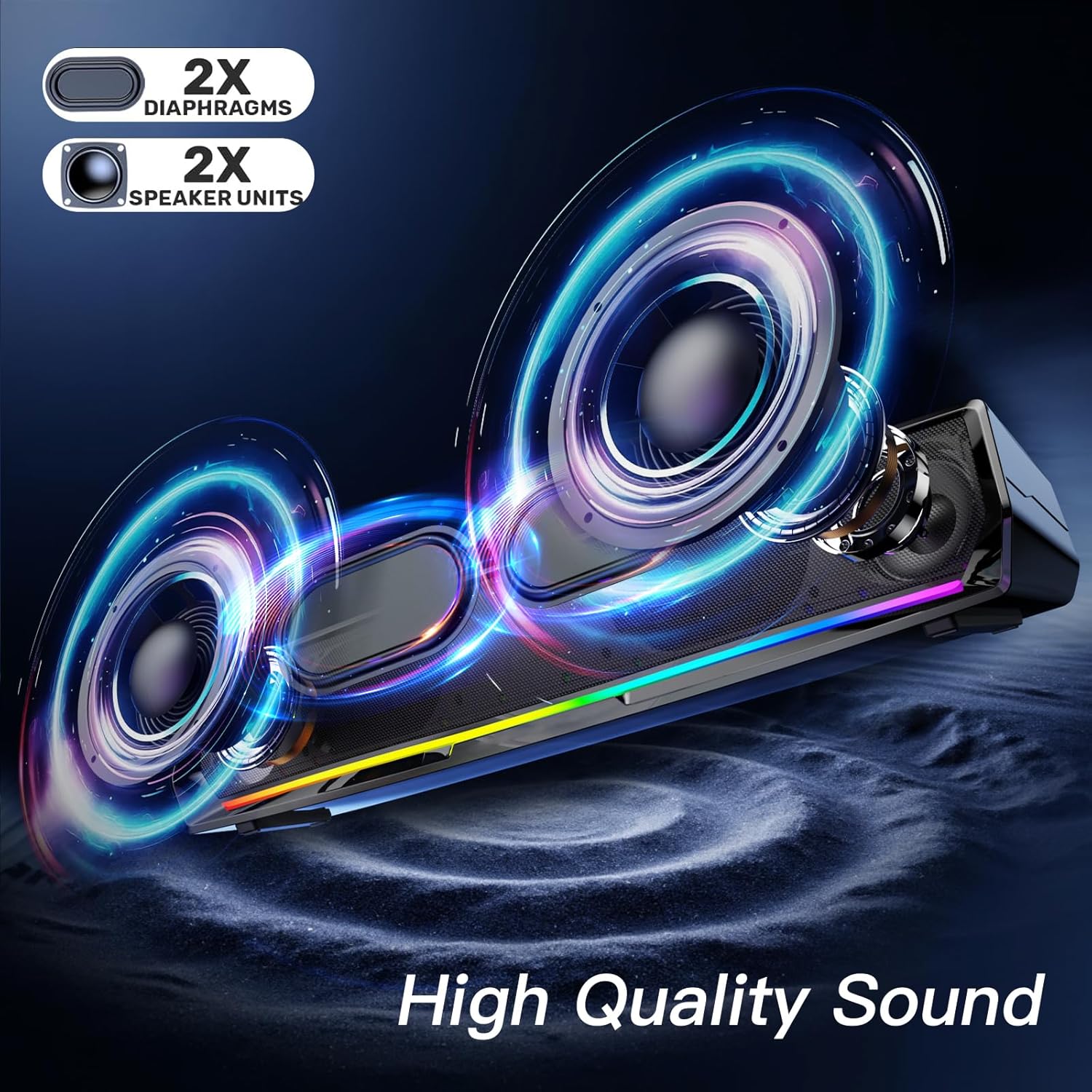
Figure 4: Power the speaker via USB and connect wirelessly via Bluetooth for audio.
5.3 Compatibility Notes
- The speaker is compatible with Windows/Mac PCs, monitors, PS5, Nintendo Switch, and smartphones.
- Please note: The computer speaker interface is not compatible with Xbox devices.
6. Operating Instructions
6.1 Power On/Off and Volume Control
- Power On: Press and hold the Volume Knob.
- Power Off: Press and hold the Volume Knob again.
- Adjust Volume: Rotate the Volume Knob clockwise to increase volume, counter-clockwise to decrease.
- Play/Pause: One-click the Volume Knob to play or pause audio.
6.2 Lighting Control
The speaker features dynamic colorful breathing LED lights.
- Turn Lights On/Off: Click the Light Button to toggle the LED lights.

Figure 5: The speaker features gentle color-changing breathing lights.
6.3 Track Navigation
- Previous Track: Click the Previous Track Button.
- Next Track: Click the Next Track Button.
6.4 Headphone and Microphone Use
Connect your headphones or a wired microphone to the respective 3.5mm jacks on the back of the speaker for private listening or voice input.
Video 1: A user demonstrates the physical features and ports of the LENRUE MF01 speaker, including the headphone and microphone jacks.
7. Maintenance
- Clean the speaker with a soft, dry cloth. Do not use liquid cleaners.
- Keep the speaker free from dust and debris to ensure optimal sound quality.
- Store the speaker in a cool, dry place when not in use.
8. Troubleshooting
| Problem | Possible Cause | Solution |
|---|---|---|
| No sound from speaker | Speaker not powered on; Incorrect audio output selected; Volume too low; Loose cable connection. | Press and hold Volume Knob to power on. Select "MF01" as audio output. Increase volume. Ensure USB cable is securely connected. |
| Bluetooth not connecting | Speaker not in Bluetooth mode; Device Bluetooth off; Speaker already paired to another device. | Press 'M' button to enter Bluetooth mode. Enable Bluetooth on your device. Disconnect from other devices and try pairing again. |
| Lights not working | Lights turned off. | Click the Light Button to turn them on. |
| Sound distortion | Volume too high; Audio source issue. | Lower the volume. Test with a different audio source. |
9. Specifications
| Feature | Detail |
|---|---|
| Model Name | MF01 |
| Speaker Type | Stereo speaker |
| Connectivity Technology | Bluetooth for Audio and USB for Power, USB for Both Power and Audio |
| Audio Output Mode | Stereo |
| Speaker Maximum Output Power | 10 Watts |
| Frequency Response | 150 Hz |
| Product Dimensions | 2.95"D x 16.7"W x 2.56"H |
| Item Weight | 1.43 pounds (648 Grams) |
| Material | Fabric |
| Included Components | MF01 Computer Speaker, USB-A to USB-C Adapter |
10. Warranty and Support
For warranty information and customer support, please refer to the contact details provided on the product packaging or visit the official LENRUE website. Keep your purchase receipt for warranty claims.