
Introduction
Thank you for choosing the Ayybboo Model 9006 Digital LCD Children's Alarm Clock. This multi-functional alarm clock is designed to help children manage their time effectively with features like time display, alarm, snooze, date, and temperature. Its child-friendly design and easy-to-use interface make it a perfect companion for your child's room.
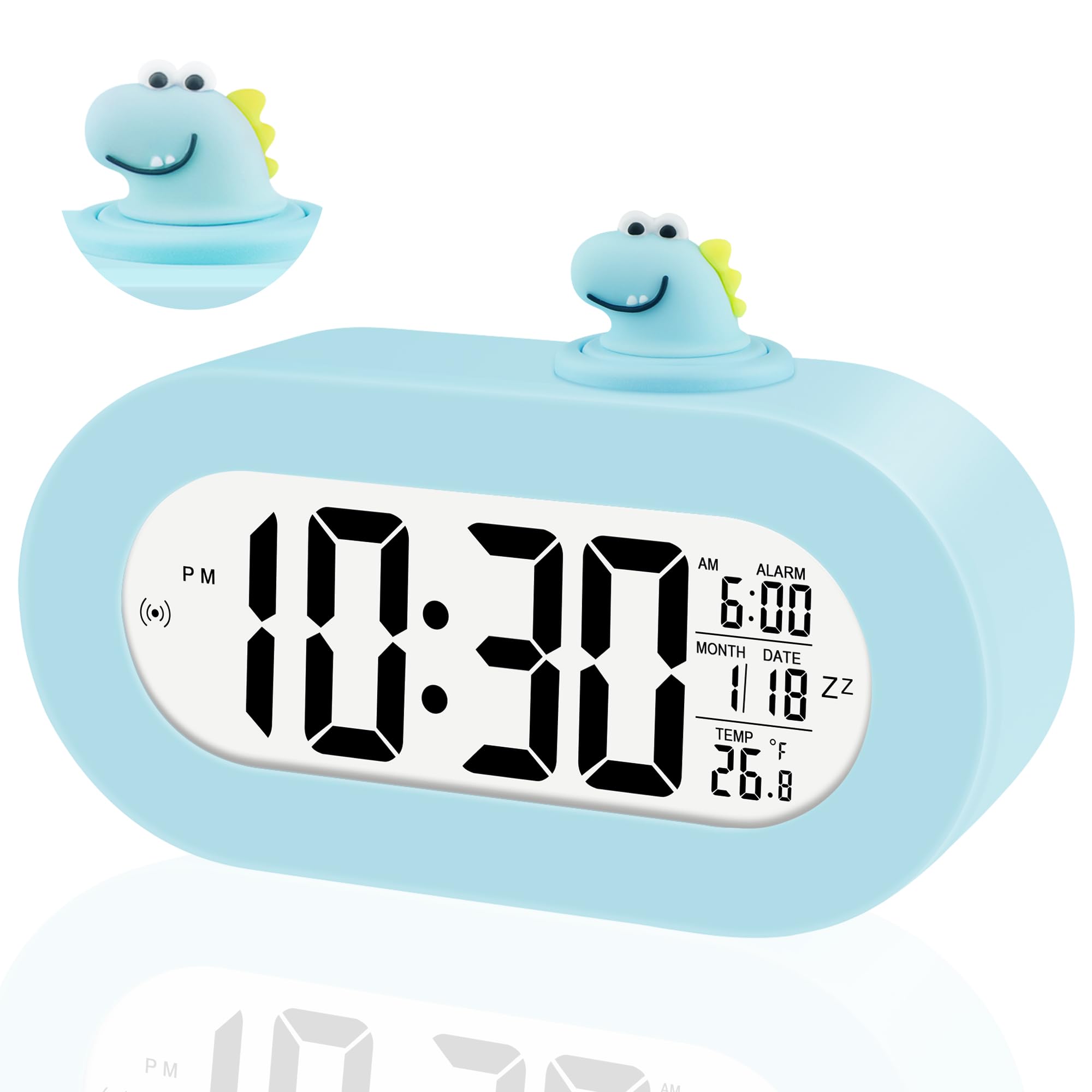
Image: The Ayybboo Model 9006 alarm clock displaying time, with icons indicating its key functions such as date, 12/24-hour format, alarm, snooze, temperature, and backlight sensor.
Please read this manual thoroughly before using the product to ensure proper operation and to maximize its lifespan.
Safety Information
- Keep the device away from water and high humidity environments.
- Do not expose the device to extreme temperatures or direct sunlight.
- Use only 1.5V AAA batteries. Do not mix old and new batteries, or different types of batteries.
- Remove batteries if the device will not be used for an extended period.
- Do not attempt to disassemble or repair the device yourself. Contact customer support if issues arise.
- This product is designed for children aged 4-16. Ensure adult supervision for younger children during initial setup.
Package Contents
Please check the package for the following items:
- Ayybboo Model 9006 Digital LCD Children's Alarm Clock (1 unit)
- User Manual (Multi-language)
- Note: 3 x AAA 1.5V batteries are not included.
Product Overview
Familiarize yourself with the main components and display elements of your alarm clock.

Image: Front view of the Ayybboo Model 9006 alarm clock, highlighting its display features and controls. Labels indicate Clock Time, Alarm On indicator, Alarm Time, Snooze Function indicator, Date, and Temperature. The image also shows the product dimensions: 13.7cm/4.11in (width), 6.8cm/2.04in (height), and 4.5cm/1.77in (depth).
- LCD Display: Shows time, alarm, date, month, and temperature.
- Dinosaur Head Button: Activates snooze function.
- Backlight Sensor Button: Activates soft night light.
- Control Buttons: (Typically on the back or bottom, for SET, UP, DOWN, ALARM) for setting time and alarm.
- Battery Compartment: For 3 x AAA batteries.
Setup
1. Battery Installation
- Locate the battery compartment cover on the back or bottom of the alarm clock.
- Open the cover.
- Insert 3 new 1.5V AAA batteries, ensuring correct polarity (+/-).
- Close the battery compartment cover securely.
The clock will power on automatically after battery installation.
2. Initial Power On
Upon first power-on or after battery replacement, the display will show default settings. You will need to set the current time, date, and alarm.
Operating Instructions
Setting Time (12/24 Hour Format)
- Press the SET button (usually on the back) once to enter time setting mode. The hour digits will flash.
- Use the UP or DOWN buttons to adjust the hour.
- Press SET again to move to minute setting. Use UP or DOWN to adjust minutes.
- Press SET again to select 12-hour or 24-hour format. Use UP or DOWN to toggle.
- Press SET one more time to confirm and exit time setting mode.
Setting Date and Month
- From normal time display, press SET twice to enter date setting mode. The year digits may flash first (if applicable).
- Use UP or DOWN to adjust the year (if applicable), then press SET.
- The month digits will flash. Use UP or DOWN to adjust the month.
- Press SET again. The day digits will flash. Use UP or DOWN to adjust the day.
- Press SET to confirm and exit date setting mode.
Setting Alarm
- Press the ALARM button (or SET three times, depending on model) to enter alarm setting mode. The alarm hour digits will flash.
- Use the UP or DOWN buttons to adjust the alarm hour.
- Press ALARM (or SET) again to move to alarm minute setting. Use UP or DOWN to adjust alarm minutes.
- Press ALARM (or SET) one more time to confirm and exit alarm setting mode.
- To activate/deactivate the alarm, locate the alarm ON/OFF switch or button (often labeled with an alarm icon).
Using Snooze Function
When the alarm sounds, press the Dinosaur Head Button on top of the clock. The alarm will pause for approximately 5 minutes and then sound again. You can repeat this process multiple times.
Temperature Display (°C/°F)
The clock displays the real-time temperature. To switch between Celsius (°C) and Fahrenheit (°F), locate the °C/°F switch or button, usually on the back or bottom of the unit, or it might be integrated with one of the setting buttons (e.g., a long press on UP/DOWN in time mode).
Automatic Night Light and Backlight

Image: The alarm clock displaying time in daylight and with a soft night light. An inset shows the sensor switch with ON/OFF options for the automatic backlight feature.
- Automatic Night Light: The clock features an integrated ambient light sensor. When enabled, the screen will automatically illuminate with a soft backlight in dark environments, allowing for easy time checking at night without harsh glare.
- Sensor ON/OFF: Locate the SENSOR switch (as shown in the image above) on the back or side of the clock. Slide it to ON to enable the automatic night light, or to OFF to disable it.
- Manual Backlight: To manually activate the backlight for a few seconds, press the Backlight Sensor Button (often the same as the Dinosaur Head button or a dedicated light button).
Maintenance
- Cleaning: Wipe the clock with a soft, dry cloth. Do not use abrasive cleaners or solvents.
- Battery Replacement: Replace all three AAA batteries when the display becomes dim or the clock functions irregularly. Always replace with new, identical batteries.
- Storage: If storing the clock for an extended period, remove the batteries to prevent leakage.
Troubleshooting
| Problem | Possible Cause | Solution |
|---|---|---|
| Display is blank or dim. | Low or dead batteries; incorrect battery installation. | Replace with new AAA batteries, ensuring correct polarity. |
| Alarm does not sound. | Alarm is not activated; alarm volume is too low (if adjustable); incorrect alarm time set. | Ensure alarm is ON. Check alarm time settings. |
| Automatic night light not working. | Sensor switch is OFF; ambient light is too bright. | Slide the SENSOR switch to ON. Test in a darker environment. |
| Incorrect time or date. | Time/date not set correctly after battery installation or accidental reset. | Follow the "Setting Time" and "Setting Date" instructions to reset. |
Specifications
| Model Number: | 9006 |
| Brand: | Ayybboo |
| Display Type: | Digital LCD |
| Power Source: | 3 x 1.5V AAA Batteries (not included) |
| Material: | Acrylonitrile Butadiene Styrene (ABS) |
| Dimensions (L x W x H): | 13.7 x 4.5 x 9 cm (5.39 x 1.77 x 3.54 inches) |
| Weight: | 170 grams |
| Special Features: | Temperature Display, Alarm, Large Screen, Snooze, Automatic Night Light |
| Color: | Blue |
Warranty and Support
This Ayybboo product comes with a Lifetime Warranty. For any questions, technical support, or warranty claims, please refer to the contact information provided with your purchase or visit the official Ayybboo website.
Please retain your proof of purchase for warranty purposes.