
1. Product Overview
The TORRAS EASYGO 3-in-1 Portable Charger is a versatile power solution designed for convenience and mobility. It integrates a 10000mAh power bank, a 35W fast-charging foldable wall plug, and a built-in 28-inch retractable USB-C cable into a single compact unit. This device is engineered to provide efficient and reliable power for various USB-C compatible devices, including smartphones, tablets, and laptops, whether you are at home or traveling.
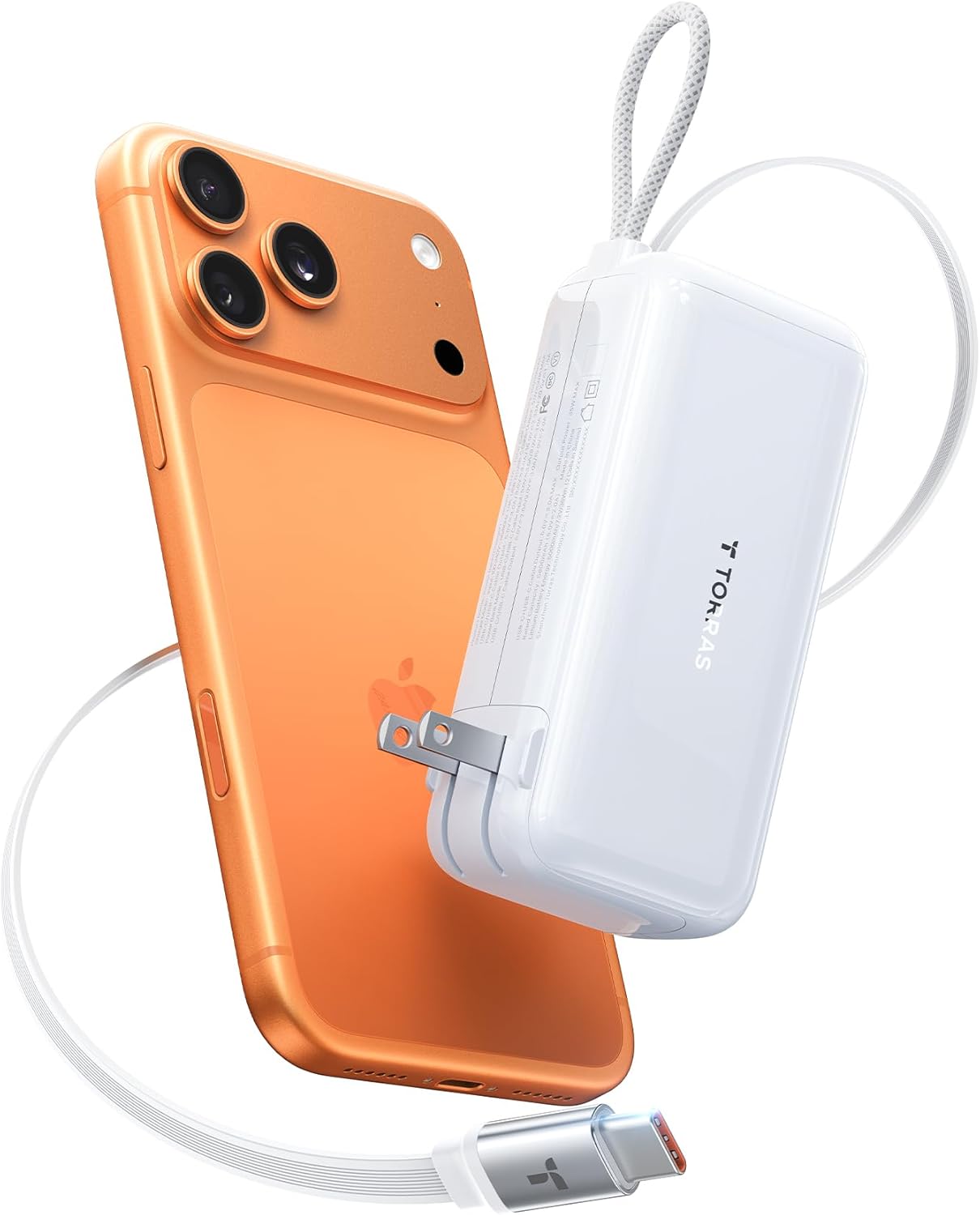
Image: The TORRAS EASYGO 3-in-1 Portable Charger in white, connected to a gold-colored smartphone via its retractable USB-C cable, showcasing its compact design and charging capability.
Key Features:
- 3-in-1 Functionality: Combines a power bank, wall charger, and retractable cable.
- 10000mAh Capacity: Provides multiple charges for most smartphones.
- 35W Fast Charging: Supports rapid charging for compatible devices.
- Built-in 28-inch Retractable USB-C Cable: Offers extended reach and tangle-free storage.
- Foldable Wall Plug: For direct wall charging and easy portability.
- Pass-Through Charging: Charges both the power bank and connected devices simultaneously.
- Digital Display: Shows real-time battery percentage.
Video: An unboxing and feature demonstration of the TORRAS EasyGo 3-in-1 Portable Charger, highlighting its integrated design and various functionalities.
2. Setup
2.1 Initial Charging of the Power Bank
Before first use, it is recommended to fully charge your TORRAS EASYGO power bank. This can be done using the integrated foldable wall plug or via the USB-C input port.
- Using the Foldable Wall Plug: Extend the foldable prongs from the side of the charger and plug the unit directly into a standard AC wall outlet. The digital display will illuminate, showing the charging status and battery percentage.
- Using the USB-C Input: If a wall outlet is not available, you can charge the power bank by connecting a USB-C cable to the 'IN/OUT Type-C' port and a compatible USB power source.
2.2 Extending and Retracting the Built-in USB-C Cable
The device features a 28-inch retractable USB-C cable for convenient charging without external cables.
- To Extend: Gently pull the USB-C connector from its magnetic housing. The cable will extend to your desired length.
- To Retract: Give the cable a slight tug, and it will automatically retract back into the unit. Ensure the USB-C connector is securely placed back into its magnetic slot.

Image: A person extending the 28-inch retractable USB-C cable from the TORRAS EASYGO charger, demonstrating its extended reach for comfortable smartphone use.
3. Operating Instructions
3.1 Power Bank Mode (Charging Devices)
Use the device as a portable power bank to charge your electronic devices on the go.
- Press the power button on the side to activate the digital display and check the battery level.
- Connect your device to the power bank using the built-in retractable USB-C cable or an external USB-A cable plugged into the 'OUT USB-A' port.
- The digital display will show 'OUT' and the remaining battery percentage, along with a green lightning bolt icon indicating fast charging if compatible.

Image: The TORRAS EASYGO charger rapidly charging a smartphone, illustrating its 35W fast charging capability with a visual comparison to a slower 15W charger.
3.2 Pass-Through Charging Mode
This mode allows you to charge both the power bank and your connected devices simultaneously from a wall outlet.
- Extend the foldable wall plug and connect the power bank to an AC outlet.
- Connect your device to the power bank using the built-in retractable USB-C cable or an external USB-A cable.
- The power bank will intelligently manage power distribution, charging itself and your device(s). The display will show 'IN' and 'OUT' indicators.

Image: A man using the TORRAS EASYGO charger for pass-through charging, with the device plugged into a wall outlet and simultaneously charging a smartphone and wireless earbuds.
3.3 Digital Display
The digital display provides important information about the charger's status:
- Battery Percentage: Shows the remaining charge level of the power bank.
- 'IN' Indicator: Appears when the power bank is being recharged.
- 'OUT' Indicator: Appears when the power bank is charging an external device.
- Green Lightning Bolt Icon: Indicates that fast charging is active.
Video: A short demonstration of the TORRAS EasyGo 3-in-1 Portable Charger's digital display, showing battery percentage and charging indicators while connected to a smartphone and laptop.
4. Maintenance
4.1 General Care
- Keep the device away from water, fire, and extreme temperatures.
- Avoid dropping or subjecting the device to strong impacts.
- Do not disassemble or attempt to repair the device yourself.
4.2 Cleaning
Wipe the device with a soft, dry cloth. Do not use abrasive cleaners or solvents.
4.3 Storage
Store the power bank in a cool, dry place when not in use. For long-term storage, charge the power bank to approximately 50-70% every three months to maintain battery health.

Image: Close-up details of the TORRAS EASYGO charger, showing the durable retractable cable, smooth retraction mechanism, real-time digital display, foldable AC plug, and magnetic cable storage.
5. Troubleshooting
- Device not charging: Ensure the power bank is sufficiently charged. Check that the cables are securely connected to both the power bank and the device. Verify that the device is compatible with USB-C charging.
- Slow charging: Ensure your device supports fast charging and that the cable used (if external) is rated for fast charging. Check if the power bank itself is fully charged.
- Digital display not working: Press the power button to activate the display. If it remains off, the battery might be completely depleted and requires recharging.
- Retractable cable not retracting/extending smoothly: Ensure there are no obstructions. Gently pull and release the cable to reset the mechanism. Avoid forceful pulling.
6. Specifications
| Feature | Detail |
|---|---|
| Model Number | PB17A |
| Battery Capacity | 10000mAh |
| Output Power | 35W Max |
| Cable Type | Built-in Retractable USB C Cable |
| Cable Length | 28 inches |
| Recharge Time | Approx. 2 hours (for full recharge) |
| Dimensions | 4.45 x 1.57 x 2.09 inches |
| Item Weight | 13.4 ounces (300g) |
| Power Indicator | Digital Display |
| Special Features | Foldable AC Wall Plug, Pass-Through Charging, TSA Approved |

Image: The TORRAS EASYGO charger alongside various devices like smartphones, tablets, and smartwatches, illustrating its 10000mAh capacity and compatibility with multiple devices.
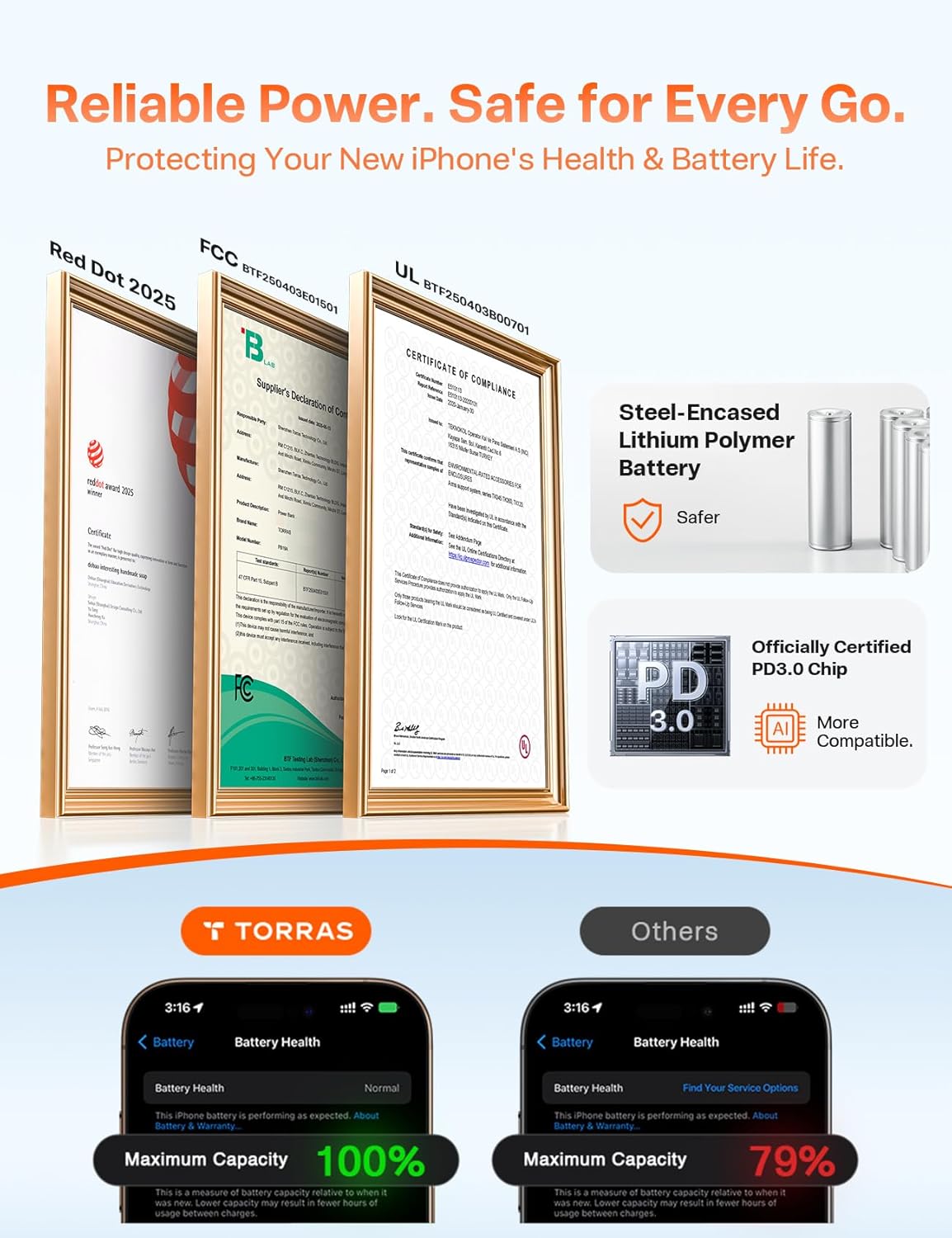
Image: Safety certifications (Red Dot, FCC, UL) for the TORRAS EASYGO charger, highlighting its steel-encased lithium polymer battery for safety and officially certified PD3.0 chip for compatibility. Also shows a battery health comparison with other chargers.
7. Warranty & Support
7.1 Product Warranty
The TORRAS EASYGO 3-in-1 Portable Charger comes with a 3-year quality promise. If any quality issues arise within three years of purchase, TORRAS will provide a brand new replacement.
7.2 Customer Support
For any questions, concerns, or technical assistance, please contact TORRAS customer support. Refer to the contact information provided in your product packaging or visit the official TORRAS website for assistance.


