
1. Introduction
Thank you for choosing the ELECAENTA SG120 Portable Power Station and 60W Solar Panel Charger. This comprehensive system provides reliable power for various applications, from outdoor adventures like camping and travel to emergency home backup during blackouts. Equipped with a durable LiFePO4 battery, the SG120 offers a long lifespan and stable performance. This manual will guide you through the setup, operation, and maintenance of your new power solution.
Key Features:
- LiFePO4 Battery: Provides 3000+ cycles and over 10 years lifespan for extended durability.
- Compact & Powerful: 99Wh capacity and 120W (Peak 200W) output, ideal for charging laptops, phones, tablets, and cameras.
- USB-C Fast Charging: Features a 30W USB-C PD port for both input and output.
- Multiple Output Ports: Includes 1x 30W USB-C, 1x QC 3.0, 1x USB-A, 1x AC outlet, and 1x DC 5521 port.
- 60W Solar Panel: High conversion rate for efficient solar charging.
2. Product Overview
Familiarize yourself with the components of your ELECAENTA SG120 system.

Image: The ELECAENTA SG120 Portable Power Station shown alongside its accompanying 60W foldable solar panel charger. The power station is compact with various ports visible, and the solar panel is unfolded, ready for use.
2.1. SG120 Power Station
The SG120 is designed for portability and efficiency, featuring a robust LiFePO4 battery for long-term use.

Image: A close-up of the ELECAENTA SG120 power station highlighting its internal LiFePO4 battery technology, emphasizing its 6X longer battery lifespan and 3000+ cycles, leading to up to 10 years of lifespan.

Image: The ELECAENTA SG120 power station displaying its 99Wh capacity and 120W output. Icons below indicate its ability to charge smartphones (8 charges), pads (3 charges), cameras (6 charges), and drones (3 charges).

Image: A hand holding the ELECAENTA SG120 power station, illustrating its portable design. Dimensions are shown as 200mm x 110mm x 110mm, and its weight is indicated as 1.5kg.
2.2. 60W Solar Panel Charger
The included 60W solar panel is designed for efficient power generation, even in varying light conditions.

Image: An illustration demonstrating the high conversion rate of the ELECAENTA solar panel (24%) compared to a generic solar panel (15%), with arrows indicating efficient energy capture from sunlight.
3. Setup
Before first use, ensure your power station is fully charged.
3.1. Initial Charging of the Power Station
- Connect the provided AC adapter to the DC input port on the SG120.
- Plug the AC adapter into a standard wall outlet.
- The display will show the charging status. Charge until the battery indicator shows full.
- Alternatively, you can charge via the USB-C PD port using a compatible USB-C charger.
3.2. Connecting the Solar Panel
- Unfold the 60W solar panel and place it in direct sunlight.
- Connect the solar panel's output cable to the DC input port on the SG120.
- Ensure the connection is secure. The display on the SG120 will indicate solar charging.
- Adjust the angle of the solar panel for optimal sunlight exposure to maximize charging efficiency.
4. Operating Instructions
Learn how to power your devices using the SG120.

Image: A person standing on a mountain trail with a backpack, holding the ELECAENTA SG120 power station, illustrating its use for 'Power-on-the-go' in outdoor environments.
4.1. Turning On/Off
- To Turn On: Press and hold the main power button for a few seconds until the display illuminates.
- To Turn Off: Press and hold the main power button again until the display turns off.
4.2. Using AC Output
- Ensure the SG120 is powered on.
- Press the AC button to activate the AC outlet. The AC indicator light will turn on.
- Plug your device's AC power cord into the AC outlet.
- After use, press the AC button again to turn off the AC output and conserve power.
4.3. Using DC Output
- Ensure the SG120 is powered on.
- Press the DC button to activate the DC 5521 output. The DC indicator light will turn on.
- Connect your 12V DC device to the DC 5521 port.
- After use, press the DC button again to turn off the DC output.
4.4. Using USB Outputs (USB-A, QC 3.0, USB-C PD)
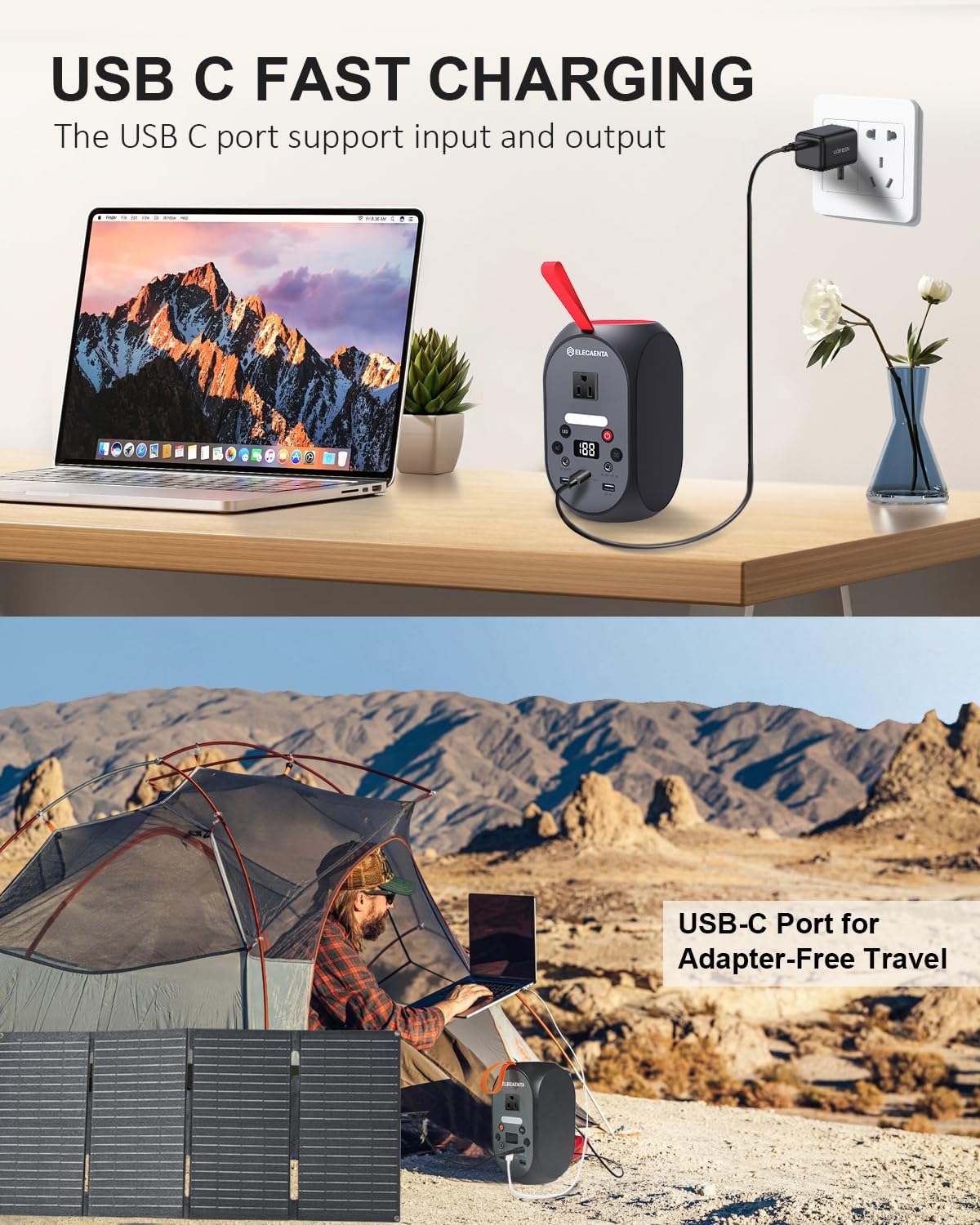
Image: The ELECAENTA SG120 power station charging a laptop via its USB-C port in an indoor setting, and a separate image showing the power station and solar panel setup in a camping tent, highlighting the USB-C port for adapter-free travel.

Image: A close-up of the USB-C port on the ELECAENTA SG120, emphasizing its 45W fast charging capability and built-in protections: Overcurrent Protection, Short Circuit Protection, Overcharge Protection, and Overheat Protection.
- Ensure the SG120 is powered on.
- Connect your USB-powered device (phone, tablet, etc.) to the appropriate USB-A, QC 3.0, or USB-C PD port.
- The power station will automatically detect and begin charging your device.
- The USB-C PD port supports both input and output, allowing for fast charging of compatible devices or recharging the power station itself.
5. Maintenance
Proper care ensures the longevity and optimal performance of your SG120.
- Cleaning: Use a soft, dry cloth to clean the exterior of the power station and solar panel. Do not use abrasive cleaners or solvents.
- Storage: Store the power station in a cool, dry place, away from direct sunlight and extreme temperatures. For long-term storage, it is recommended to charge the battery to about 50-80% every 3-6 months to maintain battery health.
- Battery Care: The LiFePO4 battery is designed for durability. Avoid fully discharging the battery frequently, as this can reduce its overall lifespan.
- Solar Panel Care: Keep the solar panel surface clean from dust, dirt, and debris to ensure maximum charging efficiency.
6. Troubleshooting
If you encounter issues, refer to the following common problems and solutions.
| Problem | Possible Cause | Solution |
|---|---|---|
| Power station does not turn on. | Battery is completely discharged. | Charge the power station using the AC adapter. |
| AC output not working. | AC output not activated; device exceeds 120W. | Press the AC button; check device wattage. |
| Solar panel not charging. | Insufficient sunlight; panel dirty; cable loose. | Relocate panel to direct sunlight; clean panel; check cable connection. |
| USB ports not charging. | Power station off; cable faulty; device incompatible. | Turn on power station; try different cable/device. |
If the problem persists after trying these solutions, please contact customer support.
7. Specifications
| Feature | Detail |
|---|---|
| Model | SG120 |
| Battery Type | LiFePO4 (Lithium Iron Phosphate) |
| Capacity | 99Wh |
| AC Output | 120W (Peak 200W) |
| USB-C PD Port | 30W (Input/Output) |
| USB-A Ports | 1x QC 3.0, 1x USB-A |
| DC Output | 1x DC 5521 |
| Solar Panel Power | 60W |
| Dimensions (SG120) | 200mm x 110mm x 110mm |
| Weight (SG120) | 1.5kg |
8. Warranty and Support
ELECAENTA products are built with quality and reliability in mind. For warranty information and customer support, please refer to the warranty card included with your product packaging or visit the official ELECAENTA website. Our support team is available to assist you with any questions or concerns regarding your SG120 Portable Power Station and Solar Panel Charger.
Contact Information: Please refer to the contact details provided on the product packaging or the official ELECAENTA website for the most up-to-date support information.
