
1. Introduction
This manual provides essential instructions for the safe and efficient use of your AGM M10 Basic Flip Phone. Please read this manual thoroughly before operating the device and retain it for future reference.
The AGM M10 is a rugged 4G LTE flip phone designed for durability and essential communication. It features IP68/IP69K water and dust resistance, MIL-STD-810G drop protection, large buttons, and a loud speaker.
2. Package Contents
Verify that all items are present in your package:
- 1 x AGM M10 Phone
- 1 x Charger
- 2 x Battery
- 1 x Lanyard
- 1 x User Manual (this document)
Video: Unboxing the AGM M10 Basic Flip Phone and its accessories. This video demonstrates the contents of the package and provides a first look at the device.
3. Device Overview
Familiarize yourself with the physical components of your AGM M10 phone.

Image: Front, side, and back views of the AGM M10 Basic Flip Phone. This image shows the phone in its closed and open states, highlighting its robust design.
Key Features:
- Large Buttons & Font: Designed for ease of use, especially for users who prefer larger interfaces.
- 98dB Speaker: Ensures clear audio even in noisy environments.
- External Display: Shows incoming calls, messages, and battery status without opening the phone.
- SOS Button: For emergency contacts.
- Flashlight: Integrated for convenience.
4. Setup
4.1 Battery Installation
The AGM M10 comes with two replaceable batteries. Before first use, ensure the battery is properly installed and any protective stickers are removed from the battery contacts.
- Remove the back cover of the phone.
- Locate the battery compartment.
- If present, peel off the yellow protective sticker from the battery's metal contacts.
- Insert the battery into the compartment, aligning the contacts.
- Replace the back cover, ensuring it clicks securely into place to maintain water and dust resistance.

Image: The AGM M10 phone with its back cover removed, revealing the battery compartment and slots for SIM and SD cards. This illustrates where to insert the battery and cards.
4.2 SIM Card and SD Card Installation
The AGM M10 supports dual Nano SIM cards and expandable memory via an SD card (up to 128GB, sold separately).
- With the back cover and battery removed, locate the SIM card slots. The phone supports two Nano SIM cards.
- Insert your Nano SIM card(s) into the designated slot(s) with the gold contacts facing down.
- If using an SD card for additional storage, insert it into the dedicated SD card slot.
- Reinstall the battery and back cover.

Image: A close-up of the AGM M10's internal components, specifically highlighting the dual Nano SIM card slots. This image helps users identify where to insert their SIM cards.
4.3 Charging the Phone
Charge your phone using the provided USB Type-C charger or a compatible charging dock (available separately).
- Connect the USB Type-C cable to the phone's charging port.
- Connect the other end of the cable to the power adapter, then plug the adapter into a wall outlet.
- Alternatively, place the phone into a compatible charging dock.
- The phone will indicate charging status on its display.

Image: The AGM M10 Basic Flip Phone placed in its charging dock. This image demonstrates how to charge the phone using the optional dock.
5. Operating Instructions
5.1 Power On/Off
- To power on: Press and hold the Power/End Call button until the screen lights up.
- To power off: Press and hold the Power/End Call button, then select "Power off" from the options.
5.2 Making and Receiving Calls
- To make a call: Enter the phone number using the keypad and press the Green Call button.
- To receive a call: When the phone rings, press the Green Call button to answer.
- To end a call: Press the Red End Call button.

Image: The AGM M10 Basic Flip Phone open, showcasing its large, easy-to-read buttons and clear display. This highlights the user-friendly interface for dialing and texting.
5.3 Sending and Receiving Text Messages
- Navigate to the "Messages" menu.
- Select "New Message" or "Create Message".
- Enter the recipient's number and type your message using the keypad.
- Press the "Send" option.
5.4 SOS Emergency Button
The dedicated SOS button can be configured to dial emergency contacts in critical situations.
- Access the phone's settings to set up emergency contacts for the SOS function.
- In an emergency, press and hold the SOS button (typically located on the back or side of the phone) to activate.
- The phone will automatically dial the pre-set emergency numbers.
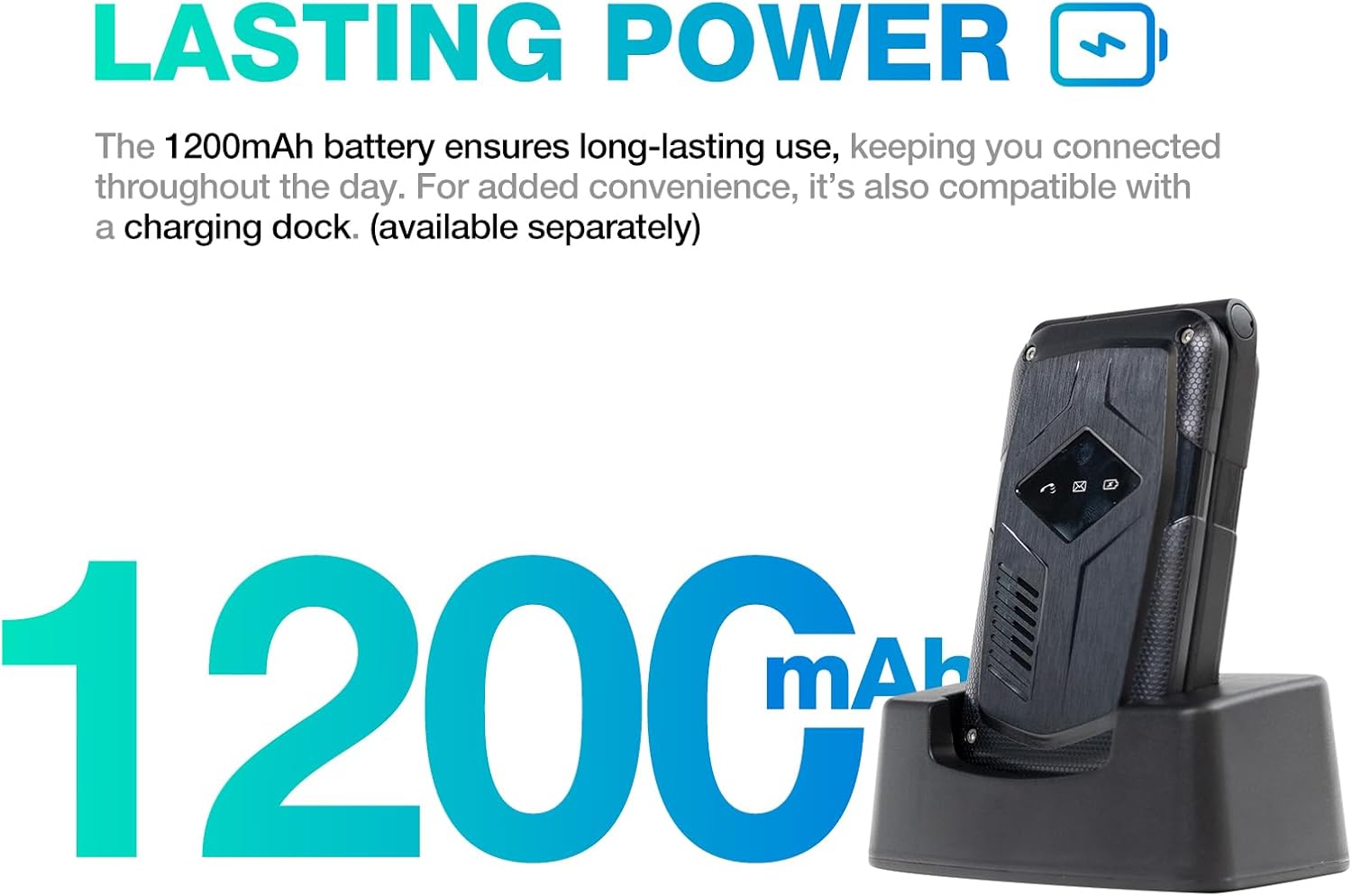
Image: A close-up of the AGM M10's keypad, with visual indicators pointing to the SOS button, FM radio function, and flashlight. This helps users locate these essential features.
5.5 Flashlight
To activate the built-in flashlight, locate the dedicated flashlight button or access it through the phone's menu, as indicated in the device overview.
5.6 FM Radio
The AGM M10 includes an FM radio function. Access it through the main menu. Headphones may be required to act as an antenna for optimal reception (if the phone has a 3.5mm jack, otherwise it might use internal antenna).
5.7 Bluetooth Connectivity
The phone supports Bluetooth 5.0 for connecting to compatible wireless accessories such as headsets or car kits.
- Go to "Settings" and then "Bluetooth".
- Turn Bluetooth on.
- Search for available devices and select the device you wish to pair with.
- Follow on-screen prompts to complete pairing.
6. Maintenance and Care
6.1 Durability Features
The AGM M10 is engineered for rugged use with IP68/IP69K water and dust resistance and MIL-STD-810G drop protection. This means it can withstand:
- Water Immersion: Up to 1.5 meters for 30 minutes.
- Dust Ingress: Fully protected against dust.
- Drops: Resistant to drops from a certain height onto hard surfaces.
To maintain these protections, ensure all port covers are securely closed and the back cover is properly sealed after battery or SIM card installation.

Image: The AGM M10 Basic Flip Phone partially submerged in water, demonstrating its waterproof capability.
6.2 General Care
- Clean the phone with a soft, damp cloth. Avoid harsh chemicals.
- Do not expose the phone to extreme temperatures for prolonged periods.
- Avoid disassembling the phone, as this may void the warranty and compromise its rugged features.
7. Troubleshooting
7.1 Network Connectivity Issues
The AGM M10 is designed to be T-Mobile compatible in the US. However, some users may experience limited network access, reduced coverage, or slower data speeds depending on specific network configurations or regional variations.
- Ensure your SIM card is properly inserted and activated.
- Check your network settings to confirm the correct network is selected.
- If issues persist, contact your network provider for assistance.
7.2 Phone Not Powering On
- Ensure the battery is correctly installed and fully charged.
- Verify that the protective sticker has been removed from the battery contacts.
- Attempt to charge the phone for at least 30 minutes before trying to power it on again.
7.3 Other Issues
For other operational difficulties, refer to the detailed user manual included in your package or contact AGM customer support.
8. Specifications
| Feature | Detail |
|---|---|
| Brand | AGM |
| Model Name | M10A |
| Operating System | RTOS |
| RAM Memory Installed Size | 48 MB |
| Memory Storage Capacity | 0.12 GB (Expandable up to 128GB via SD card) |
| Screen Size | 4.33 Inches |
| Wireless Carrier | T-Mobile (US), Global (outside US) |
| Cellular Technology | 4G LTE |
| Color | Black |
| SIM Card Slot Count | Dual SIM (Nano) |
| Connector Type | USB Type C |
| Form Factor | Foldable Case (Flip Phone) |
| Water Resistance Level | Waterproof (IP68/IP69K) |
| Headphones Jack | No headphone jack |
| Additional Features | Basic Phone, Dual SIM, Expandable Memory, Rugged Body, SOS Button, Flashlight, FM Radio, Bluetooth 5.0 |
| Battery Power | 1200 Milliamp Hours |
| Display Type | LCD |
| Dimensions | 4.33 × 2.22 × 0.98 inches |
| Weight | 4.9 ounces |
9. Warranty and Support
9.1 Warranty Information
The AGM M10 Basic Flip Phone comes with a 2-year warranty from the date of purchase. This warranty covers manufacturing defects under normal use. Please retain your proof of purchase for warranty claims.
Note: Some third-party retailers may state a 1-year warranty; however, the manufacturer's stated warranty is 2 years.
9.2 Customer Support
For technical assistance, troubleshooting, or warranty claims, please contact AGM customer support. AGM is committed to providing dedicated after-sales support and a straightforward replacement process for quality issues.
Visit the official AGM website or refer to the contact information provided in your product packaging for support details.


