
1. Introduction and Overview
The Acedeck Portable Gym Timer Clock G02 is a versatile digital timer designed for various fitness activities. This compact device features multiple timing modes, a strong magnetic back for secure placement, a long-lasting rechargeable battery, and a remote control for convenient operation. It is suitable for home gyms, garages, boxing, and other fitness environments.

Image 1.1: Acedeck Portable Gym Timer Clock G02 displaying 'UP 06:35' with a wrist strap.
2. Product Features
- Compact Design: Rubber-coated and lightweight for portability.
- Multiple Timing Modes: Supports preset and custom intervals including Tabata, FGB, Count-up, Count-down, 12/24H Clock, EMOM, and Stopwatch.
- Magnetic Back: Allows secure attachment to metal surfaces.
- Long-Lasting Battery: Equipped with a rechargeable battery providing up to 40 hours of operation.
- Remote Control: Enables easy mode switching and adjustments from a distance.
- Adjustable Display: Features 4 adjustable dimmer levels for optimal visibility in various lighting conditions.
- Adjustable Volume: Offers 3-level volume adjustment and a mute function for audio alerts.

Image 2.1: The timer supports multiple functions including Tabata, FGB, Count-up, Count-down, 12/24H Clock, EMOM, Stopwatch, and 3 Custom Intervals.

Image 2.2: The included remote control allows for easy mode switching and adjustments without direct interaction with the timer.
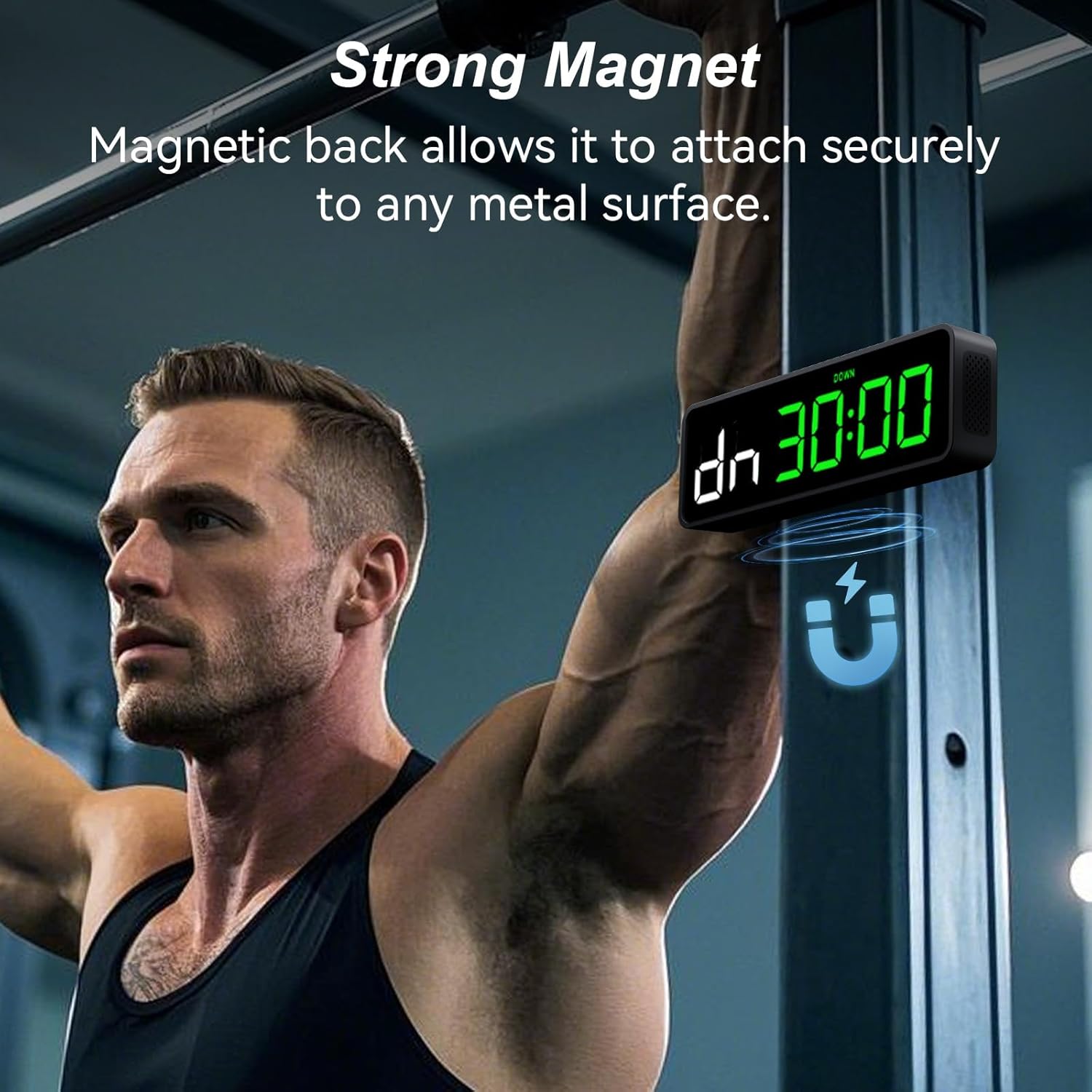
Image 2.3: The timer features a strong magnetic back for secure attachment to metal surfaces, such as gym equipment.

Image 2.4: The Acedeck G02 timer is equipped with a rechargeable battery providing up to 40 hours of operation.

Image 2.5: The display brightness can be adjusted through four levels to suit various lighting conditions, from dark gyms to bright studios.

Image 2.6: The timer offers 3-level volume adjustment and a mute function for audio alerts.

Image 2.7: Its compact size makes the Acedeck G02 easy to transport for use in any fitness setting.
3. Setup
3.1 Unpacking and Initial Charge
Upon receiving your Acedeck G02 Gym Timer, carefully remove all components from the packaging. Before first use, it is recommended to fully charge the device. Connect the provided USB charging cable to the timer and a suitable power source. The timer's battery provides up to 40 hours of operation on a full charge.

Image 3.1: The product package includes the Acedeck G02 Gym Timer, remote control, USB charging cable, wrist strap, and user manual.
3.2 Powering On/Off
To power on the timer, press and hold the power button located on the device or the remote control. To power off, repeat the same action.
3.3 Remote Control
The remote control is pre-paired with the timer. Ensure the remote has working batteries. Point the remote directly at the timer for optimal response.
3.4 Setting Time (12H/24H Clock)
The timer can display time in either 12-hour or 24-hour format. Use the remote control to switch between these modes. Refer to the remote control's specific buttons for time setting and format selection.

Image 3.2: The timer supports both 12-hour and 24-hour time display formats.
4. Operating Instructions
The Acedeck G02 Gym Timer offers various modes to support diverse workout routines. All operations are primarily controlled via the included remote.
4.1 General Operation with Remote Control
Use the remote control to navigate between modes, start/stop timers, adjust settings, and modify values. Specific buttons on the remote are dedicated to mode selection (e.g., TIMER, FGB, TABATA, EMOM, CUSTOM) and numerical input.
4.2 Timer Modes
- Count-up (UP): Starts counting upwards from 00:00.
- Count-down (DN): Set a specific time, and the timer counts down to zero.
- Stopwatch: Measures elapsed time with precision.
- Tabata: A preset interval training mode (typically 8 rounds of 20 seconds work, 10 seconds rest).
- FGB (Fight Gone Bad): A preset interval training mode (typically 3 rounds of 5 minutes work, 1 minute rest between rounds).
- EMOM (Every Minute On the Minute): Set a duration, and the timer alerts you at the start of each minute.
- Custom Intervals (P1, P2, P3): Program up to three personalized interval sequences with specific work, rest, and round durations. Refer to the manual for detailed programming steps.
4.3 Adjusting Brightness (Dimmer Levels)
The timer features 4 adjustable dimmer levels. Use the dedicated brightness buttons on the remote to cycle through the levels (L01 to L04) to match your environment's lighting.
4.4 Adjusting Volume
The timer has 3 volume levels (L00 for mute, L01, L02). Use the volume buttons on the remote to increase, decrease, or mute the audio alerts.
5. Maintenance
5.1 Cleaning
Wipe the timer's surface with a soft, dry, or slightly damp cloth. Avoid using abrasive cleaners, solvents, or harsh chemicals, as these can damage the display or casing.
5.2 Charging
Recharge the timer using the provided USB cable when the battery indicator is low. Avoid overcharging for extended periods. Do not use damaged cables or chargers.
5.3 Storage
Store the timer in a cool, dry place away from direct sunlight and extreme temperatures. If storing for a long period, ensure the battery is partially charged (around 50%) to maintain battery health.
6. Troubleshooting
- Timer not turning on: Ensure the device is fully charged. If the issue persists, try a different USB charging cable and power adapter.
- Remote control not responding: Check the remote's batteries and replace if necessary. Ensure there are no obstructions between the remote and the timer. Point the remote directly at the timer.
- Display issues (dim, flickering): Adjust the dimmer levels using the remote. If the display remains problematic, contact customer support.
- Audio alerts not working: Check the volume settings using the remote to ensure it's not muted (L00) or set to a very low level.
7. Specifications
| Feature | Detail |
|---|---|
| Model Name | G02-Green-01 |
| Part Number | G02 |
| Brand | Acedeck |
| Color | Green+Black |
| Material | Plastic |
| Item Dimensions (LxWxH) | 5 x 3 x 2 inches |
| Item Weight | 0.46 Pounds |
| Package Weight | 0.33 Kilograms |
| Battery Life | Up to 40 hours |
| Included Components | Gym Timer, Remote Control, USB Cable, Wrist Strap |

Image 7.1: Physical dimensions of the Acedeck G02 Gym Timer.
8. Warranty and Support
8.1 Warranty Information
The Acedeck Portable Gym Timer Clock G02 comes with an 18-month warranty from the date of purchase. This warranty covers manufacturing defects and issues arising from normal use. Please retain your proof of purchase for warranty claims.
8.2 Customer Support
For any questions, technical assistance, or warranty claims, please contact Acedeck customer support:
- Email: acedeckshop@outlook.com
Please provide your model number (G02) and a detailed description of the issue when contacting support to ensure a prompt resolution.
