
1. Introduction
The ZHIWHIS ZWS-802 is a versatile multi-band radio and Bluetooth speaker designed for enhanced indoor and outdoor reception and diverse audio playback options. It features a classic wooden case, dual speakers for clear sound, and a high-resolution VA LCD display. This manual will guide you through the setup, operation, and maintenance of your device.
2. Product Overview
Familiarize yourself with the main components and controls of your ZWS-802 radio.
2.1. Wireless Signal Repeater

The ZWS-802 includes a dedicated wireless repeater (ZWS-802/W3) to improve indoor reception. When used together, the radio can easily receive signals from outdoor FM, AM, SW, AIR, and V.UHF bands up to 35 meters away from the repeater.
2.2. Dual High-Quality Speakers
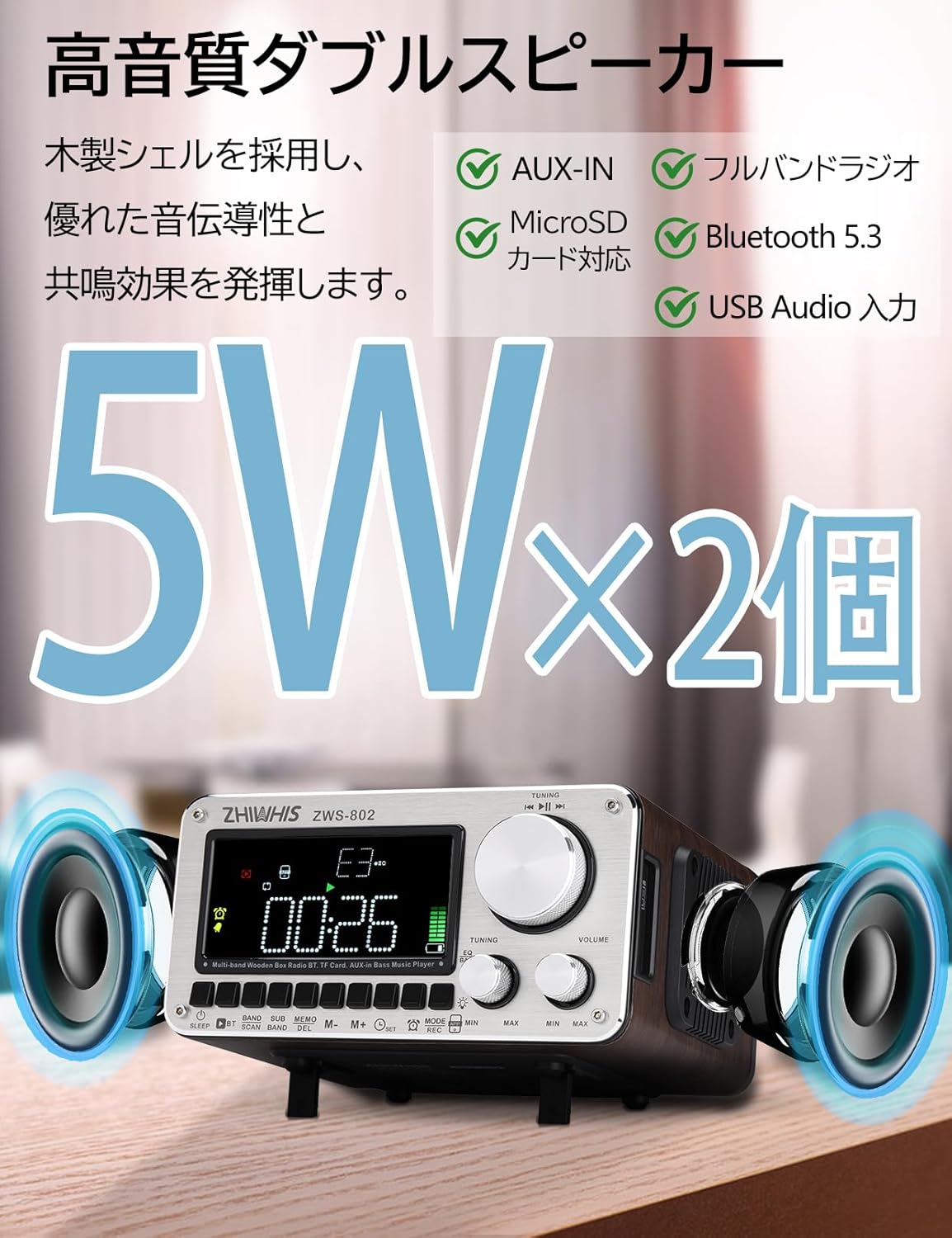
The radio features two 5W metal-shelled magnetic speakers and a wooden shell for enhanced sound conductivity and resonance. This design aims to reproduce smooth and natural sound across high, mid, and low frequencies.
2.3. High Sensitivity Reception & External Antenna Port

Equipped with a 54 cm telescopic rod antenna and an internal bar antenna for AM, the ZWS-802 offers optimal high-sensitivity reception across all bands. An external antenna terminal is also provided for connecting an optional external antenna, significantly improving FM/SW reception sensitivity in areas with weak signals.
2.4. Tuning Knob & App Control

The radio features a large rotary tuning knob for easy frequency selection. Additionally, it supports intelligent remote control via a dedicated smartphone application, allowing control within a 20-meter range.
2.5. Simple Design & Connectivity
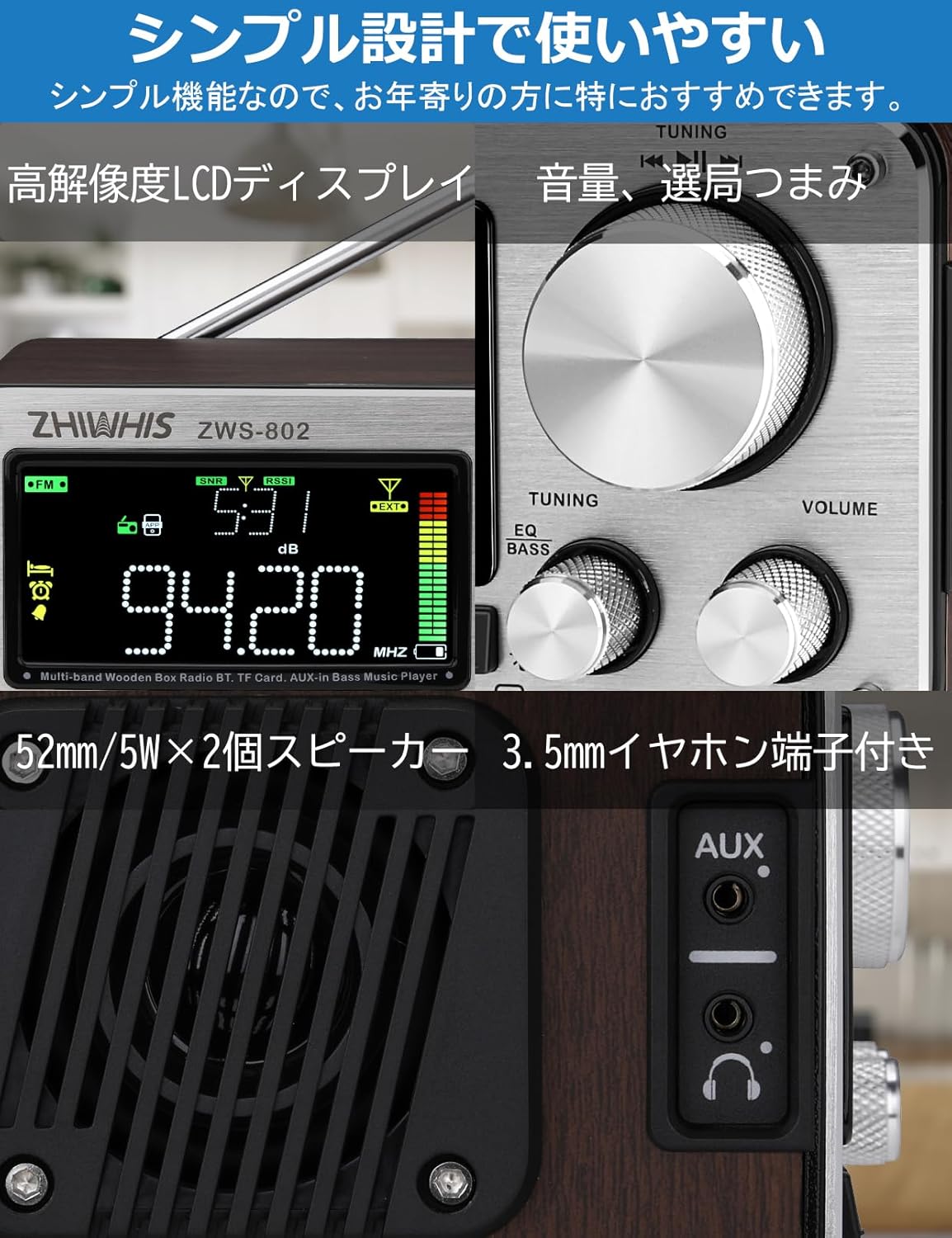
The ZWS-802 features a high-resolution LCD display, clear tuning and volume knobs, dual 52mm/5W speakers, and a 3.5mm headphone jack for private listening. It also includes USB-C and AUX ports for versatile connectivity.
2.6. Timer & Alarm Functions

The radio includes a timer-on function to automatically power on and start broadcasting at a set time, and an alarm clock function. A sleep timer allows the radio to automatically power off after 10 to 120 minutes (adjustable in 10-minute increments).
2.7. Portability & Accessories

With dimensions of 163 x 140 x 84mm and a weight of 1158 grams, the ZWS-802 is designed for portability. It comes with a tilt-up stand for convenient placement and a carry bag for transport. The package also includes essential accessories like charging cables and an audio cable.
2.8. Product Video
3. Setup
3.1. Battery Installation and Charging
- The ZWS-802 uses three 2500mAh lithium batteries. Ensure they are correctly inserted into the battery compartment, observing polarity.
- Connect the supplied USB-C charging cable to the USB-C port on the radio and to a compatible USB power adapter (not included). The charging indicator will show the charging status.
- A full charge provides up to 27 hours of continuous playback.
3.2. Antenna Setup
- For FM/SW/V-UHF/AIR reception, extend the telescopic rod antenna fully for optimal signal reception.
- For AM reception, the internal bar antenna is used. Adjust the radio's position for best reception.
- If using the wireless repeater (ZWS-802/W3), place it in an area with good outdoor signal reception and connect it to the radio as instructed in the repeater's manual.
- For improved FM/SW reception, an external antenna can be connected to the 3.5mm external antenna port on the back of the unit.
4. Operation
4.1. Power On/Off
- Press the POWER button to turn the radio on or off.
4.2. Mode Selection
- Press the MODE button repeatedly to cycle through available modes: Radio (FM/AM/SW/V-UHF/AIR), Bluetooth, MicroSD, AUX.
4.3. Radio Tuning
- Band Selection: Press the BAND button to switch between FM, AM, SW, V-UHF, and AIR bands.
- Manual Tuning: Rotate the large TUNING knob to manually adjust the frequency.
- Automatic Scan: Press the SCAN button to automatically scan and save available stations. The radio can store up to 1000 stations across all bands (200 per band).
- Preset Recall: Use the MEMO buttons (M+, M-) or the numeric keypad (if available via app) to recall saved stations.
4.4. Volume Control
- Rotate the VOLUME knob to adjust the audio output level.
4.5. Bluetooth Playback
- Switch the radio to Bluetooth mode. The display will show "BT" and indicate pairing mode.
- On your smartphone or other Bluetooth device, search for "ZWS-802" and pair.
- Once connected, you can play audio from your device through the radio.
4.6. MicroSD Card Playback
- Insert a MicroSD card (up to 256GB) into the MicroSD card slot.
- Switch the radio to MicroSD mode. The radio will automatically detect and play audio files.
- Supported formats include MP3, WMA, WAV, APE, and FLAC.
- Use the playback control buttons (Play/Pause, Next/Previous Track) on the radio or via the app.
4.7. AUX Input
- Connect an external audio device (e.g., MP3 player, smartphone) to the AUX input port using the supplied 3.5mm audio cable.
- Switch the radio to AUX mode to play audio from the connected device.
4.8. App Control
- Download the dedicated ZHIWHIS control application on your smartphone (compatible with iOS and Android).
- Ensure Bluetooth is enabled on your phone and the radio is in Bluetooth mode.
- Open the app and connect to the ZWS-802. The app allows for remote control of tuning, volume, mode selection, and other functions within a 20-meter range.
4.9. Timer and Alarm Functions
- Setting the Clock: Refer to the detailed instructions in the included Japanese manual for setting the current time.
- Timer-On: Set a specific time for the radio to automatically power on.
- Alarm Clock: Set an alarm time. The alarm will sound at the designated time.
- Sleep Timer: Press the SLEEP button to activate the sleep timer. Repeated presses will cycle through 10, 20, 30, ..., 120 minutes, after which the radio will automatically power off.
4.10. EQ Sound Effects
- The radio supports 6 different EQ sound effects. Press the EQ button to cycle through the available presets to customize your listening experience.
4.11. Recording
- The radio supports internal recording of radio broadcasts. Refer to the detailed instructions in the included Japanese manual for recording procedures.
5. Maintenance
- Keep the device dry. Avoid exposure to rain, moisture, or liquids.
- Clean the radio with a soft, dry cloth. Do not use abrasive cleaners or solvents.
- Avoid extreme temperatures. Store the device in a cool, dry place.
- Do not attempt to disassemble or modify the radio, as this will void the warranty and may cause damage.
6. Troubleshooting
| Problem | Possible Cause | Solution |
|---|---|---|
| No power | Battery depleted or incorrectly installed. | Charge the battery or check battery installation. |
| Poor radio reception | Antenna not extended, weak signal, interference. | Extend the telescopic antenna. Adjust radio position. Use the wireless repeater or an external antenna. |
| Bluetooth not connecting | Radio not in pairing mode, device too far, Bluetooth off on device. | Ensure radio is in Bluetooth mode. Move device closer. Turn on Bluetooth on your device. |
| MicroSD card not playing | Card not inserted correctly, unsupported file format, card corrupted. | Reinsert MicroSD card. Ensure files are supported formats (MP3, WMA, WAV, APE, FLAC). Try a different card. |
| App control not working | Bluetooth not connected, app not open, out of range. | Ensure Bluetooth is connected. Open the app. Stay within 20m range. |
7. Specifications
| Feature | Detail |
|---|---|
| Reception Range | FM: 76.0-108MHz, AM: 522-1710KHz, SW: 3.2-21.85MHz, V.UHF, AIR: 118.0-138.0MHz |
| Reception Sensitivity | FM≤10dB, AM≤86dB, SW≤25dB, VHF≤10dB, AIR≤8dB |
| Signal-to-Noise Ratio | FM: 40dB, AM: 35dB, SW: 35dB, VHF: 40dB, AIR: 35dB |
| Quiescent Current | ≤50uA |
| Operating Voltage | 3.7V-4.2V |
| Bluetooth Version | V5.2 |
| Preset Stations | Up to 1000 (200 per band) |
| Speakers | φ52mm/4Ω/5W × 2 |
| MicroSD Playback Formats | MP3, WMA, WAV, APE, FLAC |
| Max MicroSD Capacity | 256GB |
| Stereo Separation | 30dB |
| Battery Capacity | 3 x 2500mAh Lithium Batteries |
| Product Dimensions | 162.6 x 140.3 x 84mm |
| Product Weight | 1158.5g (including battery) |
| Display Type | LCD |
| Connectivity | AUX, Bluetooth, USB-C |
| Features | Rechargeable, External Antenna Terminal, Wooden Bluetooth Speaker, Wireless Signal Repeater included, Clock, Timer, Alarm Clock, EQ Sound Effects, Internal Radio Recording |
8. Package Contents
- 1 x ZWS-802 Multi-Band Wood Case Radio
- 1 x ZWS-802/W3 Repeater (Wireless Antenna)
- 3 x 2500mAh Lithium Batteries
- 1 x USB-C Charging Cable
- 1 x Audio Cable
- 1 x Carry Bag
- 1 x Driver
- 1 x Japanese Instruction Manual & Warranty Card
9. Warranty and Support
The ZHIWHIS ZWS-802 is TELEC certified (Frequency band: 2402MHz~2480MHz), ensuring compliance with technical regulations. For any questions or dissatisfaction with your product, please contact customer support. Ensure to purchase products with proper certification.
