
1. Introduction
Thank you for purchasing the Kaiser One Body KSB-4010 Portable Speaker. This manual provides essential information for the safe and efficient operation of your device. Please read it thoroughly before use and retain it for future reference.
Safety Information
- Do not expose the speaker to water, moisture, or extreme temperatures.
- Avoid placing the speaker near heat sources or in direct sunlight.
- Do not attempt to disassemble or modify the speaker. Refer all servicing to qualified personnel.
- Use only the specified charging cable and power adapter.
- Keep the speaker away from children and pets.
2. Package Contents
Please check the package for the following items:
- Kaiser KSB-4010 Portable Speaker
- Wireless Microphone
- USB Charging Cable
- User Manual (this document)

Image: Wireless microphone and USB charging cable included with the speaker.
3. Product Overview
Familiarize yourself with the main components and controls of your KSB-4010 speaker.
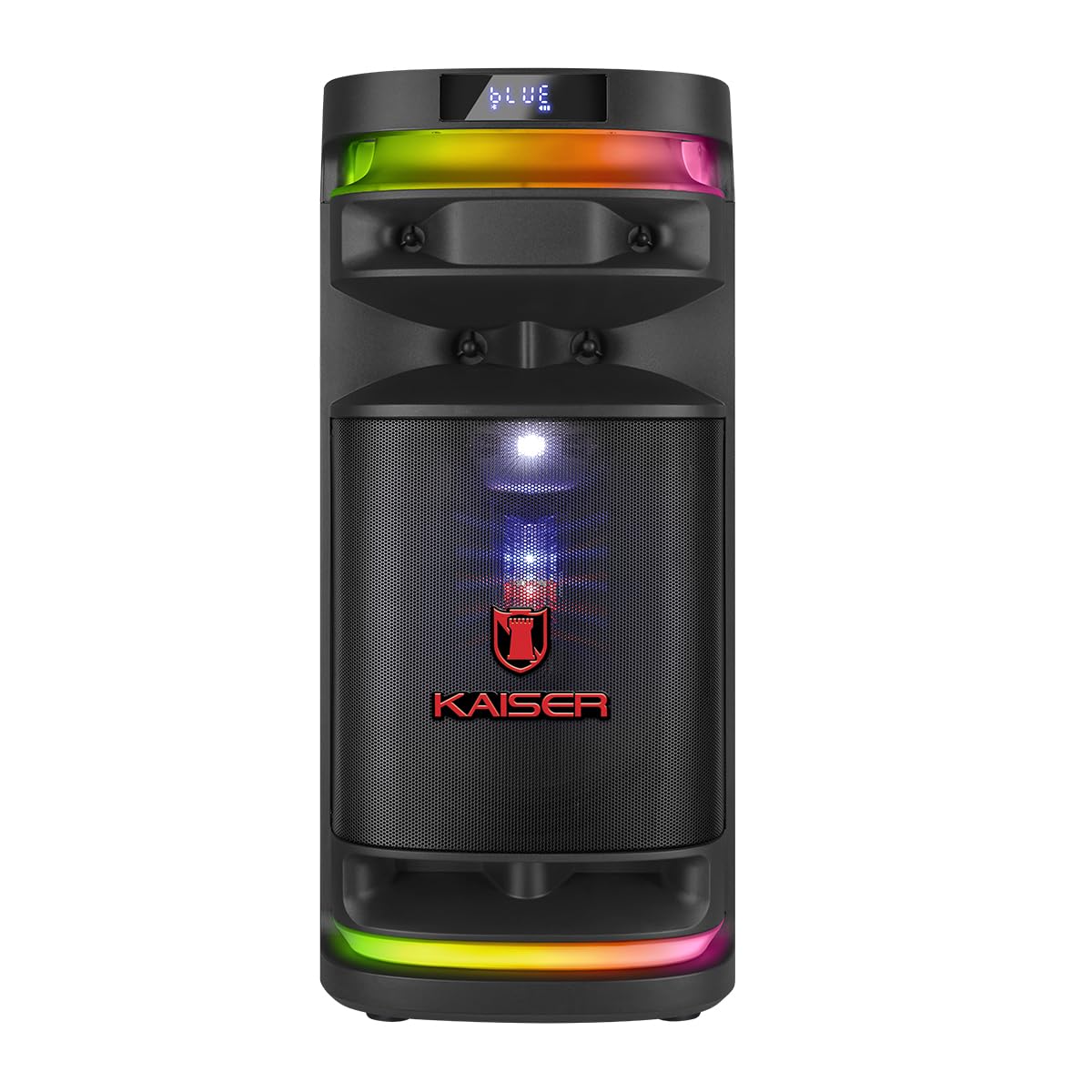
Image: Front view of the Kaiser KSB-4010 portable speaker, showcasing the 10-inch woofer, tweeter, midrange, and RGB LED lighting.
Control Panel

Image: Top view of the speaker's control panel, showing various input ports, volume knobs, and function buttons.
The control panel located on the top of the speaker includes:
- Power Switch (ON/OFF): To turn the speaker on or off.
- Charging Indicator (CARGA): Lights up when charging.
- Power Input (ALIMENTACIÓN): For connecting the power adapter.
- Micro SD Slot: For playing music from a Micro SD card.
- USB Port: For playing music from a USB drive.
- AUX Input: For connecting external audio devices via a 3.5mm cable.
- GUIT Input: For connecting a guitar.
- MIC 1 / MIC 2 Inputs: For connecting wired microphones.
- VOL MIC: Microphone volume control knob.
- VOLUMEN: Master volume control knob.
- LED Button: To cycle through or turn off LED light modes.
- GRAB Button: For recording audio (e.g., microphone input).
- MIC PRIO Button: Microphone priority function.
- REPETIR Button: Repeat playback mode.
- Previous/Next Track Buttons: For navigation during media playback.
- Play/Pause Button: For media playback control.
- KSR-LINK Button: For connecting two KSR-Link compatible speakers.
- MODO BT Button: To switch between input modes (Bluetooth, USB, Micro SD, AUX).
4. Setup
Initial Charging
- Connect the USB charging cable to the speaker's ALIMENTACIÓN port.
- Connect the other end of the USB cable to a compatible power adapter (not included) and plug it into a power outlet.
- The CARGA indicator light will illuminate, indicating that the speaker is charging.
- Allow the speaker to charge fully before first use (approximately 4-6 hours). The indicator light may change or turn off when fully charged.
Powering On/Off
- To turn on the speaker, slide the POWER switch to the ON position.
- To turn off the speaker, slide the POWER switch to the OFF position.
5. Operating Instructions
Bluetooth Pairing
- Turn on the KSB-4010 speaker.
- Press the MODO BT button repeatedly until the display shows "BLUE" or "BT" and a pairing indicator flashes.
- Enable Bluetooth on your mobile device (smartphone, tablet, etc.).
- Search for available Bluetooth devices and select "KSB-4010" from the list.
- Once connected, the speaker will emit a confirmation sound, and the Bluetooth indicator will stop flashing.
USB/Micro SD Playback
- Insert a USB drive or Micro SD card (pre-loaded with MP3 audio files) into the respective port.
- The speaker will automatically switch to USB or Micro SD mode and begin playback. If not, press the MODO BT button to select the correct input.
- Use the Play/Pause, Previous, and Next buttons to control playback.
AUX Input
- Connect one end of a 3.5mm audio cable (not included) to the AUX input port on the speaker.
- Connect the other end to the audio output of your external device (e.g., MP3 player, laptop).
- Press the MODO BT button to select AUX input mode.
- Control playback and volume from your external device.
Microphone and Guitar Use
- For the wireless microphone, ensure it is charged and powered on. It should automatically connect to the speaker.
- For wired microphones, connect them to the MIC 1 or MIC 2 input ports.
- Connect a guitar to the GUIT input port.
- Adjust the microphone volume using the VOL MIC knob.
- Use the MIC PRIO button to enable microphone priority, which lowers music volume when the microphone is in use.
KSR-Link Function (True Wireless Stereo)
To connect two KSB-4010 speakers for a stereo sound experience:
- Ensure both KSB-4010 speakers are powered on and in Bluetooth mode, but not connected to any device.
- On one speaker (this will be the primary speaker), press and hold the KSR-LINK button. It will emit a sound indicating it's searching.
- On the second speaker, press the KSR-LINK button briefly.
- The two speakers will connect automatically. A confirmation sound will indicate successful pairing.
- Now, connect your mobile device to the primary speaker via Bluetooth as described above. Audio will play through both speakers in stereo.
LED Light Control
Press the LED button on the control panel to cycle through different RGB lighting modes or to turn the lights off.
6. Maintenance
Cleaning
- Always turn off and unplug the speaker before cleaning.
- Use a soft, dry cloth to wipe the exterior surfaces.
- Do not use abrasive cleaners, waxes, or solvents.
Storage
- Store the speaker in a cool, dry place away from direct sunlight and extreme temperatures.
- If storing for an extended period, charge the battery periodically (e.g., every 3 months) to maintain battery health.
7. Troubleshooting
| Problem | Possible Cause | Solution |
|---|---|---|
| Speaker does not power on | Low battery; Power switch off; Faulty power adapter/cable | Charge the speaker; Ensure power switch is ON; Try a different power source or cable. |
| No sound | Volume too low; Incorrect input mode; Device not connected; Muted source device | Increase speaker and source device volume; Press MODO BT to select correct input; Re-pair Bluetooth or re-connect cable; Unmute source device. |
| Bluetooth connection fails | Speaker not in pairing mode; Device too far; Interference; Already connected to another device | Ensure speaker is in Bluetooth pairing mode; Move device closer; Avoid obstacles; Disconnect from other devices and try again. |
| Microphone not working | Microphone off; Low microphone volume; Incorrect input | Ensure microphone is powered on; Adjust VOL MIC knob; Check if wired microphone is fully inserted. |
| KSR-Link not connecting | Speakers not in pairing mode; Too far apart; Already connected to a device | Ensure both speakers are in KSR-Link pairing mode (not connected to phone); Place speakers closer; Disconnect any Bluetooth devices before KSR-Link pairing. |
8. Specifications
Technical specifications for the Kaiser KSB-4010 Portable Speaker:
| Feature | Specification |
|---|---|
| Model Name | KSB-4010 |
| Speaker Type | Portable One Body Speaker |
| Speaker Configuration | 10" Woofer, 2" Tweeter, 3" Midrange |
| RMS Power Output | 70W |
| Connectivity Technology | Bluetooth, USB, Micro SD, AUX, Guitar, Mic |
| Wireless Communication | Bluetooth |
| Special Features | RGB LED Lights, KSR-Link (TWS), Rechargeable Battery |
| Control Method | Tactile Buttons |
| Included Components | Wireless Microphone |
| Power Source | Battery |
| Dimensions (H x W x D) | 71.5 cm x 32 cm x 33.5 cm |

Image: Diagram showing the approximate dimensions of the Kaiser KSB-4010 speaker.
9. Warranty and Support
Limited Warranty
This Kaiser KSB-4010 speaker comes with a limited warranty. Please refer to the warranty card included in your package or contact Kaiser customer support for specific terms and conditions.
Customer Support
For technical assistance, troubleshooting beyond this manual, or warranty inquiries, please contact Kaiser customer support through their official website or the contact information provided with your product documentation.


