
1. Introduction
Thank you for choosing the ALLJOY Hand Massager Model AJHDM2501-WHT. This device is designed to provide comprehensive hand relaxation and relief through a combination of finger stretching, full-palm airbag compression, heat therapy, and vibration. It aims to alleviate hand stiffness, arthritis pain, and symptoms of carpal tunnel syndrome, making it suitable for individuals who frequently use their hands.

Figure 1: ALLJOY Hand Massager Model AJHDM2501-WHT
2. Product Features
The ALLJOY Hand Massager offers a range of features designed for optimal hand care:
- Unique Finger Stretching: Gently stretches each finger for comprehensive relaxation.
- Full-Palm Airbag Compression: Applies pressure to the entire palm, back of the hand, and wrist.
- Soothing Heat Therapy: Adjustable temperature settings to penetrate muscles and joints.
- Personalized Massage: 6 professional massage modes, 6 intensity levels, and 3 timer settings.
- Vibration Function: Independent vibration mode targeting fingertips.
- Ergonomic Ambidextrous Design: Comfortable fit for both left and right hands with independent thumb chamber.
- Wireless Operation: Rechargeable battery for use anytime, anywhere.
Video 1: Overview of the ALLJOY Hand Massager's innovative features including heat and compression.
3. What's in the Box
Upon opening your ALLJOY Hand Massager package, you should find the following items:
- ALLJOY Hand Massager Unit
- USB Type-C Charging Cable
- User Manual
- Storage Bag

Figure 2: Package contents including the massager, charging cable, user manual, and storage bag.
4. Setup
Before first use, ensure the device is fully charged. Connect the provided USB Type-C cable to the massager and a suitable power adapter (not included). The battery indicator on the touchscreen will show charging status. It is recommended not to use the massager while it is charging.
5. Operating Instructions
The ALLJOY Hand Massager features an intuitive touchscreen LCD for easy operation.
- Power On/Off: Press and hold the power button on the touchscreen for 1.5 seconds to turn the device on or off.
- Insert Hand: Place either your left or right hand into the massager, ensuring your fingers are comfortably positioned in the designated slots. The ambidextrous design accommodates both hands.
- Select Mode: Use the 'Mode' button on the touchscreen to cycle through the 6 available massage modes.
- Adjust Intensity: Use the 'Intensity' button to select one of the 6 precise intensity levels for compression.
- Activate Heat: Press the 'Heat' button to turn on or adjust the heat therapy to one of the 3 temperature settings.
- Set Timer: Use the 'Timer' button to choose a massage duration of 10, 15, or 20 minutes. The device will automatically shut off after the selected time.
- Vibration Function: Activate or deactivate the independent vibration function as desired.

Figure 3: LCD Touchscreen for controlling modes, intensity, heat, and timer.
6. Modes and Intensity
The massager offers 6 professional massage modes and 6 precise intensity levels to customize your experience. Experiment with different combinations to find what best suits your needs, whether you prefer a gentle warm-up or a deep, robust massage.
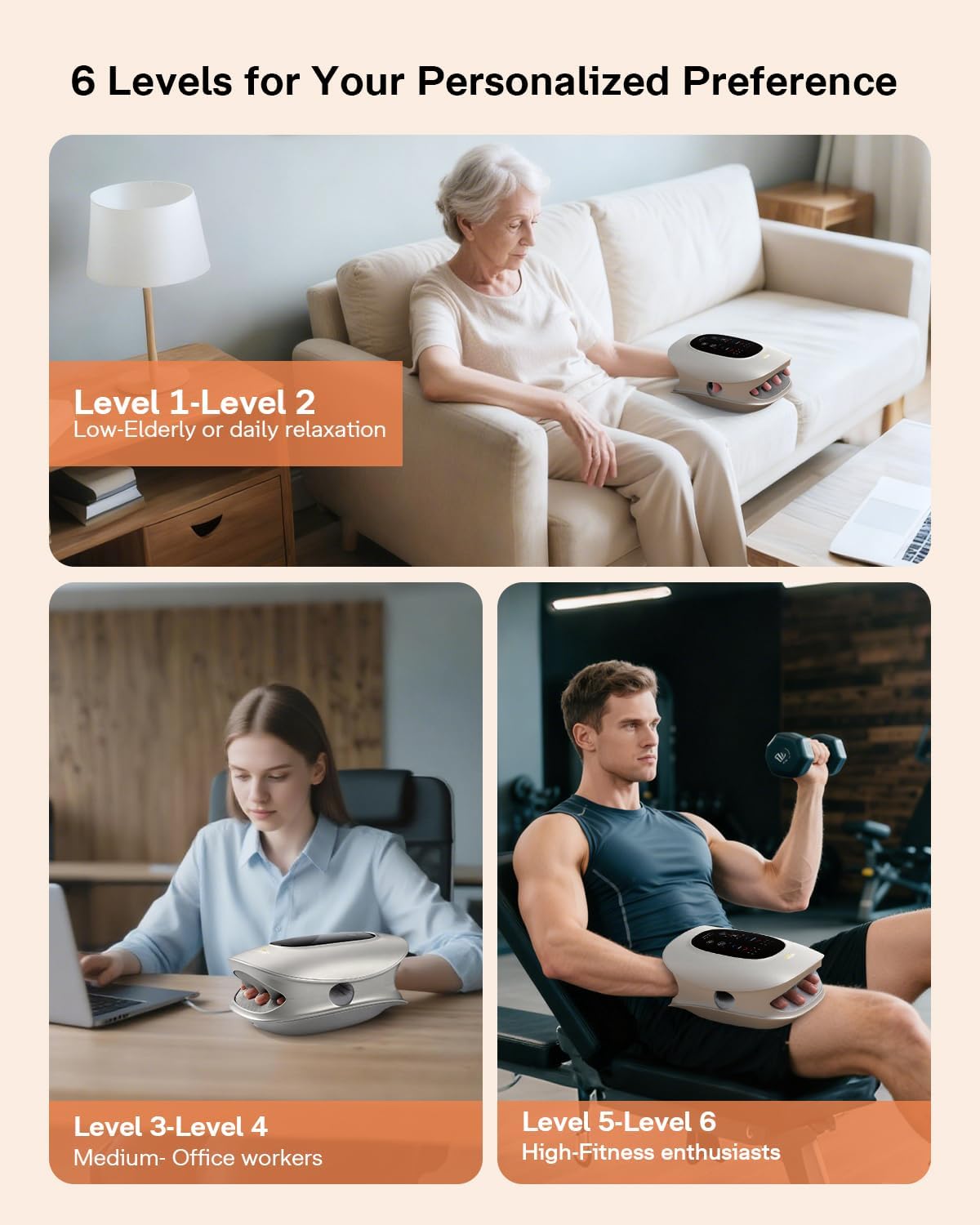
Figure 4: Visual representation of 6 intensity levels for personalized comfort.

Figure 5: The independent vibration mode targets fingertips for enhanced relief.
7. Heat Therapy
The ALLJOY Hand Massager provides 3 adjustable temperature settings (104°F - 122°F) for soothing warmth. This heat function is designed to penetrate deep into muscles and joints, promoting relaxation, relieving tension, and enhancing the overall massage experience. It is particularly beneficial for those experiencing cold hands, joint pain, or hand overuse.

Figure 6: Three adjustable heat levels for customized warmth.
Video 2: Demonstration of the hand massager's features for arthritis and carpal tunnel relief.
8. Finger Stretching & Compression
The massager employs innovative finger stretching and full-palm airbag massage technology. It gently stretches each finger while providing pressure to the entire palm, back of the hand, and wrist. This targeted approach helps relieve stiffness, arthritis pain, and carpal tunnel syndrome by applying precision pressure on key acupuncture points.

Figure 7: Illustration of air compression and synchronized finger stretching.
Video 3: Detailed demonstration of the knuckle stretching and hand massage features.
9. Ergonomic Design
The ALLJOY Hand Massager is designed for universal comfort, fitting both left and right hands. It features an independent thumb massage chamber and an open finger space, ensuring precise massage for every finger, the palm, and the wrist. This design guarantees a comfortable fit without squeezing the fingers, while delivering comprehensive, full-coverage massage.
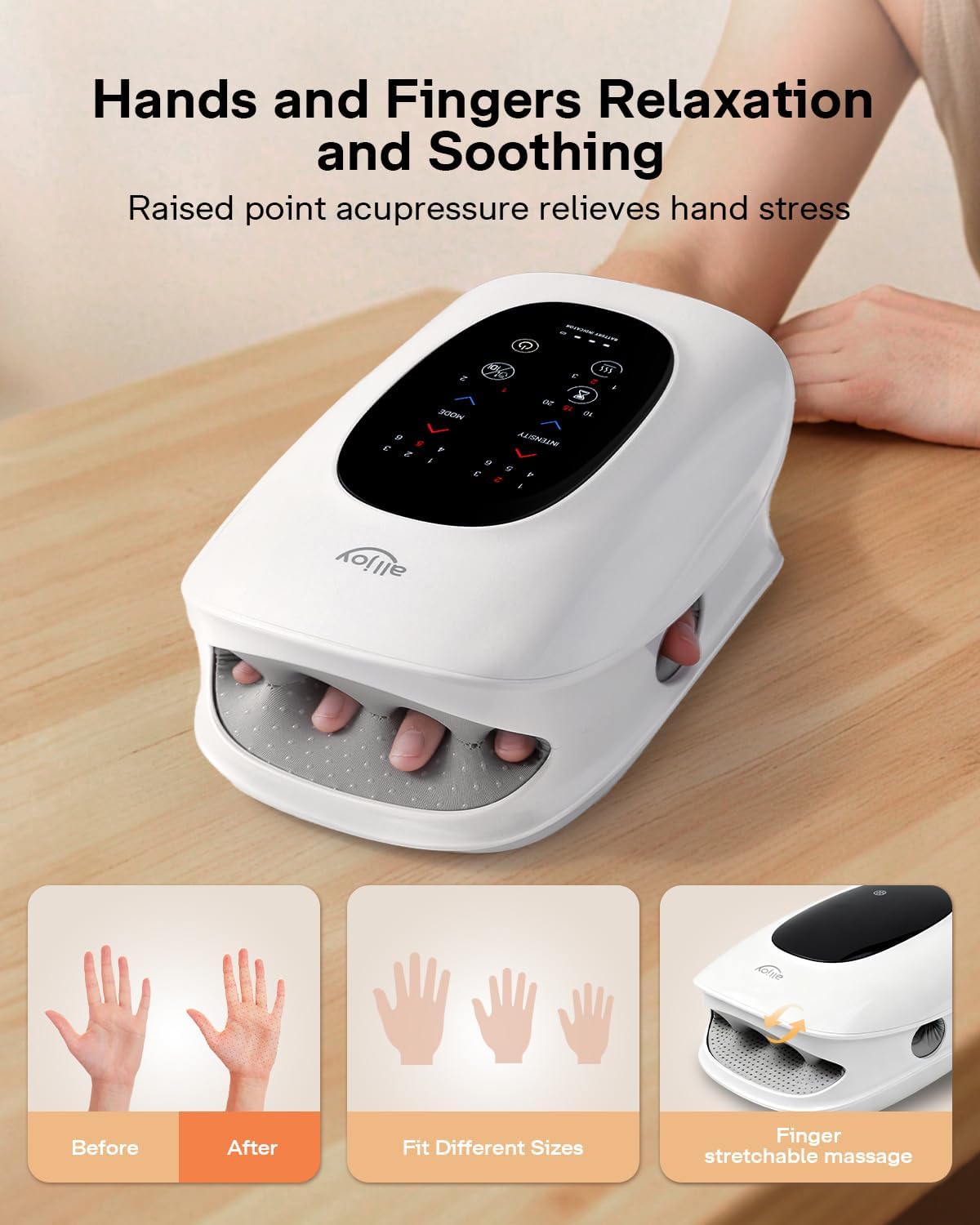
Figure 8: The massager's design accommodates both left and right hands and various hand sizes.
10. Charging and Battery
The massager is equipped with a 2500mAh battery, providing approximately 3 hours of running time on a full charge. It features a Type-C interface for fast charging. A battery indicator on the touchscreen displays the current charge level. Please note that the unit cannot be used while charging.

Figure 9: Charging the ALLJOY Hand Massager using the Type-C cable.
11. Maintenance
To ensure the longevity and optimal performance of your ALLJOY Hand Massager, follow these maintenance guidelines:
- Cleaning: Wipe the exterior of the massager with a soft, damp cloth. Do not use abrasive cleaners or immerse the device in water.
- Storage: Store the massager in a cool, dry place, away from direct sunlight and extreme temperatures. Use the provided storage bag to protect it from dust.
- Battery Care: Charge the device regularly, even if not in frequent use, to maintain battery health. Avoid completely draining the battery before recharging.
12. Troubleshooting
If you encounter any issues with your ALLJOY Hand Massager, please refer to the following common troubleshooting tips:
- Device Not Turning On: Ensure the device is fully charged. Press and hold the power button for 1.5 seconds.
- No Compression/Weak Massage: Check the intensity level setting and adjust it to a higher level if needed. Ensure your hand is properly inserted.
- No Heat: Verify that the heat function is activated on the touchscreen and adjust the heat level. Allow a few minutes for the device to warm up.
- Device Stops Unexpectedly: The auto shut-off timer may have been reached. Restart the device and select your desired time. If the issue persists, the battery may be low.
For further assistance, please contact ALLJOY customer support.
13. Specifications
| Feature | Specification |
|---|---|
| Model Number | AJHDM2501-WHT |
| Product Dimensions | 7 x 4 x 11 inches |
| Weight | 3.42 Pounds |
| Power Source | Battery Powered |
| Battery Capacity | 2500mAh |
| Running Time | Approx. 3 hours |
| Charging Interface | Type-C |
| Material | Polyethylene (PE) |
| Heat Levels | 3 (104°F - 122°F) |
| Massage Modes | 6 |
| Intensity Levels | 6 |
| Timer Settings | 10/15/20 minutes |
| Special Feature | Auto Shut-Off |
14. Warranty and Support
ALLJOY is committed to providing reliable health tools and responsive customer service. For any questions, concerns, or warranty inquiries regarding your ALLJOY Hand Massager, please contact our customer support team through the official ALLJOY website or your purchase platform. Please retain your proof of purchase for warranty validation.
