
1. Introduction
This manual provides essential information for the safe and efficient operation, maintenance, and troubleshooting of your Airpher VC2 Cordless Vacuum Cleaner. Please read it thoroughly before first use and retain it for future reference.
2. Product Overview and Components
The Airpher VC2 Cordless Vacuum Cleaner is designed for versatile cleaning across various floor types and surfaces. It features a dual motor system, adjustable suction, and a multi-layer filtration system.
Included Components:
- Cordless Vacuum Cleaner (Main Unit) x1
- 7x2500mAh Battery Pack x1
- Adjustable Extension Tube x1
- Air Inlet Filter HEPA x2
- Air Outlet Filter HEPA x2
- 2-in-1 Dusting Brush x1
- Soft and Hard Bristle Roller Brush x1
- Multi-Cone Cyclone and Metal Filter x1
- Wall Hanger x1
- Crevice Tool x1
- Adapter x1

Image: All components included with the Airpher VC2 Cordless Vacuum Cleaner, showing the main unit, various attachments, filters, and charging accessories.
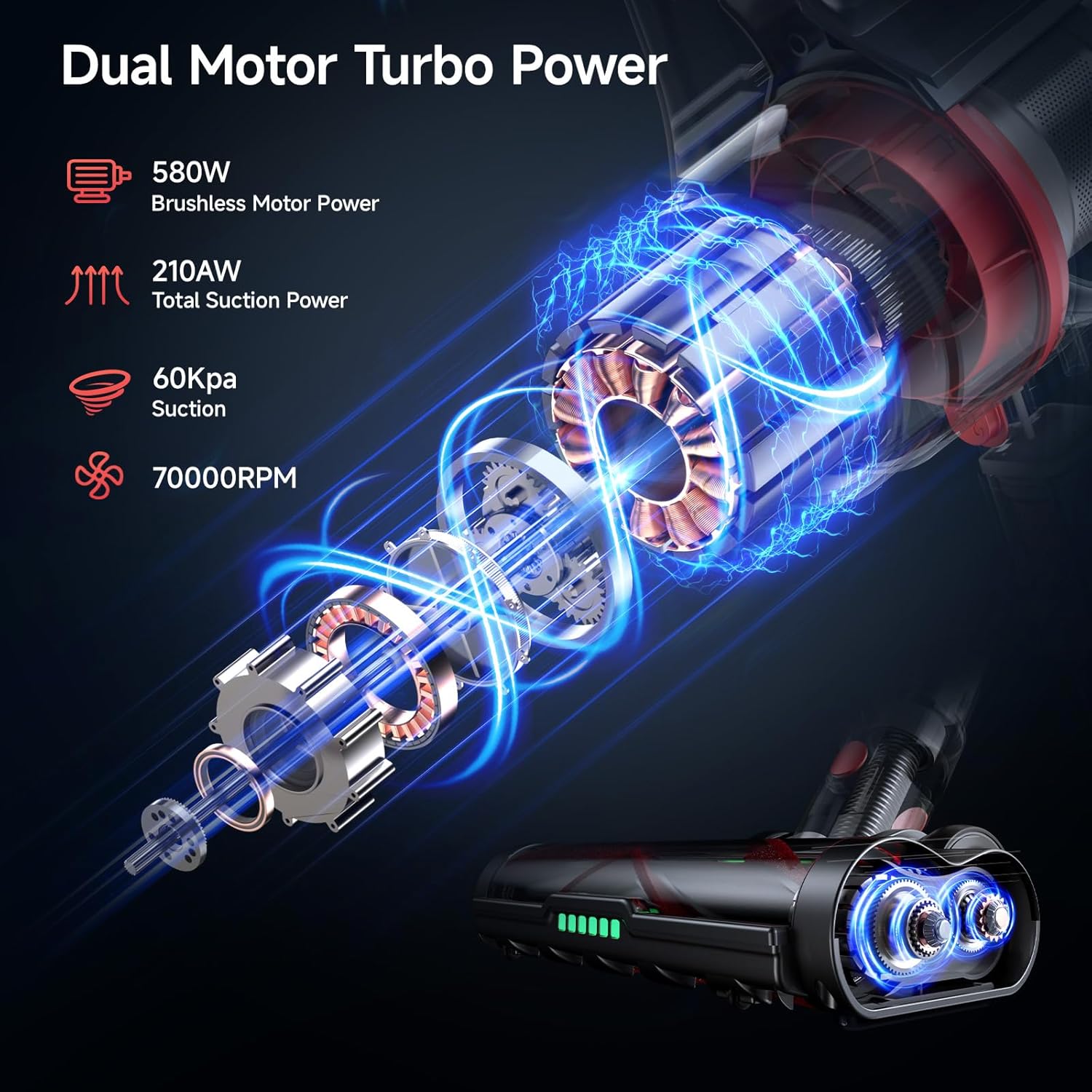
Image: The Airpher VC2 vacuum cleaner configured as a full-size stick vacuum and as a compact handheld unit with different attachments.
3. Setup
3.1 Assembly
- Attach the Extension Tube: Connect the adjustable extension tube to the main vacuum body until it clicks securely.
- Attach the Floor Brush: Connect the V-shaped anti-tangle floor brush to the other end of the extension tube.
- Install the Battery: Insert the 7x2500mAh battery pack into the main unit until it locks into place. Ensure the battery is installed before operating the vacuum cleaner.
- Alternative Handheld Configuration: For handheld use, attach desired accessories (e.g., 2-in-1 dusting brush, crevice tool) directly to the main unit without the extension tube.
3.2 Charging
Before initial use, fully charge the battery. The battery pack can be charged while attached to the main unit or separately. Use the provided adapter and wall hanger for convenient charging and storage.
- Charging Time: Approximately 3 hours for a full charge.
- Battery Indicator: The smart LED display on the main unit will show the battery level.

Image: The Airpher VC2 vacuum cleaner mounted on its wall hanger, connected to the power adapter for charging.
4. Operating Instructions
4.1 Power On/Off and Suction Adjustment
- Power On: Press the power button on the smart touch display to start the vacuum.
- Adjust Suction: Use the '+' and '-' buttons on the smart touch display to cycle through the three adjustable suction modes: Energy-saving (20KPa), Mid (40KPa), and Max (60KPa).
- Power Off: Press the power button again to turn off the vacuum.

Image: The smart LED display on the vacuum's handle, indicating battery percentage and current suction level.
4.2 Features for Enhanced Cleaning
- Green LED Headlights: The floor brush is equipped with 6 green LED headlights that illuminate dust and debris on the floor, making it easier to spot and clean.
- Self-Standing Design: The vacuum can stand upright independently, allowing for convenient pauses during cleaning and compact storage. To engage, ensure the floor brush is locked in the upright position.
- V-Shaped Anti-Tangle Floor Brush: This brush combines soft and hard bristles to effectively clean various floor types, including carpets and hardwood, while minimizing hair tangling.
- Versatile Usage: Utilize the extension tube for floor cleaning or detach it for handheld cleaning of furniture, car interiors, or hard-to-reach areas with the appropriate attachments.

Image: The Airpher VC2 vacuum cleaner standing upright on its own, demonstrating its self-standing design.
Video: An overview of the Airpher VC2 Cordless Vacuum Cleaner's features and operation, including its self-standing design, adjustable suction, and cleaning capabilities on various surfaces.
5. Maintenance
Regular maintenance ensures optimal performance and extends the lifespan of your vacuum cleaner.
5.1 Emptying the Dust Cup
The 1-liter dust cup should be emptied regularly to maintain suction power. The vacuum features a one-click empty mechanism for hygienic disposal of debris.
- Position the dust cup over a trash bin.
- Press the release button on the dust cup to open the bottom flap and empty the contents.
- Close the flap securely after emptying.
5.2 Filter Cleaning
The vacuum utilizes a 5-layer filtration system, including HEPA and metal filters, to capture fine particles. Clean filters regularly to prevent blockages and maintain suction.

Image: A close-up of the Airpher VC2's HEPA and metal filters, highlighting their design for efficient air filtration.
- Remove the dustbin from the main unit.
- Carefully remove the HEPA filter and metal filter.
- Tap out any loose debris from the filters.
- Rinse the filters under clean water. Ensure they are completely dry before reinstallation. Air-dry in direct sunlight if possible.
- Reinstall the dry filters and dustbin.
5.3 Floor Brush Maintenance
Periodically check the V-shaped anti-tangle floor brush for trapped hair or debris. Remove the roller brush and clean it thoroughly to ensure smooth operation.

Image: The V-shaped anti-tangle roller brush of the Airpher VC2, designed to prevent hair from wrapping around it.
5.4 Battery Care
The battery pack is removable for convenient charging and replacement. Always use the original charger. Store the vacuum and battery in a cool, dry place.

Image: The removable 7x2500mAh battery pack for the Airpher VC2 Cordless Vacuum Cleaner.
6. Troubleshooting
If you encounter issues with your Airpher VC2 vacuum cleaner, refer to the following common troubleshooting steps. For specific error codes like E8, consult the video below.
Common Issues and Solutions:
- No Power: Ensure the battery is fully charged and correctly installed. Check the power adapter connection.
- Reduced Suction: Empty the dust cup. Clean all filters (HEPA, metal, cyclone system). Check the extension tube and floor brush for blockages.
- Brush Roll Not Spinning: Check the floor brush for tangled hair or debris. Ensure the brush roll is properly installed.
- E8 Error: This error typically indicates a blockage in the system. Refer to the video below for detailed steps on how to identify and clear blockages related to the E8 error.
Video: Detailed instructions on troubleshooting E8 errors for the Airpher VC2, including how to check and clean the dustbin, HEPA filters, and main body opening for blockages.
7. Specifications
| Feature | Specification |
|---|---|
| Brand | Airpher |
| Model Name | VC2 |
| Motor Power | 580W Dual Brushless Motor |
| Suction Power | Up to 60,000Pa (3 adjustable modes: 20-60KPa) |
| Battery | 7x2500mAh Rechargeable Battery Pack |
| Runtime | Up to 60 minutes (Energy-saving mode) |
| Charging Time | 3 Hours |
| Dust Cup Capacity | 1 Liter |
| Filtration System | 5-Layer Efficiency Filtration (Cyclone + HEPA + Metal Filter) |
| Special Features | User-friendly Smart Touch Display, V-Shaped Anti-Tangle Floor Brush, 6 Green LED Headlights, Self-Standing Design, Adjustable Telescopic Pole, One-Click Empty |
| Noise Level | 75 Decibels |
| Item Weight | 8 pounds |
| Product Dimensions | 17.44"L x 13.7"W x 7.76"H |
8. Warranty and Support
Airpher provides comprehensive support for your VC2 Cordless Vacuum Cleaner.
- Warranty: Each Airpher battery-powered vacuum cleaner includes a 12-month protection plan.
- Returns: A 30-day hassle-free return and exchange policy is offered.
- Customer Service: 24/7 customer service is available. For any problems or inquiries, please contact us via message or email.
