
Introduction
This instruction manual provides essential information for the installation, operation, and maintenance of the Directed Electronics VIPER A6868T XDR Antenna. This antenna is specifically designed to integrate with Directed DS3 and DS4 CANBUS security systems, enabling the registration and functionality of additional VIPER remotes. Please read this manual thoroughly before proceeding with installation or use.
Setup and Installation
The A6868T XDR Antenna is a dedicated component for enhancing the remote communication capabilities of your Directed DS3 or DS4 security system. It is supplied as the antenna unit only. The LED/SW harness required for connection must be reused from your existing DS3 or DS4 system.
Component Overview
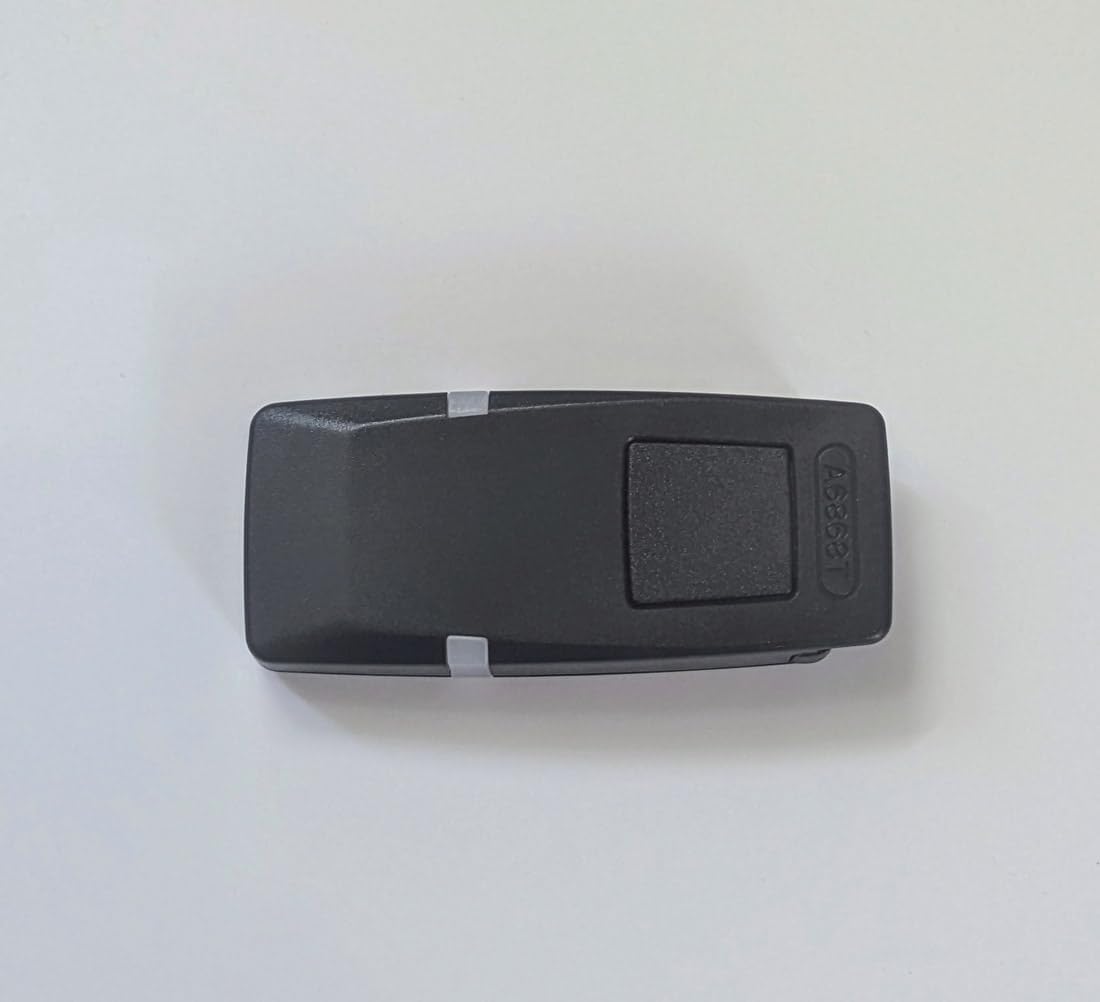


Installation Steps
- Identify Connection Point: Locate the appropriate connection port on your Directed DS3 or DS4 security system for the XDR antenna. Refer to your DS3/DS4 system's manual for exact port identification.
- Reuse Harness: Obtain the LED/SW harness that came with your DS3 or DS4 system. This harness is essential for connecting the A6868T antenna.
- Connect Antenna: Carefully plug the LED/SW harness into the connector port on the A6868T antenna (refer to Image 3). Ensure a secure and firm connection.
- Mount Antenna: Choose a suitable location within your vehicle for optimal signal reception. The antenna should be mounted in a discreet yet accessible area, typically on the windshield or dashboard, away from metal obstructions. Use the pre-applied 3M VHB adhesive (refer to Image 2) to secure the antenna in place. Clean the mounting surface thoroughly before application.
- Route Cables: Route the harness cables neatly and securely, ensuring they do not interfere with vehicle operation or moving parts.
- Test Functionality: After installation, test the remote control functionality to ensure the antenna is properly communicating with the security system and remotes.
Operating Instructions
The A6868T XDR Antenna functions as a signal receiver and transmitter for your Directed DS3/DS4 security system. Its primary role is to extend the range and improve the reliability of communication between your system and VIPER remotes, especially when registering new remotes or operating the system from a distance.
- Remote Registration: When adding new VIPER remotes to your DS3/DS4 system, the A6868T antenna is crucial for the successful pairing process. Follow the remote registration procedure outlined in your main DS3/DS4 system manual.
- Enhanced Range: The XDR (Extended Range) technology in the A6868T antenna helps maintain a strong and consistent signal, allowing for improved remote control operation over greater distances.
- Status Indication: If your DS3/DS4 system's LED/SW harness includes an LED indicator, it will typically provide visual feedback on the system's status, which is facilitated through the antenna connection.
Maintenance
The Directed A6868T XDR Antenna is designed for durability and requires minimal maintenance. Follow these guidelines to ensure optimal performance:
- Cleaning: Periodically wipe the antenna's exterior with a soft, dry cloth to remove dust or grime. Avoid using harsh chemicals or abrasive cleaners, which can damage the casing.
- Connection Check: Occasionally inspect the connection between the antenna and the LED/SW harness to ensure it remains secure.
- Mounting Security: Verify that the antenna remains firmly mounted in its chosen location. If the adhesive shows signs of weakening, re-secure it with appropriate automotive-grade adhesive.
- Environmental Protection: While designed for automotive use, avoid exposing the antenna to extreme temperatures or direct moisture beyond normal vehicle conditions.
Troubleshooting
If you experience issues with your A6868T XDR Antenna, consider the following troubleshooting steps:
| Problem | Possible Cause | Solution |
|---|---|---|
| Poor remote range or intermittent operation |
|
|
| Unable to register new remotes |
|
|
| No LED indicator activity (if applicable) |
|
|
If problems persist after attempting these solutions, please contact your authorized Directed Electronics dealer or technical support.
Specifications
- Brand: Directed
- Model: A6868T (Successor to 6867T)
- Product Type: XDR Antenna
- Compatibility: Directed DS3/DS4 CANBUS Security Systems
- Function: Dedicated antenna for additional remote registration and enhanced range
- Included Components: Antenna unit only
- Required (Not Included): LED/SW harness from DS3/DS4 system
- Color: Black
- Dimensions (Approximate): 14 x 9 x 1.5 cm
- Weight (Approximate): 20 g
- Maximum Range: Up to 400 meters (dependent on environmental factors)
Warranty and Support
For specific warranty information, terms, and conditions related to your Directed Electronics VIPER A6868T XDR Antenna, please refer to the documentation provided with your original purchase or contact your authorized Directed Electronics dealer. Technical support may also be available through the manufacturer's official website or customer service channels.