
1. Introduction and Overview
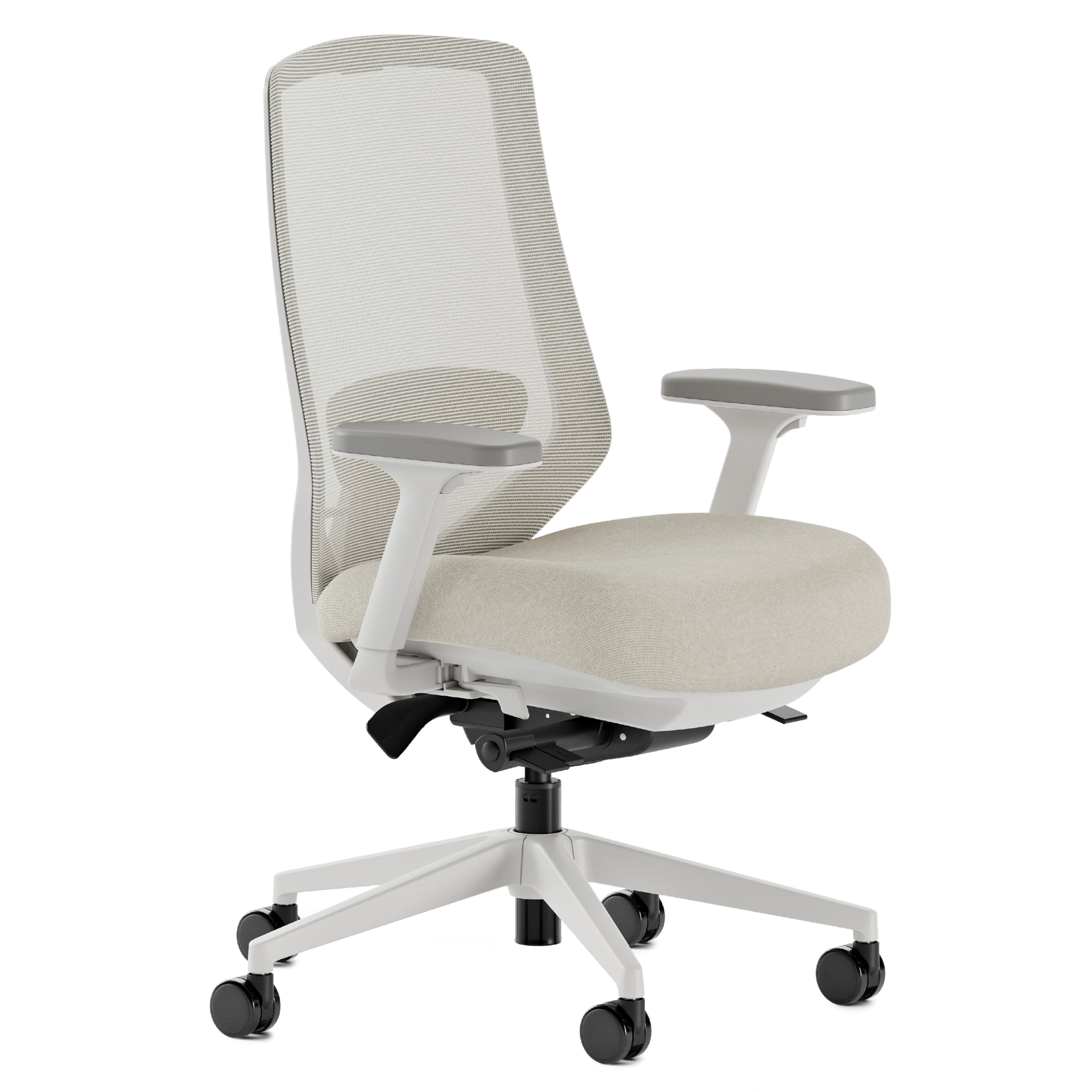
The Branch Ergonomic Chair Pro is designed to provide comprehensive ergonomic support and comfort for extended periods of sitting. This chair features 14 points of adjustment, allowing for a highly customized seating experience to suit individual preferences and promote better posture.
Key features include a padded, two-way adjustable lumbar cushion for optimal spine alignment, 5D armrests that offer extensive movement for personalized comfort, and a smooth tilt and recline mechanism with forward tilt for dynamic sitting. The high-density foam cushion is engineered to distribute weight evenly and maintain its shape, ensuring lasting comfort throughout your workday.
2. Setup and Assembly
Assembly of the Branch Ergonomic Chair Pro is required. It is recommended to follow all instructions carefully to ensure proper setup and to avoid injury. While generally straightforward, some users may find assistance helpful when attaching the seat to the base due to the weight of the components. The typical assembly time is approximately 45 minutes.
Assembly Steps:
- Unpack all components and verify against the parts list provided in the packaging.
- Assemble the chair base and attach the casters.
- Attach the gas lift cylinder to the chair base.
- Secure the adjustment mechanism to the underside of the seat.
- Carefully place the assembled seat onto the gas lift cylinder. Assistance may be beneficial for this step.
- Attach the backrest to the seat assembly.
- Install the armrests, ensuring they are securely fastened.

3. Operating Instructions (Adjustments)
The Branch Ergonomic Chair Pro offers 14 points of adjustment to optimize your comfort and support. Familiarize yourself with these controls to personalize your seating experience.

Chair Height Adjustment
- Locate the lever on the right side, beneath the seat.
- To raise the chair: Lift the lever while taking your weight off the seat.
- To lower the chair: Lift the lever while seated, allowing your weight to lower the chair.
Seat Depth Adjustment
- Find the lever on the left side, beneath the seat.
- Pull the lever and slide the seat forward or backward to achieve optimal thigh support, leaving a small gap between the back of your knees and the seat edge.
5D Armrest Adjustments
The armrests offer five dimensions of adjustment:
- Height: Use the button on the side of the armrest to raise or lower.
- Width: Slide the armrest pads horizontally.
- Depth: Slide the armrest pads forward or backward.
- Pivot: Rotate the armrest pads inward or outward.
- Pad Position: Adjust the angle of the armrest pads.
Lumbar Support Adjustment
The padded lumbar cushion adjusts in two ways:
- Height: Slide the lumbar support up or down the backrest to align with the natural curve of your lower back.
- Depth: Adjust the protrusion of the lumbar support to increase or decrease pressure on your lower back.
Tilt Tension and Recline
- Tilt Tension: Use the knob located under the seat (typically at the front or center) to increase or decrease the resistance when reclining. Turn clockwise for more resistance, counter-clockwise for less.
- Smooth Recline & Lock: The chair allows for a smooth recline. Use the lever (often on the left side, near the tilt tension knob) to lock the backrest in your desired reclined position or to allow free movement.
Forward Tilt
- Engage the forward tilt mechanism (refer to your specific chair's controls, often a separate lever or button) to slightly angle the seat forward. This supports an active sitting posture and can reduce pressure on the thighs.
4. Maintenance
Regular maintenance helps prolong the life and appearance of your Branch Ergonomic Chair Pro.
Cleaning:
- Mesh Backrest: Gently vacuum with a brush attachment to remove dust. For spills, dab with a clean, damp cloth and mild soap solution. Do not saturate.
- Fabric Seat: Vacuum regularly. For stains, use a fabric cleaner according to its instructions, testing on an inconspicuous area first.
- Frame and Base: Wipe with a soft, damp cloth. Avoid abrasive cleaners.
General Care:
- Periodically check all screws and bolts to ensure they are tight. Retighten as necessary.
- Avoid exposing the chair to direct sunlight for prolonged periods to prevent fading.
- Do not use harsh chemicals or solvents on any part of the chair.
5. Troubleshooting
If you encounter any issues with your Branch Ergonomic Chair Pro, please refer to the following common troubleshooting tips:
- Chair not adjusting height: Ensure the gas lift lever is fully engaged and that you are applying or removing weight correctly. Check for any obstructions around the gas lift mechanism.
- Chair wobbles: Verify that all assembly bolts are securely tightened, especially those connecting the base to the seat mechanism. Ensure the casters are properly inserted into the base.
- Backrest not reclining or locking: Check the tilt tension knob; it might be too tight. Ensure the recline lock lever is in the correct position for free movement or locking.
- Noisy operation: Apply a small amount of silicone spray to moving parts or pivot points if squeaking occurs. Avoid oil-based lubricants.
If these steps do not resolve the issue, please contact Branch customer support for further assistance.
6. Specifications
Detailed specifications for the Branch Ergonomic Chair Pro (Model: 11-16-00-13-V2).

| Feature | Detail |
|---|---|
| Brand | Branch |
| Model Name | Ergonomic Chair Pro |
| Model Number | 11-16-00-13-V2 |
| Color | Shore |
| Material | Mesh (Back), Foam (Seat) |
| Frame Material | Aluminum |
| Product Dimensions (D x W x H) | 27"D x 29.3"W x 40"H |
| Chair Height Range | 38" - 41.2" |
| Seat Height Range | 17" - 19.9" |
| Seat Depth Range | 16.7" - 19.7" |
| Armrest Height Range | 24" - 29.8" |
| Tilt Range | 26° |
| Maximum Weight Recommendation | 275 Pounds |
| Item Weight | 42 Pounds |
| Included Components | 5D Armrests |
| Indoor/Outdoor Usage | Indoor |
| Required Assembly | Yes |
7. Safety Information
Please read and adhere to all safety warnings to ensure safe operation and prevent injury:
- Assembly is required. Follow all instructions carefully to avoid injury.
- Be aware of moving parts when adjusting the chair. Keep hands and fingers clear of pinch points.
- Do not exceed the maximum weight recommendation of 275 pounds.
- Keep the chair on a stable, level surface to prevent tipping.
- Do not stand on the chair or use it as a step stool.
- Ensure all components are securely fastened before use.
8. Warranty and Support
The Branch Ergonomic Chair Pro is designed for durability and comfort. For any questions, concerns, or support needs, please contact Branch customer service.
Return Policy:
This product is eligible for a 30-day return for refund or replacement, subject to the retailer's terms and conditions.
Protection Plans:
Optional protection plans are available for purchase, including a 3-Year Protection Plan and a Complete Protect monthly plan, offering extended coverage beyond the standard return policy.
For further assistance, please visit the official Branch website or contact their customer support directly.


