
Introduction
The Skullcandy Barrel Mini is a portable wireless boombox speaker designed for robust audio performance and outdoor use. Featuring Bluetooth 5.3 connectivity, IPX7 waterproofing, and a 12-hour battery life, this speaker offers a dynamic sound experience with integrated LED lights and SKDY Multi-Link technology for connecting multiple units. This manual provides essential information for setting up, operating, and maintaining your speaker.
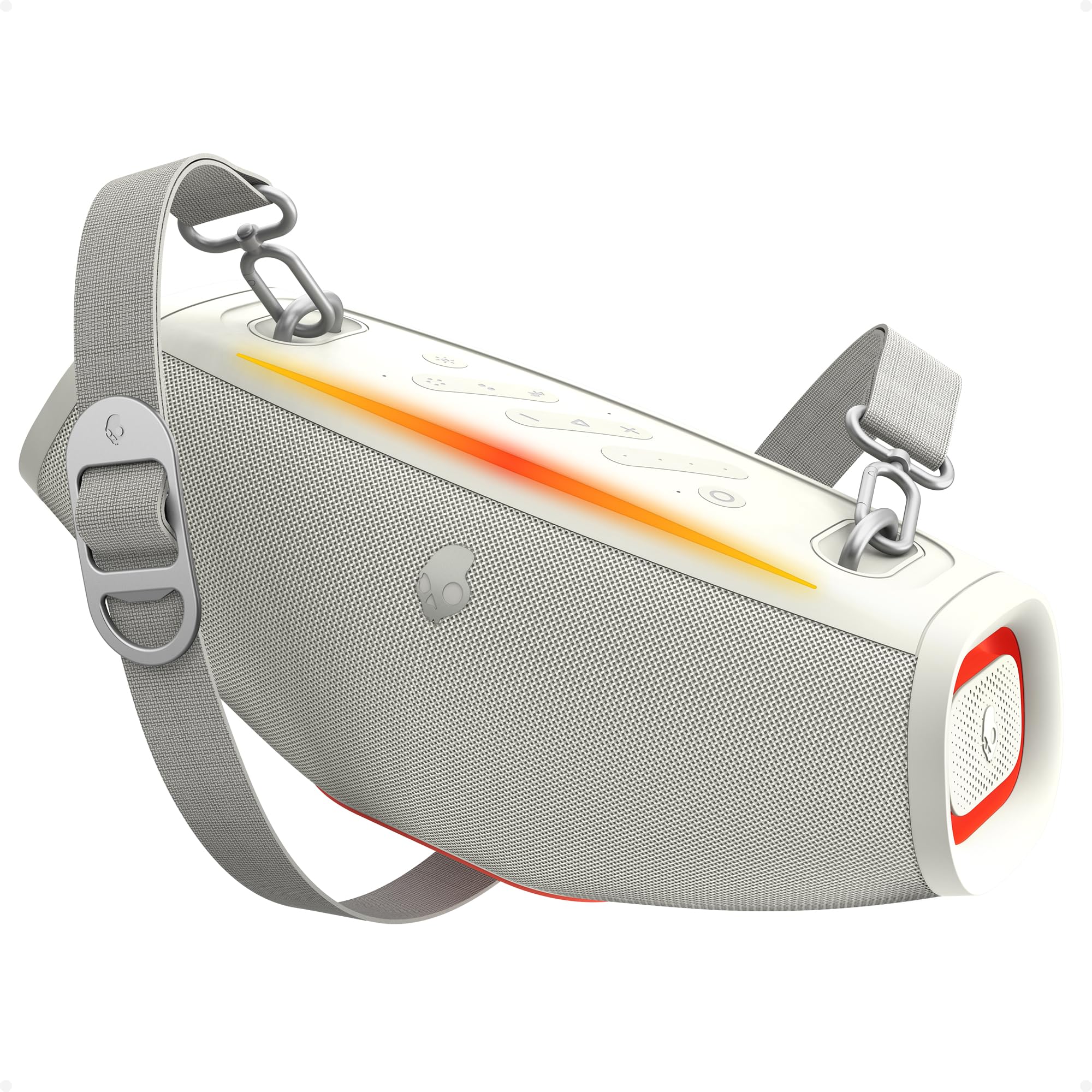
Image: The Skullcandy Barrel Mini Wireless Boombox Speaker, showcasing its compact design and control panel.
Product Features
- Big Sound, Compact Build: Delivers clear audio with true wireless stereo.
- All-Day Power: Up to 12 hours of battery life.
- IPX7 Waterproof Rating: Withstands splashes, rain, and submersion up to 1 meter for 30 minutes.
- SKDY Multi-Link: Connect up to 99 compatible wireless speakers for synchronized audio.
- LED Lights: Color-syncing lights that pulse with music.
- Built-in Power Bank: USB-C charge-out port to charge external devices.

Image: An overview diagram highlighting the main features of the Barrel Mini speaker, including battery life, Bluetooth version, waterproofing, and LED lights.
Package Contents
Ensure all items are present in the package:
- Skullcandy Barrel Mini Speaker
- USB-C Charging Cable
- Detachable Carry Handle
- Shoulder Strap
- Quick Start Guide / Safety Information
Setup
1. Initial Charging
Before first use, fully charge the speaker. Connect the provided USB-C cable to the speaker's charging port and a compatible USB power adapter (not included). The LED indicator will show charging status and turn off when fully charged.
2. Power On/Off
- To Power On: Press and hold the Power button for 2 seconds.
- To Power Off: Press and hold the Power button for 2 seconds.
3. Bluetooth Pairing
- Ensure the speaker is powered on and in pairing mode (LED indicator will flash).
- On your device (smartphone, tablet, etc.), enable Bluetooth and search for available devices.
- Select "Skullcandy Barrel Mini" from the list.
- Once connected, the LED indicator will stop flashing and remain solid.
Operating Instructions
SKDY Multi-Link Technology
The SKDY Multi-Link feature allows you to connect up to 99 compatible Skullcandy speakers for a larger, synchronized audio experience.
- Ensure all speakers are powered on and not connected to any Bluetooth device.
- On the primary speaker, press the Multi-Link button. It will enter pairing mode.
- On each additional speaker, press the Multi-Link button. They will automatically connect to the primary speaker.
- Once connected, the primary speaker will control the audio for all linked speakers.

Image: Illustration of multiple Skullcandy speakers wirelessly connected via SKDY Multi-Link for an expanded sound system.
LED Light Modes
The Barrel Mini features integrated LED lights that can pulse with your music. Press the Light Mode button to cycle through different lighting effects or to turn the lights off.

Image: The Skullcandy Barrel Mini speaker displaying its dynamic LED light show, enhancing the audio experience.
Power Bank Function (Charge Out)
Use the built-in USB-C port to charge your smartphone or other compatible devices directly from the speaker's battery.
- Connect your device's charging cable to the USB-C charge-out port on the Barrel Mini.
- Charging will begin automatically.

Image: The Skullcandy Barrel Mini speaker providing power to a smartphone through its USB-C charge-out port.
Waterproof Usage (IPX7)
The Barrel Mini is IPX7 waterproof, meaning it can be submerged in water up to 1 meter for 30 minutes. Ensure all port covers are securely closed before exposing the speaker to water.

Image: The Skullcandy Barrel Mini speaker being splashed with water, illustrating its IPX7 waterproof capability.
Maintenance
- Cleaning: Wipe the speaker with a soft, damp cloth. Do not use abrasive cleaners or solvents.
- Storage: Store in a cool, dry place away from direct sunlight and extreme temperatures.
- Battery Care: For optimal battery life, avoid fully discharging the speaker frequently. Charge regularly.
Troubleshooting
| Problem | Solution |
|---|---|
| Speaker does not power on. | Ensure the battery is charged. Connect to a power source and try again. |
| Cannot pair via Bluetooth. | Ensure the speaker is in pairing mode. Turn off and on Bluetooth on your device. Move closer to the speaker. |
| No sound or low volume. | Adjust volume on both the speaker and your connected device. Ensure the speaker is not muted. |
| SKDY Multi-Link not working. | Ensure all speakers are compatible and not connected to other Bluetooth devices before initiating Multi-Link. |
| LED lights not functioning. | Press the Light Mode button to cycle through options or turn them on. |
Specifications
| Feature | Detail |
|---|---|
| Brand | Skullcandy |
| Model Number | 2SKSK2100 |
| Speaker Maximum Output Power | 20 Watts |
| Connectivity Technology | Bluetooth |
| Bluetooth Version | 5.3 |
| Audio Output Mode | Stereo |
| Mounting Type | Freestanding |
| Enclosure Material | Plastic |
| Speaker Type | Outdoor |
| Color | Bone |
| Battery Average Life | 12 Hours |
| Waterproof Rating | IPX7 |
| Number of Audio Channels | 2.0 |
| Connectivity Protocol | Bluetooth, USB |
| Item Dimensions (D x W x H) | 7.87"D x 9.84"W x 15.95"H |
| Compatible Devices | Laptop, Smartphone, Tablet |
| Manufacturer | Lifeworks Technology Group, LLC. |
Warranty and Support
The Skullcandy Barrel Mini Wireless Boombox Speaker comes with a limited warranty. For detailed warranty information, product support, or service inquiries, please refer to the official Skullcandy website or contact their customer support directly. Keep your proof of purchase for warranty claims.