
1. Introduction
Thank you for choosing the Bubot 700 Cordless Robotic Pool Cleaner. This manual provides essential information for the safe and efficient operation, maintenance, and troubleshooting of your new pool cleaner. The Bubot 700 is designed to provide comprehensive cleaning for your pool's floor, walls, and waterline, utilizing advanced navigation and app control for a pristine swimming environment.
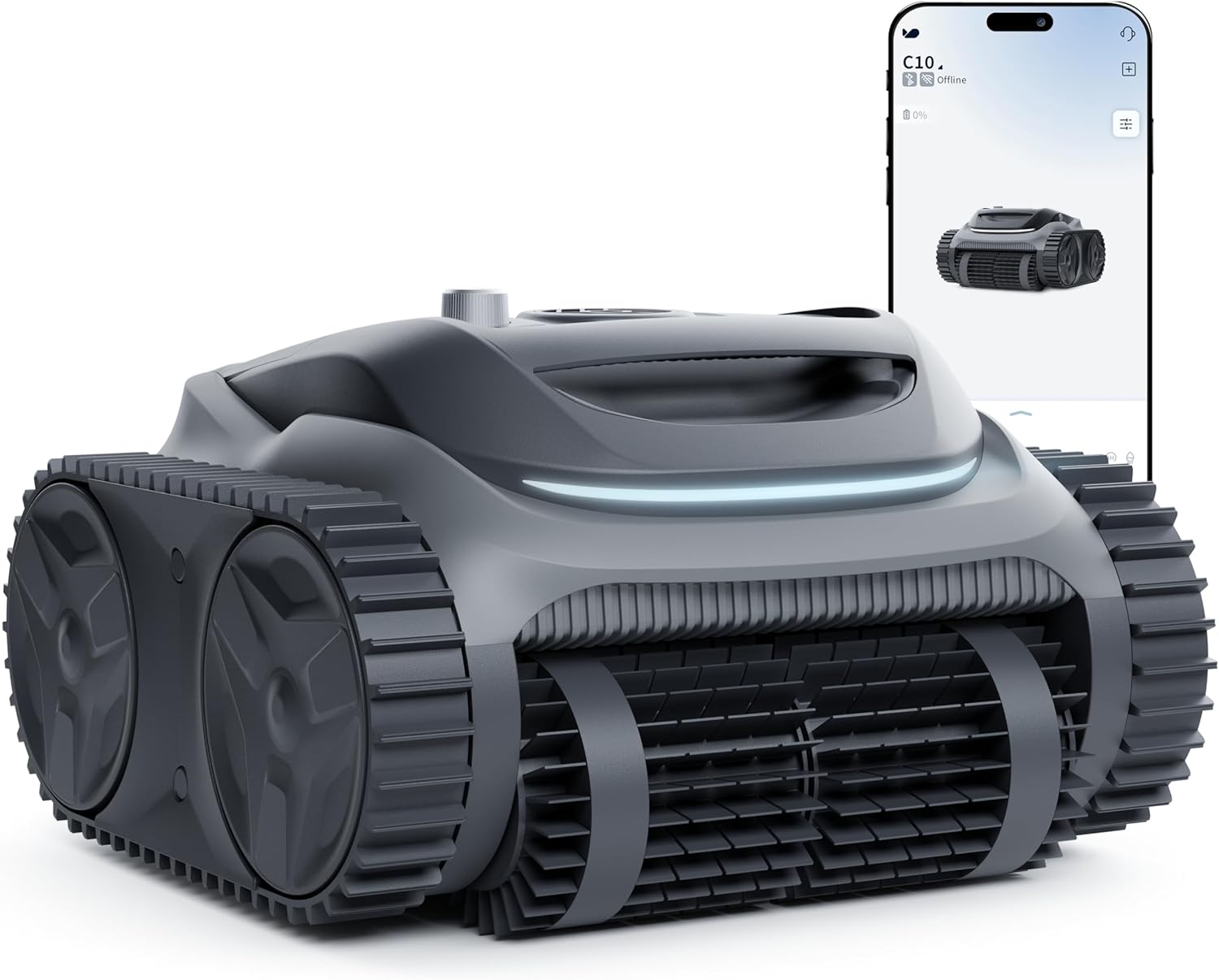
Figure 1: Bubot 700 Cordless Robotic Pool Cleaner and its accompanying mobile application interface.
2. Safety Information
Please read all safety instructions carefully before operating the Bubot 700. Failure to follow these instructions may result in electric shock, fire, or serious injury.
- Always ensure the power adapter is disconnected from the power outlet before performing any maintenance or cleaning on the unit.
- Do not operate the cleaner if the power cable or charger is damaged. Contact customer support for replacement.
- The cleaner is designed for use in swimming pools only. Do not use it for other purposes.
- Keep children and pets away from the pool area while the cleaner is in operation.
- Do not attempt to repair the cleaner yourself. Refer all servicing to qualified service personnel.
- Ensure the pool water temperature is within the recommended operating range (typically 10°C - 35°C / 50°F - 95°F).
- Remove large debris from the pool before operating the cleaner to prevent damage.
- Only use the original charger and battery provided by the manufacturer.
3. Package Contents
Verify that all items are present in the package:
- Bubot 700 Robotic Pool Cleaner Unit
- Charging Adapter
- User Manual (this document)
- Retrieval Hook (if included)
4. Product Overview
Familiarize yourself with the main components of your Bubot 700 cleaner.

Figure 2: The Bubot 700 features a triple-motor system and Bluehole Technology for superior suction power, effectively removing debris from the pool floor.
- Main Body: Houses the motors, battery, and control systems.
- Brushes: Roller scrubbing brushes for effective cleaning.
- Tracks: Tank-like tracks for enhanced mobility and wall climbing.
- Filter Basket: Collects debris and requires regular cleaning.
- Charging Port: Located on the unit for connecting the charging adapter.
- Indicator Lights: Provide status updates (e.g., charging, operating, low battery).
5. Setup
5.1 Initial Charging
Before first use, fully charge the Bubot 700. The initial charge time is approximately 3.4 hours.
- Ensure the cleaner is dry before charging.
- Connect the charging adapter to the cleaner's charging port.
- Plug the adapter into a standard electrical outlet.
- The indicator light will show charging status (refer to the cleaner's specific light indicators for details).
- Once fully charged, disconnect the adapter from the cleaner and the outlet.
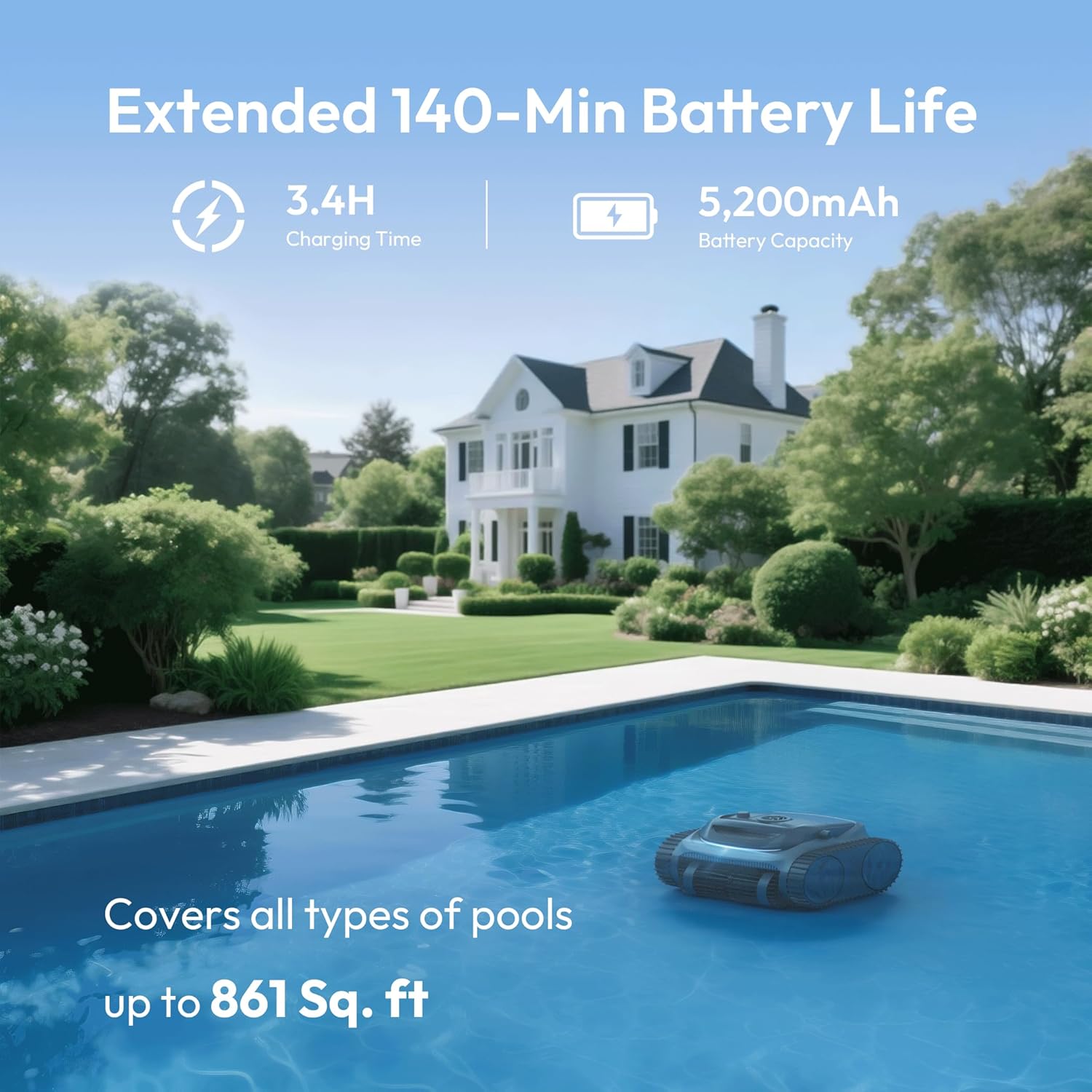
Figure 3: The Bubot 700 offers an extended runtime of up to 120 minutes after a 3.4-hour charge, suitable for pools up to 861 sq.ft.
5.2 App Connection (BUBLUE App)
The Bubot 700 can be controlled via the BUBLUE App, available for both iOS and Android devices. The app supports both Bluetooth and 2.4G Wi-Fi connections.
- Download the "BUBLUE" app from your device's app store.
- Ensure your smartphone's Bluetooth and Wi-Fi are enabled.
- Place the Bubot 700 in the pool (ensure it's powered on).
- Open the BUBLUE app and follow the on-screen instructions to add your device.
- Select your Bubot 700 from the list of discoverable devices.
- Once connected, you can control the cleaner and access various settings.

Figure 4: The BUBLUE App allows for effortless control, enabling users to select cleaning modes, adjust cycle length, and customize path width.
6. Operation
6.1 Placing the Cleaner in the Pool
Gently lower the Bubot 700 into the pool. It will sink to the bottom. Ensure no air bubbles are trapped inside the unit.
6.2 Cleaning Modes
The Bubot 700 offers multiple cleaning modes to suit your pool's needs. These can be selected via the BUBLUE App.

Figure 5: The Bubot 700 offers 4-in-1 cleaning capabilities, including Auto, Floor, Wall, and Waterline modes, ensuring comprehensive pool coverage.
- Auto Mode: The cleaner intelligently assesses the pool's shape and size to determine the most efficient cleaning path for floor, wall, and waterline.
- Floor Mode: Focuses cleaning solely on the pool floor, ideal for removing settled debris.
- Wall Mode: Directs the cleaner to climb and scrub the pool walls and waterline.
6.3 Smart Navigation and Self-Parking
The Bubot 700 utilizes Bluesonic Path Technology for AI-powered navigation, optimizing its cleaning route for maximum coverage.
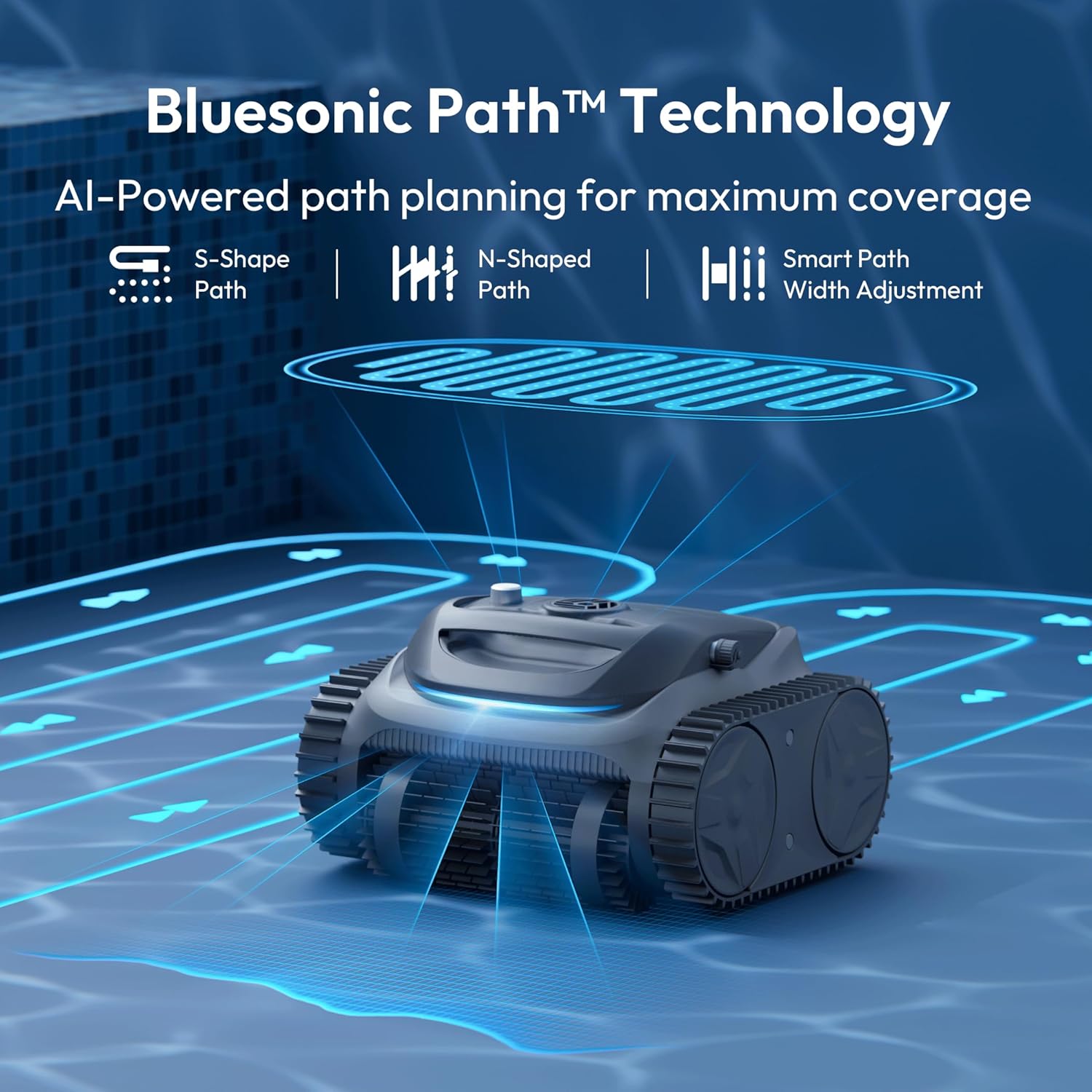
Figure 6: Bluesonic Path Technology enables the Bubot 700 to use advanced algorithms for efficient cleaning paths, including S-Shape, N-Shaped, and smart path width adjustment.
When the battery level is low, the cleaner will automatically navigate to the edge of the pool for easy retrieval.
6.4 Retrieving the Cleaner
Once the cleaning cycle is complete or the battery is low, the cleaner will park itself near the pool edge. Use the provided retrieval hook (if applicable) or gently pull the cleaner out of the water using its handle. Allow excess water to drain before placing it on a dry surface.
7. Maintenance
Regular maintenance ensures optimal performance and extends the lifespan of your Bubot 700.
7.1 Cleaning the Filter Basket
It is recommended to clean the filter basket after each cleaning cycle.
- Ensure the cleaner is powered off and out of the water.
- Locate and open the filter compartment (refer to product diagrams for exact location).
- Remove the filter basket.
- Empty collected debris into a waste bin.
- Rinse the filter basket thoroughly with a garden hose until all debris is removed.
- Reinsert the clean filter basket into the cleaner and close the compartment securely.
7.2 Cleaning the Cleaner Body
Wipe down the exterior of the cleaner with a soft, damp cloth. Do not use harsh chemicals or abrasive cleaners. Rinse the brushes and tracks to remove any trapped debris.
7.3 Storage
When not in use for extended periods, store the Bubot 700 in a cool, dry place, away from direct sunlight and extreme temperatures. Ensure the battery is fully charged before storing to prolong its life.
8. Troubleshooting
This section addresses common issues you might encounter. For problems not listed here, please contact customer support.
| Problem | Possible Cause | Solution |
|---|---|---|
| Cleaner does not turn on. | Low battery; Power button not pressed correctly. | Charge the cleaner fully; Ensure the power button is pressed firmly. |
| Cleaner not moving or moving slowly. | Filter basket clogged; Obstruction in brushes/tracks; Low battery. | Clean the filter basket; Remove any obstructions; Charge the cleaner. |
| Poor cleaning performance. | Filter basket clogged; Brushes worn; Incorrect cleaning mode. | Clean the filter basket; Inspect and replace brushes if worn; Select appropriate cleaning mode. |
| App cannot connect to cleaner. | Bluetooth/Wi-Fi off; Cleaner not powered on; Out of range. | Ensure Bluetooth/Wi-Fi is on; Power on cleaner; Move closer to cleaner. |
| Cleaner does not climb walls. | Filter basket clogged; Air trapped inside; Pool surface too slippery. | Clean filter; Gently rock cleaner to release air; Ensure pool surface is not excessively slimy. |
9. Specifications
Technical specifications for the Bubot 700 Cordless Robotic Pool Cleaner:
| Feature | Detail |
|---|---|
| Model Name | Bublue 700-C10 |
| Brand | BUBLUE |
| Item Weight | 26 Pounds (11.79 kg) |
| Package Dimensions | 18 x 17 x 13 inches (45.7 x 43.2 x 33 cm) |
| Battery Type | Lithium Ion |
| Number of Batteries | 1 (included) |
| Battery Voltage | 18.25 Volts |
| Battery Energy Content | 94.9 Watt Hours |
| Charging Time | 3.4 Hours |
| Runtime | Up to 120 minutes |
| Max Pool Size | Up to 861 sq.ft. |
| Special Feature | App Control (Bluetooth & 2.4G Wi-Fi) |
| Cleaning Modes | Floor, Wall, Auto (4-in-1 with Waterline) |
| Navigation | AI Navigation with Bluesonic Path Technology |
| Filtration | Ultra-fine filtration |
10. Warranty & Support
The Bubot 700 Cordless Robotic Pool Cleaner is backed by a 2-year warranty from the date of purchase. This warranty covers manufacturing defects and workmanship under normal use.
For warranty claims, technical assistance, or any questions regarding your product, please contact the dedicated BUBLUE customer support team. Please have your model number (Bublue 700-C10) and proof of purchase ready when contacting support.
Contact information can typically be found on the manufacturer's official website or on the product packaging.