
VASAGLE LSD146YA02
VASAGLE Electric Height-Adjustable Desk
Model: LSD146YA02 | Size: 160 x 80 cm | Color: Natural Oak
Introduction
Thank you for choosing the VASAGLE Electric Height-Adjustable Desk. This manual provides essential information for safe assembly, operation, and maintenance of your new desk. Please read it thoroughly before use and keep it for future reference.
Safety Instructions
- Ensure all components are present and undamaged before assembly. Do not use if any parts are missing or defective.
- Keep children and pets away from the desk during operation to prevent accidents.
- Do not place hands or objects near moving parts (e.g., lifting columns) during height adjustment.
- Ensure the power cord is not pinched or damaged. Use only the provided power adapter.
- Do not overload the desk. The maximum load capacity is 80 kg (176 lbs).
- Avoid spilling liquids on the control panel or electrical components.
- If the desk malfunctions, disconnect it from the power supply immediately and contact customer support.
- This desk is designed for indoor use only.
Package Contents
Before assembly, verify that all parts listed below are included in your package:
- Desktop (4 sections)
- Legs and Crossbar Frame
- Support Bars
- Control Panel
- Power Adapter and Cable
- Power Strip Holder
- Headphone/Bag Hooks (2x)
- Cable Management Grommets (2x)
- Assembly Hardware (screws, tools, etc.)
- Instruction Manual
Setup and Assembly
Follow these steps for a smooth assembly process. It is recommended to assemble the desk with two people.
Step 1: Assemble the Desktop
Connect the four desktop sections using the provided connectors and screws. Ensure they are aligned properly to form a flat surface.

Image: Illustration of the four desktop pieces being joined together to form the main desk surface.
Step 2: Attach Legs and Crossbar
Secure the desk legs and crossbar frame to the underside of the assembled desktop. Refer to the illustrated instructions for correct orientation and screw placement.

Image: Detailed diagram illustrating the dimensions of the desk, including the legs, crossbar, and the power strip holder. It also shows the maximum static load capacity of 80 kg.
Step 3: Install Support Bars and Accessories
Mount the support bars, power strip holder, and headphone/bag hooks as indicated in the assembly guide. These components enhance stability and organization.

Image: Illustration demonstrating the intelligent cable management system, including two cable grommets and a support for a power strip, designed to keep cables organized.
Step 4: Connect Control Panel and Power
Connect the control panel to the desk motor and then plug the power adapter into the desk and a wall outlet. Ensure all connections are secure.
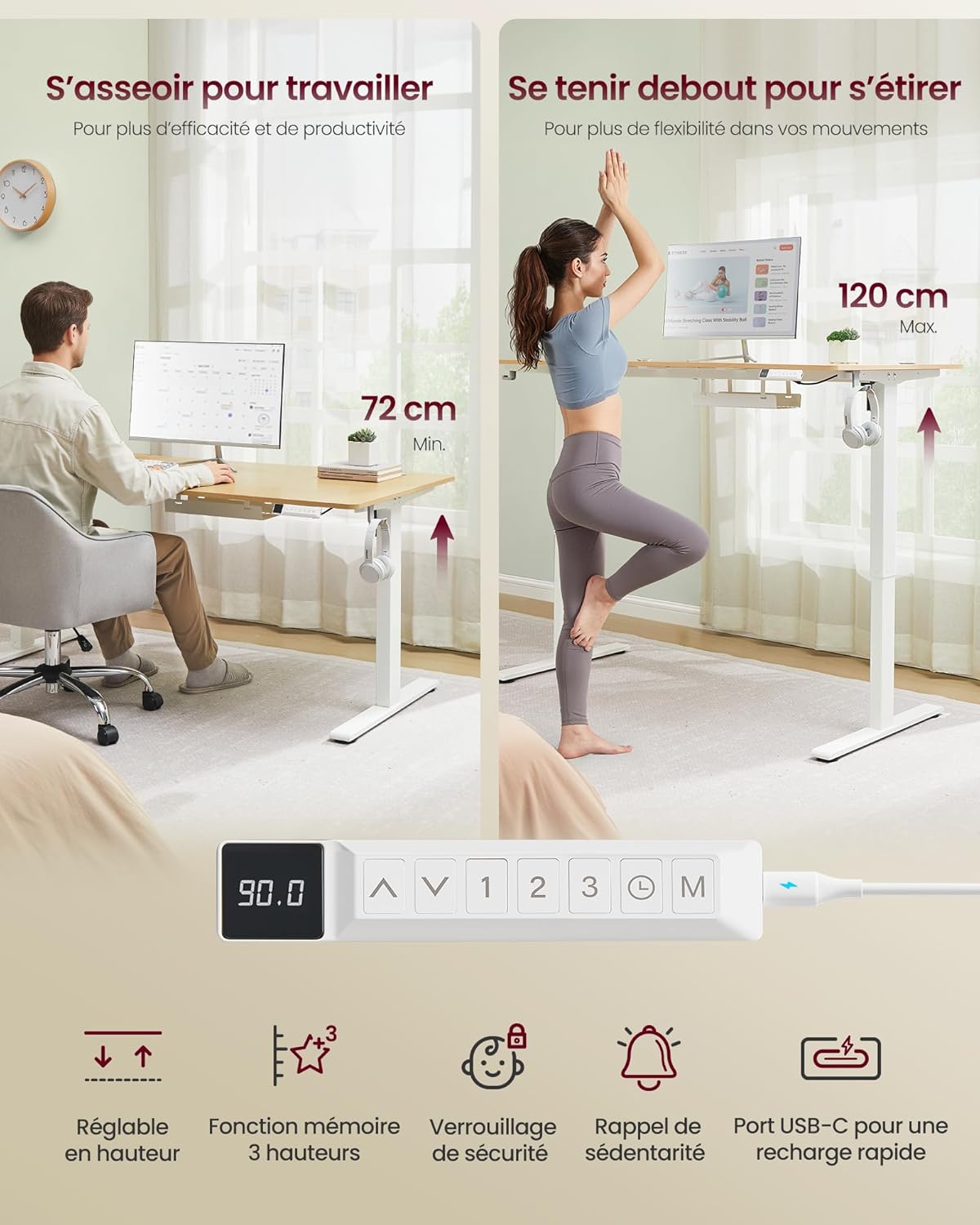
Image: This image displays the desk at its minimum height (72 cm) for sitting and maximum height (120 cm) for standing. It also highlights the control panel with buttons for height adjustment, 3-height memory, safety lock, sedentary reminder, and a USB-C fast charging port.
Operating Instructions
Height Adjustment
- Use the Up (▲) and Down (▼) arrows on the control panel to adjust the desk height.
- The desk can be adjusted smoothly between 72 cm and 120 cm.
Memory Presets
- The desk features 3 memory presets (1, 2, 3) to save your preferred heights.
- To save a height: Adjust the desk to the desired height, then press the "M" button followed by the desired preset number (1, 2, or 3). The display will confirm the save.
- To recall a height: Press the corresponding preset number (1, 2, or 3). The desk will automatically move to the saved height.
Sedentary Reminder
- Activate the sedentary reminder by pressing the Clock icon button.
- This feature prompts you to change your working posture at regular intervals to promote healthier habits.
USB-C Charging Port
- The control panel includes a USB-C port for fast charging compatible devices (up to 20W).
- Simply connect your device to the USB-C port using a compatible cable.

Image: A close-up view of the desk's control panel, highlighting the USB-C port with a smartphone connected and charging, indicating its 20W fast charging capability.
Maintenance
- Cleaning: Wipe the desk surface and frame with a soft, damp cloth. Avoid abrasive cleaners or harsh chemicals.
- Inspection: Periodically check all screws and connections to ensure they are tight. Retighten if necessary.
- Cable Management: Ensure cables are neatly organized and not interfering with the desk's movement.
- Motor Care: The electric motor is maintenance-free. Do not attempt to open or lubricate it.
Troubleshooting
| Problem | Possible Cause | Solution |
|---|---|---|
| Desk does not move. | Power cable disconnected; motor error. | Check power connections. Unplug and replug the desk after 30 seconds. If the issue persists, contact support. |
| Uneven height adjustment. | Overload; obstruction; loose connections. | Reduce weight on the desk. Check for obstructions. Ensure all assembly screws are tight. |
| Control panel unresponsive. | Power issue; panel malfunction. | Verify power supply. Try resetting the desk by unplugging it for a few minutes. |
| Desk makes unusual noise. | Obstruction; component friction. | Check for any objects interfering with the lifting mechanism. Ensure the desk is not overloaded. |
If you encounter problems not listed here or if the suggested solutions do not resolve the issue, please contact VASAGLE customer support.
Specifications
| Feature | Detail |
|---|---|
| Model Number | LSD146YA02 |
| Dimensions (L x W x H) | 160 x 80 x 72-120 cm (63 x 31.5 x 28.3-47.2 inches) |
| Desktop Material | Engineered Wood |
| Frame Material | Alloy Steel |
| Color | Natural Oak |
| Minimum Height | 72 cm (28.3 inches) |
| Maximum Height | 120 cm (47.2 inches) |
| Maximum Load Capacity | 80 kg (176 lbs) |
| Noise Level | ≤ 48 dB |
| USB-C Output | 20W Fast Charge |
| Special Features | 3-Height Memory Function, Sedentary Reminder, USB-C Port, Power Strip Holder, Headphone/Bag Hooks |
| Assembly Required | Yes |
Warranty and Support
VASAGLE products come with a standard manufacturer's warranty. For specific warranty details, please refer to the documentation included with your purchase or visit the official VASAGLE website.
If you have any questions, require assistance with assembly, or encounter any issues with your desk, please contact VASAGLE customer support:
- Online Support: Visit the VASAGLE Brand Store on Amazon for FAQs and contact information.
- Email: Refer to your product packaging or the official website for the customer service email address.
- Please have your model number (LSD146YA02) and purchase date ready when contacting support.
Ask a question about this manual
Ask about setup, troubleshooting, compatibility, parts, safety, or missing instructions. Manuals+ will review the question and use this page’s manual context to help answer it.