
Introduction
This manual provides instructions for the safe and effective use of your InnoVibe Sound Machine with Wireless Charger and Bluetooth Speaker. This device is designed to provide a relaxing environment through soothing sounds, play audio via Bluetooth, and wirelessly charge compatible smartphones. Please read this manual thoroughly before operation and retain it for future reference.
Safety Information
- Do not expose the device to water or excessive moisture.
- Avoid extreme temperatures.
- Do not disassemble or attempt to repair the device yourself. Refer all servicing to qualified personnel.
- Keep out of reach of children.
- Use only the provided power adapter or a certified equivalent.
- Ensure proper ventilation when using the wireless charging function.
Package Contents
- InnoVibe Sound Machine (IVSP1597)
- USB-C Charging Cable
- User Manual
Product Overview
Familiarize yourself with the device's components and controls.
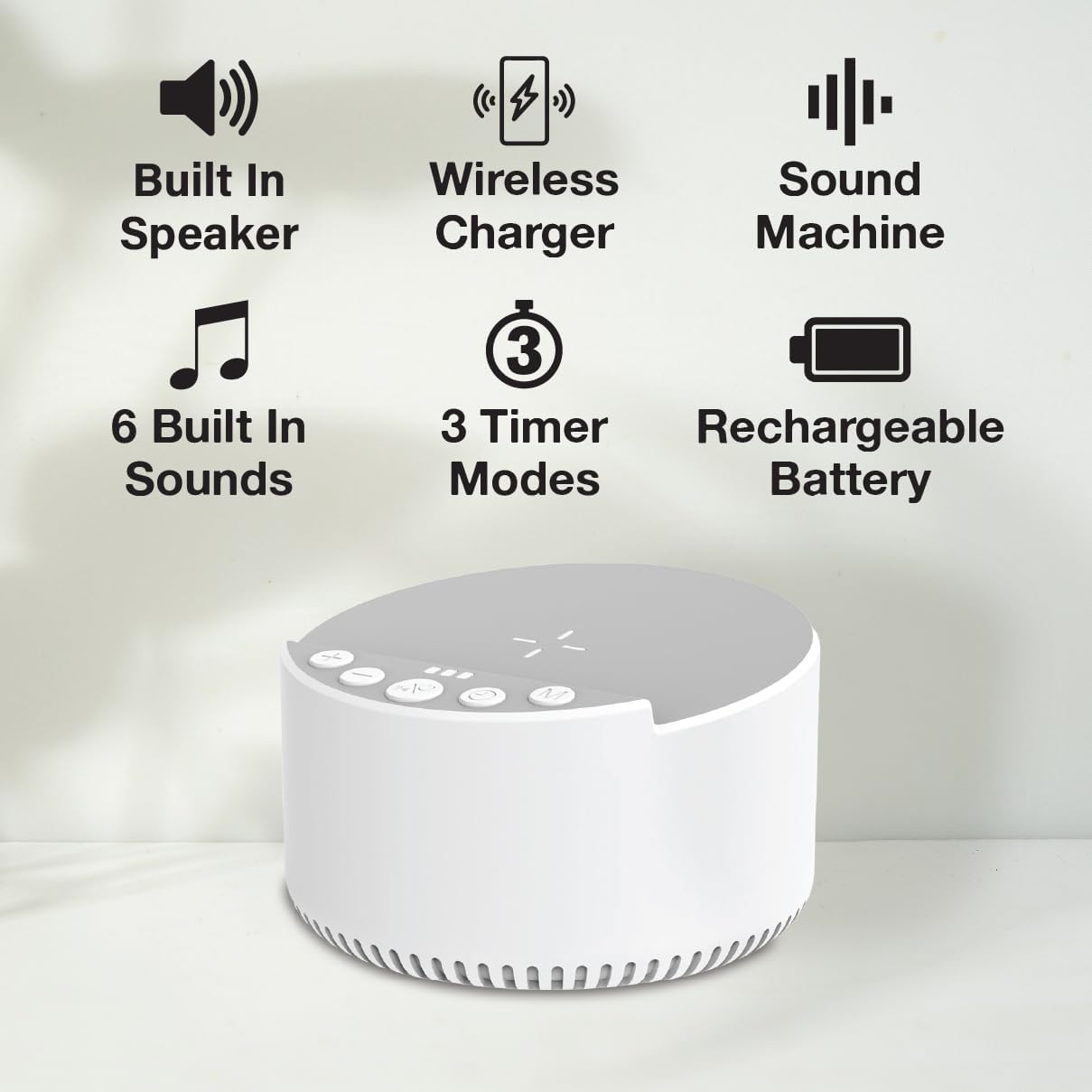
Figure 1: Diagram illustrating the InnoVibe Sound Machine's features and control buttons, including the built-in speaker, wireless charger, sound machine function, 6 built-in sounds, 3 timer modes, and rechargeable battery.

Figure 2: Front view of the InnoVibe Sound Machine, showcasing its compact design and top-mounted controls.
Controls:
- Power Button: Turns the device on/off.
- Sound Selection Buttons: Cycle through the 6 built-in sounds.
- Volume Up/Down Buttons: Adjust the sound volume.
- Timer Button: Sets the auto-off timer (15, 30, 60 minutes, or continuous).
- Bluetooth Button: Activates Bluetooth pairing mode.
- Wireless Charging Pad: Located on the top surface for compatible devices.
Setup
- Power Connection: Connect the provided USB-C cable to the device's charging port and plug the other end into a compatible USB power adapter (not included) or a USB port. The device has a built-in rechargeable battery.
- Placement: Place the device on a flat, stable surface, such as a nightstand or desk, ensuring adequate space for wireless charging and sound projection.
Operating Instructions
1. Power On/Off
- Press and hold the Power Button for 2 seconds to turn the device on or off.
2. Sound Machine Function
The device offers 6 natural soothing sounds to aid relaxation and sleep.
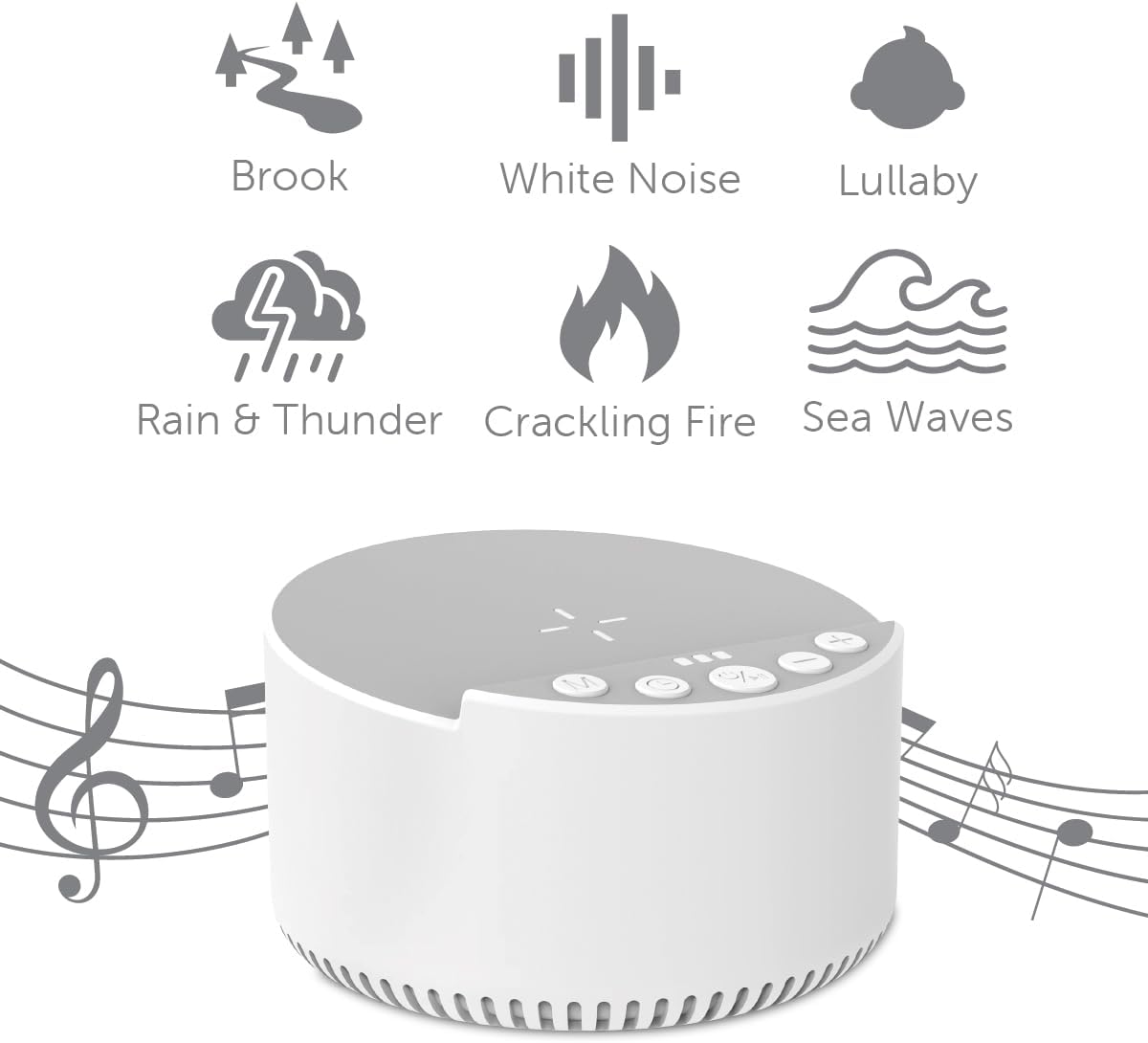
Figure 3: Visual representation of the six natural sounds available on the InnoVibe Sound Machine.
- Select Sound: Press the Sound Selection Buttons to cycle through the available sounds: White Noise, Ocean Waves, Rain & Thunder, Crackling Fire, Lullaby, and Flowing Brook.
- Adjust Volume: Use the Volume Up/Down Buttons to set your desired listening level.
- Set Timer: Press the Timer Button to choose an auto-off duration: 15 minutes, 30 minutes, 60 minutes, or continuous play. An indicator light may show the selected timer setting.
- Memory Function: The device will remember your last sound and volume settings when powered off and on again.

Figure 4: The InnoVibe Sound Machine positioned on a nightstand, providing soothing sounds for sleep.
3. Bluetooth Speaker Function
Stream audio wirelessly from your smartphone or other Bluetooth-enabled devices.
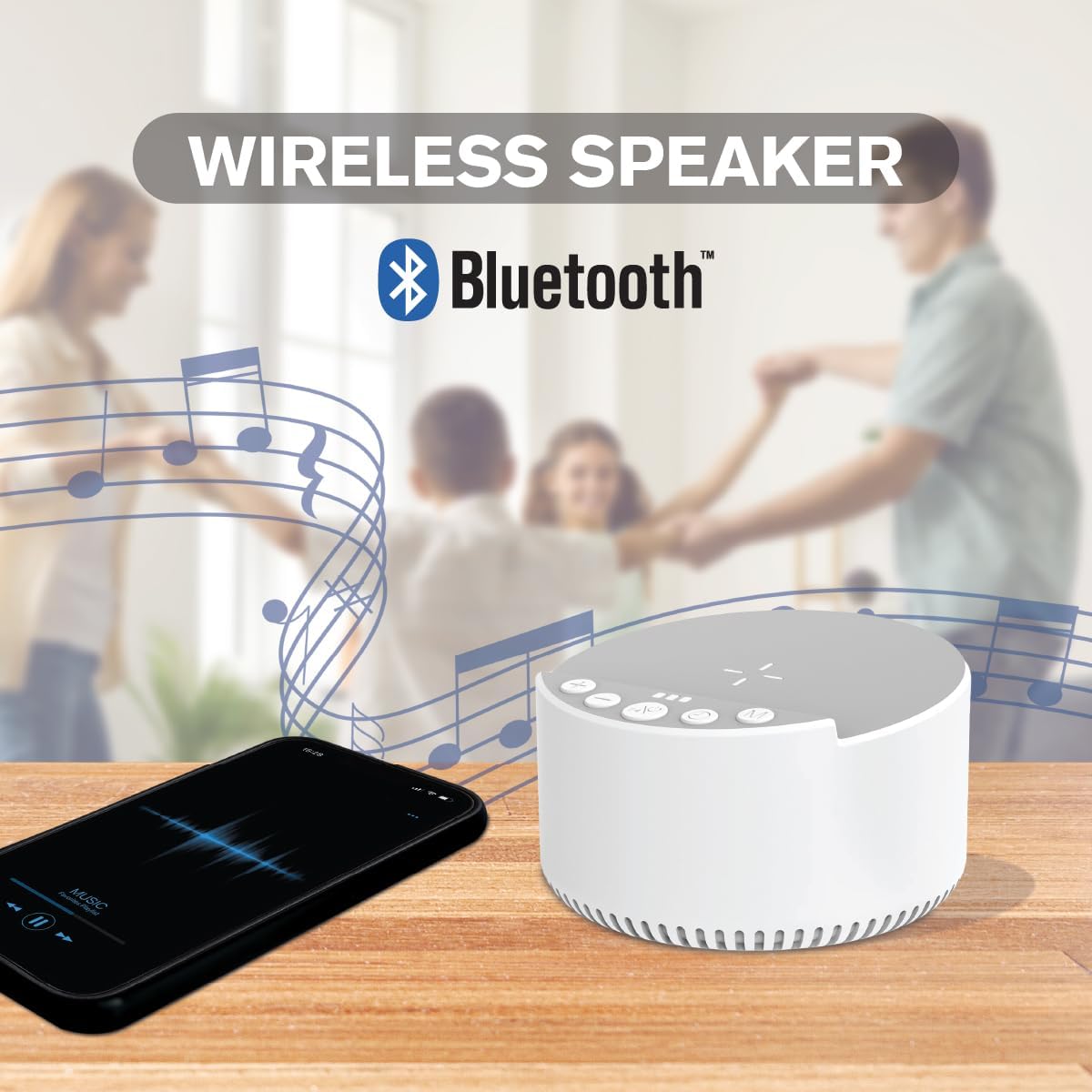
Figure 5: The InnoVibe Sound Machine connected via Bluetooth to a smartphone, playing music.
- Activate Bluetooth: With the device powered on, press the Bluetooth Button. The device will enter pairing mode, indicated by a flashing light or audible prompt.
- Pair Device: On your smartphone or Bluetooth-enabled device, go to Bluetooth settings and select "IVSP1597" (or similar name) from the list of available devices.
- Play Audio: Once paired, you can play music, podcasts, or other audio from your connected device. Use the volume controls on both the sound machine and your connected device to adjust the sound level.
4. Wireless Charger Function
Charge compatible smartphones wirelessly by placing them on the charging pad.

Figure 6: A smartphone being wirelessly charged on the InnoVibe Sound Machine's charging pad.
- Placement: Place your Qi-compatible smartphone directly onto the wireless charging pad located on the top surface of the sound machine.
- Charging Indicator: The device or your phone will indicate when charging has begun. Ensure the phone is centered on the pad for optimal charging.
- Note: Wireless charging requires the sound machine to be powered on and connected to a power source.
Maintenance
- Cleaning: Wipe the device with a soft, dry cloth. Do not use abrasive cleaners or solvents.
- Storage: Store the device in a cool, dry place when not in use.
Troubleshooting
| Problem | Possible Solution |
|---|---|
| Device does not power on. | Ensure the device is charged or connected to a power source. Press and hold the Power Button for 2 seconds. |
| No sound from the speaker. | Check the volume level on both the sound machine and your connected Bluetooth device. Ensure a sound mode is selected. |
| Bluetooth pairing fails. | Ensure the sound machine is in pairing mode. Turn off and on Bluetooth on your device. Move closer to the sound machine. |
| Wireless charging not working. | Ensure your phone is Qi-compatible and centered on the charging pad. Remove any thick phone cases. Ensure the sound machine is powered on and connected to a power source. |
Specifications
| Feature | Detail |
|---|---|
| Model Number | IVSP1597 |
| Brand | InnoVibe |
| Product Dimensions | 2.52"D x 3.98"W x 4.02"H |
| Item Weight | 13.3 ounces |
| Speaker Type | Built-In |
| Speaker Output Power | 3 Watts |
| Connectivity Technology | Bluetooth |
| Wireless Charging Output | 15W (Fast Charging) |
| Sound Modes | 6 Natural Soothing Sounds |
| Timer Modes | 15, 30, 60 minutes, Continuous |
| Battery | 1 Nonstandard Battery (included) |
| UPC | 810106639246 |
Warranty & Support
InnoVibe products are designed for reliability and performance. For warranty information or technical support, please refer to the contact details provided with your purchase or visit the official InnoVibe website. Please have your model number (IVSP1597) ready when contacting support.
