
1. Introduction
Welcome to the autobrush Kids Electric Toothbrush user manual. This guide provides essential information for the safe and effective use of your new U-shaped electric toothbrush. Designed specifically for children aged 3-5, this Dinosaur-themed toothbrush makes oral hygiene fun and efficient.
2. Product Overview
The autobrush Kids Electric Toothbrush is an ADA-accepted, U-shaped sonic toothbrush engineered for superior cleaning performance in just 30 seconds. It features:
- ADA-Accepted: Certified by the American Dental Association for quality and performance.
- Clinically Proven: Demonstrated to remove plaque up to 5.1 times better than traditional manual toothbrushes and up to 13 times better than electric toothbrushes.
- GumDefend Bristles: Equipped with 58,000 soft bristles, combining nylon and silicone for enhanced plaque removal and gum care.
- Kid-Friendly Design: Soft-touch silicone body, easy to hold, and available in fun character themes like Dinosaur.
- Interactive Brushing: Features safe LED lights, engaging music, and multiple cleaning modes to keep children entertained during brushing.
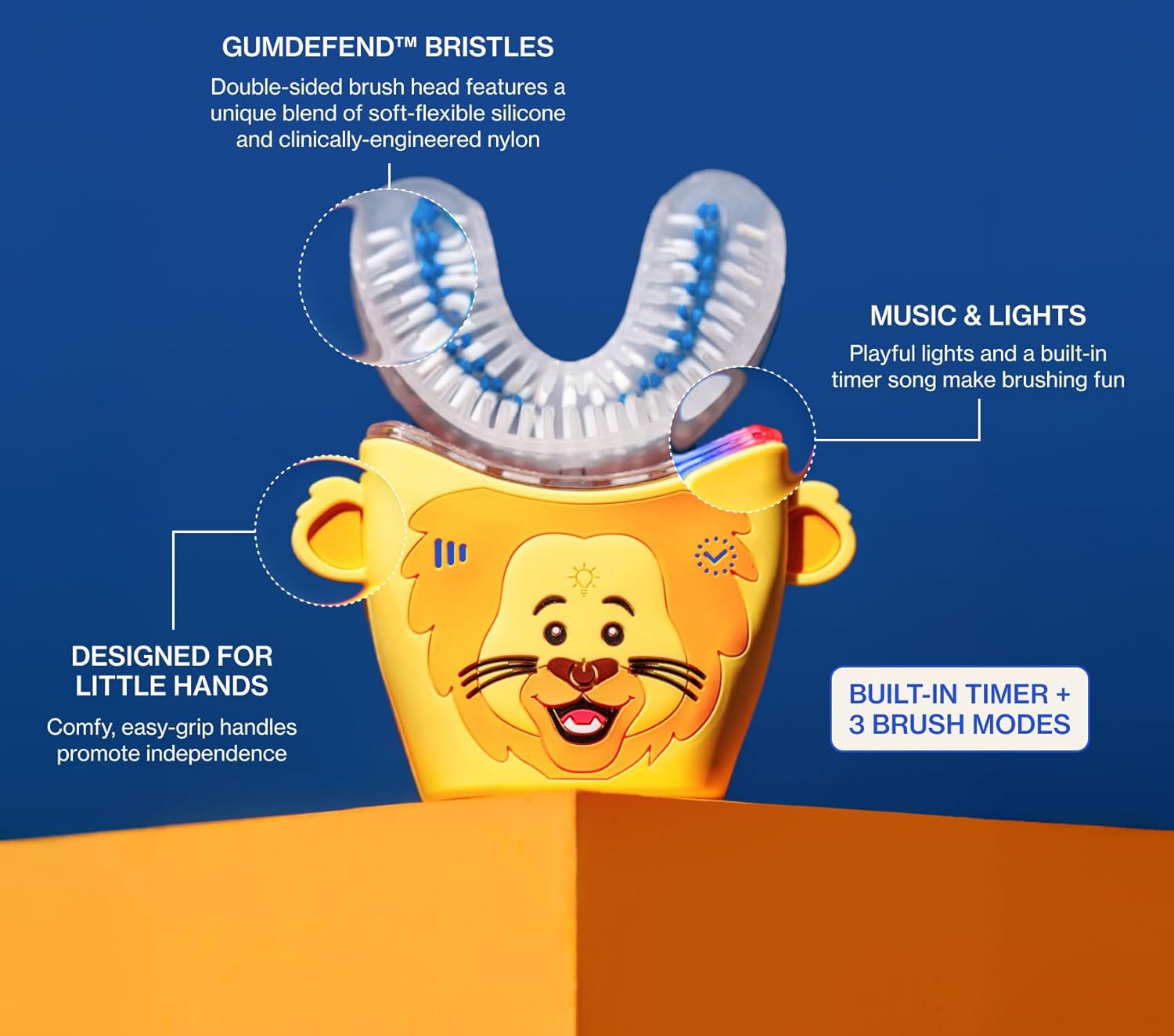
Figure 1: Key features of the autobrush Kids Electric Toothbrush.
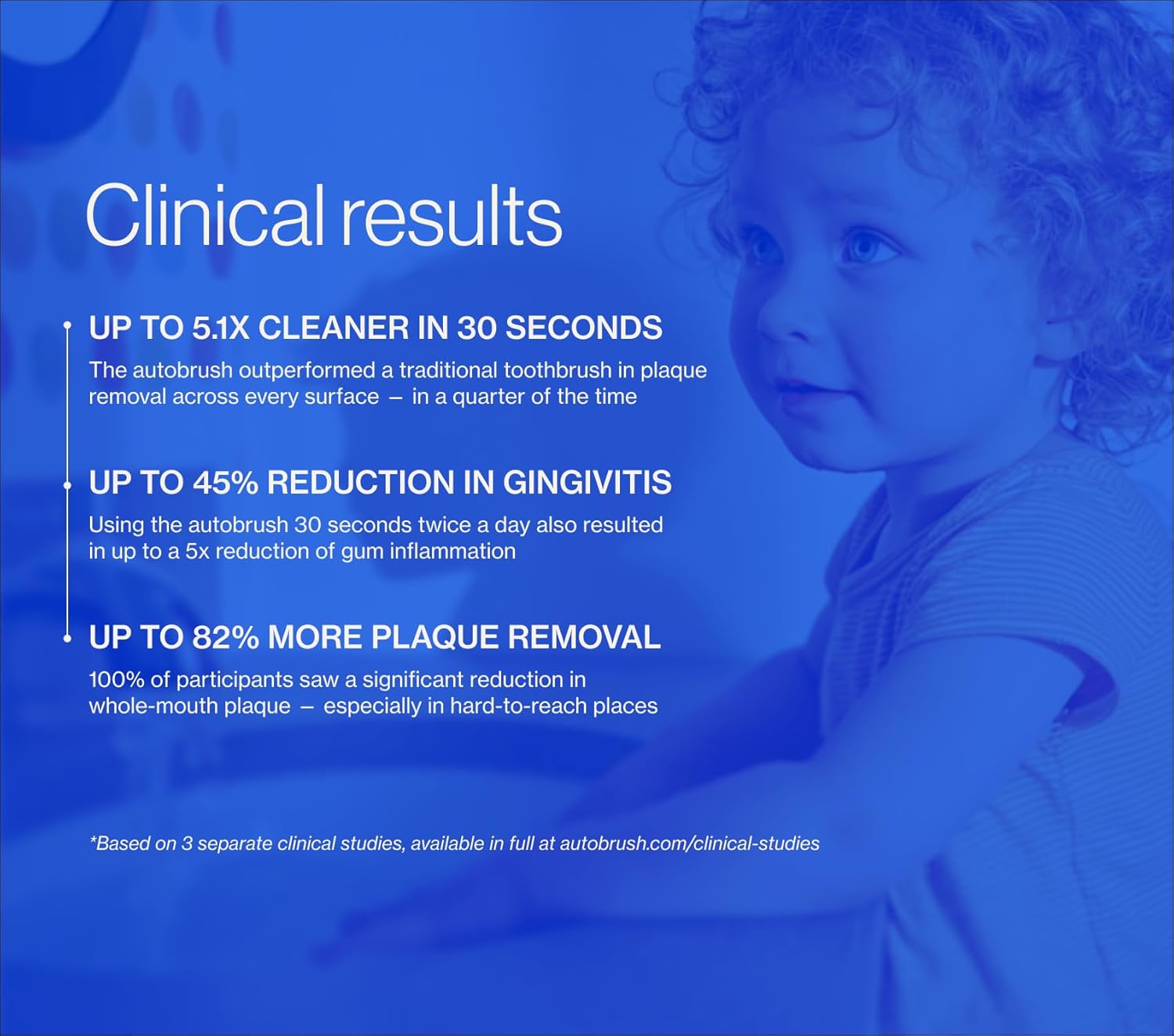
Figure 2: Summary of clinical performance results.
3. Safety Information
WARNING: Choking hazard. Keep out of reach of children under 3 years. Do not swallow. Not intended for use other than oral hygiene. Supervision is required for young children. Do not damage or misuse, as this could cause electrical hazards.
Statements regarding dietary supplements have not been evaluated by the FDA and are not intended to diagnose, treat, cure, or prevent any disease or health condition.
4. Setup
- Charge the Device: Before first use, fully charge your autobrush. Place the toothbrush onto its dinosaur-themed charging station. The indicator light on the base will show charging status.
- Attach Brush Head: Ensure the U-shaped brush head is securely attached to the main unit.
- Apply Toothpaste: Apply a small amount of foaming toothpaste (recommended) evenly along both sides of the U-shaped brush head.
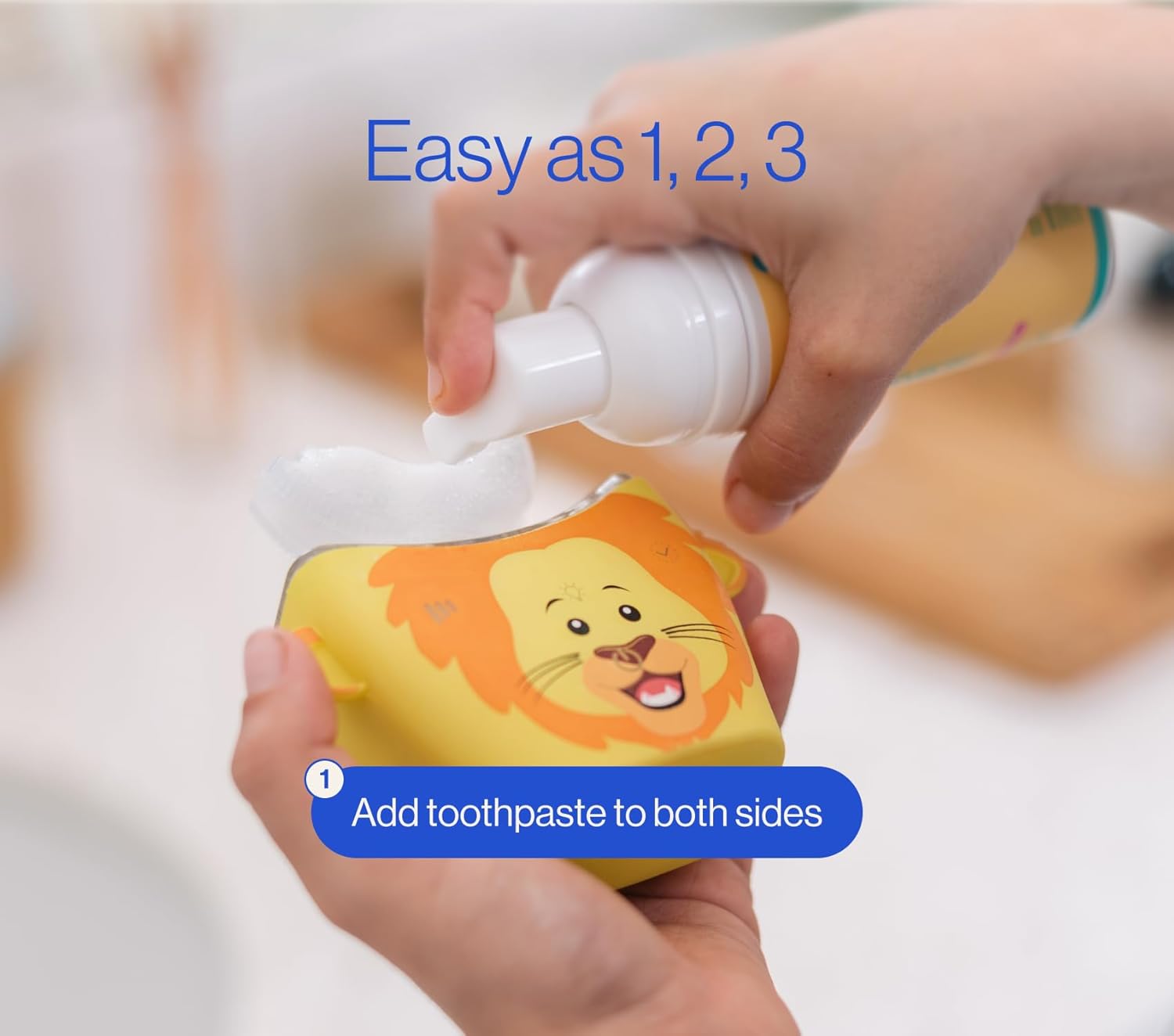
Figure 3: Applying toothpaste to the brush head.
5. Operating Instructions
- Insert into Mouth: Place the U-shaped brush head into your child's mouth, ensuring it covers all teeth.
- Power On: Press the power button to start brushing. The toothbrush will activate its sonic vibrations, LED lights, and music.
- Select Cleaning Mode: The toothbrush offers multiple cleaning modes (Deep Clean, Massage Mode, Care Mode). Press the mode selection button to cycle through the available options.
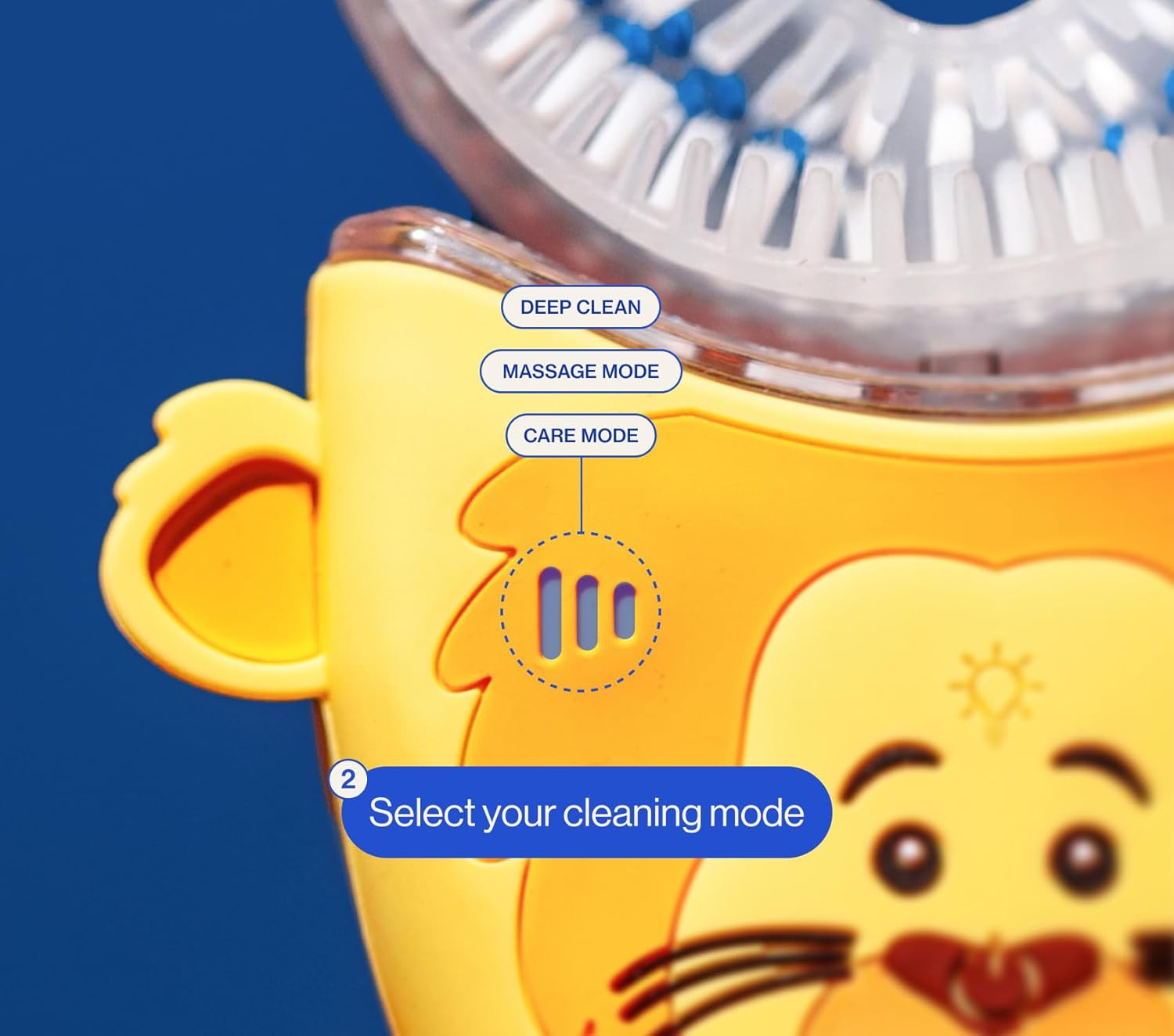
Figure 4: Selecting a cleaning mode.
- Brushing Technique: Gently move the toothbrush side-to-side while it vibrates to ensure all tooth surfaces are cleaned. The built-in 30-second timer will guide the brushing duration.
- Completion: The toothbrush will automatically turn off after 30 seconds, signaling the end of the brushing cycle.
Demonstration Videos
Video 1: A detailed look at the autobrush Kids Size 3-5, demonstrating its features and operation.
Video 2: Parents sharing their experience and why their kids enjoy using the autobrush.
Video 3: A short preview (6 seconds) demonstrating the fun music and lights feature during brushing.
6. Maintenance
- Cleaning the Brush Head: After each use, remove the U-shaped brush head and rinse it thoroughly under running water. Allow it to air dry.
- Cleaning the Handle: Wipe the handle of the toothbrush with a damp cloth as needed. Do not submerge the handle in water.
- Charging: Place the toothbrush back on its charging base after use to ensure it is ready for the next brushing session.
7. Troubleshooting
- Q: What should I do if the autobrush doesn’t fit properly?
- A: Check the size guide on the product page – we recommend sizing down for a better fit. With our "Perfect Fit Promise," contact support for a quick exchange.
- Q: Why do my gums bleed when using autobrush?
- A: Gum bleeding occurs because autobrush reaches areas missed by old brushes. Over time, you’ll notice less bleeding as your gums get healthier.
- Q: What if my autobrush is defective?
- A: We are committed to your satisfaction. Contact support, and we’ll quickly resolve any issues.
8. Specifications
| Feature | Detail |
|---|---|
| Brand | autobrush |
| Model | Dinosaur Ages 3-5 |
| Age Range | Kid (3-5 years) |
| Bristle Material | Nylon, Silicone |
| Handle Material | Silicone |
| Operation Mode | Automatic |
| Number of Settings | 3 |
| Power Source | Battery Powered (1 Lithium Ion battery included) |
| Item Weight | 0.39 Kilograms |
9. Warranty & Support
For warranty information, product support, or to address any concerns, please contact autobrush customer service directly. Refer to the product packaging or the official autobrush website for contact details.
