
1. Product Overview
The InnoVibe Bluetooth Speaker (Model IVSP1597BK) is a versatile device combining a portable Bluetooth speaker, a sound machine with sleep therapy sounds, and a 15W wireless charger. This manual provides instructions for setup, operation, maintenance, and troubleshooting.

Image 1.1: The InnoVibe Bluetooth Speaker with a smartphone charging on its top surface.

Image 1.2: Key features of the InnoVibe speaker, including built-in speaker, wireless charger, sound machine, 6 built-in sounds, 3 timer modes, and rechargeable battery.
2. Package Contents
Please check the package for the following items:
- InnoVibe Bluetooth Speaker (Model IVSP1597BK)
- USB Charging Cable
- User Manual (this document)
- Batteries (pre-installed)
3. Setup
3.1 Initial Charging
Before first use, fully charge the speaker. Connect the provided USB charging cable to the charging port on the speaker and to a compatible USB power adapter (not included). The charging indicator light will show the charging status.
3.2 Powering On/Off
- To power on: Press and hold the Power button for 2-3 seconds.
- To power off: Press and hold the Power button for 2-3 seconds.
3.3 Bluetooth Pairing
To connect your device via Bluetooth:
- Ensure the speaker is powered on. It will automatically enter Bluetooth pairing mode, indicated by a flashing LED light.
- On your smartphone or tablet, go to the Bluetooth settings.
- Select "InnoVibe Speaker" from the list of available devices.
- Once connected, the LED indicator will stop flashing and remain solid.

Image 3.1: The InnoVibe speaker connected via Bluetooth, playing music from a smartphone.
4. Operating Instructions
4.1 Bluetooth Audio Playback
After successful Bluetooth pairing, you can stream audio from your connected device. Use the volume controls on the speaker or your connected device to adjust the sound level. The speaker provides 3W audio output.
4.2 Sleep Therapy Sounds
The speaker includes 6 built-in sleep therapy tracks to aid relaxation and sleep. These include White Noise, Ocean Waves, Lullaby, Brook, Rain & Thunder, and Crackling Fire. Use the dedicated button to cycle through the available sounds.
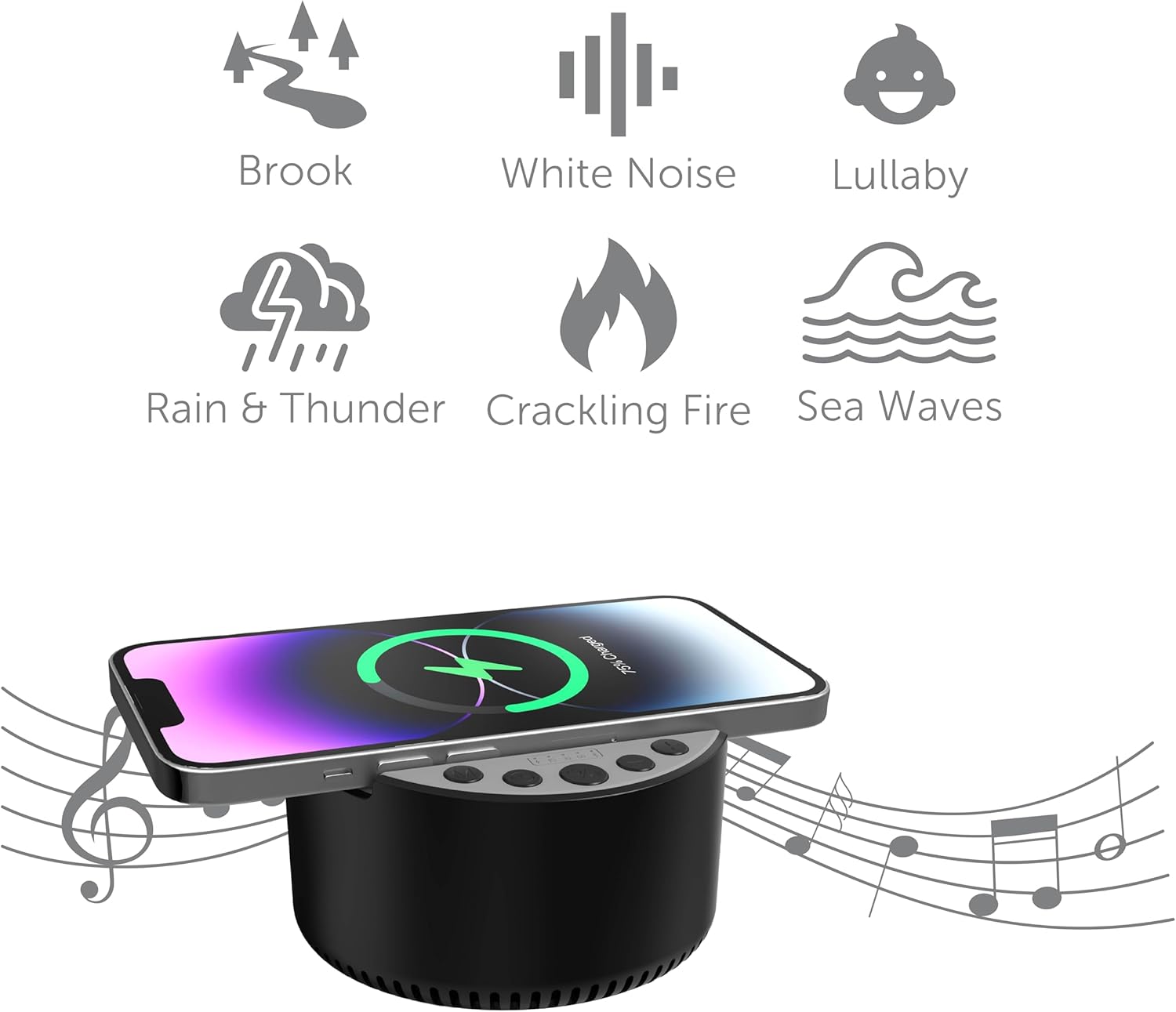
Image 4.1: Visual representation of the six built-in sleep therapy sounds.

Image 4.2: The InnoVibe speaker functioning as a sound machine on a nightstand.
4.3 Timer Modes
The speaker features three auto-off timer modes: 15, 30, and 60 minutes. Press the Timer button to cycle through these options. The speaker will automatically power off after the selected duration, conserving battery life.
4.4 15W Wireless Charging
The top surface of the speaker is equipped with a 15W wireless charging pad. To use this feature:
- Place your Qi-enabled smartphone or device directly onto the center of the charging pad.
- Ensure the device is properly aligned for optimal charging.
- A charging indicator on your device will confirm that charging has begun.

Image 4.3: A smartphone wirelessly charging on the InnoVibe speaker on a desk.
5. Maintenance
5.1 Cleaning
To clean the speaker, use a soft, dry cloth. Do not use abrasive cleaners, solvents, or harsh chemicals, as these may damage the surface or internal components. Avoid exposing the device to excessive moisture.
5.2 Battery Care
The speaker contains a rechargeable battery. To prolong battery life:
- Avoid fully discharging the battery frequently.
- Charge the device regularly, even if not in use for extended periods.
- Store the device in a cool, dry place when not in use.
5.3 Storage
When storing the speaker for an extended period, ensure it is fully charged and then power it off. Store it in a dry environment away from direct sunlight and extreme temperatures.
6. Troubleshooting
6.1 No Power
- Check Battery: Ensure the speaker is charged. Connect it to a power source using the USB cable.
- Power Button: Press and hold the Power button for 2-3 seconds to ensure it's properly turned on.
6.2 Bluetooth Not Connecting
- Speaker in Pairing Mode: Ensure the speaker's LED indicator is flashing, indicating it's in pairing mode.
- Device Bluetooth On: Verify Bluetooth is enabled on your smartphone or tablet.
- Distance: Make sure your device is within 33 feet (10 meters) of the speaker.
- Forget Device: If previously paired, try 'forgetting' the speaker from your device's Bluetooth list and re-pairing.
- Restart Devices: Power off and on both the speaker and your Bluetooth device.
6.3 Wireless Charging Not Working
- Qi-Enabled Device: Confirm your smartphone or device supports Qi wireless charging.
- Alignment: Ensure the device is centered on the charging pad.
- Case Interference: Remove any thick phone cases that might interfere with wireless charging.
- Power Source: Ensure the speaker itself has sufficient power or is connected to a power source.
6.4 No Sound
- Volume Levels: Check the volume on both the speaker and your connected device.
- Bluetooth Connection: Ensure the speaker is properly connected via Bluetooth.
- Audio Source: Verify that audio is playing on your connected device.
7. Specifications
| Feature | Specification |
|---|---|
| Model Name | IVSP1597BK |
| Brand | InnoVibe |
| Connectivity Technology | Bluetooth |
| Speaker Maximum Output Power | 3 Watts |
| Wireless Charging Output | 15 Watts |
| Built-in Sounds | 6 Sleep Therapy Tracks |
| Timer Modes | 15, 30, 60 minutes |
| Battery | Rechargeable (500mAh) |
| Product Dimensions | 2.52"D x 3.98"W x 4.02"H |
| Item Weight | 13.3 ounces |
| UPC | 810182221014 |
8. Warranty and Support
This InnoVibe product is covered by a manufacturer's warranty. Please refer to the warranty card included in your package for specific terms and conditions. For technical support, troubleshooting assistance, or warranty claims, please contact InnoVibe customer service through the contact information provided on the product packaging or the official InnoVibe website.


